2
Section 1. Safety Information & Guidelines
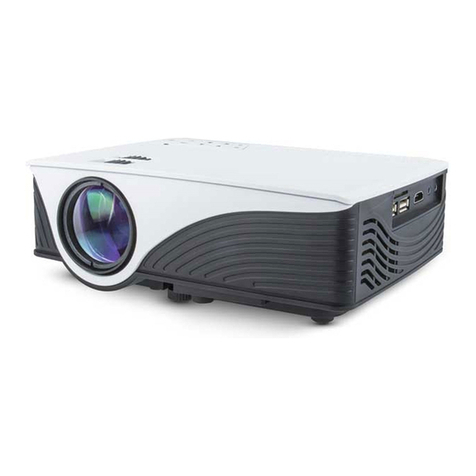
This user manual will guide you through the functions and usage of your Viotek Crescent Portable Projector. It is
important that you follow all instructions and regard all notes that appear throughout this manual. Consult this
manual before you attempt to use your projector. If you have questions not answered by this manual or are in need of
repair or non-routine service, contact Viotek customer service at 1-855-229-9472. Before contacting customer service,
please have your purchase information ready as it may be needed during the call.
1.1 Information
When reading this manual, note these icons:
Notes with this icon MUST be read, understood, and obeyed to prevent injury or damage etc.
Notes with this icon include relevant information.
Before Using The Crescent
• Please check the voltage of the adapter before use.
• Suitable input voltage range is 100-260V AC while output range is DC 19V 3A.
• Identify suitable surfaces for projection. Surfaces for optimal viewing are clean surfaces like walls or suitable
curtains which are neutral, grey, or dark colors and non-reective.
• Check the packaging and contents list within this manual to ensure all parts were received. If any part is missing,
contact Viotek customer service.
• Charge the projector at least 6.5hrs before attempting to use it for the rst time.
• If the Crescent will not be used for a long period of time, discharge and recharge the battery once a month and
store in a dry, suitable location.
• If the 3D glasses will not be used for a long period of time, discharge and recharge the battery once a month and
store in a dry, suitable location.
General Safety
• Note, the projector and its accessories are limited to indoor use. Do not expose to direct sunlight or attempt to operate in high temperatures.
• Operating temperature range : 41°F to 95°F with humidity levels from 35% to 60%.
• Clean the outside with dry, non-abrasive cloth only. Do not spray any part of the projector or its accessories with water or liquids.
• If the projector or any of its accessories create abnormal noise, odor, or leakage, etc. immediately stop use and disconnect the product(s)
from all power sources. Do not touch projector or any of its accessories. Contact customer service immediately.
• Do not look directly into the projector lens or laser keyboard especially when either device is on.
• Do not block the projector’s air inlet or outlets. Obstructing ventilation may cause overheating and malfunctions.
• All objects should be at least 50cm from the air outlets and inlets.
• Do not insert anything into any part of the projector especially the ventilation openings.
• Clean the outside with dry, non-abrasive cloth only. Do not spray any part of the projector or its accessories with water or liquids.
• Do not attempt to dissemble the projector or any of its accessories.
• Store the projector indoors at a dry and stable temperature. Do not store in an unheated garage, shed, or other locations with extreme
temperature uctuations.
Battery & Charging
• Use only the adapter included in the original packaging or received from Viotek as a replacement.
• Before storing, fully charge the projector to prevent battery over-discharge due to non-use.
• Cover the projector to protect it from dust. Do not store in a dusty environment as, with all electronic devices, dust may cause damage over
time.
• Please ensure the charger is fully inserted and/or connected to the wall outlet before charging. Improper insertion may result in electric
shock, short circuiting, smoke, or re.
• Refer any non-routine battery maintenance to Viotek.
• Projector may not be used with any type of power other than the one included.
• Use only the chargers included in the original packaging or received from Viotek as a replacement to charge the projector and 3D glasses.