manuals.online logo
Brands
  1. Home
  2. •
  3. Brands
  4. •
  5. ABONG
  6. •
  7. Music Mixer
  8. •
  9. ABONG SEBRINGVILLE 3157826 User manual

ABONG SEBRINGVILLE 3157826 User manual

Popular Music Mixer manuals by other brands

Denon DN-HC5000 - Serato ITCH Hardware/Software... Service manual

Denon

Denon DN-HC5000 - Serato ITCH Hardware/Software... Service manual

Yamaha WC42260 owner's manual

Yamaha

Yamaha WC42260 owner's manual

Vertiv KMMLED156 Quick installation guide

Vertiv

Vertiv KMMLED156 Quick installation guide

Yamaha EMX3000 user manual

Yamaha

Yamaha EMX3000 user manual

Mackie Onyx Analogue Mixer brochure

Mackie

Mackie Onyx Analogue Mixer brochure

Peavey S-32 Sanctuary Series Operation guide

Peavey

Peavey S-32 Sanctuary Series Operation guide

Rane MP 4 Operator's manual

Rane

Rane MP 4 Operator's manual

True T9 Touchscreen Console owner's manual

True

True T9 Touchscreen Console owner's manual

Studiomaster Air Pro 24 instruction manual

Studiomaster

Studiomaster Air Pro 24 instruction manual

Yamaha MV802 owner's manual

Yamaha

Yamaha MV802 owner's manual

Roland SoundCanvas SC-8820 owner's manual

Roland

Roland SoundCanvas SC-8820 owner's manual

Roland M-160 owner's manual

Roland

Roland M-160 owner's manual

Yamaha MR1642 Operation manual

Yamaha

Yamaha MR1642 Operation manual

Pioneer DJM 909 - Battle Mixer W/Effects operating instructions

Pioneer

Pioneer DJM 909 - Battle Mixer W/Effects operating instructions

Veeder-Root TLS-350 Series System setup manual

Veeder-Root

Veeder-Root TLS-350 Series System setup manual

Alto APM80.QUAD user manual

Alto

Alto APM80.QUAD user manual

Omnitronic PM-211 user manual

Omnitronic

Omnitronic PM-211 user manual

SoundCraft B400 user guide

SoundCraft

SoundCraft B400 user guide

manuals.online logo
manuals.online logoBrands
  • About & Mission
  • Contact us
  • Privacy Policy
  • Terms and Conditions

Copyright 2025 Manuals.Online. All Rights Reserved.

A clock is a precision mechanical instrument containing many
slowly moving parts. ere are over a hundred points of contact
where friction works to bring it to a stop.
Take your time assembling this kit, and pay attention to the
details. Great pains have been taken to cra these instructions
to ensure your success. If there are any steps that seem unclear,
please let us know.
Before you begin, check that there are no missing or damaged
pieces in the kit. A parts list is provided to help identify each
piece.
Finally, read through all the instructions before you begin. is
will help you understand how each piece ts into the nished
clock.
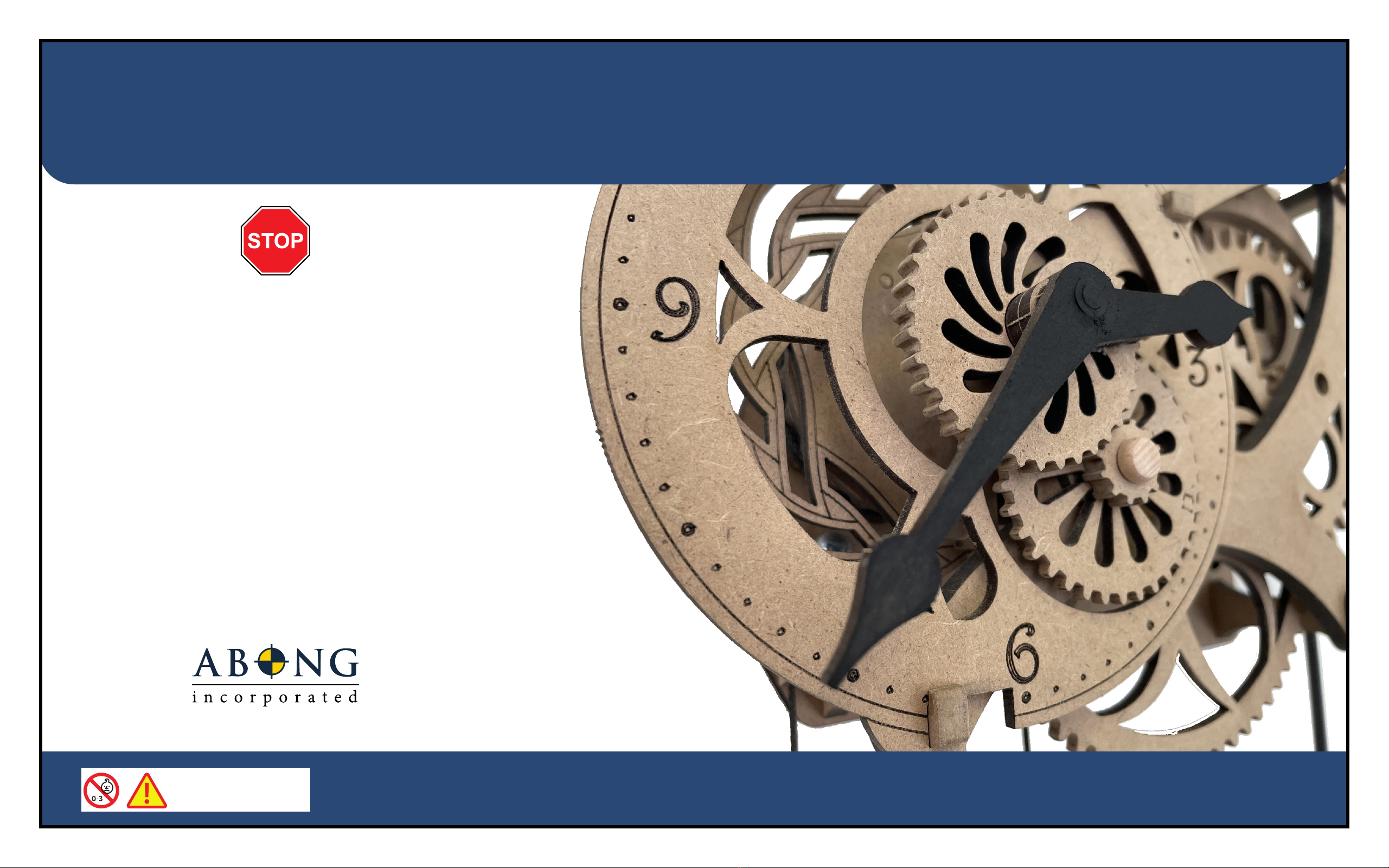
WALL CLOCK KIT
SEBRINGVILLE
DAMAGED OR MISSING PARTS?
email: service@abong.com
Made in Canada by
ABONG, Inc
5-775 Woodlawn Road W
Guelph, ON N1K 1Y7
WARNING!
CHOKING HAZARD - CONTAINS
SMALL PARTS. NOT RECOMMENDED
FOR CHILDREN UNDER 3 YEARS

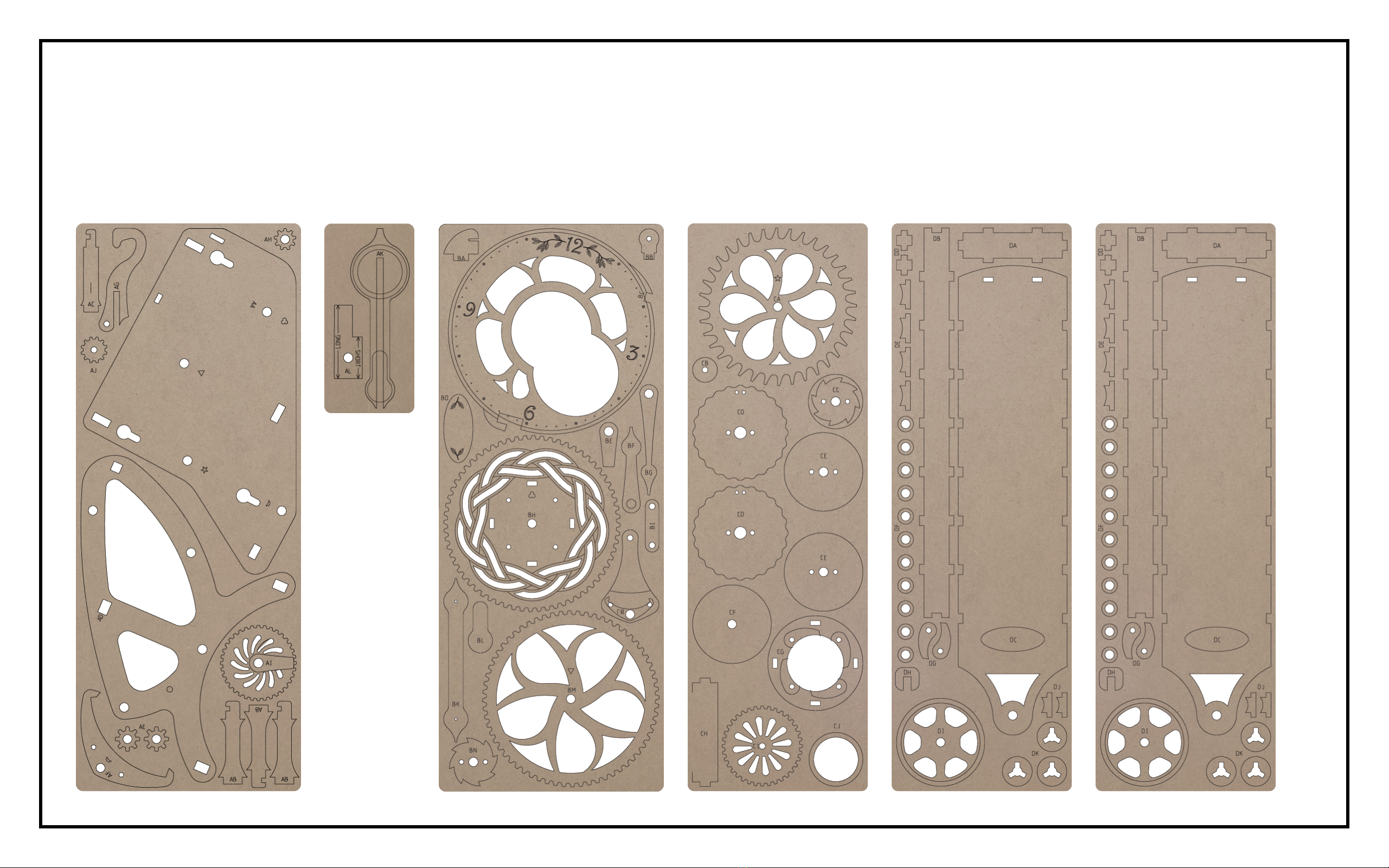
1. Six laser cut sheets are supplied with the kit.
• There are two thicker boards, one large and one small with parts labels beginning with ‘A’
• There is one thinner board with parts labels beginning with ‘B’
• There is one thinner board with parts labels beginning with ‘C’
• There are two identical thinner boards with parts labels beginning with ‘D’
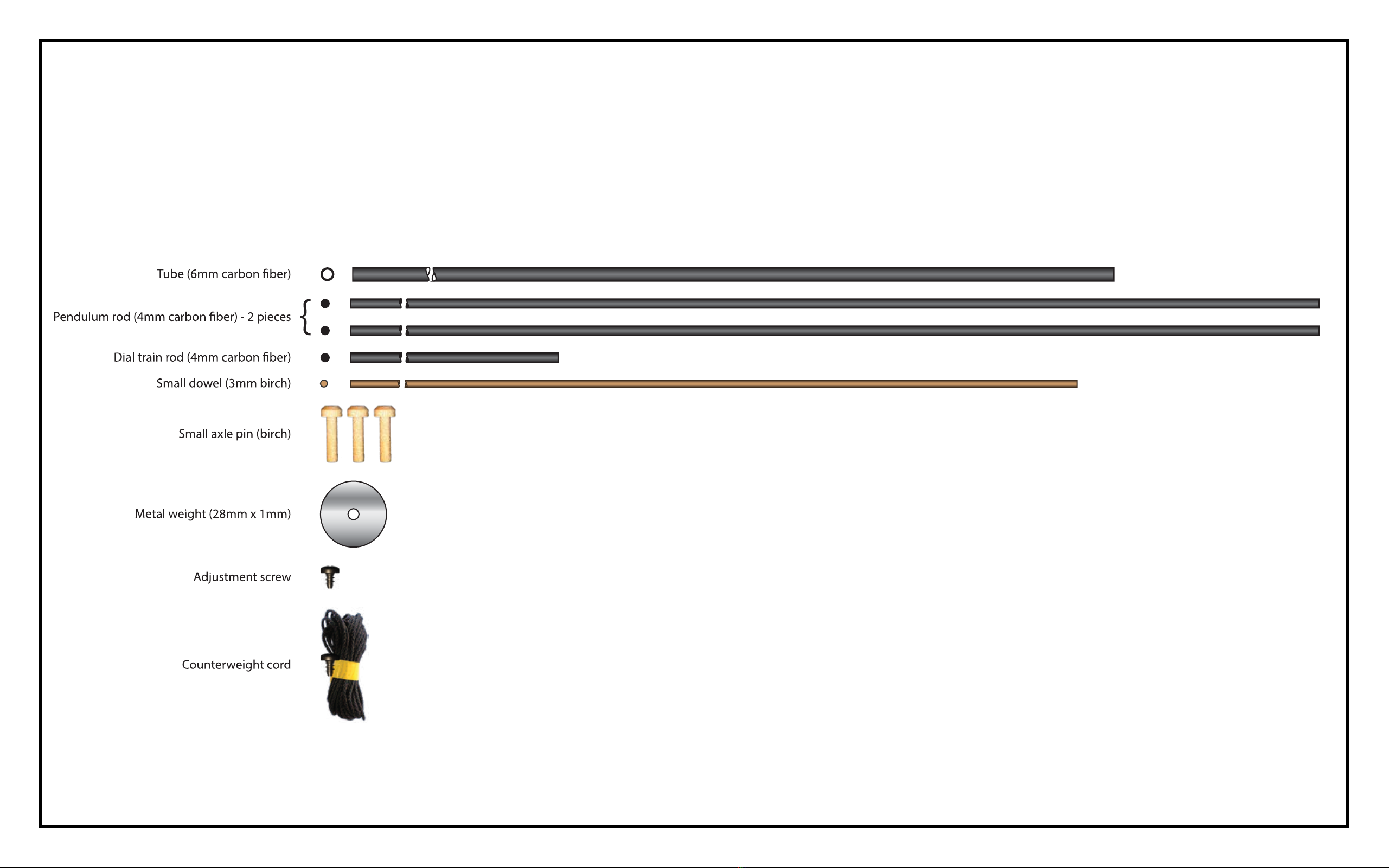
2. The kit also contains a number of other components
needed to complete the clock.
3. The tools needed to assemble this kit are:
• Razor saw (42 teeth per inch)
• Scissors
The supplies needed to complete the kit are:
• Two or three sheets of good quality, ne grit (220) sandpaper
• Cyanoacrylate gel glue (also called “CA”, crazy, or super glue).
• Wood glue (also called carpenter’s or PVA glue)
• One pack (6000 count) BBs (Daisy or Crosman)
• Block of scrap wood (optional)
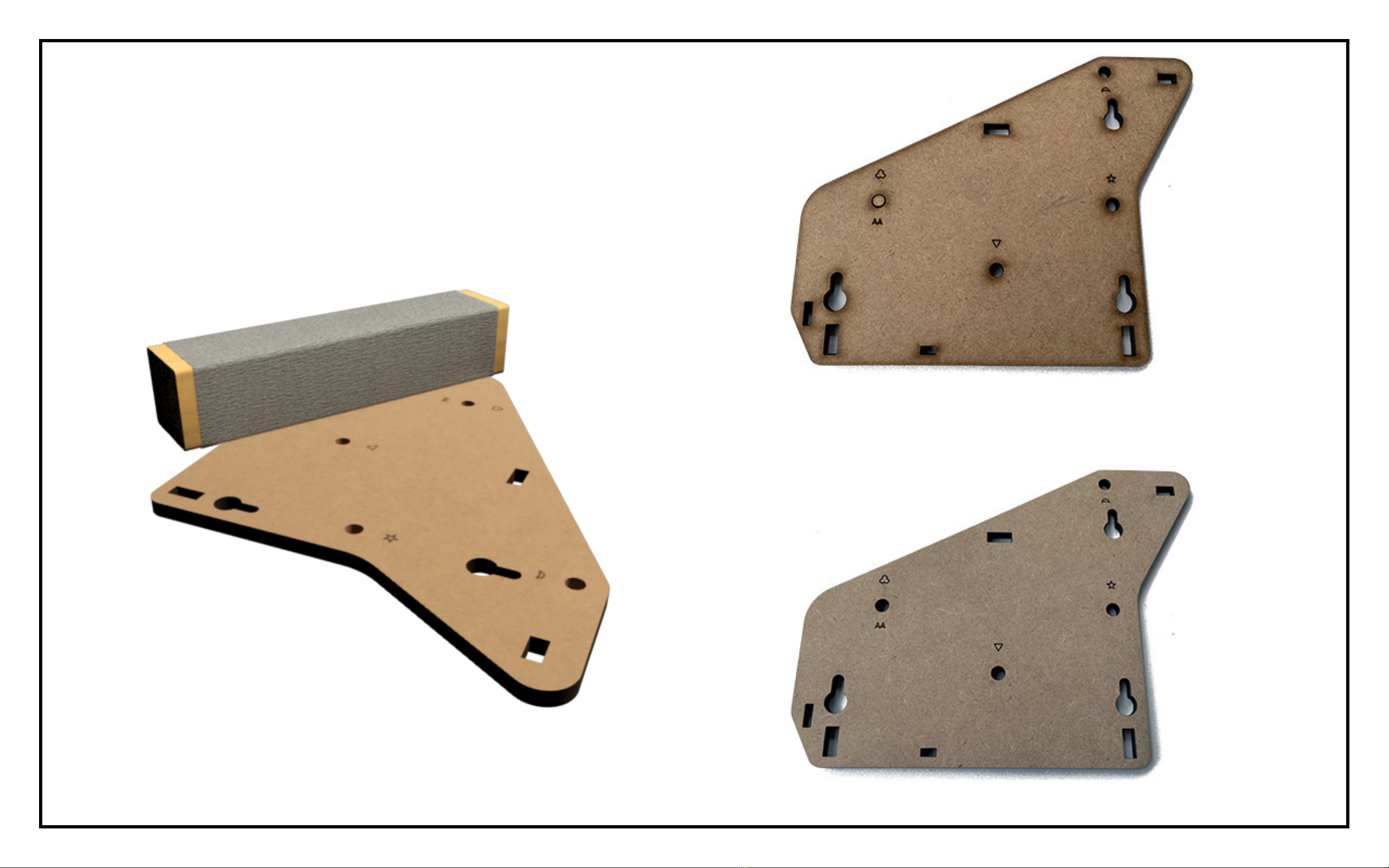
AFTER
BEFORE
4. Using 220 grit sandpaper, sand both faces of each part to
remove blemishes and residue left by the laser cutting
process. For large pieces, use a sanding block, which can
be as simple as a piece of scrap wood with sandpaper
wrapped around it.
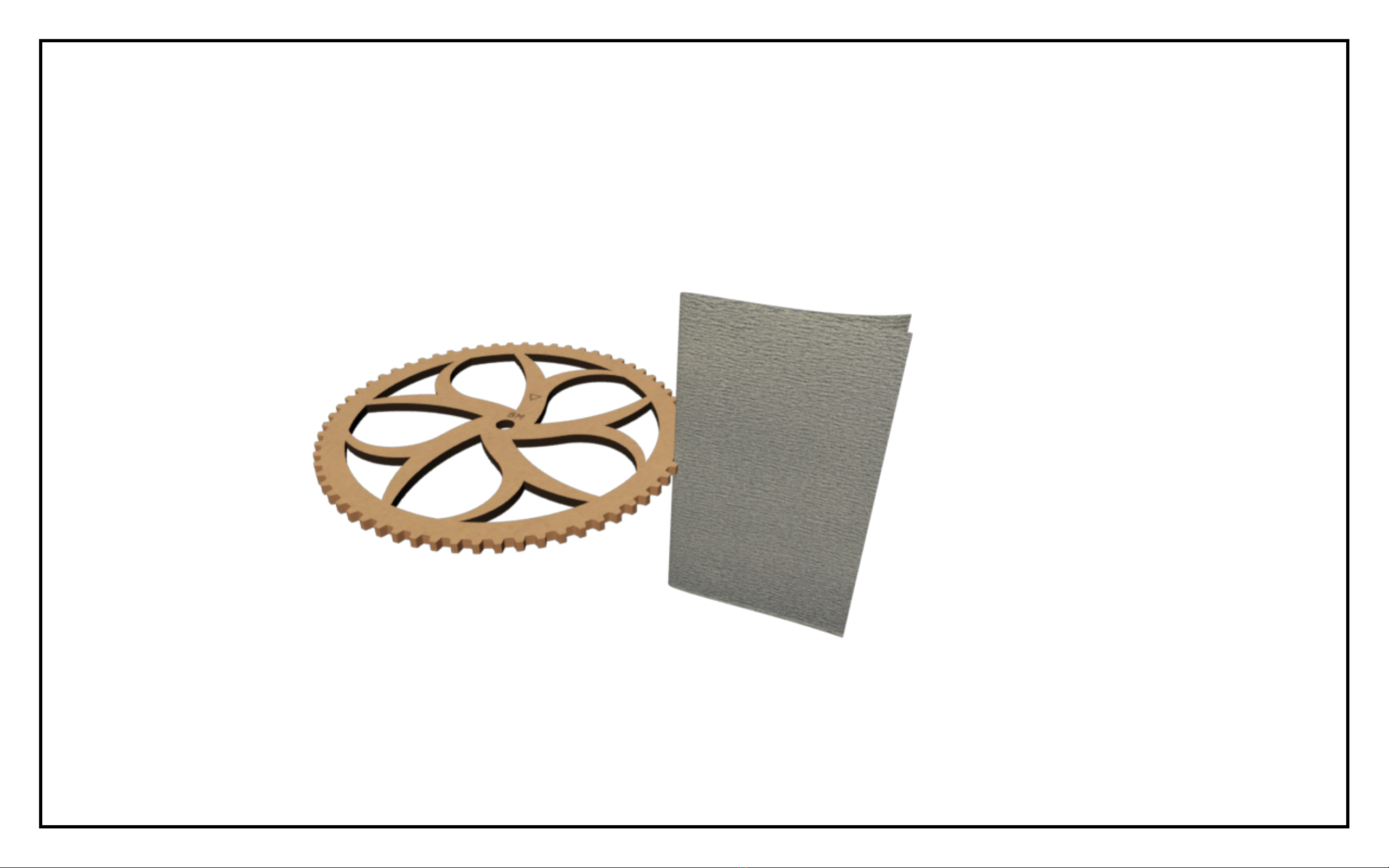
5. For small pieces, lay the sandpaper at and move the
part against it. Take care not to remove any laser etched
marks. Taking a little extra care and patience to prepare
each piece will make a huge impact on the appearance of
the completed kit.
6. To sand holes and smaller openings, tear a small strip
of sandpaper and tightly roll it into a cone shape small
enough to t. Work the sandpaper into the opening,
twirling it as it is moved in and out.
7. To sand gear teeth, fold a strip of sandpaper twice, and
sand each tooth across the thickness of the material.
Work around the rim of the gear rst working on one side
of each tooth, then ip the gear over, and sand the other
side.
Take care to remove only enough material to expose the
natural color of the material.
8. The dark edge left by the laser cutting process is caused
by natural resins in the material. It does not bond well
with glue.
The instructions will include diagrams indicating which
edges need to be sanded.
Lightly sand the highlighted edges to expose the material
beneath. Don’t forget that holes need to be sanded too!