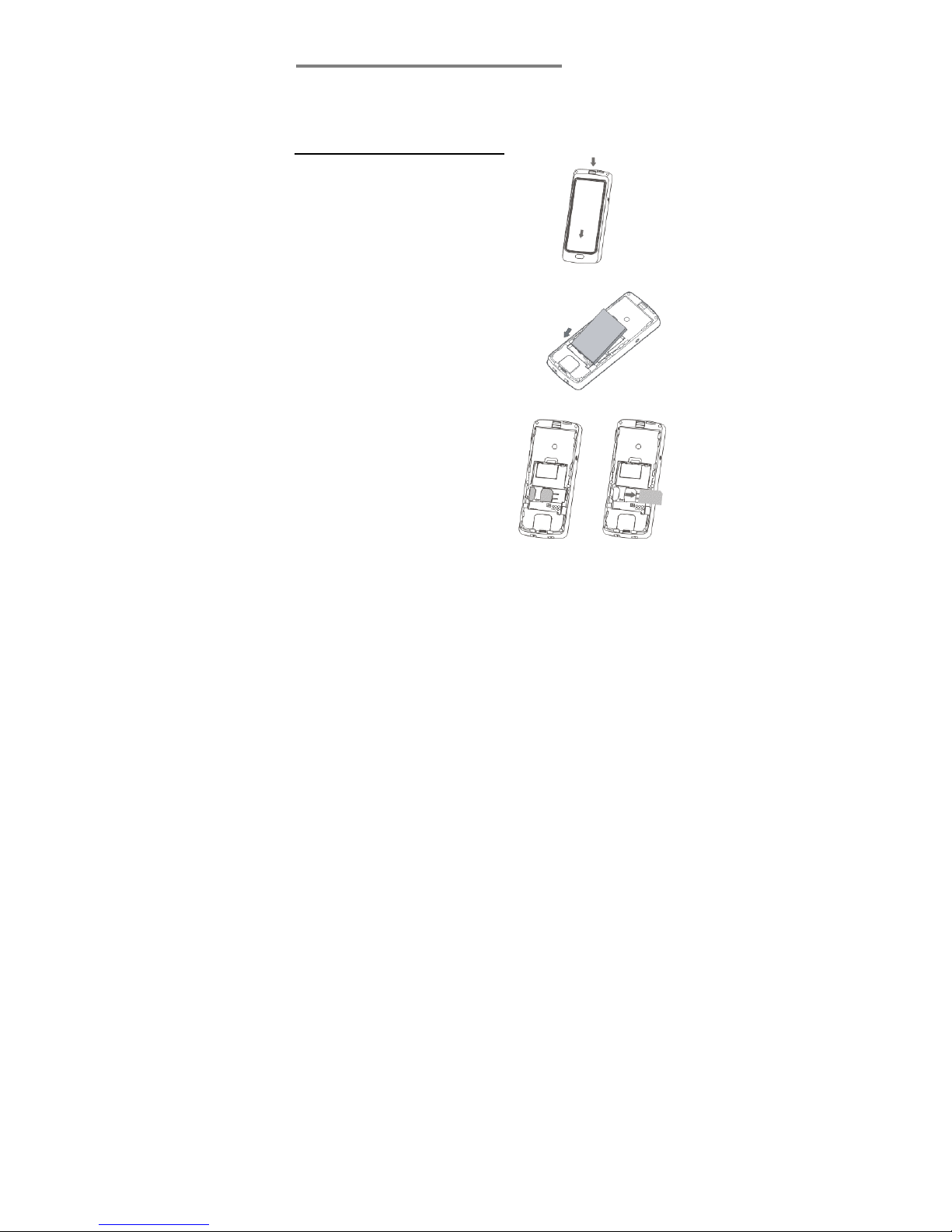
Insert the memo index card
1. Remove the handset back cover, as (2) above.
2. The index card slides between the clear lens and back
cover. Ensure the card is pushed right in up to the end.
3. Replace the back cover, as (6) above.
Charge the battery
Warning! Use only batteries and chargers supplied with
or approved by Alcom for this model. Use of others will
invalidate approvals or warranty and may be dangerous.
Do not charge the battery with the back cover removed.
1. Connect the charger lead firmly into the socket on the
side of the handset.
2. Plug the charger into an AC mains socket. The battery
indicator bar scrolls and “Charging…” is displayed.
3. Charging the battery may take up to 15 hours.
4. If No charging is displayed, disconnect the charger,
and retry. If charging still fails, contact the helpline.
5. The battery is fully charged when the bar stops
scrolling. Disconnect the charger from the phone and
the AC outlet.
Connect a compatible headset (Optional)
You can use the Speakeasy GSM with a headset (not
supplied). The connector must be a 2.5mm 3-pole jack
plug that inserts in the Power/Headset socket on the left
side of the handset.
8