Control panel instructionControl panel instruction
3
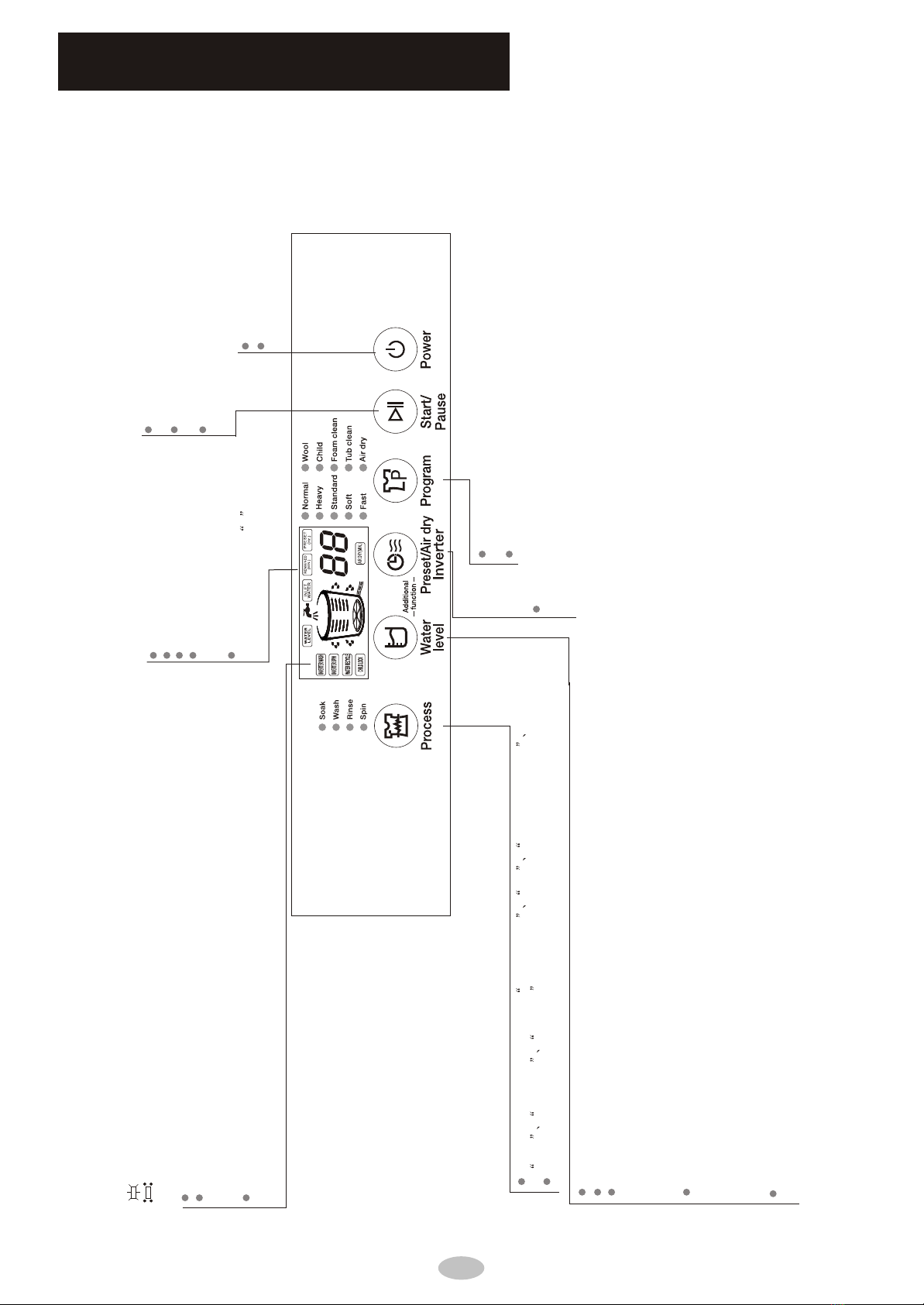
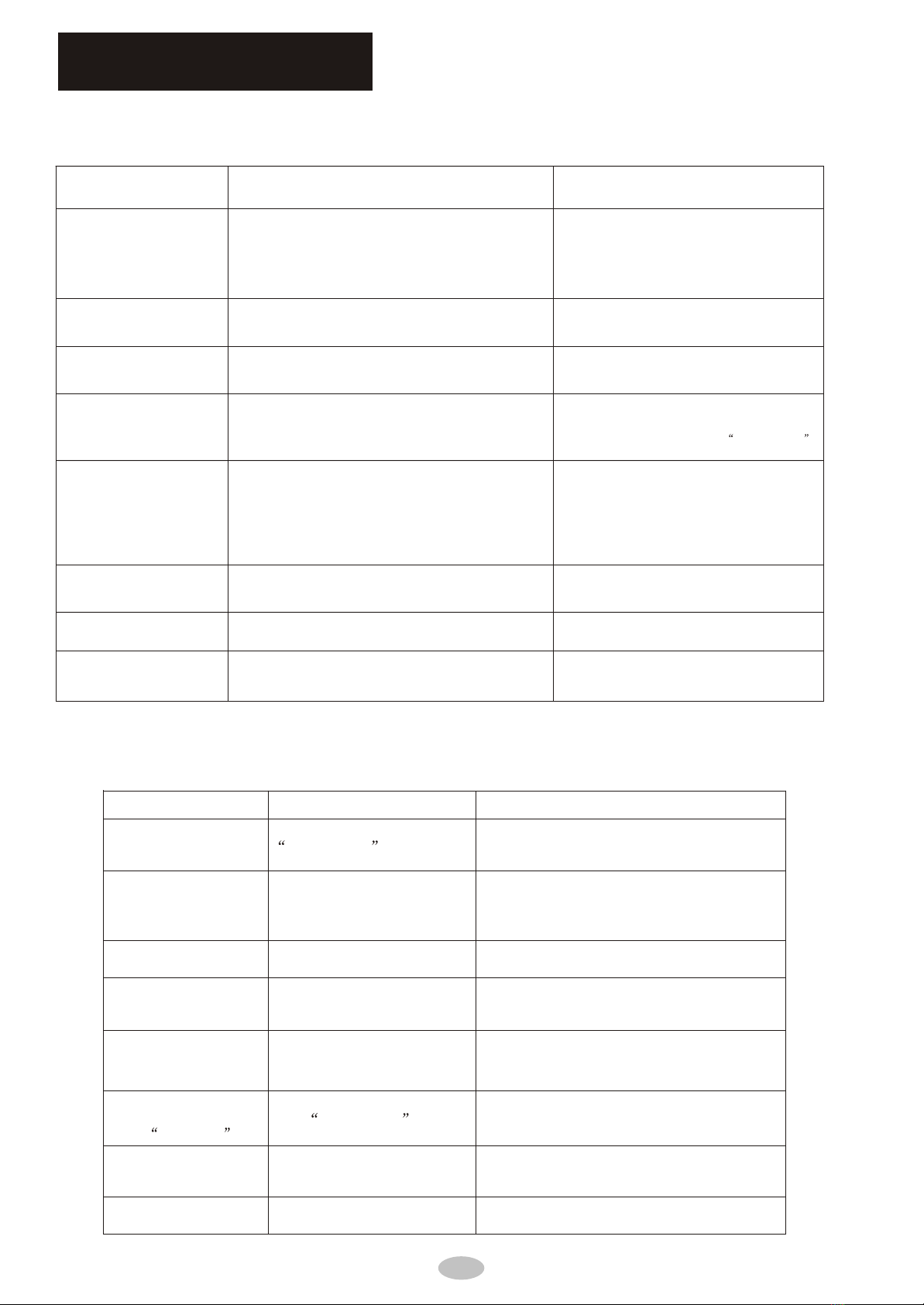
Mode and meaning of the indicator light
on: indicate the selected mode
flashing: indicate the program is running
Additional functions
Press this button to select the water level manually
Press this button together with the PRESET/DRY AIR/INVERTER to activate the
WATER RECYCLE. INVERTER WASH and INVERTER SPIN options. Please see page
12 instructions on how to adjust them.
After as wash program has been started, press this button together with
PRESET/DRY AIR/INVERTER to activate the CHILD LOCK function
Press this button to select one cycle from wash-rinse-spin spin soak-wash-rinse -spin
wash wash-risne rinse-spin .
The default process setting is "wash-rinse-spin". To activate the, SOAK process, press and hold this button
NORMAL and HEAVY wash programs have automatic water level system.
STANDARD and other wash programs have manual water level system.
For the manual water level selection, see guide below to choose the appropriate water level
according to the wash load:
Level 1-2 is for low water level
Level 3-6 is for medium water level
Level 7-10 is for high water level
In an on-going wash or rinse cycle, if additional water is needed, user may do any of the following:
1. Press the WATER LEVEL button, this will add water into the tub. Pressing it again
will stop the additional water from flowing.
2. Press START/PAUSE and then press the WATER LEVEL button to select a higher water level.
Then press the START/PAUSE button again for the washing machine to start adding water,
once the new water level is reached, the wash program will automatically resume.
Automatically adds water: if during SOAK, WASH, or RINSE process, the water level has lessened
due to overflows, the machine will automatically correct the water level.
Press this button after selecting the program,
process and water level.
Can select one program from NORMAL,HEAVY,STANDARD,SOFT,
FAST, WOOL,CHILD,FOAM CLEAN,TUB CLEAN and AIR DRY
The default program is NORMAL.
Used to turn the machine ON/OFF
WASH program time is shown in MINUTES
When machine encounters an abnormal
condition, indicator will show the diagnostic
code.
AIR DRY time is shown in MINUTES
Right after the washing machine is turned
on, the indicator shows -- , this means
that its running in AUTO mode..
DELAY time is shown in HOURS
Press this button to temporarily stop the washer's
operation.
Press this button to resume the washer's operation.
Used to cancel a washing program
Press this button to customize the settings for the DELAY, AIR DRY and INVERTER
options. Please refer to page 12 for instructions on how to adjust the settings for
these options