2
Index
1.SafetyInstructions………………………………………………….………………………………………………………………………...…4
1.1.PowerEnergy…………………………………………………….………………………………………………….……..……….……….…4
1.2.PowerCordandOtherCables………………………………………….………………………………………………..….………….4
1.3.HumidityandWater…………………………………………………..….…………………………………………………….….…….…4
1.4.Cleaning………………………………………………………………………………………………………………………….………………..5
1.5.GeneralPrecautions………………………………………….………………………………………………………………..…………….5
2.UtilizationandFunctioning…………………………………………………………………………………..…………………….…….…5
2.1.ProductDescription…………………………………………………………………………………………………………………….….5
2.2.PowerOn/Off………………………………………….……………….…………………………………………………………..…....…6
2.3.Desktop……………………………………………….…..…………..………….……………………………………………………...…...6
2.4.StandbyMode(ScreenOffMode)/UnlocktheScreen…….……….………………………………………………….….6
2.5.SystemSettings………………………………………….……………………..…….……………………………………..………….....7
2.5.1.Wireless&Network…………………………….…………….………………………………………………………………………7
2.5.2.Sound…………………………………………………………….………….………………………………………………………………8
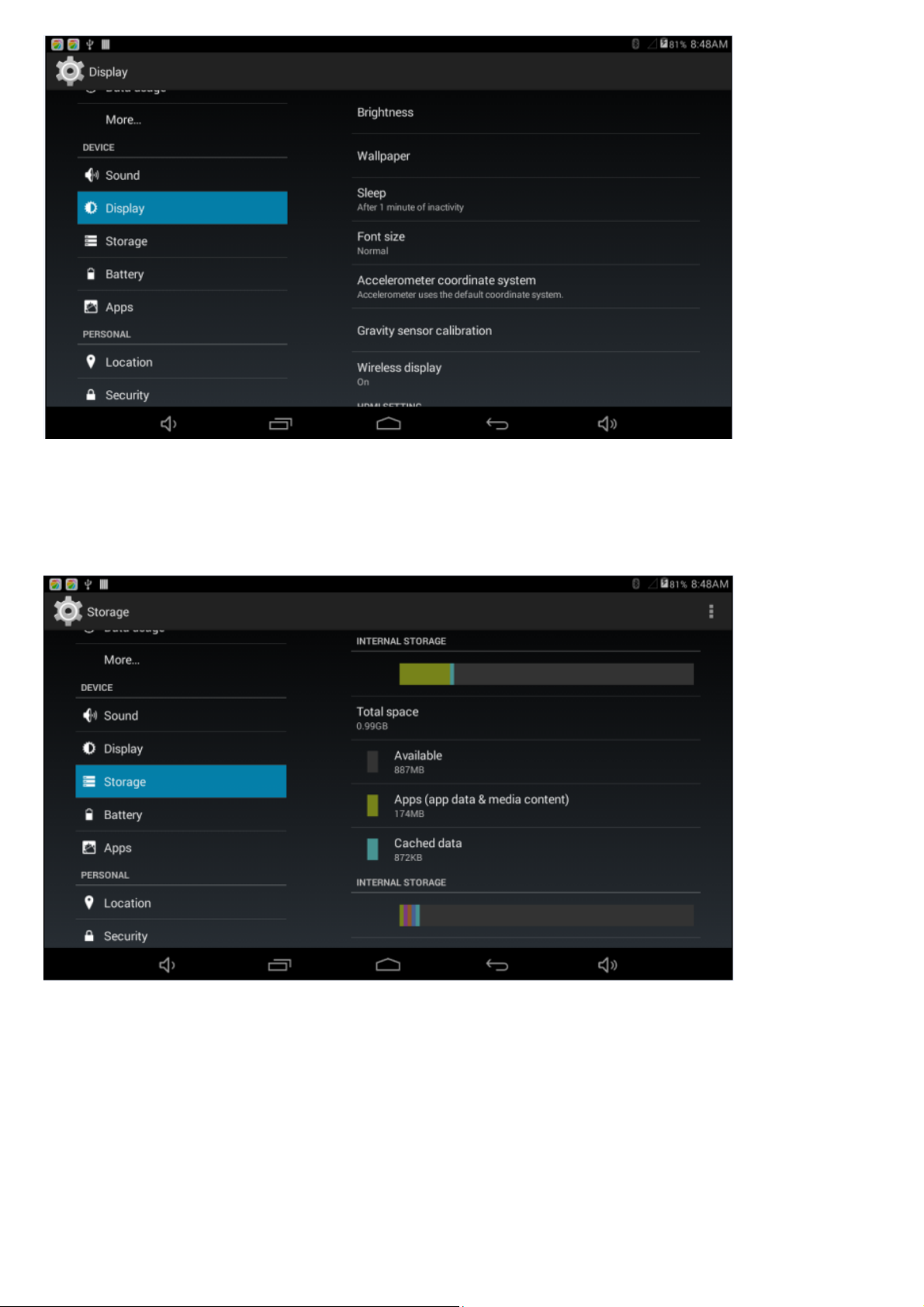
2.5.3Display……………………………………….………………………………...…………………………………………………………...8
2.5.4.Storage………………………………….………………..…………………………………………………………………………........9
2.5.5Battery…………………………………….………………………….……….…………………………………………………….….....9
2.5.6.Apps……………………………………………………………..…………..….……………………………………………….….......10
2.5.7Locationaccess…………………………….……………………………………………………………………………………..…...11
2.5.8Security………………………………………………………………………….………………………………………………………..11
2.5.9Language&Input………………………….………………………….….….…………………………………………………….…12
2.5.10Backup&Input…………………………….………………….……………….………………………………………………………12
2.5.11Date&Time……………………………..……………………..…………….………………………………………………...…..12
2.5.12Accessibility………………………………………………….…………………………………………………………………….....12
2.5.13Print.........................................................................................………………………………...................12
2.5.14DeveloperOptions…………………….…………………………………………………………………………………………..12
2.5.15AboutTablet…………………………….…………………..………………………………………………………………….....…12
3.Installation……………………………………………………………………….……………………………………………………………..…13
3.1.HowtoConnect/DisconnecttheDevicewith/fromtheComputer…………………………………………….…13
3.2.HowtoInstallApplications(.apkfile)intotheDevice.……………………………………………………………….….14
3.3.DesktopIcons…………………………………………………….………………………………………………………………………...14
3.4.KeyboardInput…………………………………………….……………………………………………………………………………..15
4.TechnicalSpecifications…………………………………….…………………………………………………………………………..….16
5.Aftermarket………………………………………………………………….……………………………………………………………..……16
6.EnvironmentConservation……………………….……………..……………………………………………………………………….17
7.FCCNotice…………………………………………………………………………….………………………………………….……….....….18