5JKF50 Installation and Operation Guide
Function & Operation
Freezing room temperature
setting mode (Fr)
DISPLAY SCREEN INITIALISATION
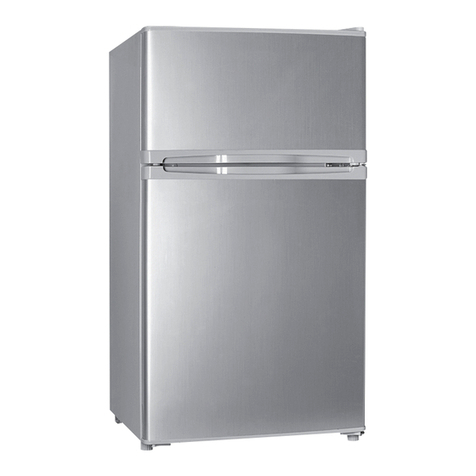
The JKF50 features a removeable
freezer section.
Freezer Section Required:
Temperature selection should be Fr
(Freezing room temperature setting
mode). This will control the temperature
of both Freezer and Refrigerator at
separate chilling levels.
Freezer Section Removed:
Temperature selection should be rE
(Refrigerator temperature setting mode).
This will maintain a refrigerator setting
for the whole compartment.
Do not select Fr setting when Freezer
compartment is removed as this will chill
the unit to a Freezer temperature setting.
NOTES ON TEMPERATURE SETTINGS
AND FREEZER COMPARTMENT REMOVAL
TEMPERATURE UNIT SETTING
1. Press button to turn on/off fridge. 1. Press button to switch off fridge.
2. Press button to switch between
temperature settings for
refrigerator and freezer.
2. Press and hold Settings button for
3 seconds until “E1” shows on the
screen.
3. Press Settings button repeatedly
until “E5” shows on the screen.
3. Use “+” or “-” to
change temperature
4. Use “+” or “-” to change
between Celsius (°C)
and Fahrenheit (°F)
Refrigerator temperature
setting mode (rE)
1. When fridge is on press and hold Settings
button for 3 seconds until the display
begins flashing.
Mode Selection
The default setting is “High”, recommended
when fridge is powered by Car Battery.
When the fridge is powered by a portable
or built in battery it is recommended that
you switch to either “Medium” or “Low”
protection mode.
2. Press Settings button to select the
desired Battery Protection Mode.
BATTERY PROTECTION MODE
High
MediumLow
Temperature range: Refrigerator: 0°C to 8°C (32°F to 46°F)
Freezing room: -12°C to -20°C (10°F to -4°F)
Temperature Control
LED Display
On/Off Switch
Settings