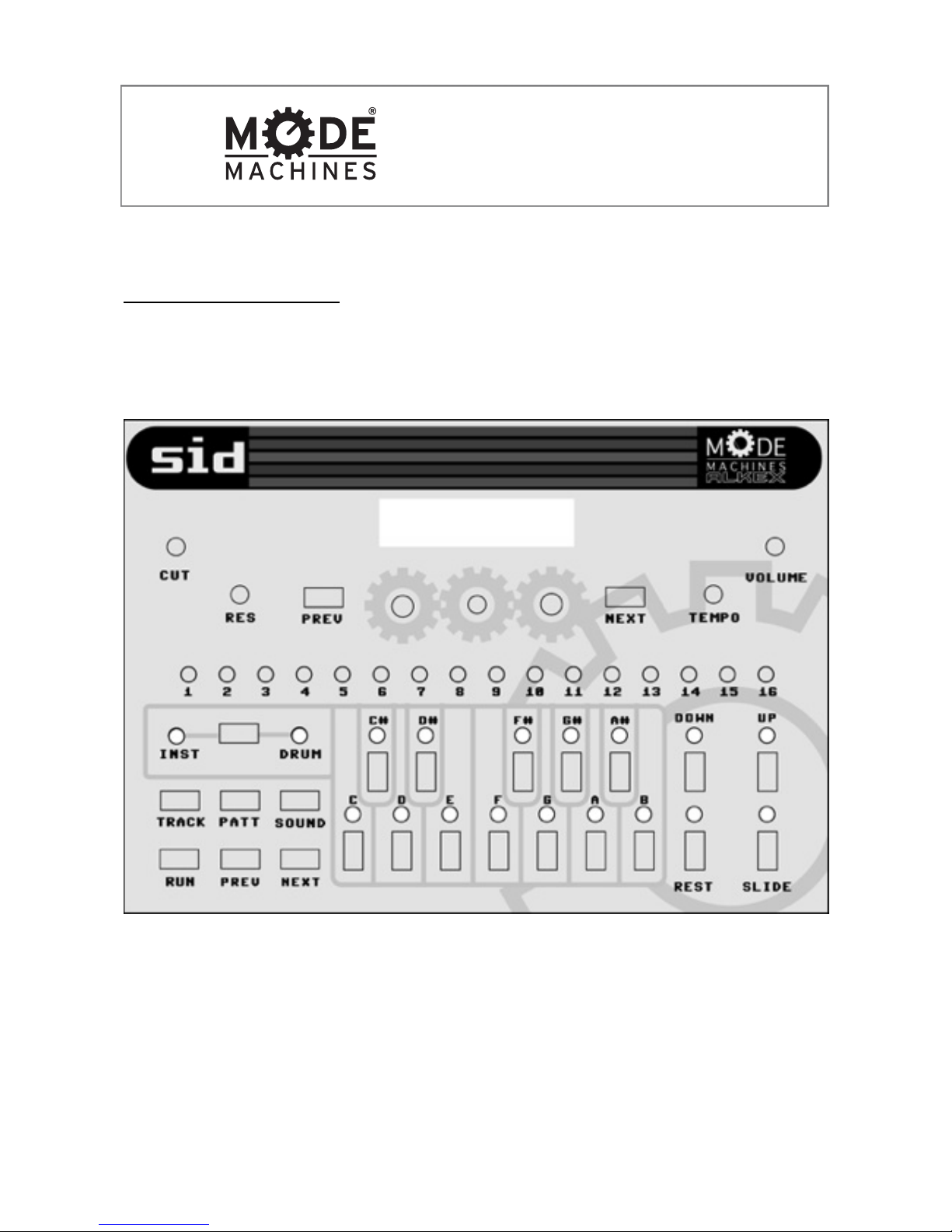
1.6 Up/Down buttons and LED’s
These buttons serve multiple functions:
-In sound mode they change the octave of the keyboard buttons.
(note: the octave buttons have no effect on the midi notes received)
-In pattern modes they transpose the selected STEP up and down by 1 octave.
Both LCD and LED’s reflect the current octave transposition.
1.7 Channel select button and LED’s
This buttons toggles between DRUM and INST(instrument) modes. The LED’s indicate
which of the 2 modes is selected.
1.8 Rest & Slide buttons and LED’s
These buttons serve multiple functions:
-in sound mode the rest buttons serves as a midi panic button in the event that a note is
“stuck” (this can occur if a MIDI connection is broken in between a note ON and note OFF
midi message). Hold the slide button in sound mode to activate sliding (glissando)
between notes.
-in pattern mode the rest button mutes the selected step and it’s LED indicates it’s status
(on=muted). The slide button makes the selected step slide to it’s note (up or down
depending on the previous step). LED on=sliding.
1.9 Upper PREVIOUS/NEXT buttons
These buttons have multiple functions:
-In sound mode, they change the selected instrument. Press once to display the next or
previous patch on the lcd. Hold to “scrub” faster through the list. Then press RUN to load
the patch.
-In pattern mode these buttons change the currently selected instrument or drum pattern.
-In Track Play/Select mode these buttons change the selected instrument or drum track.
-In Track Edit mode these buttons change the pattern of the currently selected track STEP.
5/ 22
Control Panel
SID 8Bit Groovebox