Introduction....................................................................................................................................................................... 3
Software Support ......................................................................................................................................................... 3
Package Contents ........................................................................................................................................................ 3
Camera Installation........................................................................................................................................................... 4
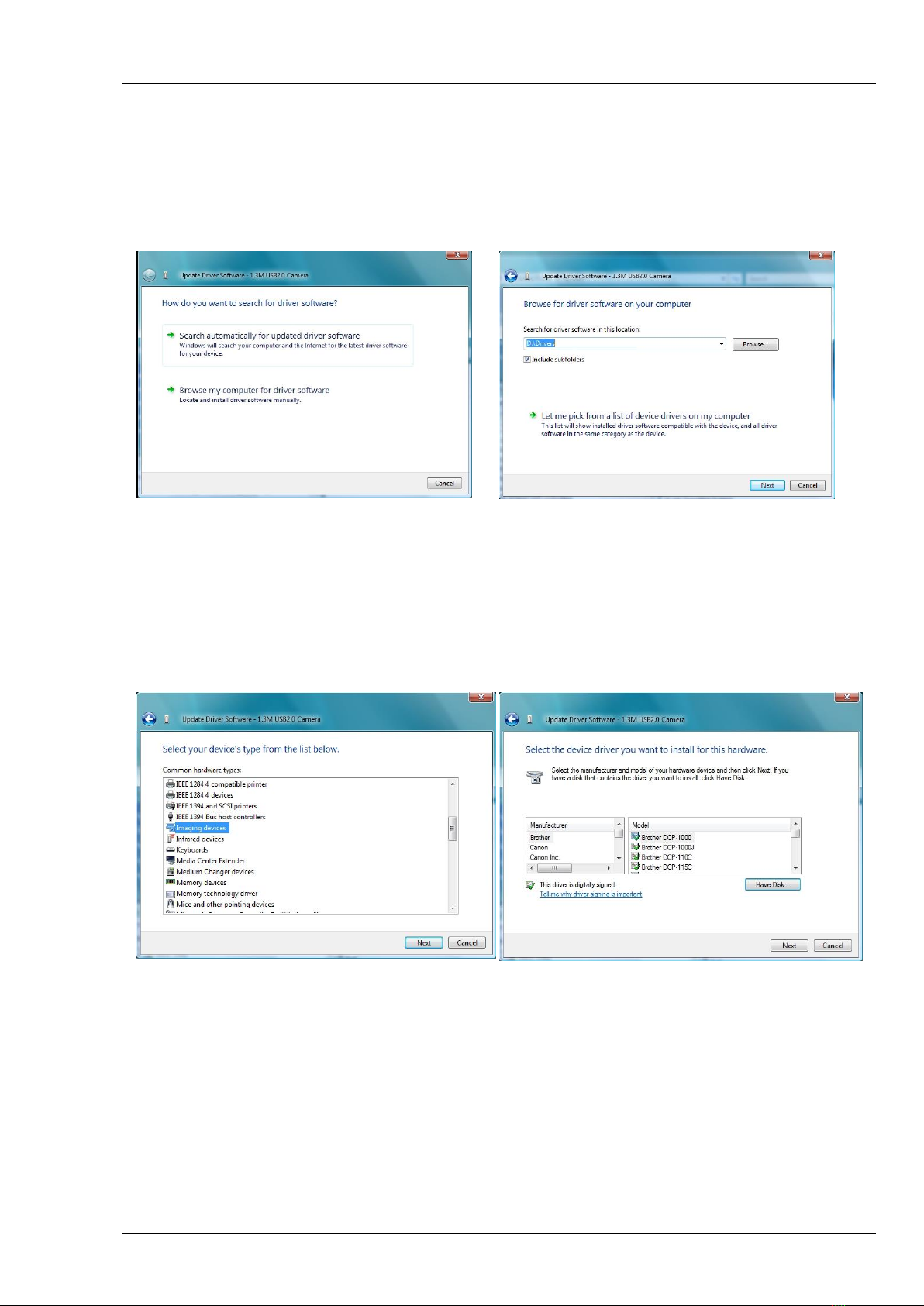
Installing Software for Windows DirectShow ............................................................................................................ 5
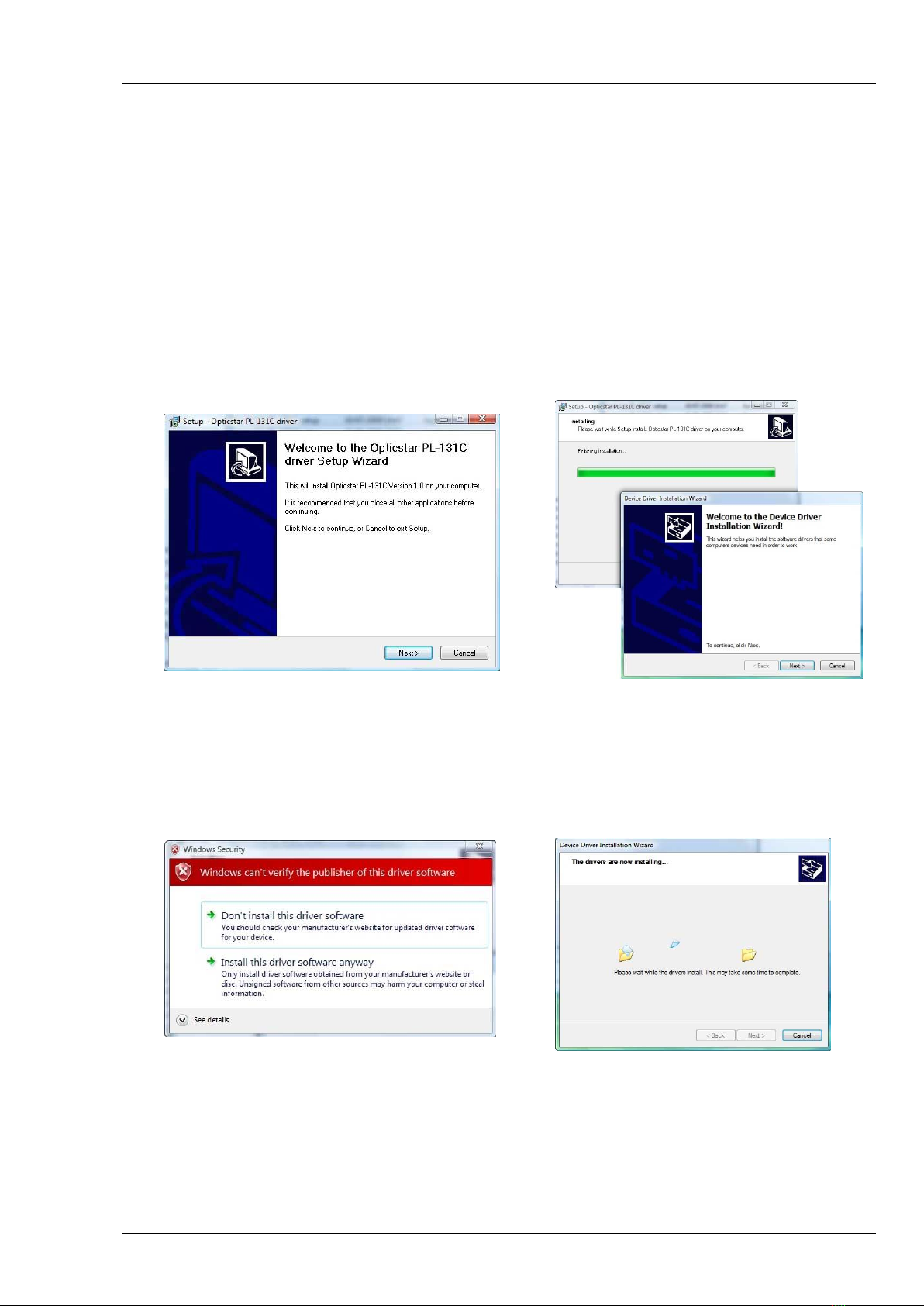
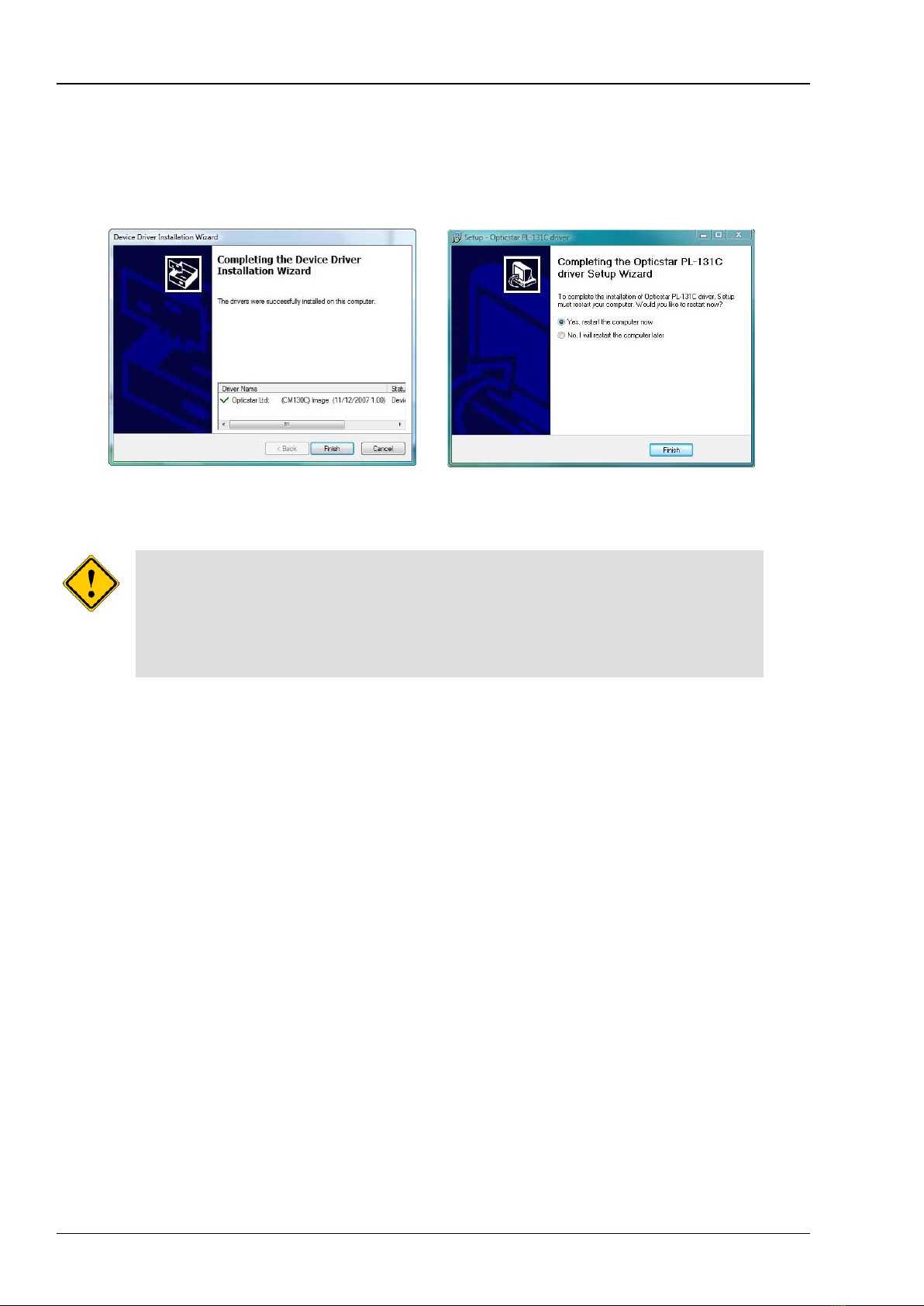
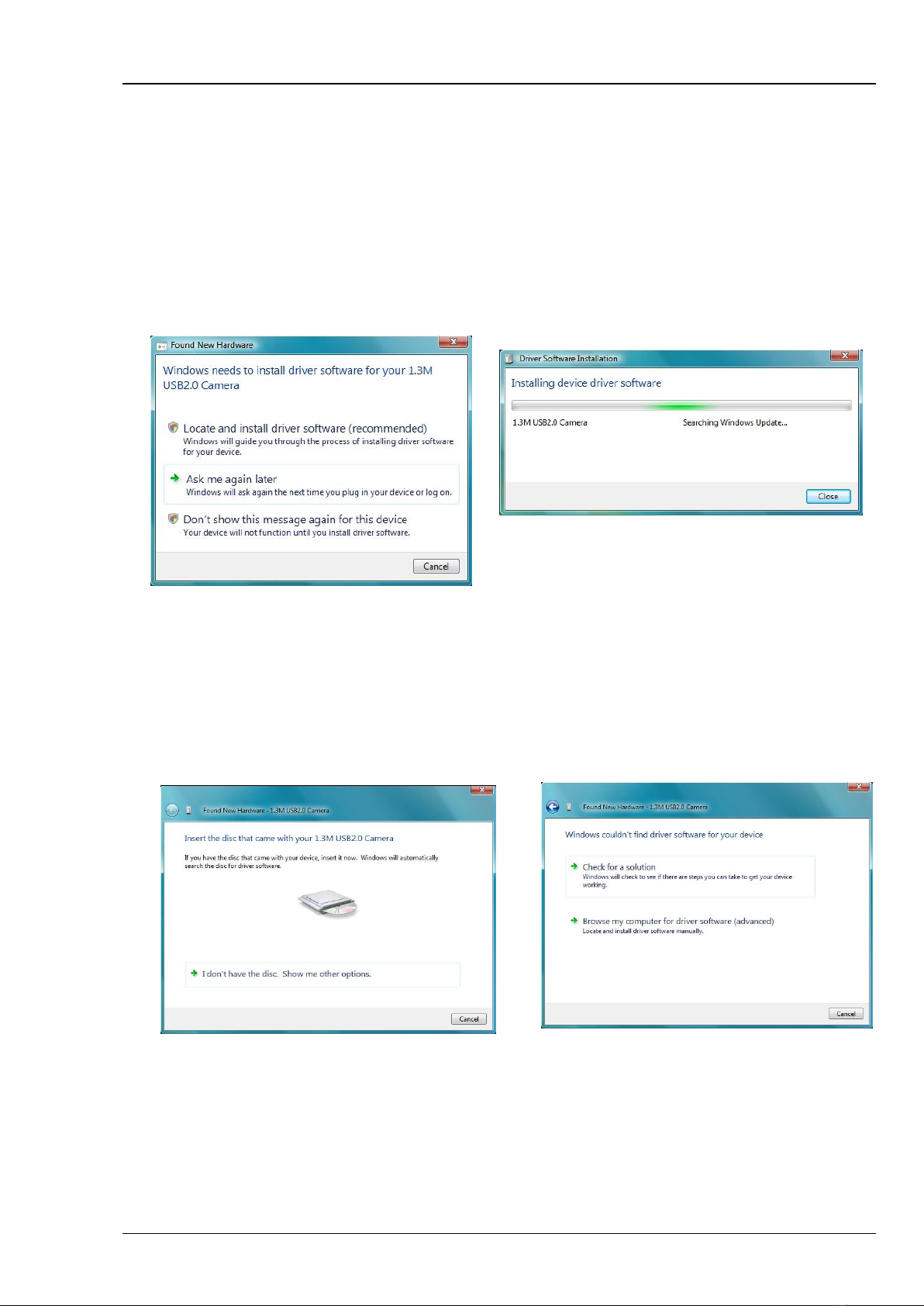
Installing the PL-131 Driver Software (32-bit or 64-bit)............................................................................................. 7
Installing etAMCAP......................................................................................................................................................... 11
Video Capture with etAMCAP ................................................................................................................................... 11
Exposure Time ........................................................................................................................................................... 12
Manual Exposure Time.............................................................................................................................................. 12
Timing Units and Exposure Time ............................................................................................................................. 12
Region of Interest....................................................................................................................................................... 13
Colour Synthesis for the PL-131C (colour model) .................................................................................................. 13
Gamma, Contrast and Saturation (colour model) ................................................................................................... 14
Video Capture........................................................................................................................... 14
Post Processing ......................................................................................................................................................... 14
Installing Opticstar View ................................................................................................................................................ 15
Camera Control .......................................................................................................................................................... 16
Frame Rate.................................................................................................................................................................. 16
Camera Configuration................................................................................................................................................ 16
Colour Adjustment Tab.............................................................................................................................................. 17
Exposure Tab ............................................................................................................................................................. 17
Other Tab .................................................................................................................................................................... 17
Image Capture........................................................................................................................... 18
Image Processing` ..................................................................................................................................................... 19
Installing Nebulosity....................................................................................................................................................... 20
Opticstar PL-131 Plug-in for Nebulosity................................................................................................................... 20
Opticstar PL-131 Plug-in for AstroArt ...................................................................................................................... 21
Binning and ROI Modes........................................................................................................... 21
Gain and StarView.................................................................................................................... 21
Opticstar PL-131 Plug-in for MaxIm DL.................................................................................................................... 22
Binning and ROI Modes........................................................................................................... 22
Gain and StarView.................................................................................................................... 22
Telescope Control and Auto-Guiding with the AG-131 ............................................................................................... 23
System Requirements................................................................................................................................................ 23
ASCOM Software........................................................................................................................................................ 23
PHD Guiding ............................................................................................................................................................... 23
Installing the PL-131 Plug-in for PHD Guiding....................................................................... 23
Selecting the Camera in PHD Guiding..................................................................................... 24
Shoestring GPUSB..................................................................................................................................................... 24
Assembling your Auto-Guiding Hardware............................................................................................................... 25
Auto-Guiding................................................................................................................................................................... 26
Imaging and Auto-guiding With Two Scopes .......................................................................................................... 26
Imaging and Auto-guiding With a Single Scope...................................................................................................... 27
Troubleshooting.............................................................................................................................................................. 28
USB Requirements..................................................................................................................................................... 28
Express Card .............................................................................................................................................................. 28
Re-Installing the Software Drivers............................................................................................................................ 28
Support ............................................................................................................................................................................ 29
Other Software ................................................................................................................................................................ 29
Microscope Attachments ............................................................................................................................................... 29
Camera Specification................................................................................................................................................. 30