Point of View P741 - Android 4.0 Tablet PC English
1
Contents
General notices for use......................................................................................................................... 2
Disclaimer............................................................................................................................................... 2
Box Contents ......................................................................................................................................... 2
1.0 Product basics................................................................................................................................. 3
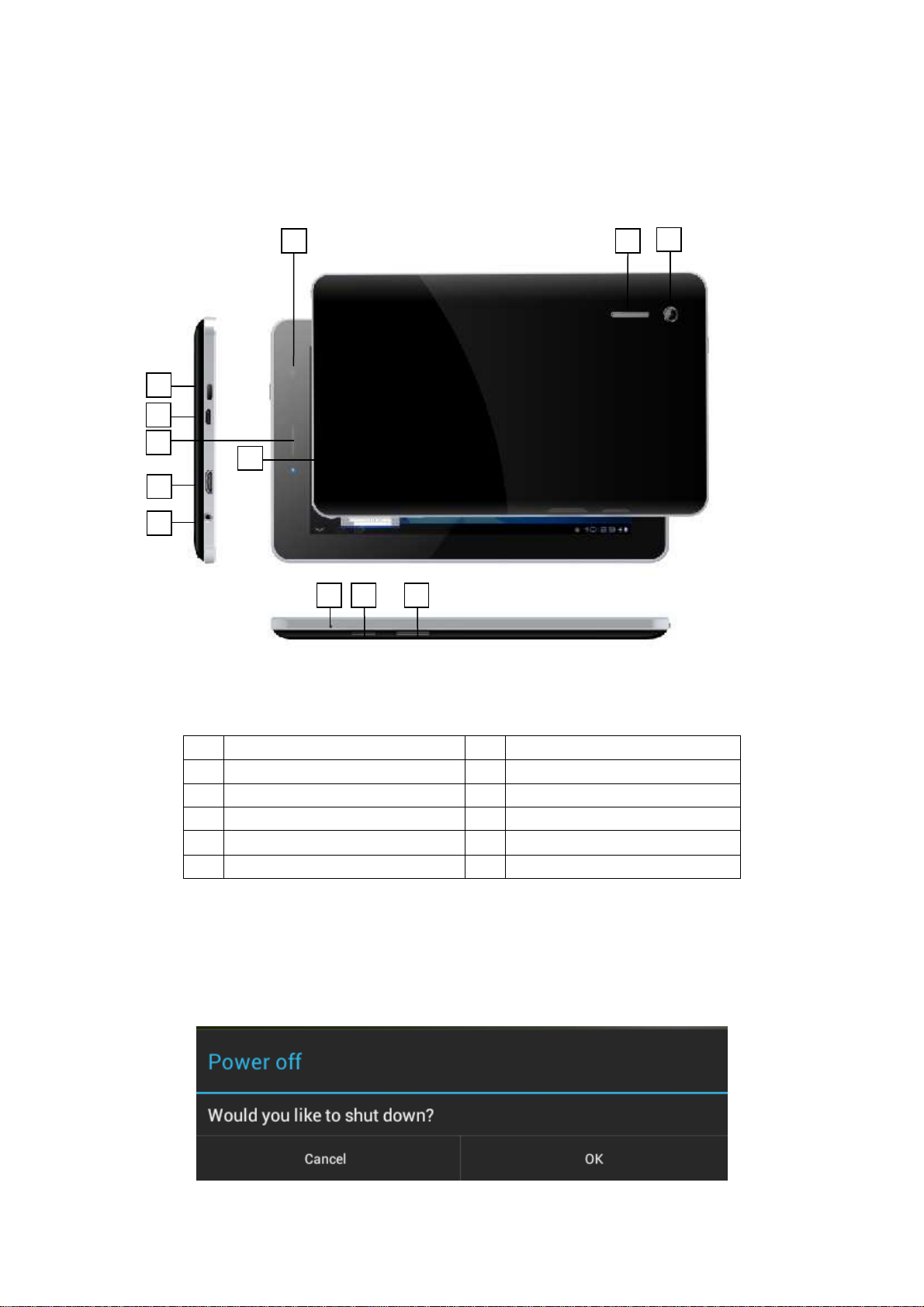
1.1 Buttons and connections.............................................................................................. 3
1.2 Start up and shut down................................................................................................ 3
2.0 Introduction to Google Android 4.0............................................................................................... 4
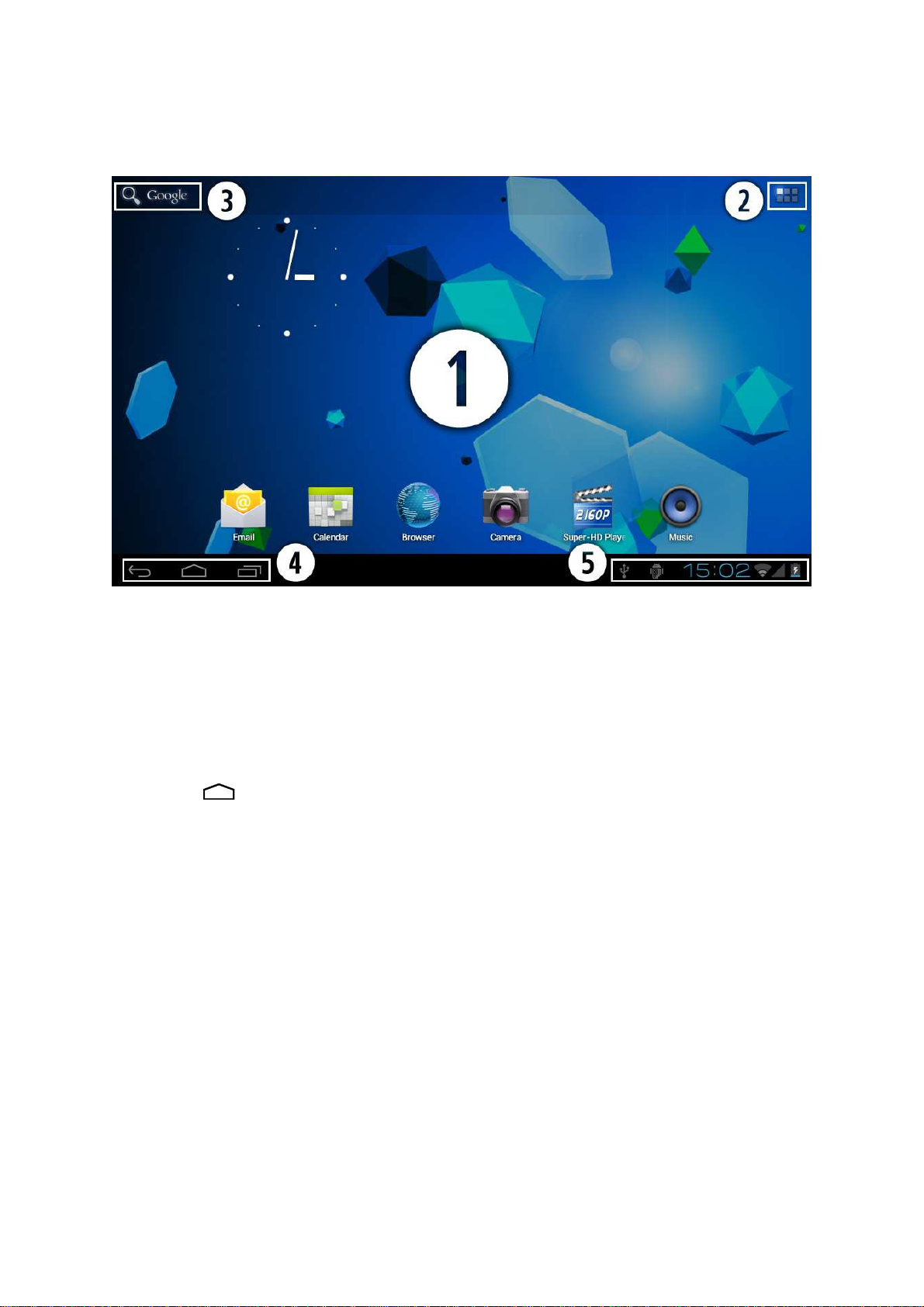
2.1 The Desktop ................................................................................................................ 4
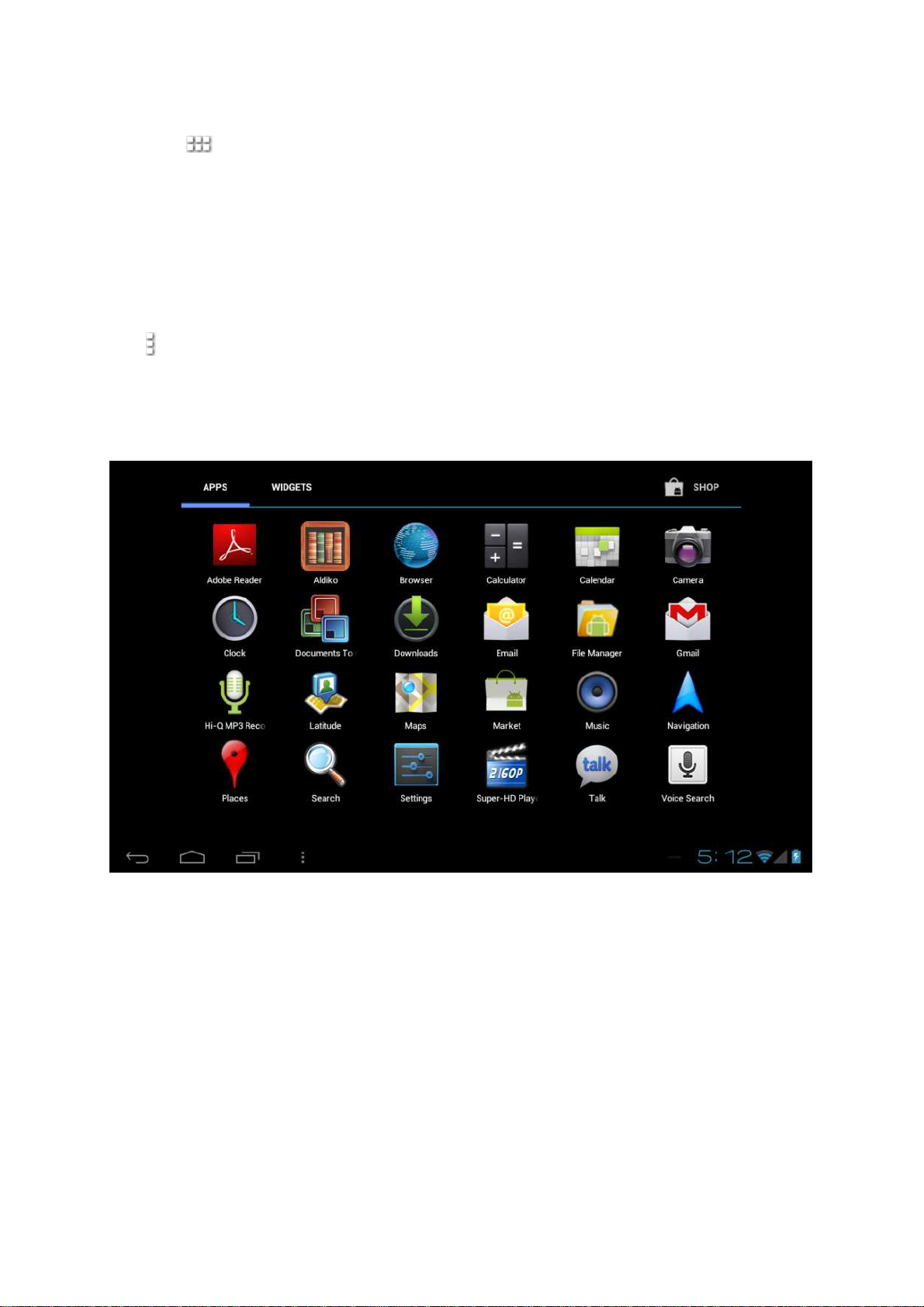
2.2 The App drawer – right top corner................................................................................ 5
2.3 Google Search / Voice search – left top corner............................................................ 5
2.4 Navigation icons – bottom left of the screen................................................................. 6
2.5 Status information area – right bottom of the screen.................................................... 6
3.0 General operation............................................................................................................................ 7
3.1 Battery status / charging your tablet............................................................................. 7
3.2 Installing Apps ............................................................................................................. 7
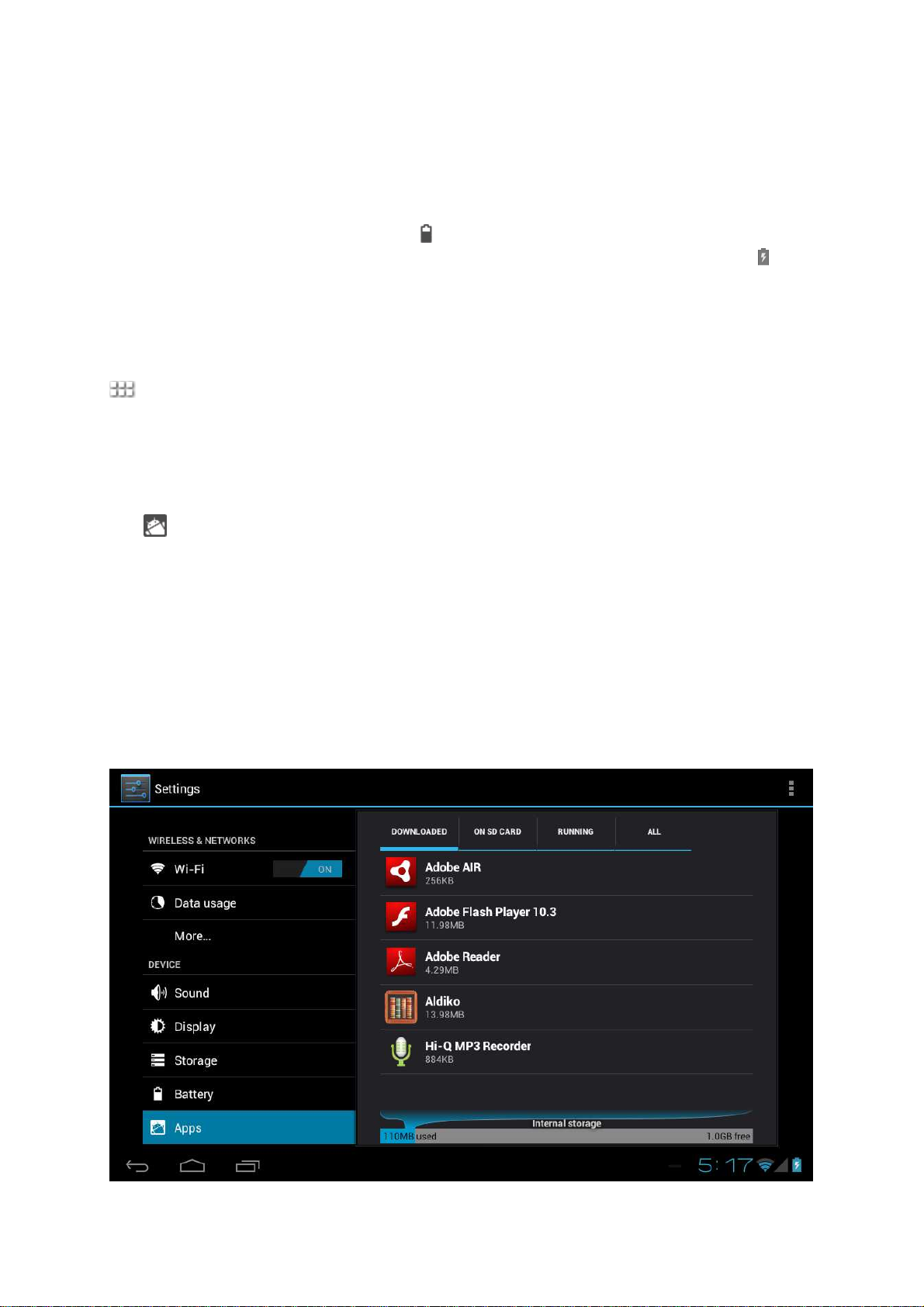
3.3 Administer / remove apps ............................................................................................ 7
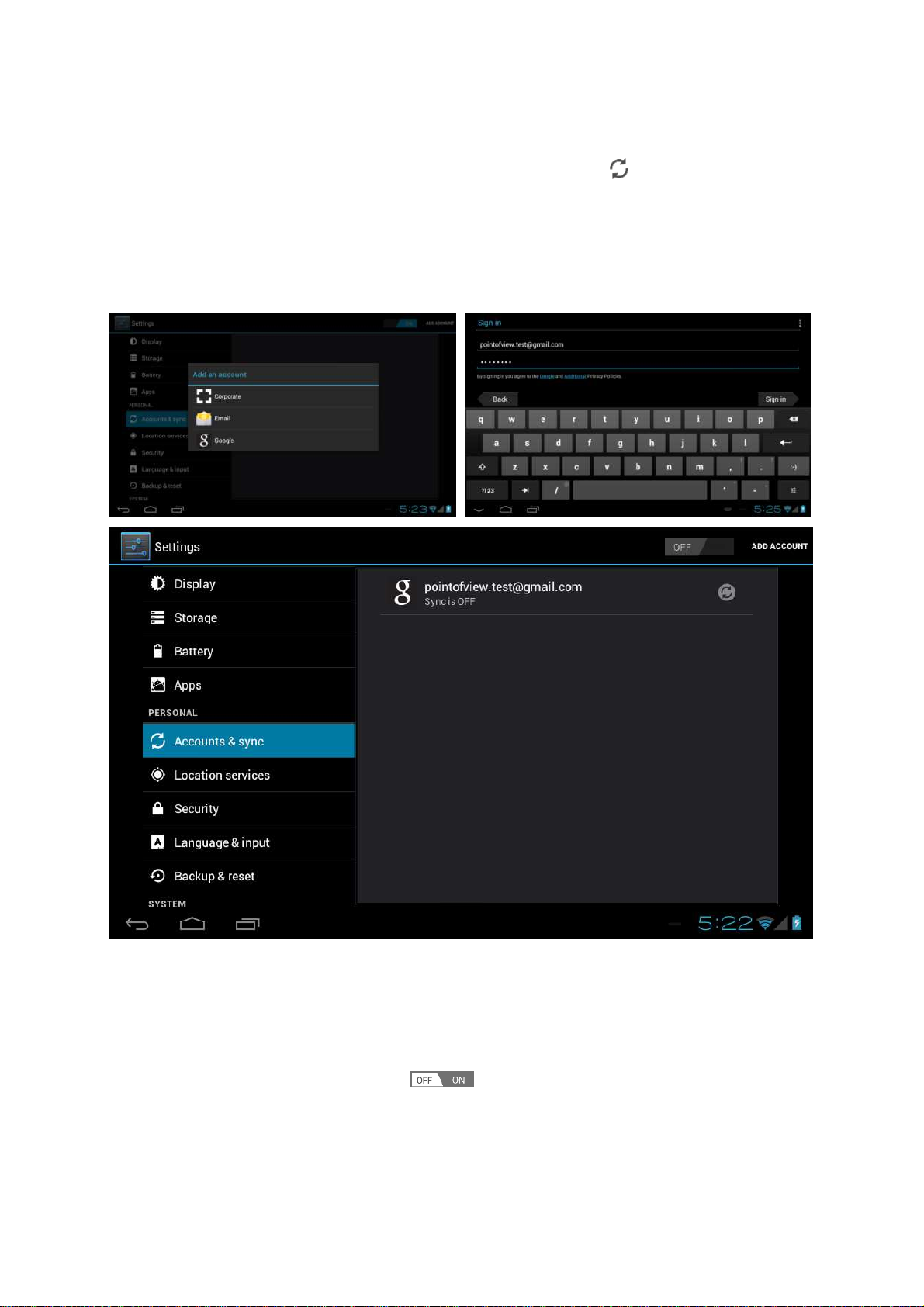
3.4 Add an account............................................................................................................ 8
4.0 Basic setup ...................................................................................................................................... 9
4.1 Changing operating language...................................................................................... 9
4.2 Wi-Fi settings............................................................................................................... 9
4.3 Connecting the tablet to your PC ................................................................................10
4.4 Enabling 3G on your tablet..........................................................................................11
5.0 Frequently Asked Questions........................................................................................................ 12