manuals.online logo
Brands
  1. Home
  2. •
  3. Brands
  4. •
  5. Pyle
  6. •
  7. Projector
  8. •
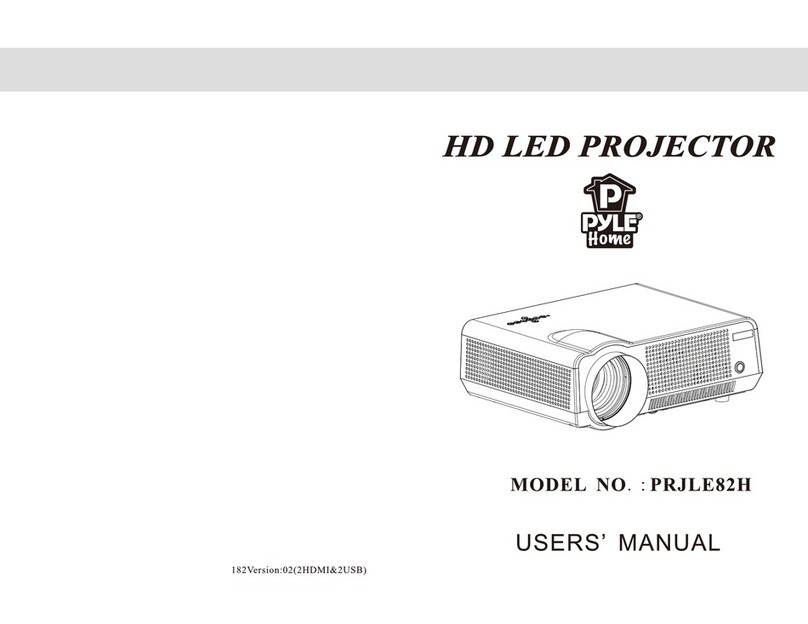
  9. Pyle PRJLE84H User manual

Pyle PRJLE84H User manual

Other Pyle Projector manuals

Pyle PRJAND805 User manual

Pyle

Pyle PRJAND805 User manual

Pyle PRJLE64 User manual

Pyle

Pyle PRJLE64 User manual

Pyle PRJD903 User manual

Pyle

Pyle PRJD903 User manual

Pyle prjand820 User manual

Pyle

Pyle prjand820 User manual

Pyle PRJ3D89 User manual

Pyle

Pyle PRJ3D89 User manual

Pyle PRJD907 User manual

Pyle

Pyle PRJD907 User manual

Pyle PRJHD66 User manual

Pyle

Pyle PRJHD66 User manual

Pyle PRJLE82H User manual

Pyle

Pyle PRJLE82H User manual

Pyle PRJ3D99TU User manual

Pyle

Pyle PRJ3D99TU User manual

Pyle PRJV66 User manual

Pyle

Pyle PRJV66 User manual

Pyle PRJG95 User manual

Pyle

Pyle PRJG95 User manual

Pyle PRJLE82H User manual

Pyle

Pyle PRJLE82H User manual

Pyle PRJG98 User manual

Pyle

Pyle PRJG98 User manual

Pyle PRJHD198 User manual

Pyle

Pyle PRJHD198 User manual

Pyle PRJWIFI70 User manual

Pyle

Pyle PRJWIFI70 User manual

Pyle PRJLEDLP205 User manual

Pyle

Pyle PRJLEDLP205 User manual

Pyle PRJAND615 User manual

Pyle

Pyle PRJAND615 User manual

Pyle PRJLE64 User manual

Pyle

Pyle PRJLE64 User manual

Pyle PRJAND805 User manual

Pyle

Pyle PRJAND805 User manual

Pyle PRJAND818 User manual

Pyle

Pyle PRJAND818 User manual

Pyle PRJHD66 User manual

Pyle

Pyle PRJHD66 User manual

Pyle PRJSD188 User manual

Pyle

Pyle PRJSD188 User manual

Pyle PRJLE60 User manual

Pyle

Pyle PRJLE60 User manual

Pyle PRJ3D69 User manual

Pyle

Pyle PRJ3D69 User manual

Popular Projector manuals by other brands

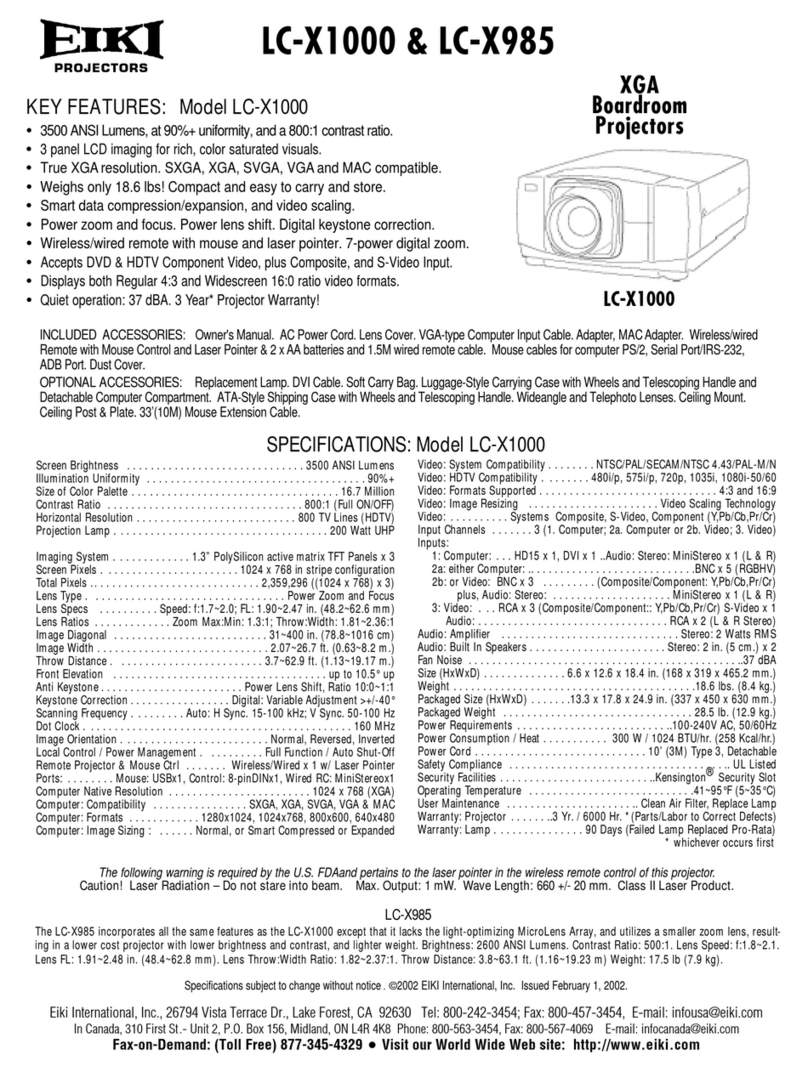
Eiki LC-X985 Specification sheet

Eiki

Eiki LC-X985 Specification sheet

InFocus LitePro 610 quick start

InFocus

InFocus LitePro 610 quick start

Epson EH-TW5900 datasheet

Epson

Epson EH-TW5900 datasheet

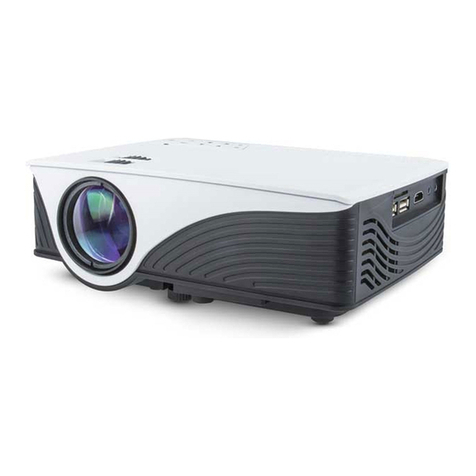
FOREVER MLP-100 manual

FOREVER

FOREVER MLP-100 manual

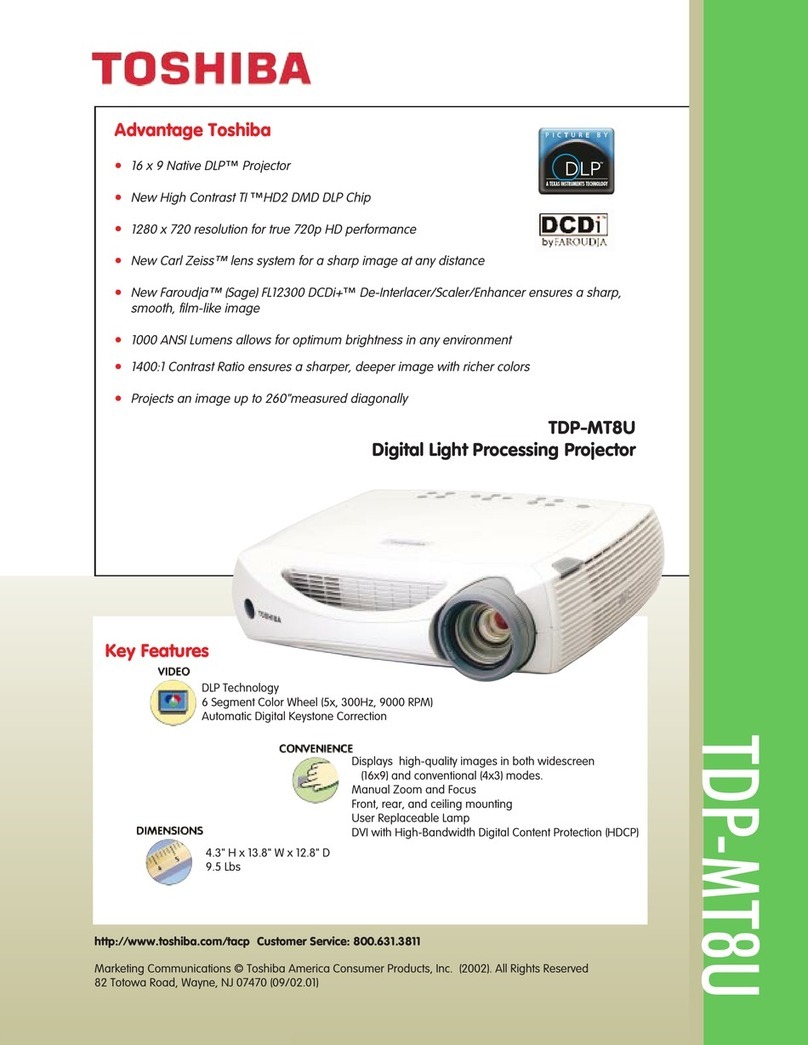
Toshiba TDP-MT8U Specifications

Toshiba

Toshiba TDP-MT8U Specifications

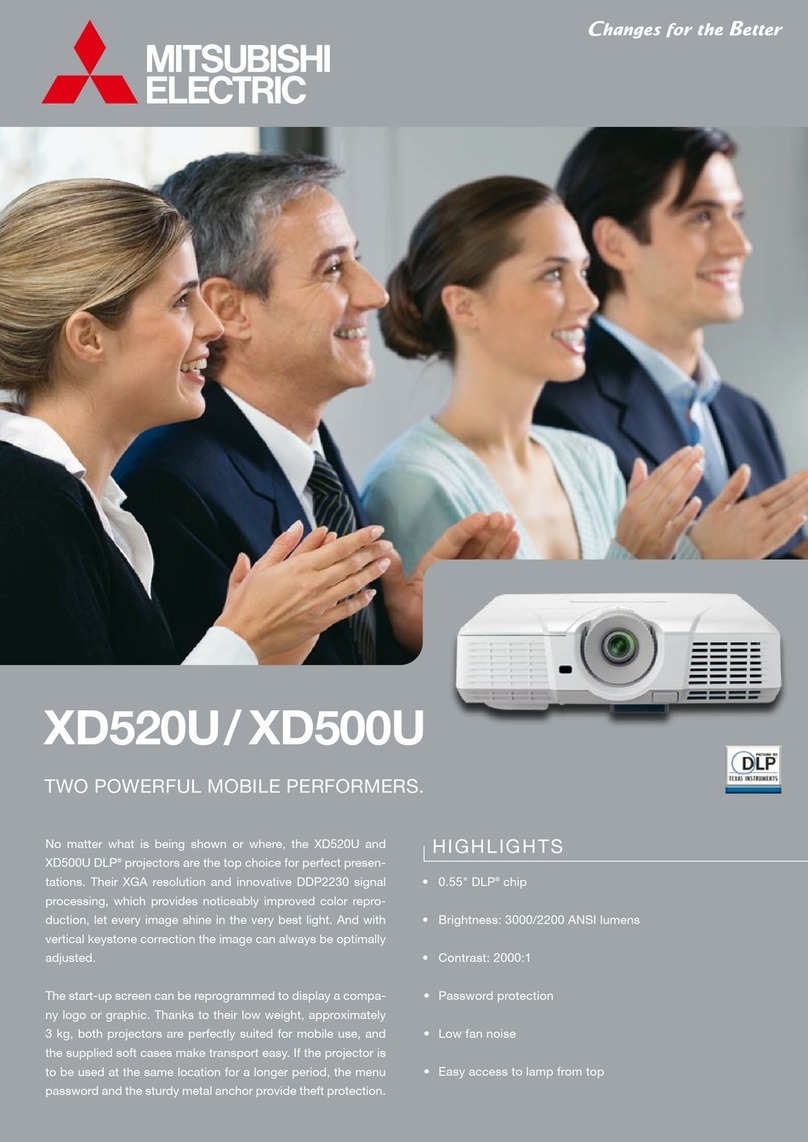
Mitsubishi XD500U specification

Mitsubishi

Mitsubishi XD500U specification

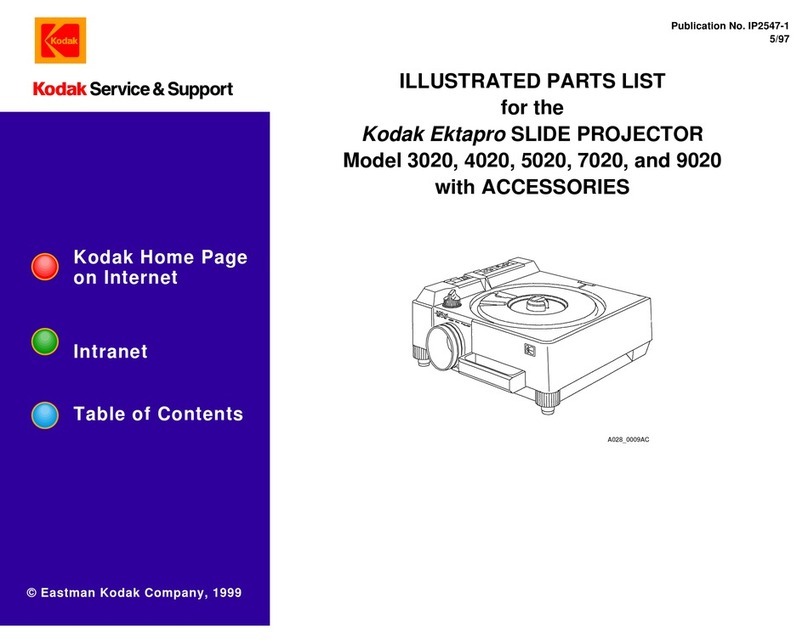
Kodak Ektapro 3020 Illustrated parts list

Kodak

Kodak Ektapro 3020 Illustrated parts list

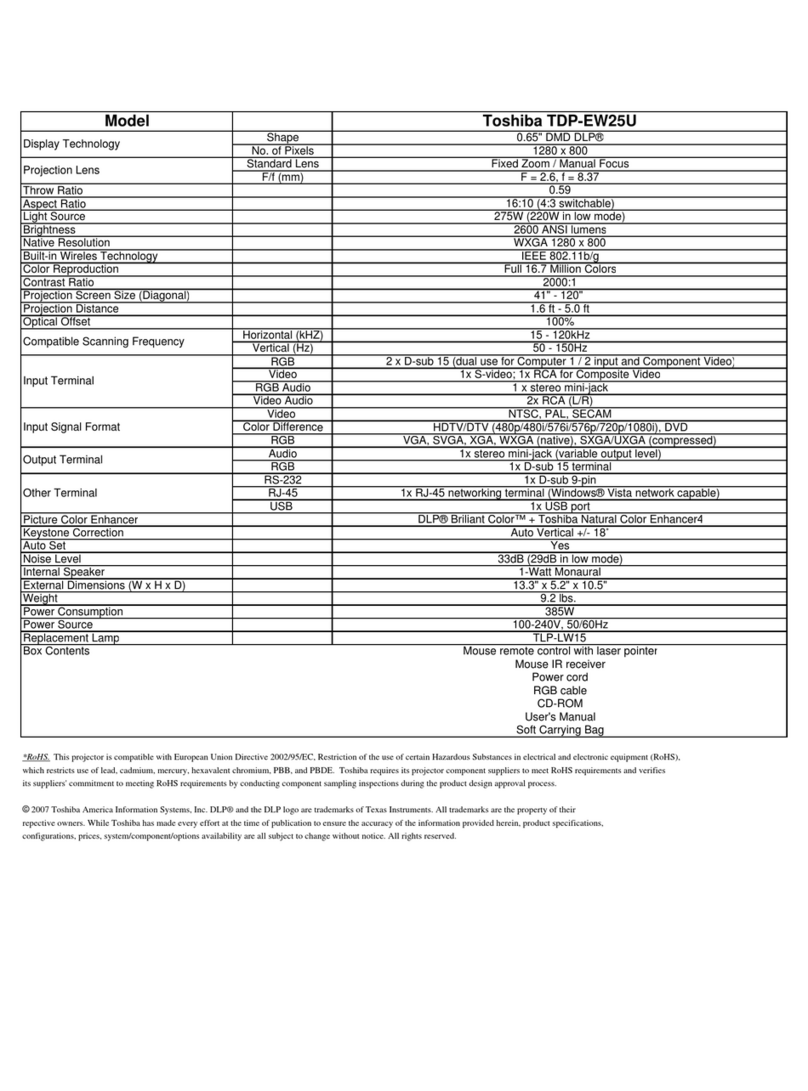
Toshiba TDP-EW25U Specifications

Toshiba

Toshiba TDP-EW25U Specifications

Barco iQ PRO G500 supplementary guide

Barco

Barco iQ PRO G500 supplementary guide

NEC Showcase Series HT1100 user manual

NEC

NEC Showcase Series HT1100 user manual

Philips LC1341 user guide

Philips

Philips LC1341 user guide

Epson PowerLite 1266 user guide

Epson

Epson PowerLite 1266 user guide

MAGINON DLP 1400S user manual

MAGINON

MAGINON DLP 1400S user manual

Toshiba TLP-380 owner's manual

Toshiba

Toshiba TLP-380 owner's manual

Philips PicoPix PPX2480/EU user manual

Philips

Philips PicoPix PPX2480/EU user manual

Hitachi CP-X605 Series Specifications

Hitachi

Hitachi CP-X605 Series Specifications

Optoma TW1692 user manual

Optoma

Optoma TW1692 user manual

Kodak EKTAPRO instruction manual

Kodak

Kodak EKTAPRO instruction manual

manuals.online logo
manuals.online logoBrands
  • About & Mission
  • Contact us
  • Privacy Policy
  • Terms and Conditions

Copyright 2025 Manuals.Online. All Rights Reserved.

使
使用说明书
HD LED PROJECTOR
User’s Manual
Warning ……………………………………………………………1
Safety Precautions………………………………………………2
Caution ……………………………………………………………3
Introductions ………… ……………………4
Installation………………………………………………………7
full setting…………………………………………………7
standard setting(front projection)…………………8
installation method ………………………………………9
input terminals ……………………………………………10
Remote control ……………………………………11
Panel instruction …………………………………12
Turn on/shut down ………………………………………………13
turn on ………………………………………………………13
shut down ……………………………………………………13
Image adjustment…………………………………………………14
focus adjustment……………………………………………14
keystone adjustment………………………………………14
Menu settings ……………………………………………………15
1.Menu setting method ……………………………………15
2.Parameter adjustment……………………………………15
3.Picture ………………………………………………16
4.Audio ………………………………………………16
5.Time ………………………………………………16
6.OSD ………………………………………………17
7.Multimedia ……………………………………………17
Trouble shooting……………………………………………19
Specification ……………………………………………………21
Packing list&Accessories………………………………………22
……………………
………………
……………
………
…………
…………
……
Contents

Warranty card Ⅰ
Return Date:
Cause of Malfuction:
Repair Record:
Service Station:Signature:
Test Date:
Return Date:
Cause of Malfuction:
Repair Record:
Service Station:Signature:
Test Date:
Return Date:
Cause of Malfuction:
Repair Record:
Service Station:Signature:
Test Date:
Return Date:
Cause of Malfunction:
Repair Record:
Service Station:Signature:
Test Date:
Maintenance record
Model Number:
Series Number:
Warning:
Please remember the model and series
number of the projector in case of lost.
Please carefully check all accessories
with the pack list before throwing the package away.
When you use this projector, please carefully read user manual.
Warning: High brightness lamp!
Avoid staring or look directly at the light,
specially for children.
Warning:
Avoid to place the projector in wet condition
in case of the electric shock danger.
High voltage inside
DO NOT open except for technicians
WANING
It indicates there is a dangerous
Voltage inside that may cause shock
It indicates there is a instruction
for important operation
Warning:
As an A-class product, the projector may cause radio interference
Users shall take effective measures to deal with it.
• The remote control battery should be fixed correctly
Otherwise it will be damaged for overheat
• Make sure the remote control out of children reach
About the remote control battery
Warning
Safety precautions
Warranty Card Ⅱ
The following information shall be filled by sellers
Item NO.
Model NO.
Name
USER
Sales INFO
Product
Address
Zip Code
Zip Code
Address
Sales Date
Installation Date
Invoice No
Series NO.
Phone NO.
Contact
INVOICE
Seller
2
Page 3
Page 22
VGA IN
HDMI
Svideo
L out
R out R in
L in Pr Y
Pb
Video
Page 4
Introductions
Projector Description
Front
Back
The projector is able to connect signals: HDMI,Y/Pb/Pr,VGA
and TV(optional),as well as stereo audio input. Please connect
in reference to the following diagrams
Input terminals
Details at page 10
7
Power switch
6
Hot winds output ventilation
5
21 3 4
6
57
Focus lens
1
IR receiver
2
Hight-feet adjustment
3
Cool winds input Ventilation
4
Packing list:
Please confirm the following after you open the package
Projector--------------------- ----1
Lens lid-----------------------------1
Remote control--------------------1
Power cable-------------------------1
AV cable--------------------------1
User manual-----------------------1
Extra fuse------------------------1
Len cleaner-------------------------1
PWM4x8 screws----------------------1
--
Optional accessories:
1.Projector screen(Matt White,Electric)
2.Ceiling Mounts
Packing list & Accessories
简体中文 13
Page 21
简体中文 5
Page 5
Instructions
Right
Left
1
2 3
Right channel speaker
1
Cool wind input ventilation
2
Left channel speaker
3
Specification
LCD Type 5.8"TFT Matrix RGB
Input signal video Component video(Ypbpr),VGA,
HDMI,USB,S-video,
Audio Stereo
Output signal Audio 2W*2 Speaker(optional)
LCD Native resolution 1280X768 support 1080P
Contrast ratio 2000∶1
Lens Aperture 3.8
Focus 198mm
Lamp LED 200W
Color-temputure 9300K
Life > 20000hours
Continuous working time < 24hours
Image Size 60~120inch
Brightness 2800 Lumens
Keystone ±15 degree
Power Voltage 100-220V~ 50-60Hz
Power consumption 240W
Working condition Temperature +5℃~+35℃
Humidity 10%~65%
Store condition Temperature -10℃~+60℃
Humidity 10%~90%
Remote control Frequency 38KHz
Machine Size 350*275*140mm
Weight 3Kg
(Any changes on the parameter will not be noted)
Page 20
Page 6
Introductions
TOP
Bottom
1
4 5 63
Control panel
Details at page 14
1
Projector mount hole(4holes)
Fix with M4x8mm。
4
Hight-feet adjustment
Details at page 14
3
Keystone adjustment
Details at page 14
2
Label
5
Cold wind input ventilation system
6
Page 19
FAQ
VGA with notebook
When connect the projector
with the note book,you may need
to press the Fn+F*(with on the
button
FAQ:
① Q:Blue screen,no picture,no sound
A:Input cables connected right?
② Q:Picture right,no sound
A:Input cables connected right?
Volume at min. Or on Mute
③ Q:Audio right,no picture
A:Input signal connected right?
In VGA mode,The PC refresh rate >75Hz
In VGA mode,The PC contrast ratio is >1024*768
④ Q:Can't find devices when pluged with hard drive or fresh drive
A:Re-plug the device
Check if the device is broken
⑤ Q:Can't play the movies
A:The format of the video is right?
Files is broken?
Device is broken?
⑥ Q:There is picture ,no sound?
A:The decode system doesn't match
2
VGA output function key
Page 7
Speaker L
Subwoofer Speaker C
Screen Speaker R
Appreciate seats
DVD
Amplifier
Projector
Speaker LS Speaker RS
Please install in reference to the instruction below
Projector Installation
In order to get a good image quality, do not expose the projector to the
sunshine or other strong light, close the curtain if you use the projector
in daytime
Installation
Page 18
Trouble shooting
The projector is so easy to use as the TV.While some problems my
occur because of the environment and voltage. Please try to recognize the
fake malfunction before refer to the technicians
Problem
The possibility reason
1.when turn on
the power switch,
the indicator light
do not work
◎The power switch fuse is burned
2.The remote
control can not
turn on projector
◎The power switch turn on or off?
◎The remote control out of battery?
◎Something stands between the remote and IR
◎Strong light on IR directly
◎The power can does not connect well
◎Is there an input signal?
◎Is the input cable plugged well ?
◎Under PC model ,is the refresh rate >75KHz?
◎When the projector connect with the notebook,
set the screen as VGA mode
◎Is the channel set-up correct?
3.N
o
image
on
the screen
4.Auto-off after
working for a
while
◎The voltage is not stable
◎The projector ventilation is block
◎The over-heat protection system
◎Check the over-heat protection system
简体中文 13
Page 17
Projector Installation
Standard setting(Front projection)
Please refer to the below sheet, install the projector in distance according
to the screen size. Please make sure the projector is placed on stable mount,
Take care of the ventilation condition (nothing near 30cm blocking )
Warning:
Please check the following pictures for the trapezoid adjustment
Page 8
The data may have 3% error, due to the image size according to the
projector and screen. If the distance is less than 2M or more than 5M ,
the image may appears unclear
Distance 16:9 4:3
2.2m 2.5m
2.4m 2.75m
2.9m 3.28m
72"
86"
3.3m 3.75m
3.9m 4.5m
100"
63"
120"
Menu setting
6.Menu setting method
Language
YES/NO
OFF/LOW/MID/HIGH
OFF/S5 /10S/15S
Menu setting
Restore default
Blending
OsdDuration
Software update
Upgrate(USB)
Pycck /Arabic/ C N
^
Picture
Multimedia Menu
Music
Movie
TXT
View the photos in gallery
Play an album
Watch a movie
Read the book
Multimedia Format
MOVIE
MUSIC
PICTURE
.avi
.mpg
.dat
.rm/rmvb
.mov/mkv
DivX,Xvid,MPEG-4
MPEG-1,MPEG-2
MPEG-1
RealMedia,video
H.264
MP3,WMA,AAC
.jpg/jpeg
.bmp
.png
Progressive JPEG
Baseline JPEG
BMP
Non-interlaced
Interlaced
.mp3
.wma
.m4a/.aac
Mp3
WMA
AAC
--
--
--
--
--
--
Video Decode Audio Decode
Format
Task
CAUTIONS:
1)The usb interface support USB1.1
USB2.0,including hard drive and fresh
drives
2)The max. Storage supported is 400Gb
3)The system format supported:
FAT16、FAT32、NTFS
4)The usb interface can support
most drives but is not universal,
any unknown device problem is caused
by the device drive
5)The total voltage of the connected devices
shall not be over 1200mAh,the problems casued
by the wrong operation will not be warranted
Installed correctly
the image is rectangular
Incorrect installation Incorrect installation
setting
OSD language English
Restore factory default
Blending
OSD duration
Software update(USB)
7,multimedia menu
Picture Music Moive Tex t