66
Controller Installation
Controller Mounting Location
Do not obstruct the view of, nor access to, other instruments or the flying visibility of the pilot.
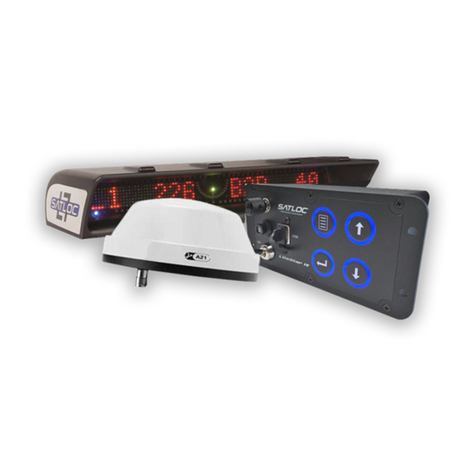
Mount the controller A inside the cockpit within the pilot’s easy reach—but see preceding warning. Depending on the selected
location, use hardware D or your own hardware to secure the controller.
Cable(s) and Switches Installation/Connections
• Never connect or disconnect the antenna cable with the power on.
• Do not route cables alongside power generator wire and other high-noise electric sources (will cause
interference).
• Do not kink or force cables into sharp bends (will destroy the cable).
• Store excess cable lengths with a minimum six-inch bend radius.
• Do not coil cables (introduces noise).
• Avoid high-temperature exposure (for example the exhaust, exhaust manifold) when routing.
• Do not route the antenna cable with any other radio system cables (causes interference—keep twelve inches
apart).
• Cross the antenna cable (if necessary) at 90° to any other cable (prevents cross-interference).
Finger tighten cables only—do not use tools. Plug the connector into its port and turn the connector ring to secure.
1. Install the lightbar cable.
The lightbar cable can withstand all types of condi-
tions so can be fitted inside or outside the cockpit.
Install lightbar cable K between the lightbar and the
matching controller port (right port viewed from
front - see figure).
2. Install the GPIO/power cable.
a. Connect GPIO cable L to the matching controller
port (left port viewed from the front - see figure).
b. Connect L’s wires labeled POWER to a 12 V
source.
c. Connect L’s wires labeled SWATH ADVANCE,
SWATH DECREMENT, SPRAY ON/OFF and
MANUAL MARK to push switches N and locate
and secure the push switches appropriately.
3. Install the antenna cable.
Install antenna cable M between the antenna C and
lightbar B.
GPIO and lightbar cables connected to controller
© Satloc (2020). All rights reserved.