dense forest, due to a very weak non-existent GPS signal in these areas. When the device has acquired a
GPS solution, the display will stop flashing.
Operating Modes
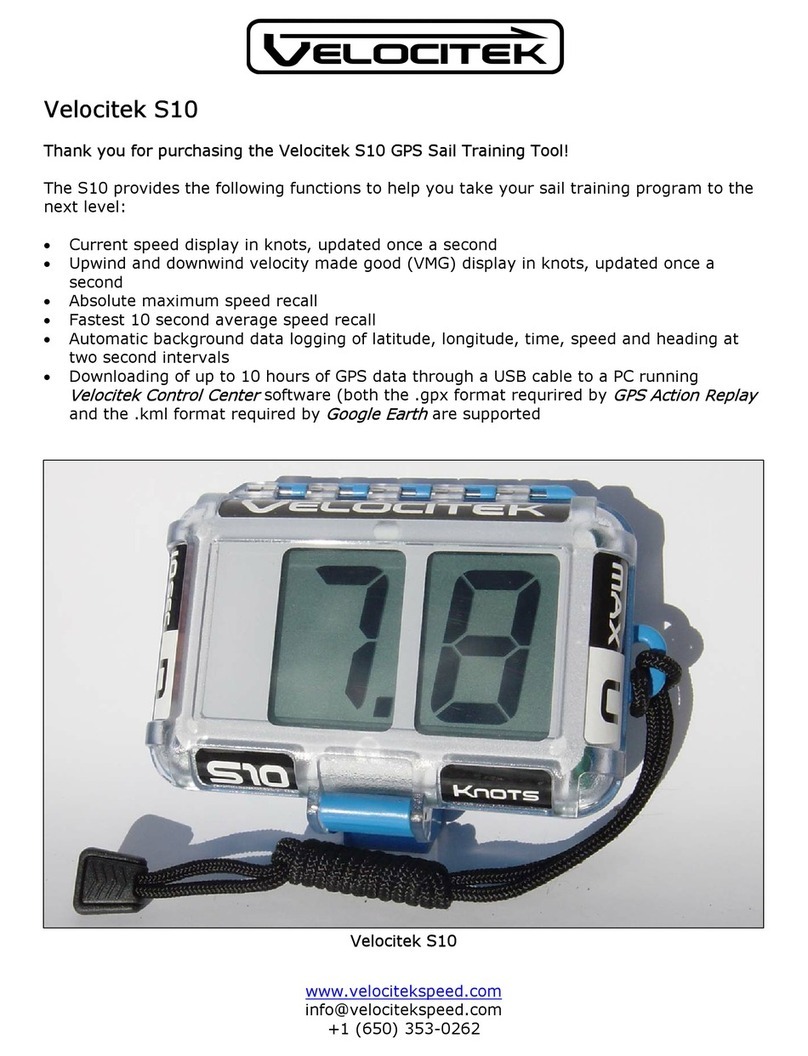
The S5 has two operating modes: speedometer mode and VMG mode. The decimal point after the second digit in
the display is used to indicate which mode the device is in. For example the number 2.3 will be shown as “2 . 3” in
speedometer mode and “2 . 3 . ” in VMG mode.
To change modes:
1. Hold your thumbs over both the “MAX/U” and “10 SEC/D” buttons.
2. Watch the display countdown “55, 44, 33, 22, 11”.
3. When the countdown has finished, the display will read “rL” for “release”. At this point release both
buttons.
4. The device has now changed modes. Notice the change in the status of the decimal point after the second
digit.
Speedometer Mode Operation
In speedometer mode the device will show your speed in knots, updated every second. The device also records
your maximum speed and your best 10 second average speed. To recall these records:
1. Touch and hold your thumb over the “MAX” button to display your maximum speed.
2. Touch and hold your thumb over the “10 SECOND” button to display your best 10 second average speed.
Note: If your maximum speed is greater than 10 knots the display will blink back and forth between the whole
number and decimal portions of your maximum speed. For example if your maximum speed was 47.8 knots the
display would blink back and forth between “47” and “ .8”.
To reset the maximums, switch the black power switch inside the case to the “OFF” position. Switch it back on
while looking at the LCD. As soon as the prompt “rE” appears, switch it off again. When you turn the device on
after going through this process the maximums will be reset to zero.
VMG Mode Operation
1. Once you are on the water and in the area you are going to be racing or training in pick a mark to be your
downwind reference. Sail to this reference point. When you are near the reference point hold your thumb
over the “10 SEC / D” button for five seconds. While you are doing this the display will show a
countdown: “5”, “4”, “3”, etc… At the end of the countdown the display will show “rL” for “Release”.
When you see “rL” release the button and the display will show “88” for about 1 second. This is your
confirmation that the downwind reference point has been stored successfully. If you do not see “88” the
mark location has not been stored and you must repeat the above procedure.
2. After you have stored the location of the downwind reference point, sail at least 75 m (75 yards) upwind.
Line yourself up so that you sight the downwind reference point straight downwind from your current
location. When you are lined up properly hold your thumb over the “MAX / U” button to store your
location. You have now given the device two reference points that define the wind direction. The device
www.velocitekspeed.com