English
EN-5
CONTENTS
Introduction ............................................................................................................... 6
Projector Features ............................................................................................. 6
Package Contents .............................................................................................. 7
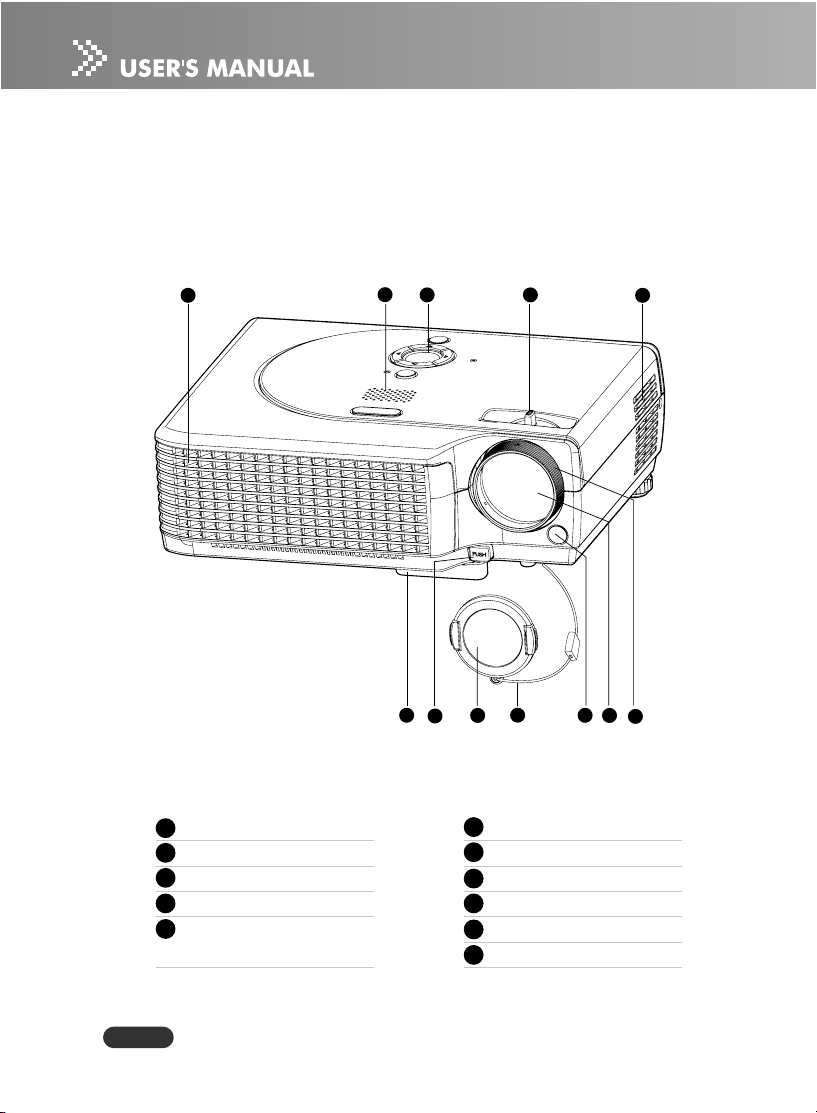
Projector Overview ........................................................................................... 8
Using the Product ................................................................................................... 10
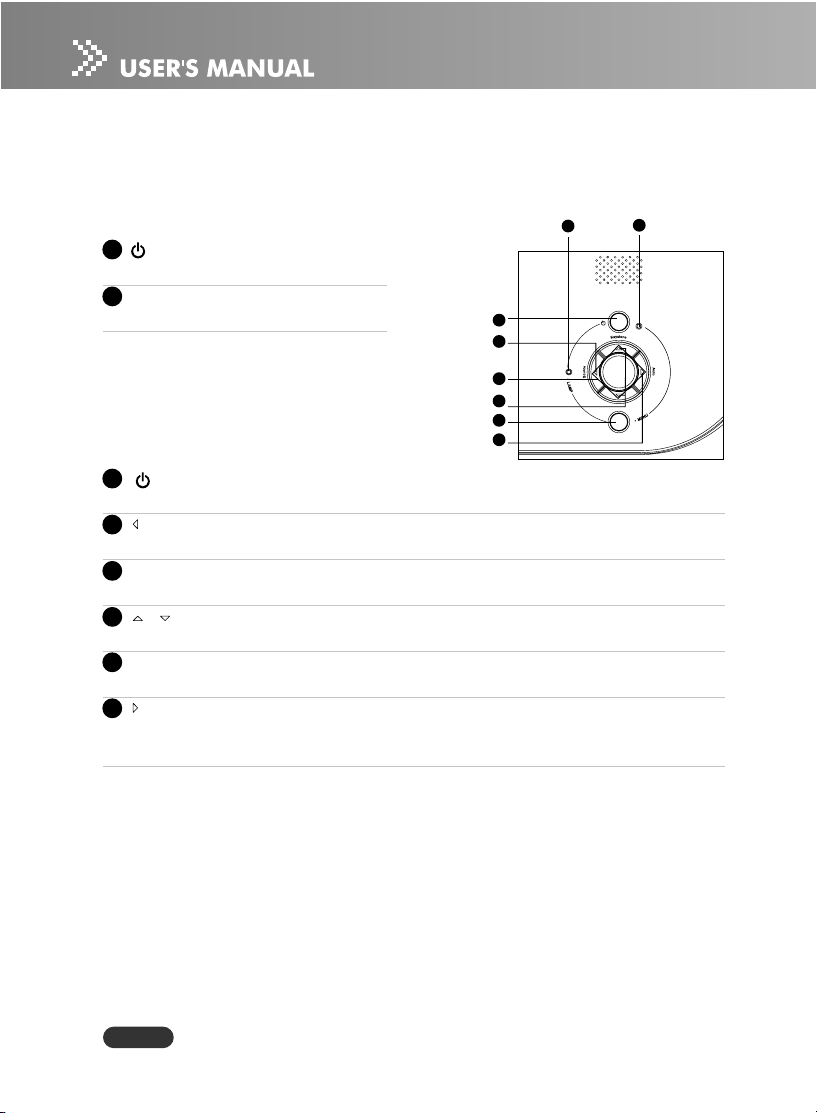
Control Panel ................................................................................................... 10
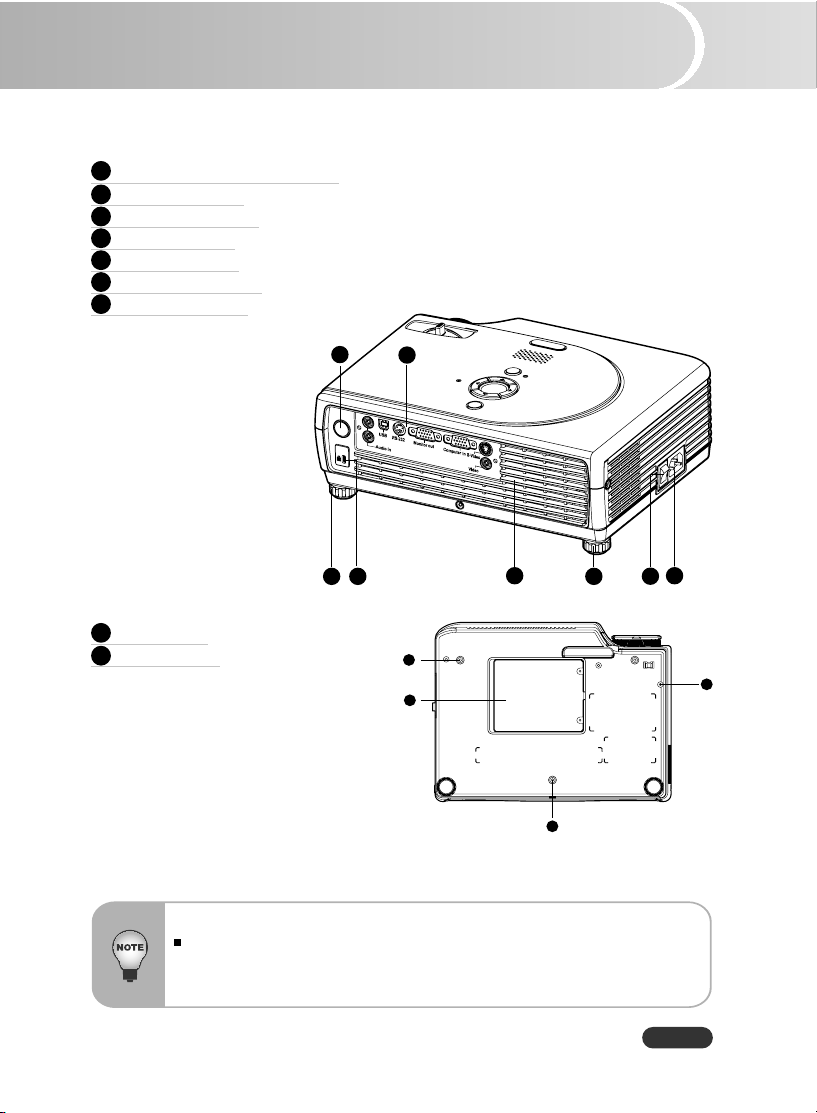
Connection Ports ............................................................................................. 11
Remote Control ................................................................................................ 12
Installing the Batteries ...................................................................................... 13
Remote Control Operation ................................................................................ 14
Installation ............................................................................................................... 15
Connecting the Projector .................................................................................. 15
Powering On/Off the Projector ........................................................................ 16
Adjusting the Projected Image .......................................................................... 18
Adjusting the Projector Zoom and Focus ......................................................... 19
Adjusting Projection Image Size ....................................................................... 19
Menu Operation ...................................................................................................... 21
All Images (Computer / Video Mode) ................................................................ 23
Computer Image (Computer Mode) ................................................................... 24
Video Image (Video Mode) ............................................................................... 24
Audio (Computer / Video Mode) ....................................................................... 24
Management (Computer / Video Mode) ............................................................ 25
Language (Computer / Video Mode) ................................................................ 26
Factory Reset (Computer / Video Mode) .......................................................... 26
Maintenance ........................................................................................................... 27
Cleaning the Lens ............................................................................................ 27
Cleaning the Projector Housing ........................................................................ 27
Replacing the Lamp .......................................................................................... 28
Technical Specifications ......................................................................................... 30
Appendix ................................................................................................................ 31
Indicator Messages ......................................................................................... 31
Compatibility Modes ......................................................................................... 32
Troubleshooting ............................................................................................... 33