2 OSD Setting
Issue V1.0 2017-08-17 9
1. Press the UP or DOWN button to select RGAIN, and press the LEFT or RIGHT button to
set RGAIN. The default RGAIN is 1 and the setting range is 1-16.
2. Press the UP or DOWN button to select BGAIN, and press the LEFT or RIGHT button to
set BGAIN. The default BGAIN is 1 and the setting range is 1-16.
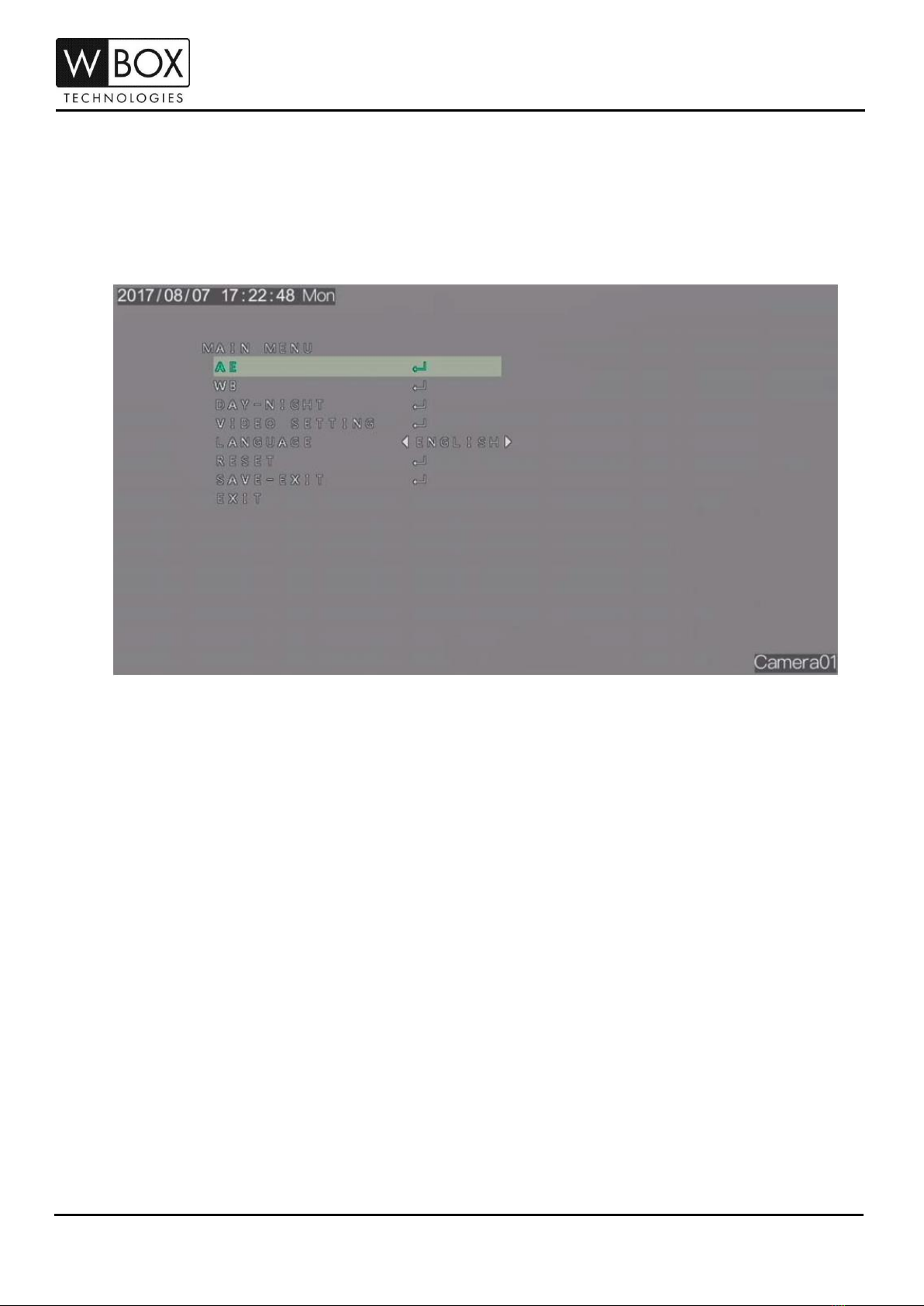
Step 3 Press the UP or DOWN button to select RETURN, and press the SET button to return to
the OSD main menu interface.
Step 4 Press the UP or DOWN button to select SAVE-EXIT to save the WB setting.
2.3 DAY/NIGHT
You can set Day-Night to EXT, AUTO, COLOR or B/W.
Procedure
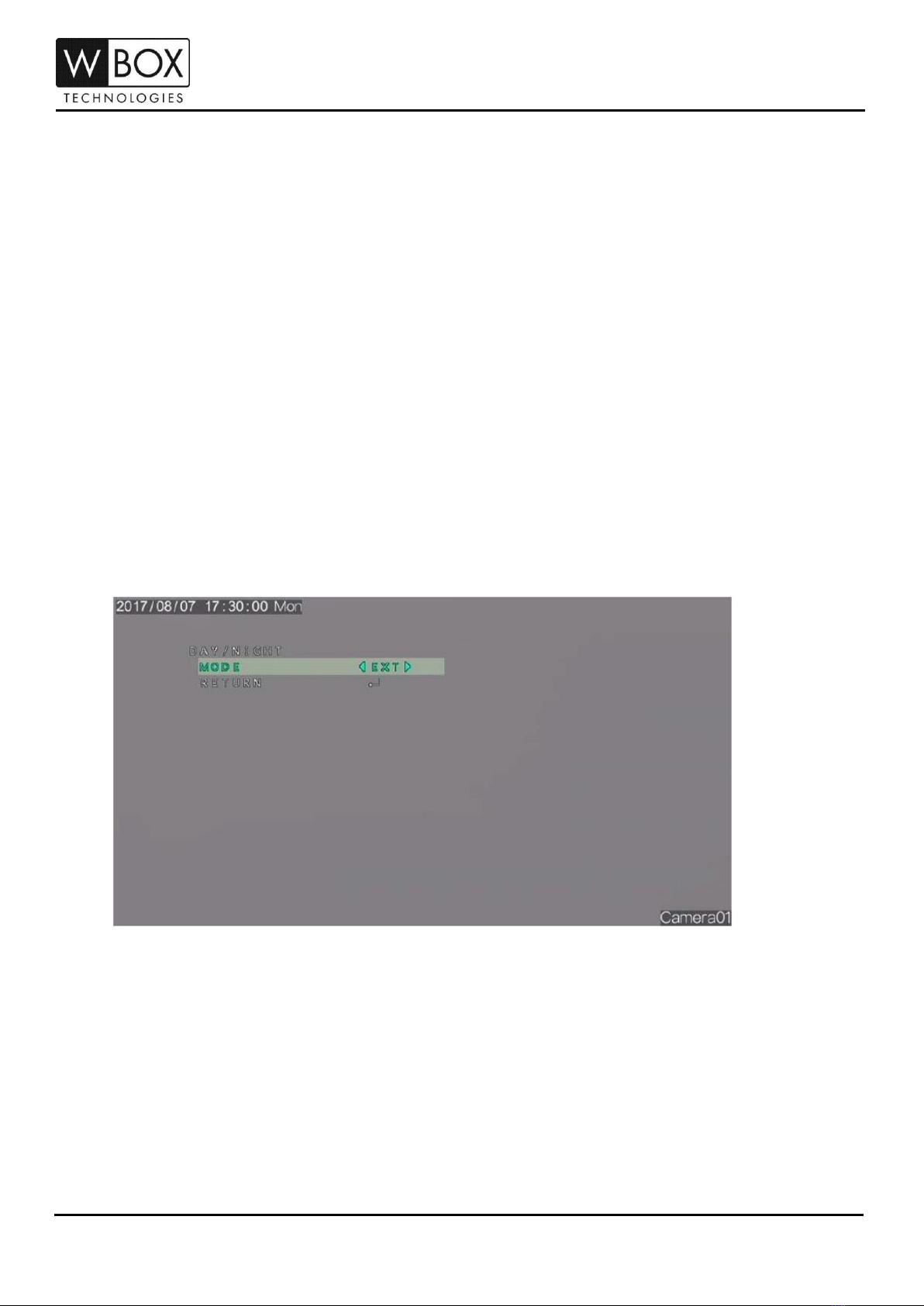
Step 1 Press the UP or DOWN button to select Day-Night. Press the SET button to open the
Day /Night interface, as shown in Figure 2-5.
Figure 2-5 DAY/NIGHT interface
Step 2 Press the LEFT or RIGHT button to set the Mode.
Step 3 Press the UP or DOWN button to select RETURN and press the SET return to the OSD
main menu interface.
Step 4 Press the UP or DOWN button to select SAVE-EXIT to save the DAY-NIGHT setting.