Files Source
Button Count
Move cursor to the FILES SOURCE, press ENTER
to set the files source to play. Three sources can
be selected in SD, flash memory and USB drive.
Move the cursor to BUTTON COUNT, press
ENTER to display the options: ON and OFF.
Select ON to enable the button counting record,
and OFF to disable it.
After enabling this function, a text file named “Button_Count.txt” is generated in the
SD card or USB drive. It will record the counting times of each button pressed. The
maximum times is 99999.
Volume
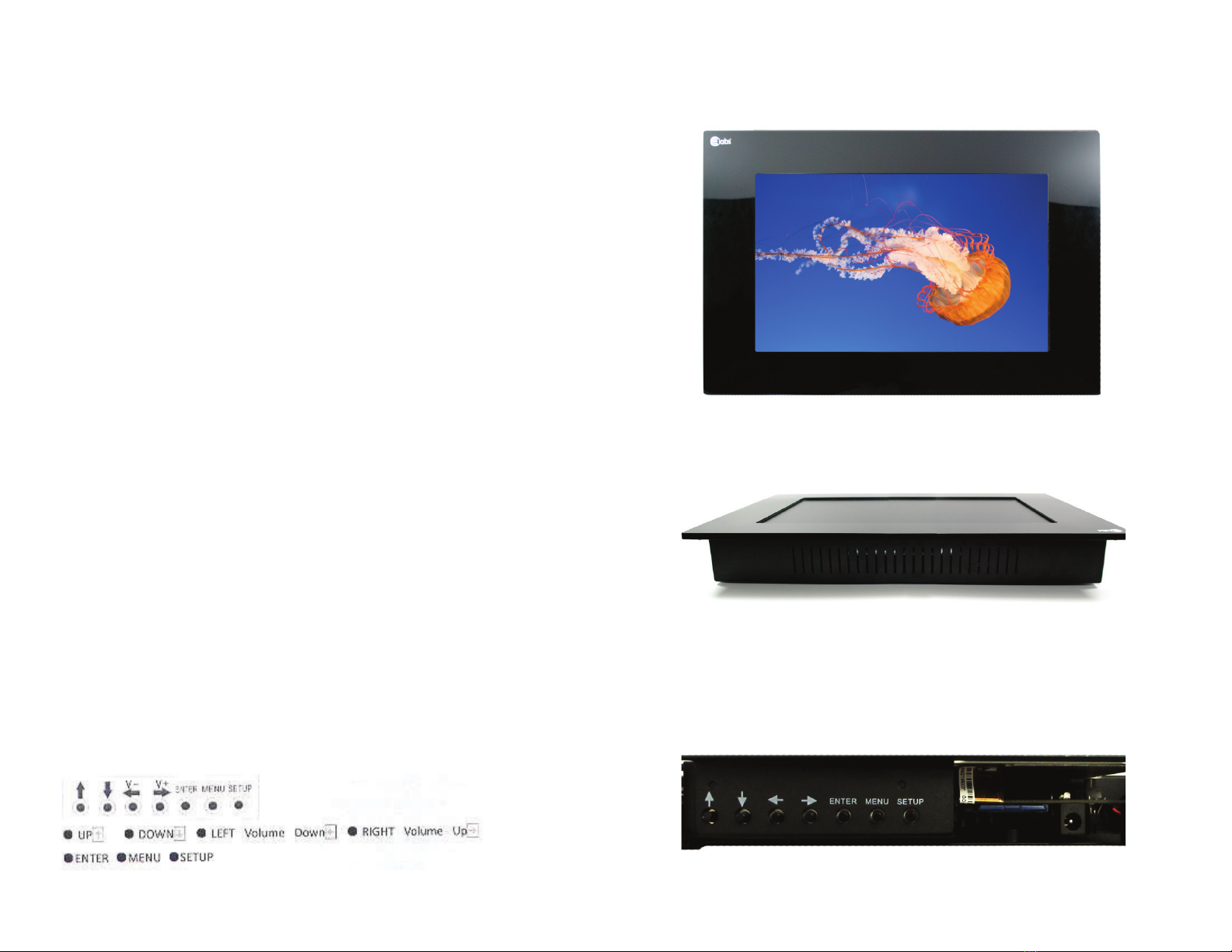
The buttons or can be used to adjust the volume while the video is playing.
Requirements of File Storage
1. The default video files in the root folder.
2. Folders named 1, 2, 3... used to store files corresponding to the push buttons.
For example, if you want a video to be played after the button 1 is pressed, please
place the video file in the folder named 1.
3. the folder named 5 is used to store the files when motion is active.
Content Update
Use USB drive to update content. Please keep in mind not to enter the setup menu, or
it will not work.
1. Copy the files to the USB drive, refer to item 5, the requirement of file storage.
2. Make a TXT format file named “USB2SD.txt,” the content can be blank. Make sure
the SD card is not write-protected.
3. Insert the USB to the USB port of ad player, then it will start to update the content.
Automatic Power On Time Setting
PHOTO SETUP
In the menu of CLOCK SETTING, press or
to select POWER ON TIME, then press ENTER
to confirm. Press or to select ON, then
enable this function. Press ENTER to confirm.
Press or to select the hour and minute of
Auto-Power-On, press or to set them, press
ENTER to confirm.
Press MENU to enter the main menu, press to
move the cursor to the PHOTO, press ENTER to
enter the PHOTO, press or to select
DISPLAY MODE, press ENTER to list the
selection. Press or to select the display
mode: FIT TO SCREEN or FULL SCREEN, press
ENTER to confirm
Display Mode
Slide Show Interval
Adjusted the same way as Display Mode. Used
to set the interval time between two photos.
Sensor Time
Transition Mode
Used to control the transition performance
between two photos.
ADDITIONAL SETTINGS
Press MENU to enter the main menu, press to
move cursor to MORE SETTING. Press ENTER to list
the time to set, then press or to select time to
play after motion sensor active, select OFF to disable
the motion sensor.
↓↑
↓
↓↑
↓
↑
↓
↑
↓
↓↑
↓↑
↓↑