2010 Instructions © Coomber Electronic Equipment Ltd. 2000 OPS 2010 R1.3 GCD600AC 020301
Coomber Electronic Equipment Ltd.
Brindley Road
Warndon
Worcester WR4 9FB, U.K.
Tel: 01905 342070 Int. Tel. +44 1905 342070
Fax: 01905 759170 Int. Tel. +44 1905 759170
Email: sales@coomber.co.uk
Web: www.coomber.co.uk
We reserve the right to make changes deemed necessary without prior notification.
This equipment employs a LASER diode which if used incorrectly
may result in harm to the eyes
1. Do not attempt to disassemble the casing.
2. Do not touch the lens or poke at it. This may cause damage to the
lens.
3. Do not put anything in the safety slot. If you do, the LASER diode will
be ON when the lid is still open.
4. Do not use this equipment or any part of it for any purpose other than
its intended use.
Headphones
It is recommended that headphones are connected to Coomber
equipment before placing over ears. You are advised only to use 600
ohm headphones such as Coomber model 1929. The use of low
impedance headphones may result in hearing damage.
Environments
The equipment should not be exposed to dust, moisture, water, chlorine
and other corrosive substances in normal use or storage. It will cause
damage to this equipment.
Swimming pool atmospheres are very hostile to all electro-mechanical
equipment (e.g. steel rusts and rubber perishes). Equipment returned to
us for repairs that show evidence of use in these environments may,
at our discretion, be charged even during the 12 month warranty period.
Battery replacement must be carried out by a qualified technician.
The ventilation should not be impeded by covering the ventilation
openings with any items.
No naked flame sources, such as lighted candles, should be placed on
the apparatus.
The apparatus should not be exposed to dripping or splashing. No
objects filled with liquids, such as vases, should be placed on the
apparatus.
Mains Plug
The mains cable fitted to this equipment is already provided with a
moulded plug.
If UK type, a 3A fuse will be fitted. If another plug needs to be fitted,
please follow instructions from the plug manufacturer, if necessary seek
advice from a qualified person. DISPOSE OF ORIGINAL PLUG SAFELY.
DO NOT RE-USE.
Electrical Safety Testing
Safety testing and servicing should only be carried out by qualified
personnel. When making an earth continuity test, only use the earth
bonding bolt (silver) on the base of the cabinet, as other exposed metal
surfaces may be isolated.
Mains Voltage
220-240V 50Hz Mains Cable: Earth - Yellow & Green, Line - Brown,
Neutral - Blue (applicable in UK and EC).
Mains Voltage
110-120V 60Hz Mains Cable: Earth - Green, Line - Black,
Neutral - White 3 wire (applicable in USA).
Class I construction
This equipment must be EARTHED.
Mains Plug fuse rating
3 Amp (applicable in UK).
Model identification and rating information is located on a label on
the rear of the product.
Additional Technical Information
If you require any further help or information, or if any point is not clear,
then please telephone 01905 25168/9 quoting your model number and
serial number (located on a label on the rear of the product). Our
Technical Department will be pleased to help you.
Random play (shuffle)
Enables all the tracks on a CD to be played in a random (shuffle)
sequence. For example if RANDOM (Shuffle) is selected while playing a
track, the random function will commence once the track has ended. If
the FORWARD skip button (9) is pressed, the next random track will
be selected. When all tracks on a CD have been played the player will
automatically stop and power down in approximately 30 seconds.
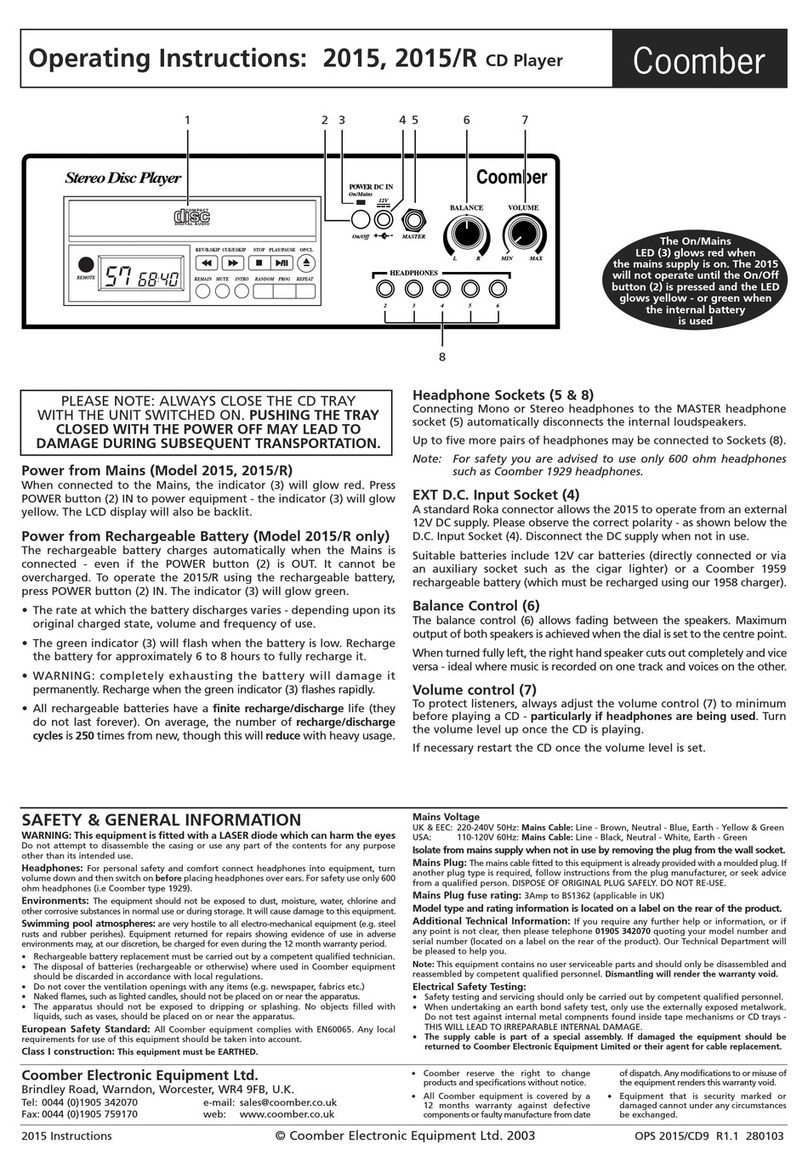
To initiate random play, press the CD MODE
button (12) four times during playback. Press
CD MODE button (12) again to return to the
normal play mode.
Repeat play modes
Press the CD MODE button once or twice. The corresponding repeat
appears in the display window.
To repeat the current track playing
Press CD MODE button (12) once during
playback.
To repeat all tracks
Press CD MODE button (12) twice during
playback.
INTRO Playback
This function plays the first 10 seconds of each track on the CD.
When in the STOP mode, press the CD MODE button (12) THREE times
and then press the PLAY/PAUSE button (10) to start INTRO playback.
During CD playback mode, press the CD
MODE button THREE times and then press the
FORWARD skip button (9) to start INTRO
playback. Alternatively INTRO will start at the
end of the current playing track.
Programmed track play
This allows selected tracks on the CD to be played in any order.
1. Press the PROGRAM button when the unit is
in the STOP mode or normal PLAY mode.
The PROG indicator flashing appears in the
display.
2. Press the BACK skip button (15) or the
FORWARD skip button (9), to select the
desired track.
3. Press the PROGRAM button (13) to enter the
track into the memory.
4. Repeat step 2 and 3 to programme up to 20 tracks into memory.
5. Press the PLAY button (10) to start the programmed play.
6. To erase the program, press the STOP button (15) twice.
Anti Shock Protection (A.S.P)
The CD player incorporates the latest electronic 40 seconds digital anti-
shock circuit, which helps to prevent interruption of the sound output
when the unit is subjected to higher volumes, shock or vibration during
CD playback. It is recommended that the A.S.P. is turned on when the
unit is playing through the loudspeakers. Button (11) switches the A.S.P.
ON/OFF.
When this feature is activated and the A.S.P. buffer is full, the display will
show:If the A.S.P. is deactivated, the display will show:
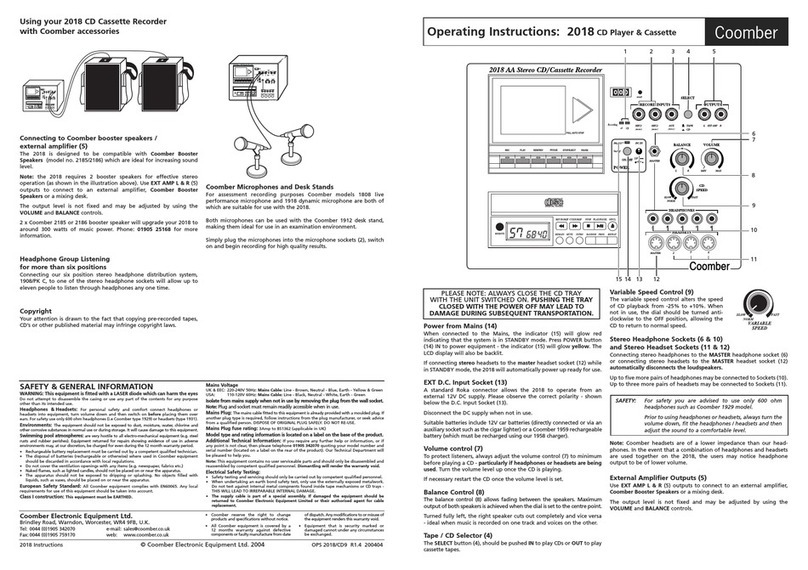
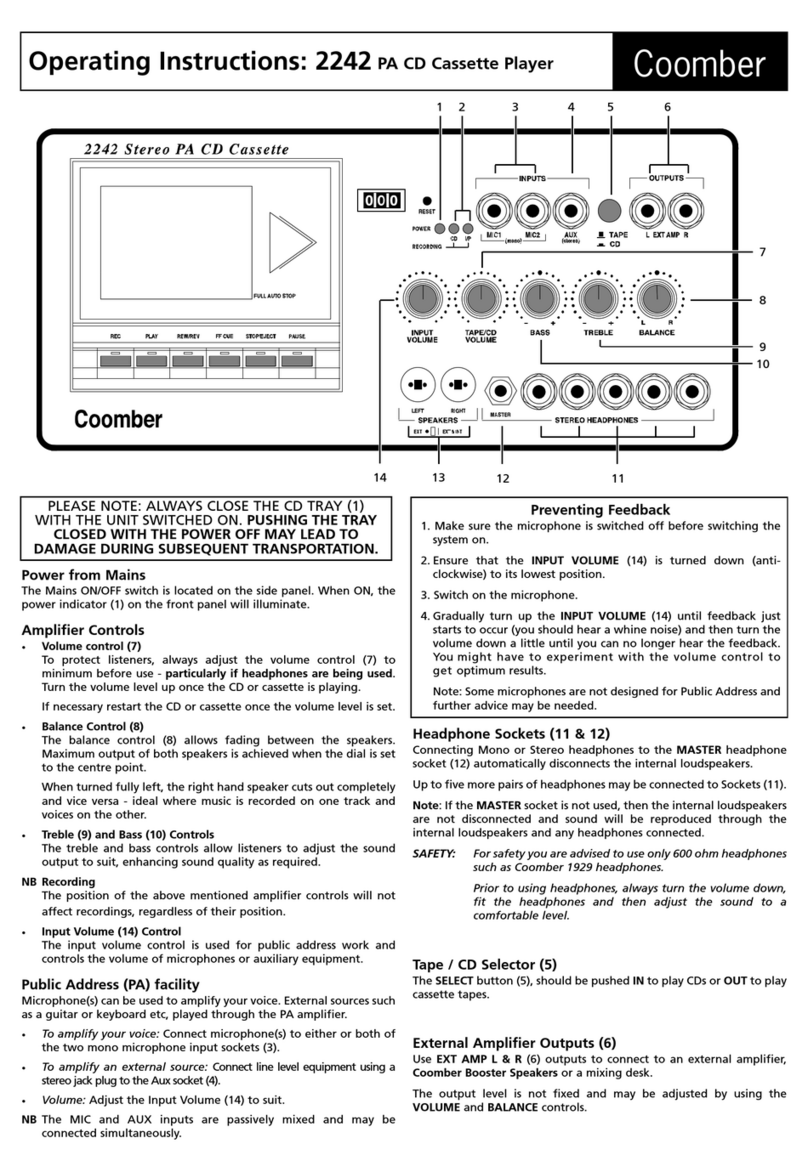
Headphone Sockets (2/3)
Connecting Mono or Stereo headphones to the MASTER headphone
socket (3), automatically disconnects the internal loudspeaker. Up to five
more headphones may be connected to Sockets (2). For safety you are
advised to use only 600ohm headphones such as Coomber 1929
headphones.
Safety