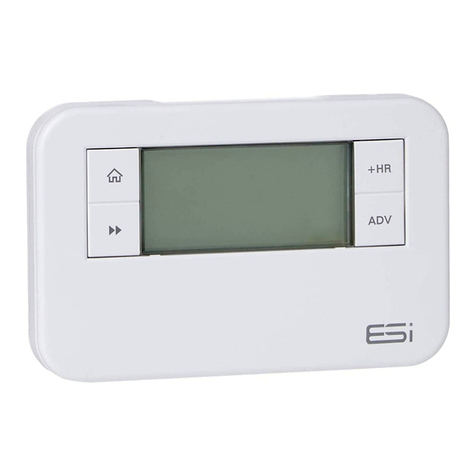
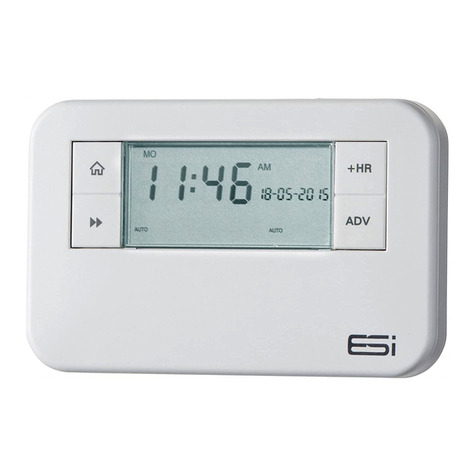
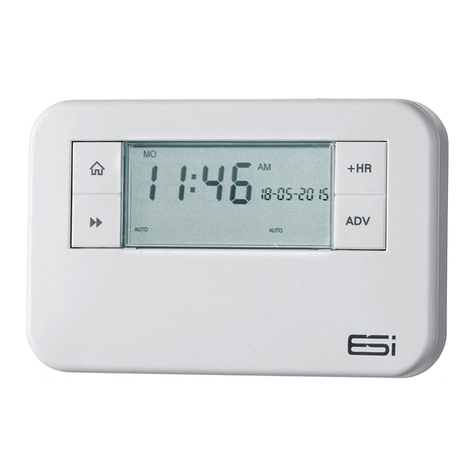
ESI ES3247B User manual

ES3247B
3 Channel Multi-Purpose
Programmer
User Instructions

Thank you for choosing ESi Controls.
All our products are tested in the UK so we are
confident this product will reach you in perfect
condition and give you many years of service.
However, for additional peace of mind, we
recommend you register your product online at
www.esicontrols.co.uk/warranty for your
extended warranty.
2

3
User Instructions
What is a Channel Programmer?
An explanation for householders 6
An introduction to the 3 Channel Programmer 6
Quick Operating Guide 8
Programming the Unit
The Factory-set Programme 10
Setting the Programmer Option (5/2, 7 Day, 24hr) 11
Setting the Central Heating 11
Setting the Hot Water Programme 12
Setting the Operation (ON/OFF/AUTO/ALL DAY) 13
Operating the Unit
Temporary Overrides 14
The Advance Function 14
The +HR Boost Function 15
Holiday Mode 16
Basic Settings
Setting the Time & Date 17
Setting the Backlight 17
Resetting the Unit 18
Power Interruption 18
Contents

4

5
User Instructions

6
An explanation for householders
Programmers allow you to set ‘On’ and ‘Off’ time periods.
Some models switch the Central Heating and domestic Hot
Water on and off at the same time, while others allow the
domestic Hot Water and Central Heating to come on and go
off at different times. Set the ‘On’ and ‘Off’ time periods to
suit your own lifestyle.
On some programmers you must also set whether you want
the Central Heating and Hot Water to run continuously,
run under the chosen ‘On’ and ‘Off’ heating periods, or
be permanently off. The time on the programmer must
be correct. Some types have to be adjusted in Spring and
Autumn upon the changes between Winter and Summer time.
You may be able to temporarily adjust the heating
programme, for example, ‘Override’,‘Advance’ or ‘Boost’.
These are explained in the manufacturer’s instructions. The
Central Heating will not work if the room thermostat has
switched the Central Heating off. And, if you have a Hot
Water cylinder, the water heating will not work if the cylinder
thermostat detects that the Central Hot Water has reached
the correct temperature.
Introduction to the 3 Channel Programmer
This programmer can automatically switch your Central
Heating or Hot Water ON and OFF either 2 or 3 times a day,
at whatever times you choose. Timekeeping is maintained
through power interruptions by a replaceable internal battery
(by Qualified Installer/Electrician only) designed to last for
What is a Channel Programmer?

the lifetime of the programmer and the clock is automatically
put forward 1 hour at 1:00am on the last Sunday of March
and back 1 hour at 2:00am on the last Sunday of October.
The clock is factory pre-set to UK time and date, but you can
alter it if you want. During installation, the installer selects 24
hour, 5/2 day, or 7 day programming and either 2 or 3 on/
off periods per day, via the Technical Settings (see installation
instructions).
The large, easy to read display makes programming easy and
the unit is designed to eliminate the possibility of accidental
changes to your programme. Buttons normally visible, only
affect your set programme temporarily. All buttons which can
permanently change your programme are located behind the
flip over facia.
- The 24 hour programmer option runs the same
programme every day.
- The 5/2 Day programmer option allows different ON/OFF
times at weekends.
- The 7 Day programmer option allows different ON/OFF
times for each day of the week.
- Pumped System (PU) allows independent control of
Central Heating and Hot Water.
- Gravity System (Gr) does not allow Central Heating
without Hot Water but can provide Hot Water without
Central Heating.
N.B. When 5/2, 7 day or 24hr is selected for HW then the
same will be applied to Heating and vise versa
IMPORTANT: This programmer is not suitable for the
switching of devices greater than 6Amp rated. (e.g. Not
suitable for use as an immersion timer)
7

8
Quick operating guide
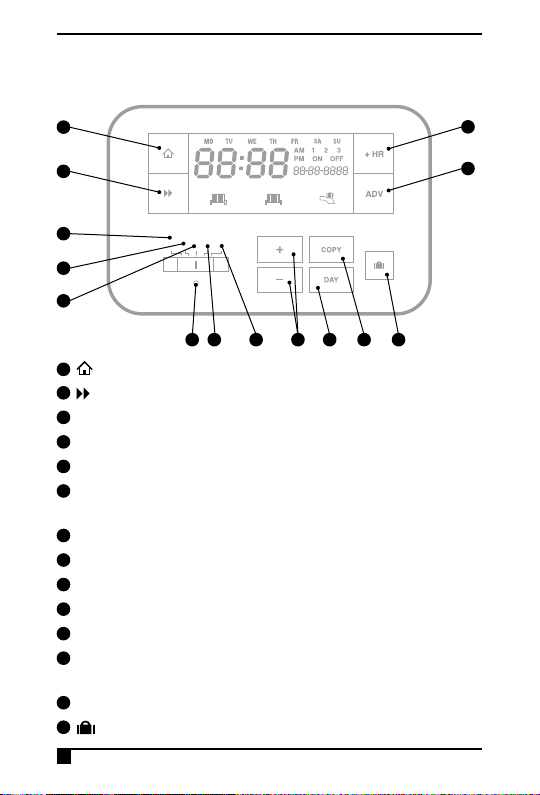
1Home (takes you back to home screen)
2Next (moves you to the next option within a function)
3Advance to the next programmed ON/OFF (ADV)
4Add up to 3 hours of extra Central Heating/Hot Water (+HR)
5Set Time and Date
6Set Programmer Option (24hr, 5/2, 7 Day) & Central
Heating/Hot Water
7Set Programmer Option (24hr, 5/2, 7 Day) & Hot Water
8Reset
9Set Operation Mode (ON/AUTO/ALL DAY/OFF)
10 Runs the programme
11 +/– buttons for settings adjustment
12 Moves between days when programming Central Heating/
Hot Water (DAY)
13 Copy function (COPY)
14 Holiday Mode
ADV
ON OFF
AUTO
ALL DAY
ADV
ON OFF
AUTO
ALL DAY
ADV
ON OFF
AUTO
ALL DAY
+1 HR
+3 HR
+3 HR
+1 HR
+3 HR
+3 HR
+1 HR
+3 HR
+3 HR
1 2
ADV
ON OFF
AUTO
ALL DAY
ADV
ON OFF
AUTO
ALL DAY
ADV
ON OFF
AUTO
ALL DAY
+1 HR
+3 HR
+3 HR
+1 HR
+3 HR
+3 HR
+1 HR
+3 HR
+3 HR
1 2
TIME/DATE
HEATING
HW
PROG
RUN
1
2
5
6
7
8 9 10 11 12 13 14
3
4

9
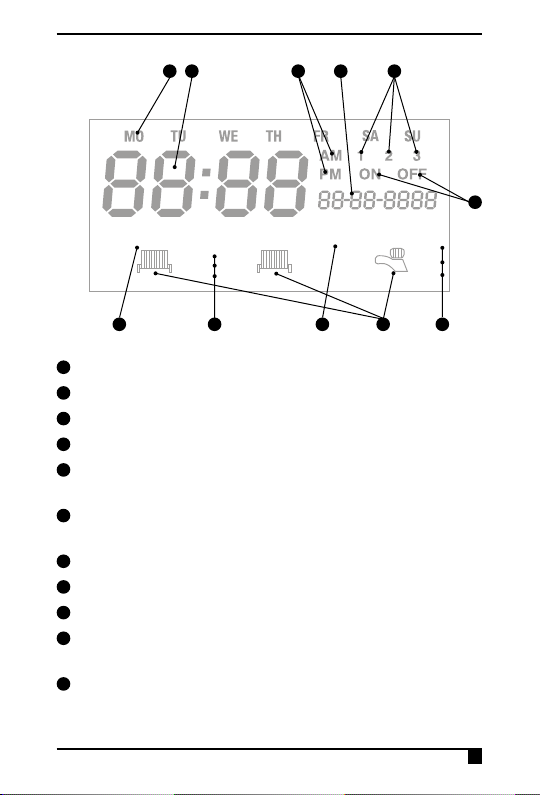
15 Day of the week
16 Time Display
17 AM/PM
18 Date Display
19 Displays which ON/OFF period (1/2/3) is being set when
programming Central Heating/Hot Water
20 Displays whether setting the ON time or OFF time when
programming Central Heating/Hot Water (ON/OFF)
21 Heating Zone 1 or Heating Zone 2 (1/2)
22 Operating Mode (ON/OFF/AUTO/ALL DAY)
23 Advanced temporary override is active (ADV)
24 Radiator/Tap symbol show that Central Heating/Hot Water
is currently ON
25 + 1hr / 2hr / 3hr temporary override is active
ADV
ON OFF
AUTO
ALL DAY
ADV
ON OFF
AUTO
ALL DAY
ADV
ON OFF
AUTO
ALL DAY
+1 HR
+3 HR
+3 HR
+1 HR
+3 HR
+3 HR
+1 HR
+3 HR
+3 HR
1 2
ADV
ON OFF
AUTO
ALL DAY
ADV
ON OFF
AUTO
ALL DAY
ADV
ON OFF
AUTO
ALL DAY
+1 HR
+3 HR
+3 HR
+1 HR
+3 HR
+3 HR
+1 HR
+3 HR
+3 HR
1 2
TIME/DATE
HEATING
HW
PROG
RUN
15 16 17 18 19
20
21 23 24 25
22

10
The Factory Pre-Set Programme
This Channel Programmer has been designed to be simple
to use, requiring minimal user intervention with a pre-
programmed heating profile.
The pre-set heating times and temperatures will suit most
people (see table below). To accept the factory pre-set
settings, move the slider to RUN which will revert the
programmer to Run Mode (the colon (:) in the LCD display
will begin to flash).
If the user changes from the factory-set programme and
wants to return to it, pressing the reset button with a non
metallic pointed tool will return the unit to the factory-set
programme.
N.B. Every time the reset is pressed, the time and date must
be set again (page 17).
Programming the unit
Event Std Time Econ
Time Std Time Econ
Time
Week Days
1st ON 06:30 00:00
Weekends
07:30 00:00
1st OFF 08:30 05:00 10:00 05:00
2nd ON 12:00 13:00 12:00 13:00
2nd OFF 12:00 16:00 12:00 16:00
3rd ON 17:00 20:00 17:00 20:00
3rd OFF 22:30 22:00 22:30 22:00
N.B. If 2PU or 2GR is selected, then events 2nd ON and 2nd OFF
are skipped
Other manuals for ES3247B
1
Table of contents
Other ESI Programmer manuals