System Description
8432-0003-00-10 rev 100 M-Series Operator’s Manual
through the on-screen menus. The puck can be rotated in either direction
and it can be moved left and right or forward and back, and it can be
pushed down (like a button) and pulled up.
Other Components
In some installations, the system will be comprised of additional compo-
nents, including additional cameras or JCUs, video equipment, or network
equipment. In a simple installation, the JCU will be directly connected to the
camera with an Ethernet cable. In more complex installations, the camera
and JCU will be interconnected by means of a network switch. If the net-
work switch does not have Power over Ethernet (PoE) capability, a PoE injec-
tor may be used to provide power to the JCU. FLIR PoE injectors are
available where you purchased your M-Series camera.
Contact FLIR (+1.888.747.3547 or +33 765794194) for more informa-
tion regarding available accessories including JCUs, PoE equipment, video
distribution amplifiers, cables, connectors, mounting hardware, and so on.
Camera Video Options
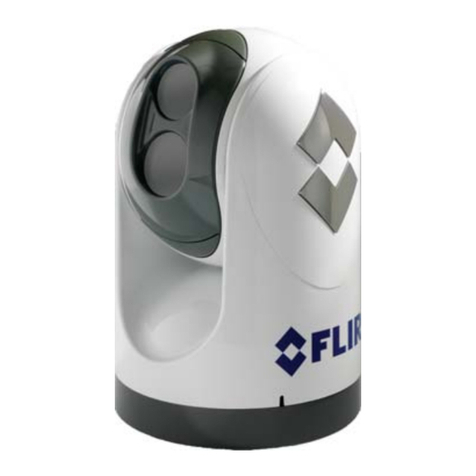
The M-Series camera provides two video outputs. One cable, labeled “IR”, is
for the video signal from the thermal (infrared) camera only. The other
cable, labeled “VIS/IR”, is for video from either the thermal camera or the
lowlight (visible) camera; it is switchable from the JCU.
The video from the M-Series camera can therefore be displayed on one or
two video displays. If only a single display with a single video input is avail-
able, the cable labeled “VIS/IR” is connected to the display. If the display
has more than one video input, both video cables can be connected to the
same display. In this type of installation, switching between the thermal and
visible video channels is performed with the display controls, rather than
the JCU.
Ball Up / Ball Down
In most installations, the M-Series will be mounted upright on top of a
mounting surface, with the pan/tilt base below the camera (this is known
as the “ball up” orientation). Optionally the unit may be hung upside down
(“ball down”). When installed ball down, it is necessary to configure the
camera in the ball down mode, so the video is properly displayed and the
pan/tilt controls operate as expected.
Unless otherwise noted, the information in this manual generally assumes
an upright installation; refer to the Configuration Menus section for infor-
mation about ball down configurations.
Upright installation
(ball up)
Upside down
(ball down)