© GTrek Ltd. 2013 Page 5of 62 Version 5.4.0
1.1 Notes and Warnings
1.
GTrek uses a Lithium-ion battery. If your GTrek is used in temperatures lower than -10ºC or
higher than 60ºC its battery charge capability will decrease. A pocket is a good place as body
heat will maintain temperature. Please keep your GTrek data logger away from particularly
low or high temperature environments. In addition, do not expose your GTrek data logger to
temperatures higher than 140ºF/60ºC. If you do not follow these rules the battery
inside your GTrek may overheat, explode or ignite, and this will lead to serious damage. The
Lithium-ion battery inside the GTrek should be recycled in a proper way and should never be
thrown into normal refuse or disposed of in an incinerator.
2.
Your GTrek should not be used in prohibited locations such as on-board airplanes and
in hospitals so turning off your GTrek is recommended. Wireless GPS receivers and
BlueTooth communications may interfere with sensitive equipment which use radio frequency.
3.
If your GTrek data logger is not to be used for long periods it is recommended that the
battery be removed and stored separately in a dry and cool place. Re-charging periodically is
also recommended (by periodically we mean recharge your battery every two to three
months).
4.
For safety keep your GTrek and all accessories out of children's reach. The GTrek system is
a useful tool and is not a toy, though we do hope you have a lot of fun with it.
5.
The manufacturer of GTrek and related products assumes no responsibility for any
damage or loss resulting from the use of this manual, or from deletion of data as a result of
malfunction, dead battery, or from misuse or use of the product in any way.
6.
Use only the supplied and approved accessories. Unauthorized accessories, modifications or
attachments could damage your GTrek and may violate regulations governing radio devices.
7.
None of the above detract from your statutory rights under European law, however if you have
a problem please call us first.
1.2 Software Installation
PLEASE READ THIS SECTION FIRST
Install Software Prior to Connecting GTrek
Prior to connecting your GTrek to your PC you are required to install the application software and
device drivers. However it's quite acceptable to connect your GTrek without switching it on just to
charge the battery. If your GTrek is switched on and connected then Microsoft Windows will attempt
to load appropriate drivers. Without the correct software pre-installed your GTrek may be installed
incorrectly. Undoing this is possible but not within the scope of this manual.
The installation instructions that follow assume your operating system platform is Windows XP with at
least Service Pack 2. This is considered the minimum. For Vista or Windows 7 please refer to
additional installation instructions provided on the installations disk.
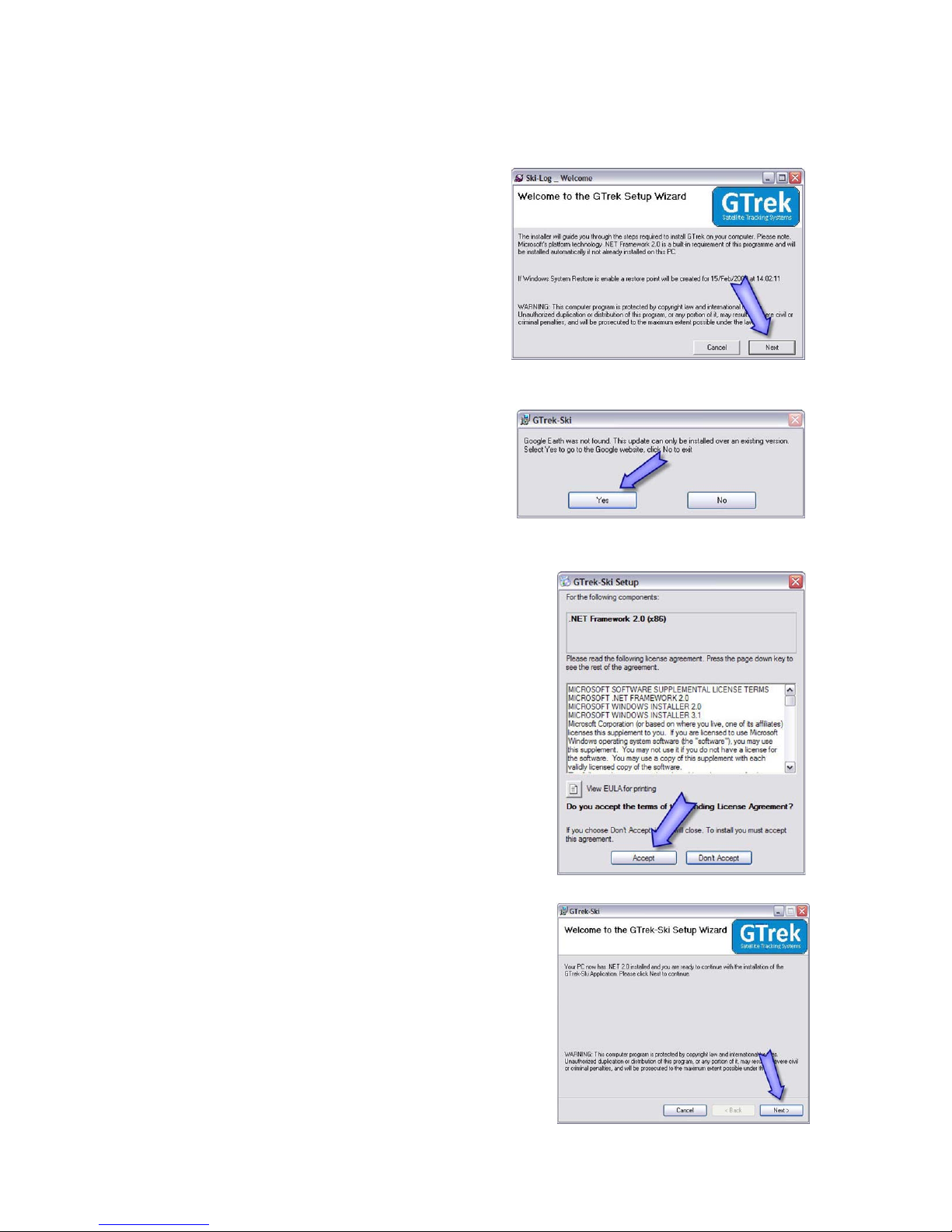
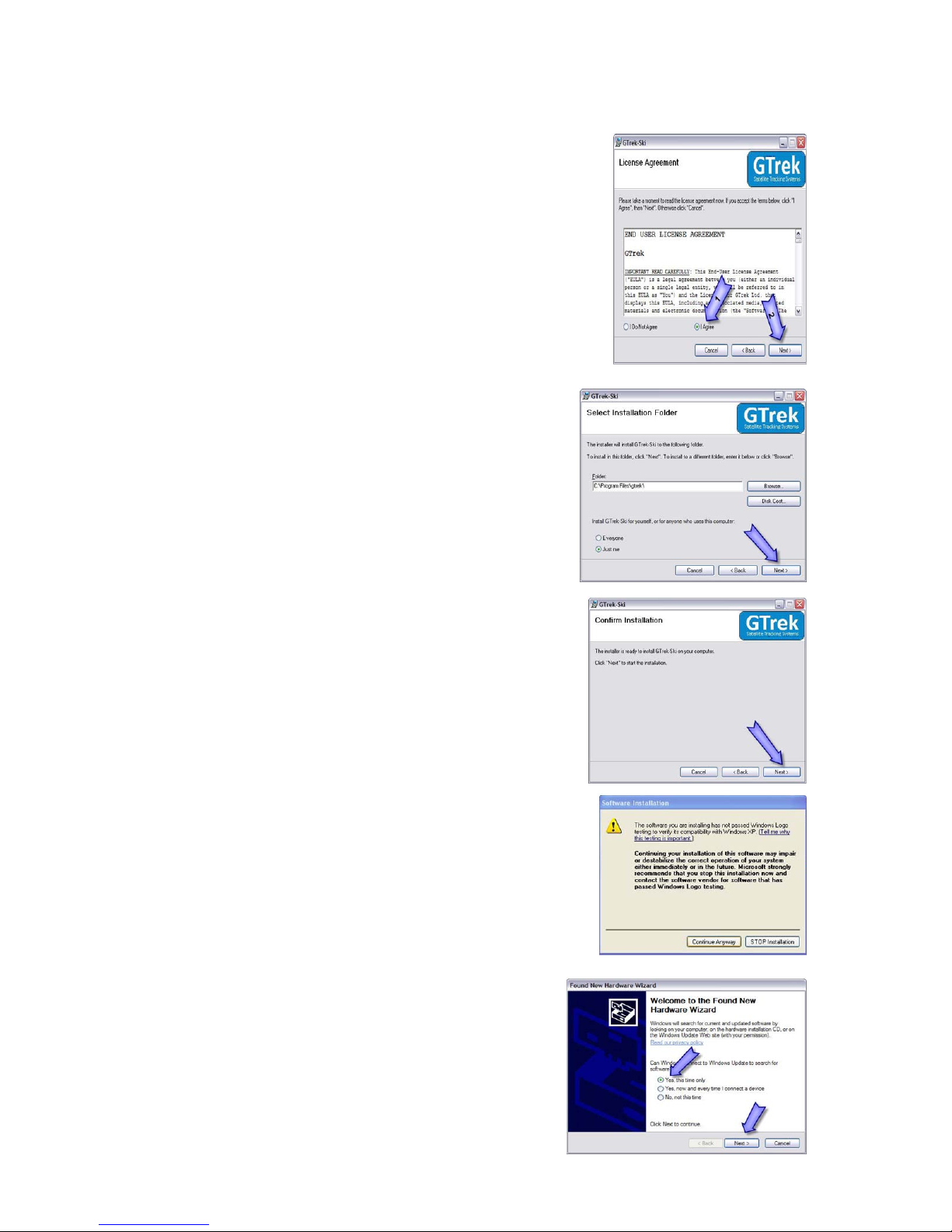
The installation is a simple automated process which should take just a couple of minutes. The
application requires that Google Earth be installed prior to the main installation, if it is not found the
user is automatically referred to Googles website to download and install a copy. A connection to the
internet is required for this process.
Google can be installed at any time prior to the application installation by going to
http://earth.google.com and clicking the button labeled "Download Google Earth 5.0" and following
the instructions provided.
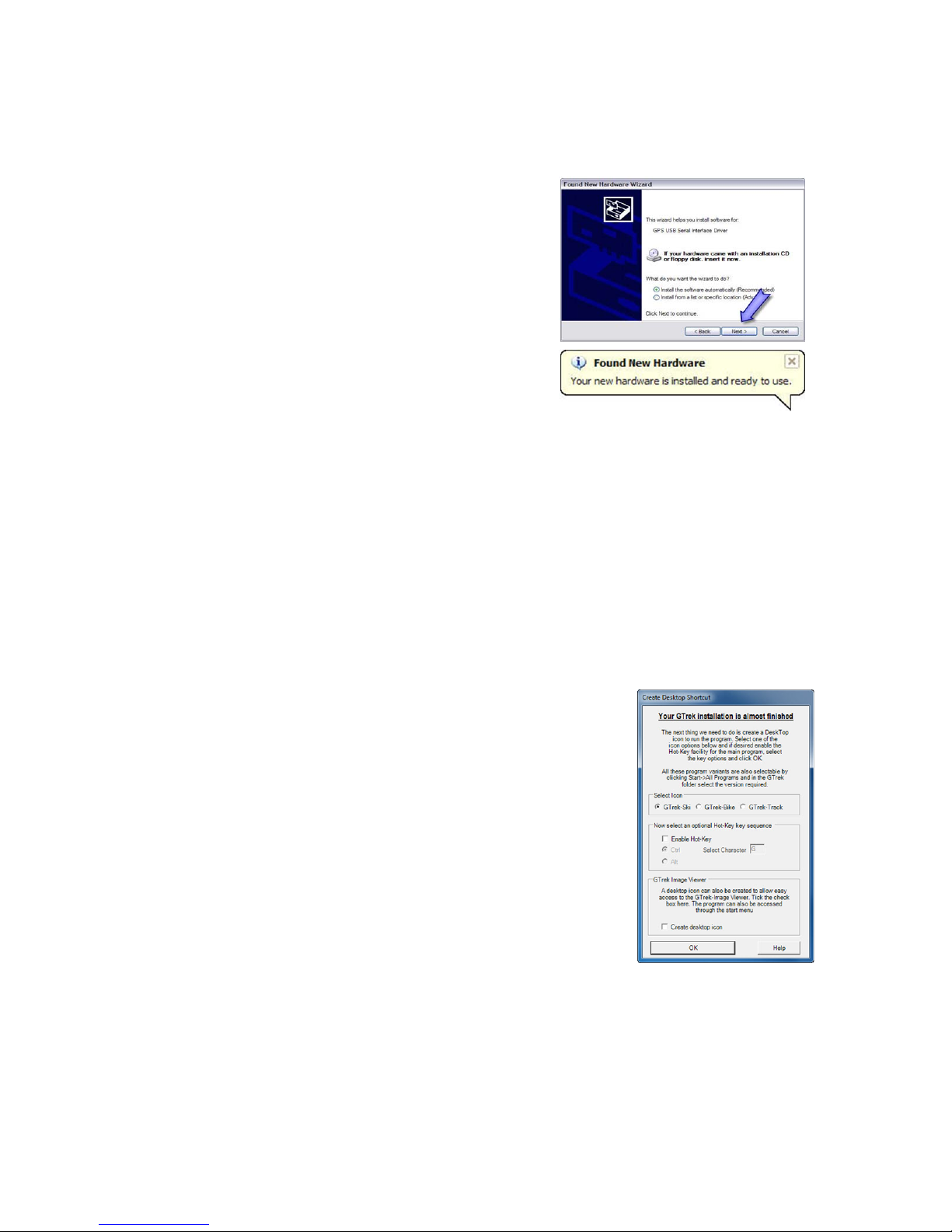
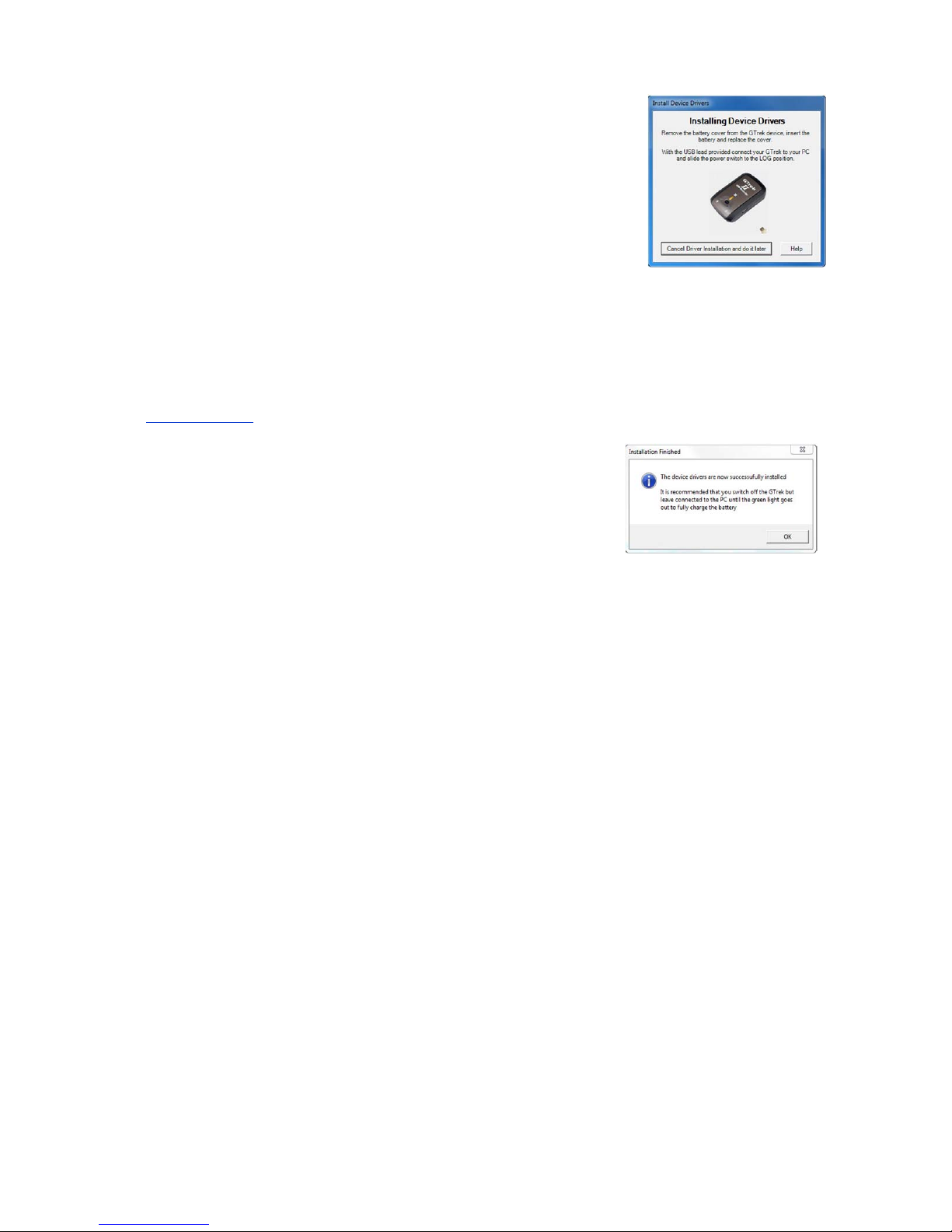
At the end of the installation of the application GTrek device drivers are installed this
needs to be accepted before the process completes. If nothing changes for any length
of time then check for dialogue boxes that may be covered. Look for this icon on the