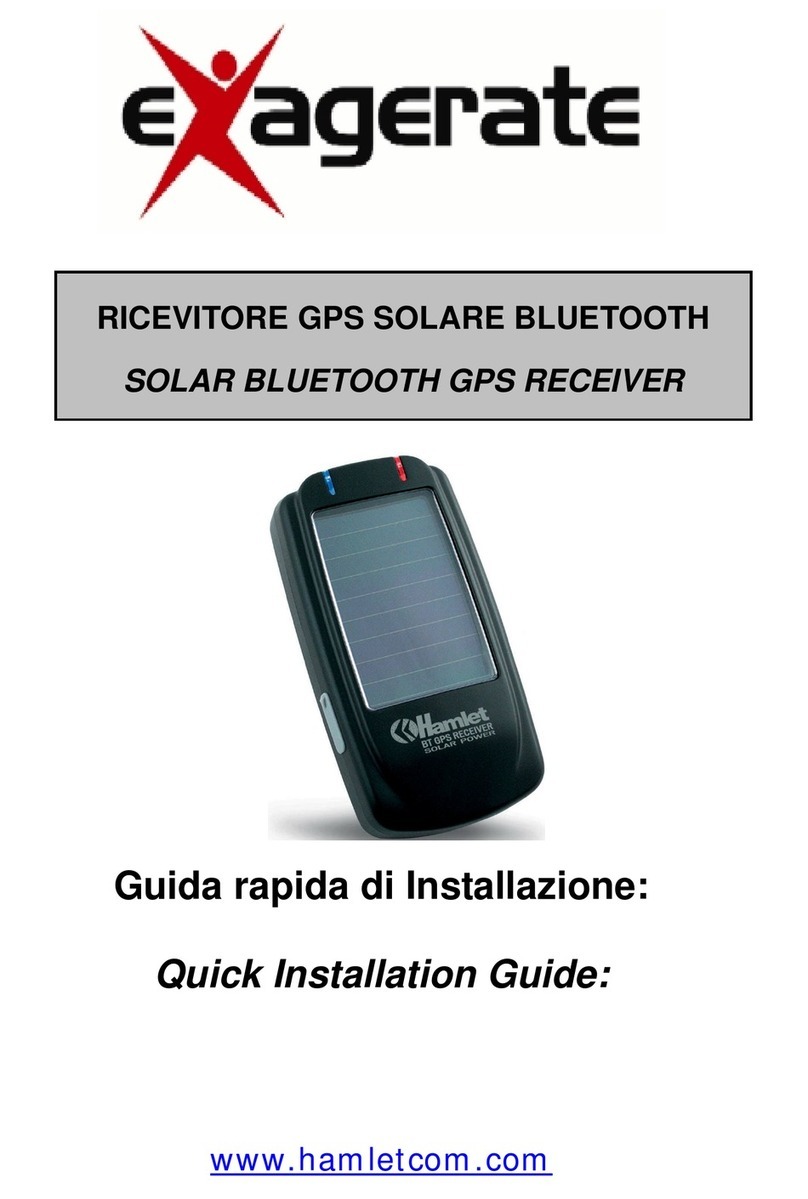
Hamlet SiRF Star III User manual

Guida rapida di Installazione:
Quick Installation Guide:
www.hamletcom.com
RICEVITORE GPS SiRF Star III 20CH
SiRF Star III 20CH BLUETOOTH GPS

2
Informiamo che il prodotto è conforme alle normative europee
e certificato CE secondo i seguenti standard: 89/336/EEC,
92/31/EEC, 93/68EEC, EN 301 489 - 17 : V 1.2.1 (2002-08)
Gentile Cliente,
La ringraziamo per la fiducia riposta nei nostri prodotti. La
preghiamo di seguire le norme d'uso e manutenzione: al
termine del funzionamento di questo prodotto, La preghiamo di
non smaltirlo tra i rifiuti urbani misti, ma di effettuare per detti
rifiuti, una raccolta separata negli appositi raccoglitori di
materiale elettrico/elettronico o di riportare il prodotto dal
rivenditore che lo ritirerà gratuitamente.
Dear Customer,
Thanks for choosing Hamlet. Please carefully follow the
instructions for its use and maintenance and, once this item has
run its life span, we kindly ask You to: dispose of it in an
environmentally friendly way, by putting it in the separate bins
for electrical/electronic waste, or to bring it back to your retailer
who will collect it for free.

3
Collegare il dispositivo al PC/PDA:
A. Premere il pulsante”Power” sul dispositivo BT per 2
secondi.
B. Posizionare il ricevitore GPS in un punto adeguato (cielo
aperto) affinché possa ricevere il segnale GPS.
C. Accendere PC/PDA.
D. Ricercare l’apparecchio BT dal PC/PDA. Il dispositivo
GPS non richiede alcuna “passkey” per la connessione,ma
alcuni system BT la richiedono; digitare quindi [0000].
E. Collegare l’apparecchio GPS e assicurarsi che nel
programma “baud rate set” ci sia 9600 bps (standard).
F. La prima volta che si userà il Ricevitore GPS BT, si
raccomanda di provarlo all’aperto.
Connect to your PC/PDA:
A. Push the power button for 2 seconds, power on the
Bluetooth GPS receiver .
B. Put the Bluetooth GPS receiver at proper place (open to
sky) to receive the GPS signal.
C. Turn on the power of your PC/PDA.
D. Search for Blue tooth device by your Blue tooth manager
on your PC/PDA. The GPS device required no passkey for
connection. But some Blue tooth system is forced to enter
passkey, please use [0000] in such case.
E. Connect to Bluetooth GPS Receiver and then make sure
baud rate set at 9600 bps(standard) in your application
program.
F. In firstly Use of this Bluetooth GPS Receiver ,we strongly
recommend you to bring Bluetooth GPS Receiver User
Manual -3- Bluetooth GPS receiver outdoor or open sky.

4
Utilizzo:
Start to Use:
1) Caricare la batteria per almeno 4 ore prima di utilizzare il
ricevitore GPS per la prima volta.
1) Please fully-charge the battery with at least 4 hours before
using the GPS receiver firstly.
2) Accendere il ricevitore GPS premendo il tasto Power On
(vedi figura sotto). La spia blu (vedi figura sotto)
comincerà a lampeggiare ogni 3 secondi, una volta
connessa, lampeggerà ogni secondo.
2) Push the power switch 1~2 seconds to Power on; Bluetooth
indicator : (1) Bluetooth host searching: 3 pulses per second
(2) Bluetooth host connected: 1 pulse per second
Nota: Per alcuni PDA va riavviata la funzione Bluetooth per
potersi riconnettere.
Note: Some PDA needs to restart the Bluetooth function if you
need to re-connect.
3) Mettere in funzione il ricevitore GPS per la prima volta
all’aperto per almeno 15-20 minuti.
3) In firstly Use of this Receiver, we strongly recommend to
bring your Bluetooth GPS Receiver outdoor and open
sky at least 15~20 minutes for almanac update.
Utilizzo Software/Hardware
Software/Hardware Use:
1) Funzioni del Ricevitore GPS Bluetooth:
1) Bluetooth GPS Receiver device function description is
shown as below:

5
1) Spia Bluetooth - Bluetooth indicator
2) Spia Power/GPS - Power/GPS LED
3) Interruttore Power - Power switch
4) Ingresso cavo USB - Charge plug
5) Pannello - Panel
6) Antenna esterna MMCX - External Antenna MMCX
Plug
7) Antenna interna - Active antenna inside
(face to open sky)
2) Descrizione delle funzioni dei LED - LED display description
Simbolo
Symbol Colore
Color Stato
Behavior Descrizione
Description
Lampeggia 3 pulsaz/sec
Blinking in 3 pulses/sec Ricerca del
segnale BT
Searching for BT
host
Led Bluetooth
Bluetooth
Indicator
Blu
Blue Lampeggia 1 pulsaz/sec
Blinking in 1 pulse/sec
Collegamento e
comunicazione con
l’host
Connected with
host&
communicating

6
Verde
Green
Lampeggia con 3 secondi di
intervallo
Blinking with 3 secs interval
Batteria scarica
Battery low
Verde
Green Lampeggia con 2 secondi di
intervallo
Blinking with 2 sec interval
Ricarica
Charging
Verde
Green
Acceso
Light up
Ricarica
completata
(Quando si stacca
il cavo LED
spento)
Charge completed
(LED off when
cable away)
Rosso
Red Acceso e fisso
Light up continously Posizionamento
Positioning
Led Power/GPS
Acquisition LED
(Rosso/Verde)
Power/GPS
Acquisition LED
(Red/Green
combined)
Rosso
Red
Lampeggia 1pulsaz/ 3sec
Blink in 1pulse/ 3secs
Posizionamento
fisso
Position fixed
3) Acceso/Spento: - Power ON/OFF
Premere l’interruttore “Power” per 1~2 secondi per
accendere/spegnere l’apparecchio.
Push button 1~2 seconds.
Per l’installazione del Ricevitore GPS Bluetooth su Pc o su
PDA e per ulteriori informazioni di utilizzo, prego utilizzare
il manuale che troverete nel CD.
Setup con il PC:
Configuration Setup with PC connection:
1) Selezionare il PC tramite interfaccia Bluetooth.
1) First, select a PC with Bluetooth interface. Or you can
purchase Bluetooth adapter for your PC. Please contact with
your PC’s sales about this.

7
2) Controllare se esiste qualche configurazione di porta
Bluetooth di questo tipo:
2) Check your Bluetooth manager if there exist any
configuration of Bluetooth Serial Port Profile like this:
Attenzione: Questo è solo un esempio di configurazione, le
immagini possono variare a seconda del software
Bluetooth che si utilizza.
Note: this sample is for your reference only. The screen may
various between different models of Bluetooth manager
software.

8
3) Se non si trova, creare una porta seriale Bluetooth. La
configurazione dovrebbe essere fatta in questo modo:
3) If not found, please create a Bluetooth serial port by yourself.
The configuration should be like this:
4) Accendere il GPS Bluetooth Hamlet, se la batteria è
stata caricata correttamente, dovreste vedere 2 spie
illuminate: la blu lampeggia 3 volte/sec, significa che il
sistema Bluetooth è attivo e in attesa di collegamento. La
spia rossa lampeggia e questo indica che il modulo GPS è
partito e sta acquisendo le informazioni sulla posizione.
4) Power on your Solar Bluetooth GPS Receiver . If the battery
is ready, you should see 2 LED light up: the blue LED blink 3
times/sec means Bluetooth is activated and waiting for
connection. Another static red LED shows the GPS module is
started and is inquiring position information.
5) Aprire la finestra “Bluetooth places”; non si vede niente la
prima volta che si utilizza il navigatore solare.
5) Open your Bluetooth places; you should see nothing while
usingfirstly.

9
6) Cliccare su “View devices in range” e apparirà l’icona
della figura seguente:
6) Click the [View devices in range] and you should find a
[Bluetooth GPS] show as below:
7) Tasto destro sull’icona, selezionare “Discover Available
Services”
7) Right click on the icon, select the [Discover Available
Services]:

10
8) Si dovrebbe trovare “service SPP slave”, tasto destro del
mouse, cliccare ”Connect to Bluetooth Serial Port”:
8) You should find the service SPP slave, right click and select
[Connect to Bluetooth Serial Port]:
Table of contents
Other Hamlet GPS manuals