EnglishDeutsch
 logo
Brands
  1. Home
  2. •
  3. Brands
  4. •
  5. Hotpoint
  6. •
  7. Washer
  8. •
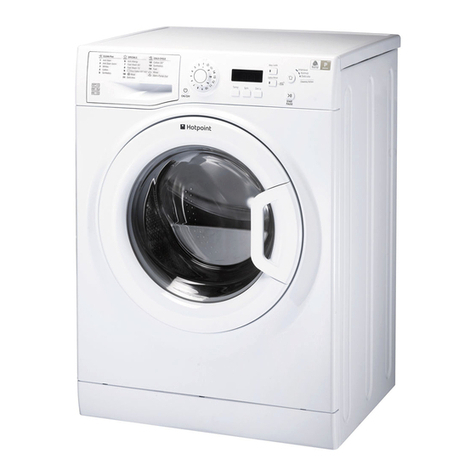
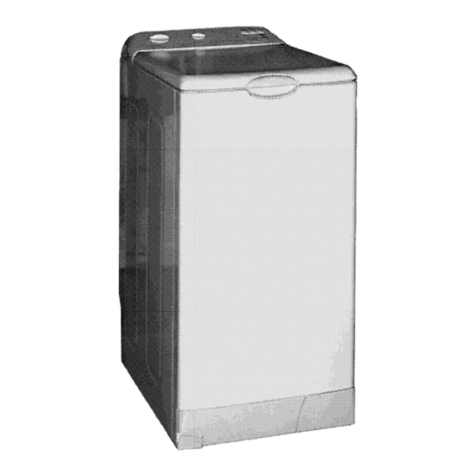
  9. Hotpoint KITCHEN THINK BS 1400 User manual

Hotpoint KITCHEN THINK BS 1400 User manual

Other manuals for KITCHEN THINK BS 1400

1

This manual suits for next models

1

Other Hotpoint Washer manuals

Hotpoint WMEUF 722 User manual

Hotpoint

Hotpoint WMEUF 722 User manual

Hotpoint WLW3500B Installation instructions

Hotpoint

Hotpoint WLW3500B Installation instructions

Hotpoint WDD 750 User manual

Hotpoint

Hotpoint WDD 750 User manual

Hotpoint AQXXF 129 P User manual

Hotpoint

Hotpoint AQXXF 129 P User manual

Hotpoint HNSR1080 User manual

Hotpoint

Hotpoint HNSR1080 User manual

Hotpoint Aqualtis AQ113L 297I User manual

Hotpoint

Hotpoint Aqualtis AQ113L 297I User manual

Hotpoint WMAL 621 User manual

Hotpoint

Hotpoint WMAL 621 User manual

Hotpoint AQXXF 149 PM User manual

Hotpoint

Hotpoint AQXXF 149 PM User manual

Hotpoint WMPF 823 User manual

Hotpoint

Hotpoint WMPF 823 User manual

Hotpoint WMD 962 P User manual

Hotpoint

Hotpoint WMD 962 P User manual

Hotpoint WMF 760 P User manual

Hotpoint

Hotpoint WMF 760 P User manual

Hotpoint WM12 User manual

Hotpoint

Hotpoint WM12 User manual

Hotpoint AQGD 169 S User manual

Hotpoint

Hotpoint AQGD 169 S User manual

Hotpoint WMD 722 User manual

Hotpoint

Hotpoint WMD 722 User manual

Hotpoint ultima digit wt640 User manual

Hotpoint

Hotpoint ultima digit wt640 User manual

Hotpoint VWSR4150D User manual

Hotpoint

Hotpoint VWSR4150D User manual

Hotpoint WML 560 P User manual

Hotpoint

Hotpoint WML 560 P User manual

Hotpoint WMD 1044 Manual

Hotpoint

Hotpoint WMD 1044 Manual

Hotpoint WMG 722 User manual

Hotpoint

Hotpoint WMG 722 User manual

Hotpoint VWSR4100 User manual

Hotpoint

Hotpoint VWSR4100 User manual

Hotpoint WMBF 963 User manual

Hotpoint

Hotpoint WMBF 963 User manual

Hotpoint WMF 940 P/G/A/K User manual

Hotpoint

Hotpoint WMF 940 P/G/A/K User manual

Hotpoint AQUALTIS AQS73D29 User manual

Hotpoint

Hotpoint AQUALTIS AQS73D29 User manual

Hotpoint ARXXF 145 User manual

Hotpoint

Hotpoint ARXXF 145 User manual

Popular Washer manuals by other brands

Haier HWM96-0623S null

Haier

Haier HWM96-0623S null

Haier B828TX null

Haier

Haier B828TX null

Haier HWM30-0701 null

Haier

Haier HWM30-0701 null

Samsung WF8508NMW8 null

Samsung

Samsung WF8508NMW8 null

Samsung WF-B105AV null

Samsung

Samsung WF-B105AV null

Haier HWM20-0701 null

Haier

Haier HWM20-0701 null

Akai AWM1050WF null

Akai

Akai AWM1050WF null

Haier HWM15-0501 null

Haier

Haier HWM15-0501 null

Tricity Bendix AW 1000 W Operating & installation instructions

Tricity Bendix

Tricity Bendix AW 1000 W Operating & installation instructions

Panasonic NA-F60L5WRB operating instructions

Panasonic

Panasonic NA-F60L5WRB operating instructions

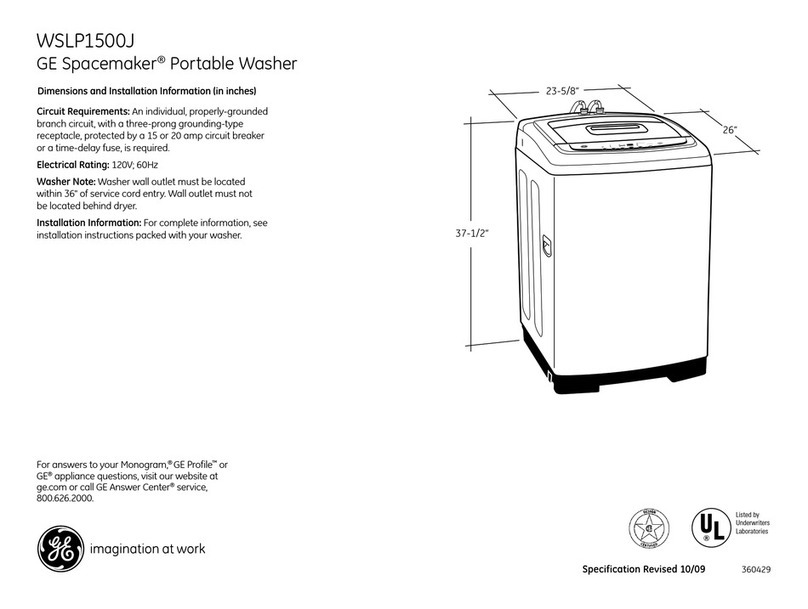
GE WSLP1500 Dimensions and installation information

GE

GE WSLP1500 Dimensions and installation information

Electrolux EWF1284EDW Service manual

Electrolux

Electrolux EWF1284EDW Service manual

LG TV2516DV3B owner's manual

LG

LG TV2516DV3B owner's manual

LG TH2517DSAV owner's manual

LG

LG TH2517DSAV owner's manual

VESTEL CMH-XL 7510 TE user manual

VESTEL

VESTEL CMH-XL 7510 TE user manual

AEG 74335 User information

AEG

AEG 74335 User information

Johnson JWF721A user manual

Johnson

Johnson JWF721A user manual

Beko WTE7604XLW0 owner's manual

Beko

Beko WTE7604XLW0 owner's manual

https://manuals.online logo
https://manuals.online logoBrands
  • About & Mission
  • Contact us
  • Privacy Policy
  • Terms and Conditions

Copyright 2026 Manuals.Online. All Rights Reserved.

Instructions for Installation and Use
Washing machine
Model BS 1400
1
GB
English,1
Contents
Installation, 2-3-4-5
Unpacking and levelling, 2
Electric and water connections, 2-3
The first wash cycle, 4
Technical details, 5
Washing machine description, 6-7
Control panel, 6
isplay, 7
tarting and Programmes, 8
Briefly: how to start a programme, 8
Programme table, 8
Personalisations, 9
Setting the spin cycle, 9
Setting the temperature, 9
Setting the elay Start, 9
Functions, 9
Detergents and laundry, 10
etergent dispenser, 10
Bleach cycle, 10
Preparing your laundry, 10
Special items, 10
Woolmark Platinum Care, 10
Precautions and advice, 11
General safety, 11
isposal, 11
Saving energy and respecting the environment, 11
Care and maintenance, 12
Cutting off the water or electricity supply, 12
Cleaning your appliance, 12
Caring for your appliance door and drum, 12
Cleaning the pump, 12
Checking the water inlet hose, 12
Troubleshooting, 13
ervice, 17
WA HING MACHINE
B 1400
Instructions for use
GB
2
GB
!Keep this instruction manual in a safe place for
future reference. Should the appliance be sold,
transferred or moved, make sure the instruction
manual accompanies the washing machine to inform
the new owner as to its operation and features.
!Read these instructions carefully: they contain
vital information on installation, use and safety.
Unpacking and levelling
Unpacking
1. Unpack the washing machine.
2. Check whether the washing machine has been
damaged during transport. If this is the case, do
not install it and contact your retailer.
3. Remove the 2
protective screws and
the rubber washer with
the respective spacer,
situated on the rear of
the appliance (see
figure).
4. Seal the gaps using the plastic plugs provided.
5. Keep all the parts: you will need them again if
the washing machine needs to be moved to
another location.
Packaging materials are not children's toys.
Levelling
Your machine may make a considerable amount of
noise if the two front feet have not been adjusted
correctly.
1. Install the washing machine on a flat sturdy floor,
without resting it up against walls, furniture cabinets
or other.
2. If the floor is not
perfectly level, compen-
sate for any unevenness
by tightening or
loosening the adjustable
feet (see figure); the
angle of inclination,
measured according to
the worktop, must not
exceed 2°.
Levelling your appliance correctly will provide it with
stability and avoid any vibrations, noise and shifting
during operation. If it is placed on a fitted or loose
carpet, adjust the feet in such a way as to allow
enough room for ventilation beneath the washing
machine.
Electric and water connections
Connecting the water inlet hose
1. Insert seal A into the
end of the inlet hose
and screw the latter
onto a cold water tap
with a 3/4 gas threaded
mouth (see figure).
Before making the
connection, allow the
water to run freely until
it is perfectly clear.
2. Connect the other end
of the water inlet hose to
the washing machine,
screwing it onto the
appliance's cold water
inlet, situated on the top
right-hand side on the
rear of the appliance
(see figure).
3. Make sure there are no kinks or bends in the hose.
The water pressure at the tap must be within the
values indicated in the Technical details table
(on the next page).
If the water inlet hose is not long enough,
contact a specialist store or an authorised
serviceman.
Installation
A
3
GB
Connecting the drain hose
Connect the drain
hose, without bending
it, to a draining duct or
a wall drain situated
between 65 and 100 cm
from the floor;
alternatively, place it
over the edge of a
basin, sink or tub,
fastening the duct
supplied to the tap
(see figure). The free
end of the hose should
not be underwater.
 We advise against the use of hose extensions; in
case of absolute need, the extension must have
the same diameter as the original hose and must
not exceed 150 cm in length.
lectric connection
Before plugging the appliance into the mains
socket, make sure that:
the socket is earthed and in compliance with
the applicable law;
the socket is able to sustain the appliance's
maximum power load indicated in the Technical
details table (see page 5);
the supply voltage is included within the values
indicated on the Technical details table
(see page 5);
the socket is compatible with the washing
machine's plug. If this is not the case, replace
the socket or the plug.
Your appliance is now supplied with a 13 amp fused
plug it can be plugged into a 13 amp socket for
immediate use. Before using the appliance please
read the instructions below.
WARNING - THIS APPLIANCE MUST BE EARTHE .
THE FOLLOWING OPERATIONS SHOUL BE
CARRIE OUT BY A QUALIFIE ELECTRICIAN.
Replacing the fuse:
When replacing a faulty fuse, a 13 amp ASTA
approved fuse to BS 1362 should always be used,
and the fuse cover re-fitted. If the fuse cover is
lost, the plug must not be used until a
replacement is obtained.
Replacement fuse covers:
If a replacement fuse cover is fitted, it must be of
the correct colour as indicated by the coloured
marking or the colour that is embossed in words on
the base of the plug. Replacements can be obtained
directly from your nearest Service epot.
Removing the plug:
If your appliance has a non-rewireable moulded
plug and you should wish to re-route the mains
cable through partitions, units etc., please ensure
that either:
the plug is replaced by a fused 13 ampere re-
wearable plug bearing the BSI mark of approval.
or:
the mains cable is wired directly into a 13 amp
cable outlet, controlled by a switch, (in compliance
with BS 5733) which is accessible without moving
the appliance.
Disposing of the plug:
Ensure that before disposing of the plug itself,
you make the pins unusable so that it cannot be
accidentally inserted into a socket.
Instructions for connecting cable to an alternative plug:
Important: the wires in the mains lead are
coloured in accordance with the following code:
Green & Yellow Earth
Blue Neutral
Brown Live
As the colours of the wires in the lead may not
correspond with the coloured markings identifyng
the terminals in your plug, proceed as follows:
Connect Green & Yellow wire to terminal marked E
or or coloured Green or Green & Yellow.
Connect Brown wire to terminal marked L or
coloured Red.
Connect Blue wire to terminal marked N or
coloured Black.
erviceTroubleshootingPrecautions CareProgrammes DetergentsInstallation Description
65 - 100 cm
4
GB
If a 13 amp plug (BS 1363) is used it must be fitted
with a
13 amp fuse, either in the plug or adaptor or at the
distribution board.
If you are in any doubt the electrical supply to your
machine, consult a qualified electrician before use.
How to connect an alternative plug:
The wires in this mains lead are coloured in
accordance with the following code:
BLUE NEUTRAL (N)
BROWN LIVE (L)
GREEN & YELLOW EARTH (E)
Disposing of the appliance:
When disposing of the appliance please remove
the plug by cutting the mains cable as close as
possible to the plug body and dispose of it as
described above.
 The washing machine should not be installed in an
outdoor environment, not even when the area is
sheltered, because it may be very dangerous to
leave it exposed to rain and thunderstorms.
 When the washing machine is installed, the mains
socket must be within easy reach.
 o not use extensions or multiple sockets.
 The power supply cable must never be bent or
dangerously compressed.
 The power supply cable must only be replaced by
an authorised serviceman.
Warning! The company denies all liability if and
when these norms are not respected.
GREEN &
YELLOW
BROWN
BLUE
13 ampere fuse
CROSS-BAR
CORD GRIP
The first wash cycle
Once the appliance has been installed, and before
you use it for the first time, run a wash cycle with
detergent and no laundry, setting the 90°C
programme without a pre-wash cycle.
5
/*
Technical details
Model BS 1400
Dimensions
68,6 cm wide
100 cm high
72,5 cm deep
Capacity from 1 to 8,5 kg
Electric
connections
voltage 230/240 Volts 50 Hz
maximum absorbed power 2500 W
Water
connections
maximum pressure 1 MPa (10 bar)
minimum pressure 0.05 MPa (0.5 bar)
drum capacity 80 litres
pin speed up to 1400 rpm
Control
programmes
according to
IEC456 directive
programme C; temperature 60°C;
run with a load of 8,5 kg.
This appliance is compliant with the
following European Community
irectives:
- 73/23/CEE of 19/02/73 (Low
Voltage) and subsequent
amendments - 89/336/CEE of
03/05/89 (Electromagnetic
Compatibility) and subsequent
amendments
- 2002/96/CE
erviceTroubleshootingPrecautions CareProgrammes DetergentsInstallation Description
6
GB
Control panel
Washing machine description
Control knob
Display
FUNCTION
buttons
ON/OFF
button
TART/CANCEL
button
Programme key: to
consult a
straightforward chart
of the different
programmes available
turn the lower part
outwards to open it.
FUNCTION buttons to select the functions
available. The button corresponding to the
function selected will remain on.
PIN button to adjust the spin speed or exclude it
altogether (see page 9).
TEMPERATURE button to adjust the wash tempe-
rature (see page 9).
DELAY TARTbutton to delay the start of the set
programme for a maximum period of 24 hours
(see page 9).
KEYBOARD LOCK key. To lock all the keys on the
washing machine during operation or during Stand-
by mode.
Display to programme the washing machine and
follow the wash cycle progress (see opposite page).
ON/OFF button to turn the washing machine on
and off (see page 8).
TART/CANCELbutton to start the programmes
or cancel any incorrect settings (see page 8).
N.B.: For safety reasons (eg. to avoid children
clim ing into the drum), if there is no electricity
for more than two minutes the washing machine
will not restart unless the START/CANCEL utton
is pressed.
Control knob to select the wash programmes.
The knob stays still during the cycle.
PIN
TEMPERATURE
DELAY TART
KEYBOARD
LOCK
7
GB
Display
In addition to being a practical tool to programme your appliance (see page 9), the display provides useful
information concerning the wash cycle and status.
Once you have pressed the START/CANCEL button to
start the programme, the display will indicate the
amount of time left until the end of the wash cycle. If a
delayed start has been set (using the elay Start, see
page 9), the delay time will be indicated on the display.
The following information is displayed during the wash
cycle:
Cycle phase under way:
Pre-wash
Wash cycle
Rinse
Spin cycle
Customised functions and options:
To select functions and options, see below and on
page 9.
Buzzer:
Your washing machine comes with a buzzer, which will
inform you of the various functions being carried
out, or of any malfunctions: incompatibility, option/
programme keys, start, end of cycle, reset.
Keyboard lock:
For your safety and that of your children, you can block all the keys during the machine's operation or
during waiting position (delayed start - Stand-by) by pressing the function key for 2 seconds.
To disable this function, hold the same button down for 4 seconds.
Door lock:
If the symbol is on, the washing machine door is locked to prevent it from being opened accidentally. To
avoid any damages, wait for the symbol to switch itself off before you open the appliance door.
This model is equipped with a device that enables the door to be opened during the course of the wash cycle
(however, this is only an option in phases where the safety conditions are guaranteed). To carry out this
task, switch off the machine (by pressing the ON/OFF button), open the door, load the necessary clothes or
detergent, close it again, switch the machine back on by pressing the ON/OFF button and press the START/
CANCEL button. The machine will restart the wash cycle from the point at which it was interrupted.
At the end of the programme, the word EN is displayed.
 In the event of an anomaly, an error code will appear, such as: F-01, (see page 13).
erviceTroubleshootingPrecautions CareProgrammes DetergentsInstallation Description
8
GB
Type of fabric and degree of
soil Progr. Wash
temp.
Detergent Fabric
softener
Max.
Load
(Kg.)
Cycle
length
(minutes)
Description of wash cycle
Pre-
wash Wash
tandard
Extremely soiled whites
(sheets, tablecloths, etc.) A90°C   8,5 160 Pre-wa sh, wa sh cycle, rinse cycle s,
intermediate and final spin cycles
Extremely soiled whites
(sheets, tablecloths, etc.) B90°C 
8,5 140 Wash cycle, rinse cycles,
intermediate and final spin cycles
Heavily soiled whites and fast
colours C60°C 
8,5 125 Wash cycle, rinse cycles,
intermediate and final spin cycles
Slightly soiled whites and delicate
colours (shirts, jumpers, etc.) D40°C 
8,5 90 Wash cycle, rinse cycles,
intermediate and final spin cycles
Heavily soiled fast colours
(baby linen, etc.) E50°C 490 Wash cycle, rinse cycles and delicate
spin cycle
Fast colours (all types of
slightly soiled garments) F40°C 475 Wash cycle, rinse cycles and delicate
spin cycle
elicate colours (all types of
slightly soiled garments) G30°C 430 Wash cycle, rinse cycles and delicate
spin cycle
Delicates
Wool H40°C 360 Wash cycle, rinse cycles and delicate
spin cycle
Very delicate fabrics
(curtains, silk, viscose, etc.) J30°C 380 Wash cycle, rinse cycles, anti-crease
Big ize Load
Bed & Bath K60°C 
6,5 90 Wash cycle, rinse cycles,
intermediate and final spin cycles
Feather duvets L30°C 475 Wash cycle, rinse cycles, anti-crease
intermediate and final spin cycles
Synthetic duvets M30°C 465 Wash cycle, rinse cycles, anti-crease
intermediate and final spin cycles
Woollen blankets N40°C 470 Wash cycle, rinse cycles,
intermediate and final spin cycles
pecials
Rinse  Rinse cycles and spin cycle
Spin raining and spin cycle
rain raining
tarting and Programmes
Programme table
Notes
- To ensure the machine operates correctly and is able to achieve the best possible washing performance,
werecommend that the maximum load indicated is not exceeded.
- For the anti-crease function: see Easy iron, opposite page. The information contained in the table is purely indicative.
Daily Wash - 30mins.
Programme G for Synthetics is designed to wash lightly soiled garments in a short amount of time: it only lasts
30 minutes and allows you to save on both time and energy. By setting this programme (G at 30°C), you can wash
different fabrics together (except for woollen and silk items), with a maximum load of 4 kg
(see page 10).
We recommend the use of liquid detergent.
Briefly: starting a programme
1. Turn the washing machine on by pressing button .
All the icons will light up for a few seconds and
then go off.
2. Add the detergent and any fabric softener (see page 10).
3. Load your laundry into the washing machine (see
page 10) and shut the appliance door.
4. Set the knob to the desired programme. The
estimated duration of the selected programme is
displayed. The temperature and spin speed are
automatically set according to the programme
(to change them, see page 9).
5. Select any function (see page 9).
6. Start he programme by pressing the START/
CANCEL button.
To cancel it, keep the START/CANCEL button
pressed for at least 2 seconds.
7. When the programme has ended, the word EN is
displayed. Take out your laundry and leave the
appliance door ajar to allow the drum to dry
thoroughly.
If you wish to start a new wash cycle, the door
must be opened and shut for safety reasons
before the START/CANCEL button is pressed again.
8. Turn the washing machine off by pressing button .