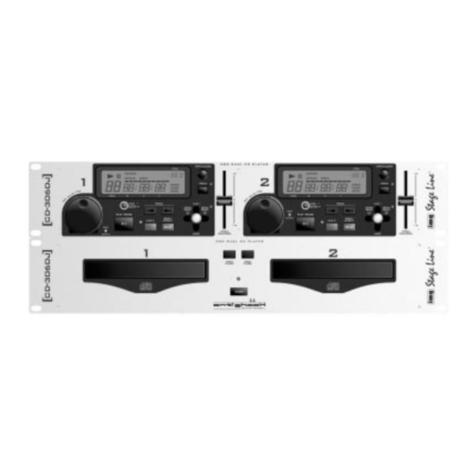
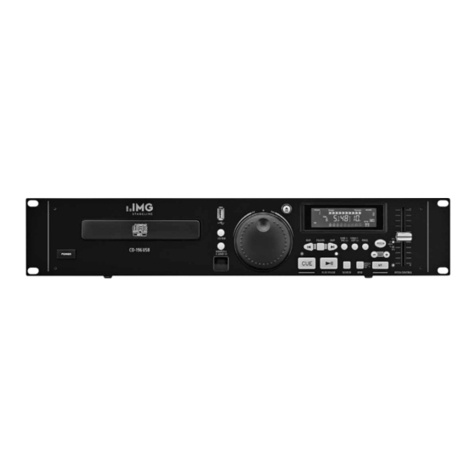
4 Gerät anschließen
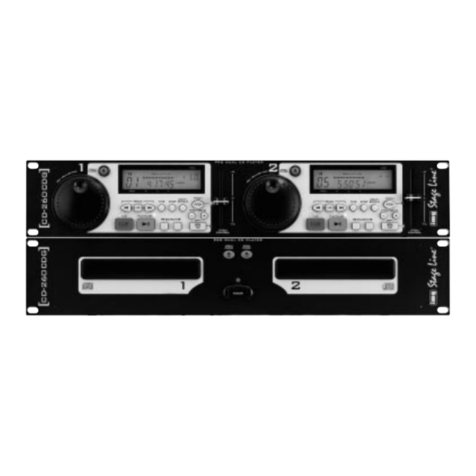
1) Mit den beiliegenden Verbindungskabeln die
Steuereinheit und die Laufwerkeinheit verbinden:
Buchse (19) der Steuereinheit mit der Buchse
(29) der Laufwerkeinheit,
Buchse (21) der Steuereinheit mit der Buchse
(32) der Laufwerkeinheit.
2) DieAusgangsbuchsen (31+34) über Cinch-Kabel
mit den entsprechenden Line-Eingängen am
Mischpult oder Verstärker verbinden.
Sind am Mischpult oder Verstärker Digitalein-
gänge vorhanden, sollten diese über entspre-
chende Verbindungskabel mit den Digitalausgän-
gen (30+ 33) verbunden werden.
3) Zum Betrieb mit Faderstart die entsprechenden
Buchsen des Mischpults über Verbindungskabel
an die Buchsen (20) und (22) der Steuereinheit
anschließen (siehe Kapitel 7 „Faderstart“).
4) Danach den Netzstecker (35) in die Steckdose
(230V~/50 Hz) stecken.
5 Bedienung
5.1 CD abspielen
1) Mit dem Ein-/Ausschalter POWER (25) an der
Laufwerkeinheit das Gerät einschalten. Wenn
keine CD eingelegt ist, zeigt das entsprechende
Display nach kurzer Zeit „nodisc“.
2) Mit der Taste OPEN/CLOSE (17 bzw. 24) für Lauf-
werk 1 oder (18 bzw. 27) für Laufwerk 2 die CD-
Schublade öffnen. Im Display erscheint „OPEN“.
3) Eine CD mit der Beschriftung nach oben einle-
gen, und mit der Taste OPEN/CLOSE die CD-
Schublade wieder schließen. Nach kurzer Zeit
zeigt das Display die Gesamttitelzahl und die Ge-
samtspieldauer der CD an.Anschließend wird die
Spieldauer des ersten Titels angegeben.
4) Mit der Taste PLAY/PAUSE (11) wird das Ab-
spielen des ersten Titels gestartet. Soll mit einem
anderen Titel gestartet werden, zuerst die SKIP-
Taste (4) so oft drücken, bis die gewünschte
Titelnummer im Display erscheint. Dann das Ab-
spielen mit der Taste starten. Solange die CD
abgespielt wird, zeigt das Display das Symbol .
5) Das Abspielen kann jederzeit mit der Taste
unterbrochen werden. Im Display erscheint das
Pausensymbol . Zum Weiterlaufen der CD die
Taste noch einmal drücken.
6) Während des Abspielens oder auch bei einge-
schalteter Pause kann mit den SKIP-Tasten (4)
ein anderer Titel angewählt werden. Mit jedem
Betätigen der Taste wird ein Titel weiterge-
sprungen.
Beim Drücken der Taste wird an den An-
fang des gerade laufenden Titels gesprungen.
Zum Anwählen des davorliegenden Titels muß
die Taste zweimal betätigt werden. Durch
mehrfaches Drücken der Taste wird immer
ein Titel weiter zurückgesprungen.
7) Soll das Abspielen der CD vorzeitig beendet wer-
den, die Taste PROGRAM (5) länger als 2Sekun-
den drücken. Das Laufwerk schaltet auf Stop, und
das Symbol erlischt.
8) Nach dem Betrieb immer die CD-Schubladen
schließen, damit sie vor Verschmutzung ge-
schützt sind, und das Gerät mit dem Ein-/Aus-
schalter POWER (25) abschalten.
5.2 Laufzeitanzeige
Während der Wiedergabe einer CD gibt das Display
(3) die Nummer (Track) und die Restzeit des gerade
gespielten Titels an. Zur Kennzeichnung der Restzeit
zeigt das Display dieAnzeige REMAIN. Die Zeit wird
in Minuten (M) und Sekunden (S) angezeigt, wobei
die Sekunden noch einmal in 75 sogenannte
„Frames” (F) unterteilt sind (1Frame = 1/75 Sekunde).
Durch mehrfaches Drücken der Taste TIME können
folgende Zeitinformationen gewählt werden:
1. die bereits gespielte Zeit des momentanen Titels
(die Anzeige REMAIN erlischt)
2. die Restzeit der gesamten CD (jedoch nicht bei
einer programmierten Titelfolge, dann erscheint
nur
--------
)
3. beim dritten Tastendruck zeigt das Display wieder
die Restzeit des gerade gespielten Titels
Achtung! Steht das Laufwerk auf Stop (Symbole
und nicht im Display sichtbar), wird mit dem Betäti-
gen der TIME-Taste eine eventuell programmierte
Titelfolge gelöscht.
Zur Anzeige der Anzahl aller Titel und der gesamten
Spieldauer der CD kurz die Taste PROGRAM (5)
drücken. Nach einigen Sekunden schaltet das Dis-
play wieder auf die vorherige Anzeige zurück. Die
Titelanzahl und die Gesamtspieldauer erscheint
auch, wenn die CD zu Ende gelaufen ist oder das
Gerät auf Stop steht.
5.3 Anspielen eines Titels
1) Nach dem Einlegen einer CD eventuell mit den
SKIP-Tasten (4) auf den gewünschten Titel sprin-
gen.
2) Den Joystick in Position CUE1 oder die Taste
CUE2 (13) gedrückt halten. Der Titel wird so
lange angespielt, wie der Joystick gehalten bzw.
die Taste gedrückt wird.
3) Nach dem Loslassen des Joysticks bzw. der
Taste CUE2 springt das Gerät auf den Titelan-
fang zurück. Zum Starten des Titels die Taste
(11) drücken.
5.4 Schneller Vor- und Rücklauf
Soll während des Abspielens einer CD der Titel
schnell weiter- oder zurückgefahren werden, den
SCAN-Knopf (9) nach rechts bzw. links drehen. Je
weiter der SCAN-Knopf (9) gedreht wird, desto
schneller ist der Vor- bzw. Rücklauf. Der Vor- bzw.
Rücklauf fährt auch über mehrere Titel, jedoch beim
Abspielen einer programmierten Titelfolge immer nur
bis zum Ende bzw. Anfang eines Titels.
Bei eingeschalteter Pause kann der Vor- und
Rücklauf ebenfalls benutzt werden, um eine be-
stimmte Stelle anzufahren. Nach beendetem Schnel-
lauf ist die momentane Stelle so lange wiederholt zu
hören, bis die Taste (11) gedrückt wird.
4 Connection
1) Connect the control unit and the playing mecha-
nism unit with the enclosed cables:
Jack (19) of the control unit with jack (29) of the
playing mechanism unit,
jack (21) of the control unit with jack (32) of the
playing mechanism unit.
2) Connect the output jacks (31+34) via phono ca-
bles with the corresponding line inputs at the mix-
ing console or amplifier.
If there are digital inputs at the mixing console or
amplifier, they should be connected via corre-
sponding cables with the digital outputs (30+33).
3) For the operation with fader start connect the cor-
responding jacks of the mixing console by cables
with the jacks (20) and (22) of the control unit (see
chapter 7 “Fader Start“).
4) Then connect the mains plug (35) to the mains
socket (230V~/50Hz).
5 Operation
5.1 Playing a CD
1) Switch on the CD player with the POWER switch
(25) at the playing mechanism unit. If no CD is in-
serted, “nodisc“ is displayed after a short time.
2) Open the CD drawer with the button OPEN/
CLOSE (17 resp. 24) for playing mechanism 1 or
(18 resp. 27) for playing mechanism 2. “OPEN“ is
displayed.
3) Insert a CD with the lettering facing upwards and
close the CD drawer with the button OPEN/
CLOSE. After a short time the total title number
and the total playing time of the CD are displayed.
Then the playing time of the first title is displayed.
4) With the button PLAY/PAUSE (11) the first
title is started to play. If another title is to be start-
ed, at first push the SKIP button (4) so many
times until the desired title number is displayed.
Then start the playing with the button . As long
as the CD is played, the symbol is displayed.
5) The playing can be interrupted any time with the
button . The pause symbol is displayed. To
continue the CD playing, push the button
once again.
6) While playing or also in the pause mode, another
title can be selected with the SKIP buttons (4).
With every pushing of the button , the CD
player advances to the next title.
If the button is pushed, the CD player goes
back to the beginning of the actual title. To select
the previous title, the button must be pushed
twice. By pushing the button several times,
the CD player goes more and more one title fur-
ther back.
7) If the playing should be stopped before the end of
the CD, push the button PROGRAM (5) for more
than 2 seconds. The playing mechanism is set to
stop, and the symbol expires.
8) After the operation always close the CD drawers
to protect them from impurities and switch off the
CD player with the POWER switch (25).
5.2 Display of Playing Time
While playing a CD, the number (track) and the re-
maining time of the actual title are displayed (3). The
remaining time is displayed by REMAIN.The time is
displayed in minutes (M) and seconds (S). The
seconds are again divided in 75 ”frames” (F)
(1 frame = 1/75 second).
By pushing the button TIME several times, the fol-
lowing time information can be selected:
1. the elapsed time of the actual title (the display
REMAIN expires)
2. the remaining time of the total CD (however, not
with a programmed title sequence, then only
--------
is displayed)
3. with the third pushing of the button the remaining
time of the actual title is displayed again.
Attention! If the CD player is in the stop mode (sym-
bols and are not displayed), with pushing the but-
ton TIME a programmed title sequence is cancelled.
To display the number of all titles and the total play-
ing time of the CD, shortly push the button PRO-
GRAM. (5).After some seconds the previous display
is shown again. The title number and the total play-
ing time are also displayed if the CD has been played
to the end or the CD player is in the stop mode.
5.3 Short Monitoring of a Title
1) After inserting a CD, jump with the buttons SKIP
(4) to the desired title, if necessary.
2) Hold the joy stick in position CUE1 or keep the
button CUE2 (13) depressed. The title is played
as long as the joy stick is held resp. the button is
depressed.
3) After releasing the joy stick resp. the button CUE2,
the CD player goes back to the beginning of the
title. To start the title, push the button (11).
5.4 Quick Advance and Reverse Action
If the title is to be advanced or reversed quickly while
playing a CD, turn the SCAN knob (9) to the right
resp. left. The further the SCAN knob (9) is turned,
the quicker the advance resp. reverse action is. The
advance resp. reverse also goes beyond several
titles, but while playing a programmed title sequence
it only goes until the end resp. the beginning of a title.
In the pause mode, the advance resp. reverse
action can also be used for exact positioning of a cer-
tain spot. After the end of the quick advance resp.
reverse, the actual spot can repeatedly be heard for
such a long time until the button (11) is pushed.
5.5 Positioning of a Certain Spot
For exact positioning of a certain spot in the pause
mode, turn the SEARCH knob (10). The CD is ad-
vanced and reversed as long and as quickly as the
SEARCH knob is turned. The exact position is
shown in the time display and can be positioned in
steps of 1 ”frame” (F) (1 frame = 1/75 second). After
turning, the actual spot is repeated for such a long
time until the button (11) is pushed.
With a playing CD ”Scratch effects” may be pro-
duced by turning the SEARCH knob (11) forward and
backward.
6
GB
D
A
CH