
International CQ-5400U User manual
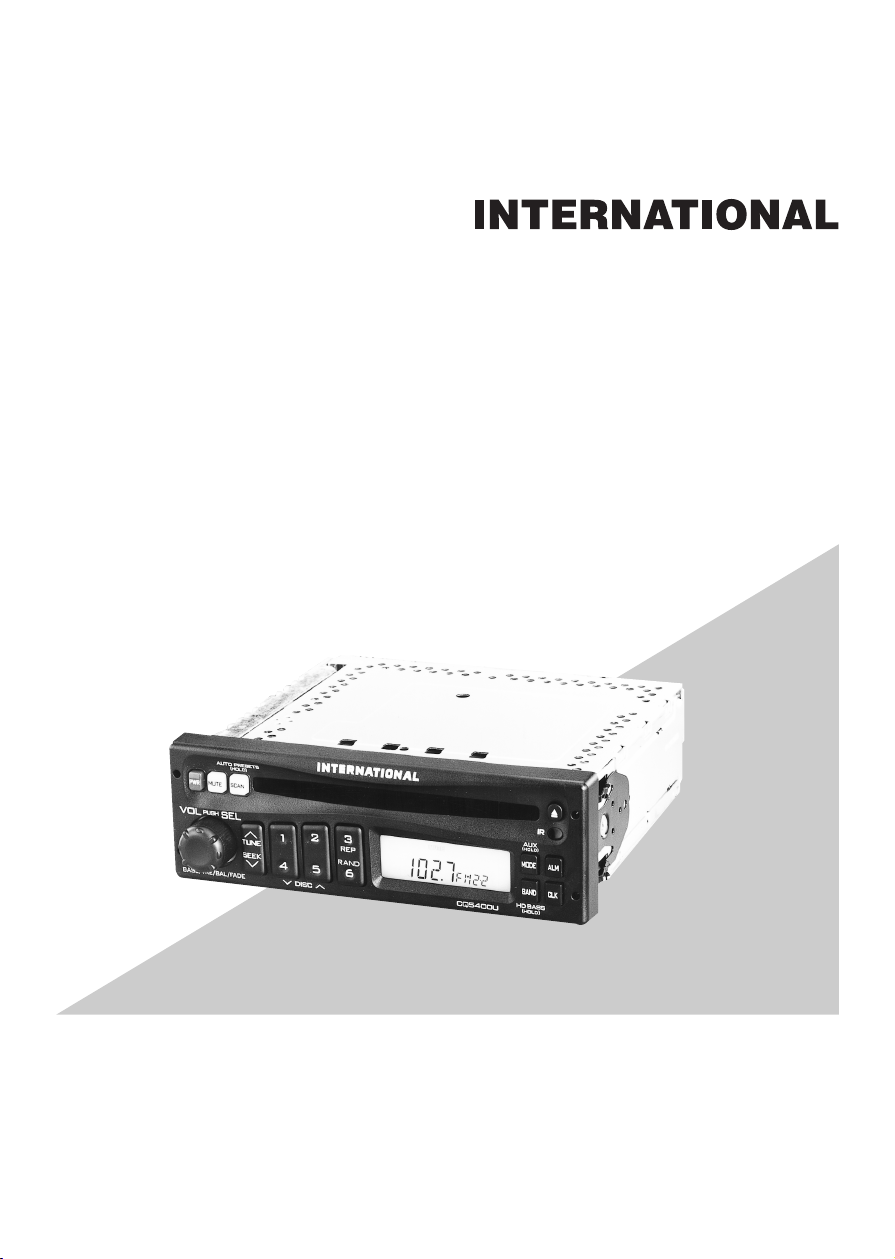
High Power CD Player / Receiver with Changer Control
High Power CD Player / Receiver
CQ-5400U/5200U
Operating Instructions
Please read these instructions carefully before using this product and save this manual for future use.

2
Panasonic welcomes you to our ever growing family of electronic product owners. We know that this
product will bring you many hours of enjoyment. Our reputation is built on precise electronic and
mechanical engineering, manufactured with carefully selected components and assembled by people
who take pride in their work. Once you discover the quality, reliability, and value we have built into this
product, you too will be proud to be a member of our family.
❏Use This Equipment Safely
When Driving
Keep the volume level low enough to be aware of road and traffic conditions.
When Vehicle Washing
Do not expose the equipment, including the speakers and CDs, to water or excessive moisture. This
could cause electrical shorts, fire, or other damage.
When Parked
Parking in direct sunlight can produce very high temperatures inside your vehicle. Give the interior a
chance to cool down before switching the unit on.
Use the Proper Power Supply
This equipment is designed to operate off a 12 volt, negative ground battery system (the normal system
in a North American vehicle.)
Use Authorized Servicenters
Do not attempt to disassemble or adjust this precision equipment. Please refer to the Servicenter list
included with this product for service assistance.
Protect the Compact Disc Mechanism
Avoid inserting any foreign matters to the slot of the compact disc.
Failure to observe this may cause malfunction due to precise mechanism of this unit.
Notes:
●CQ-5400U can be connected to an optional CD changer (CX-DP801EUC, etc.) and an wired remote
control unit (CA-RC350U). CQ-5200U can be connected to an wired remote control unit
(CA-RC350U).
●For connection and operation for CD changer and wired remote control unit, refer to the operating
instructions of that units.
●A wireless remote control unit (CA-RC500U) is optional (only for CQ-5400U).
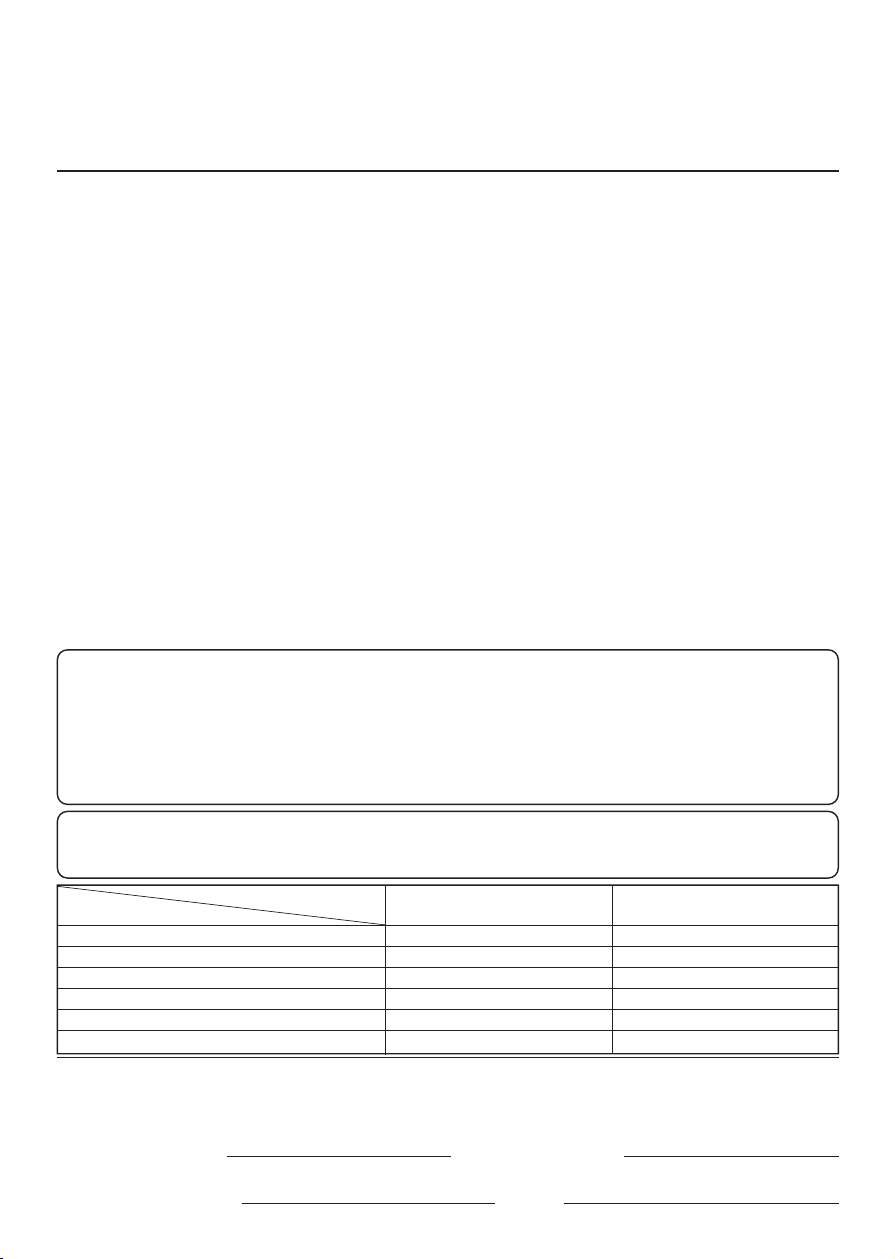
Find the model number and serial number on either the back or bottom of the unit. Please record them
in the space below and retain this booklet as a permanent record of your purchase to aid in
identification in case of theft.
MODEL NUMBER SERIAL NUMBER
DATE PURCHASED FROM
CQ-5400U/5200U
Note: This operating instruction manual is for two models CQ-5400U and CQ-5200U.
The differences between these models are mentioned below. All illustrations throughout this manual
represent model CQ-5400U unless otherwise specified.
Model
Features
Wired remote control
Wireless remote control
AUX-IN
CD changer control
S.HDB/LOUD
preamp-out
CQ-5400U
Ye s
Ye s
Ye s
Ye s
S.HDB
Ye s
CQ-5200U
Ye s
None
None
None
LOUD
None
3
Contents
Use This Equipment Safely ...................................................................Page 2
Laser Products ......................................................................................Page 4
Part 15 of the FCC Rules ......................................................................Page 4
❏Power and Sound Controls ......................................................................5
How to adjust the volume, mute, balance, and tone for best listening
❏Radio Basics..............................................................................................8
Mode selection, manual and automatic tuning, band selection,
preset stations
❏Compact Disc Player Basics..................................................................11
Play, repeat, random and scan
❏CD Changer Basics.................................................................................13
Play, repeat, random and scan, error messages.
Note: CD changer controls are applicable to units with optional CD changer
unit (sold separeately).
❏Clock Basics............................................................................................15
Setting the time, selecting the clock display, alarm operation
❏Installation Guide ....................................................................................18
Step-by-step procedures, electrical connections
❏Troubleshooting ......................................................................................23
Troubleshooting tips, where to get service help
Specifications .............................................................................................26
4
❏Laser Products (This page describes the standard in the United States only.)
Caution:
This product utilizes a laser.
Use of controls or adjustments or performance of
procedures other than those specified herein may result
in hazardous radiation exposure.
Laser products:
Wave Length 780 nm
Laser Power No hazardous radiation is emitted with safety protection.
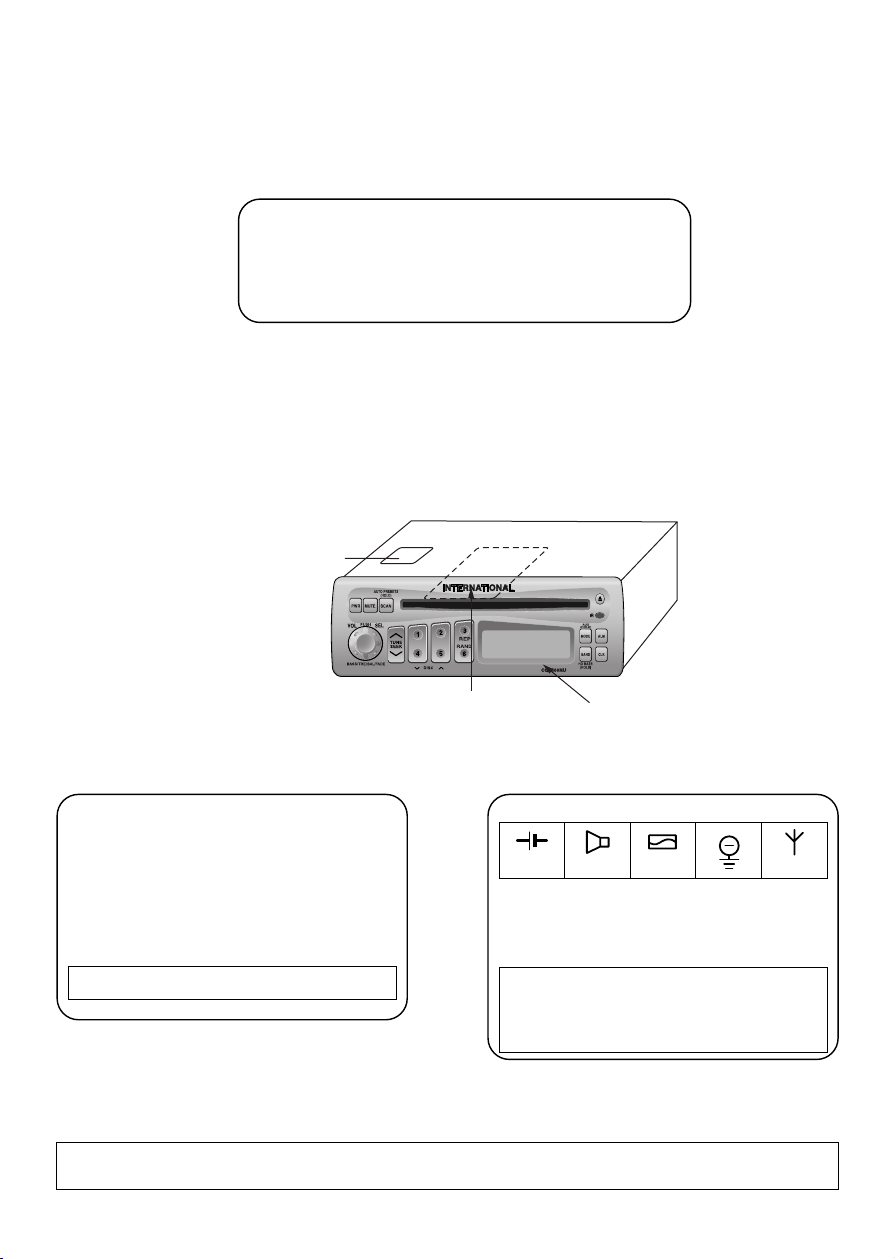
●Label indications and their locations
Product complies with DHHS Rules 21
CFR, Subchapter J in effect as of date of
manufacture.
Matsushita Electric (Taiwan) Co., Ltd.
Taipei, Taiwan
MANUFACTURED
Certification Label
Model No.
Manufactrued by Matsushita Electric
(Taiwan) Co.,Ltd. Taipei Taiwan
Made in Taiwan
Serial No.
Identification Label
This device complies with Part 15 of the
FCC Rules. Operation is subject to the
condition that this device does not cause
harmful interference.
12V 4~8Ω10A FM75Ω
CQ-5400U
Certification label
Identification label Front
This unit has been manufactured under the Part 15 of the FCC Rules.
Do not attempt to make any changes or modifications to this unit.
Part 15 of the FCC Rules

5
Power and Sound Controls
Power
If the vehicle is not running yet, turn the key in the ignition until the
accessory indicator lights.
Press [PWR] to switch on the power.
Changing Audio Modes
Press this knob [SEL] to change the audio mode as follows.
VOL aBASS aTRE
(Volume) (Treble)
cd
FADE bBAL
(Fader) (Balance)
Volume
●Press the knob to select the volume mode and then turn it
clockwise or counterclockwise to increase or decrease the volume.
●Turn the knob clockwise or counterclockwise more than 0.5
seconds to change the numeric level in sequence.
Bass and Treble
Press the knob to select the BASS (TREBLE) mode and then turn it
clockwise or counterclockwise to increase or decrease the
bass/treble level.
0 to 40
-12 to 12 -12 to 12
Volume Level
Anti-Volume-Blast Circuit
This unit has a safety function which slowly raises volume level
when power is switched back on after it is turned off at a specific
level (20) or higher.
d

6
Fader
Press the knob to select the FADER mode and then turn it
clockwise or counterclockwise to shift the sound volume to the front
or rear speakers.
S•HDB (Super High Definition Bass)
(Only for CQ-5400U)
Especially for rock music, the bass-sound will be more powerful.
●Press and hold [BAND] (S•HDB) for more than 2 seconds to be
able to listen to high-definition bass.
●Press and hold [BAND] (S•HDB) for more than 2 seconds to
return to the normal tone.
Note: In the audio mode (BASS/TRE/BAL/FADE), the display
will be back to regular operation mode with no operation for
more than 5 seconds (2 seconds in the VOL mode).
or R 1 to 15 Fader Center
Tone Enhancement (Loudness)
(Only for CQ-5200U)
●Press and hold [BAND] (LOUD) for more than 2 seconds to
enhance bass and treble tones when listening at low or medium
volume.
●Press and hold [BAND] (LOUD) for more than 2 seconds again to
deactivate when listening at higher volumes.
Power and Sound Controls
(continued)
(F: Front, R: Rear)
Press and hold
Press and hold
Balance
Press the knob to select the BALANCE mode and then turn it
clockwise or counterclockwise to shift the sound volume to the right
or left speakers.
or L 1 to 15 Balance Center
(R: Right, L: Left)
7
Power and Sound Controls
(continued)
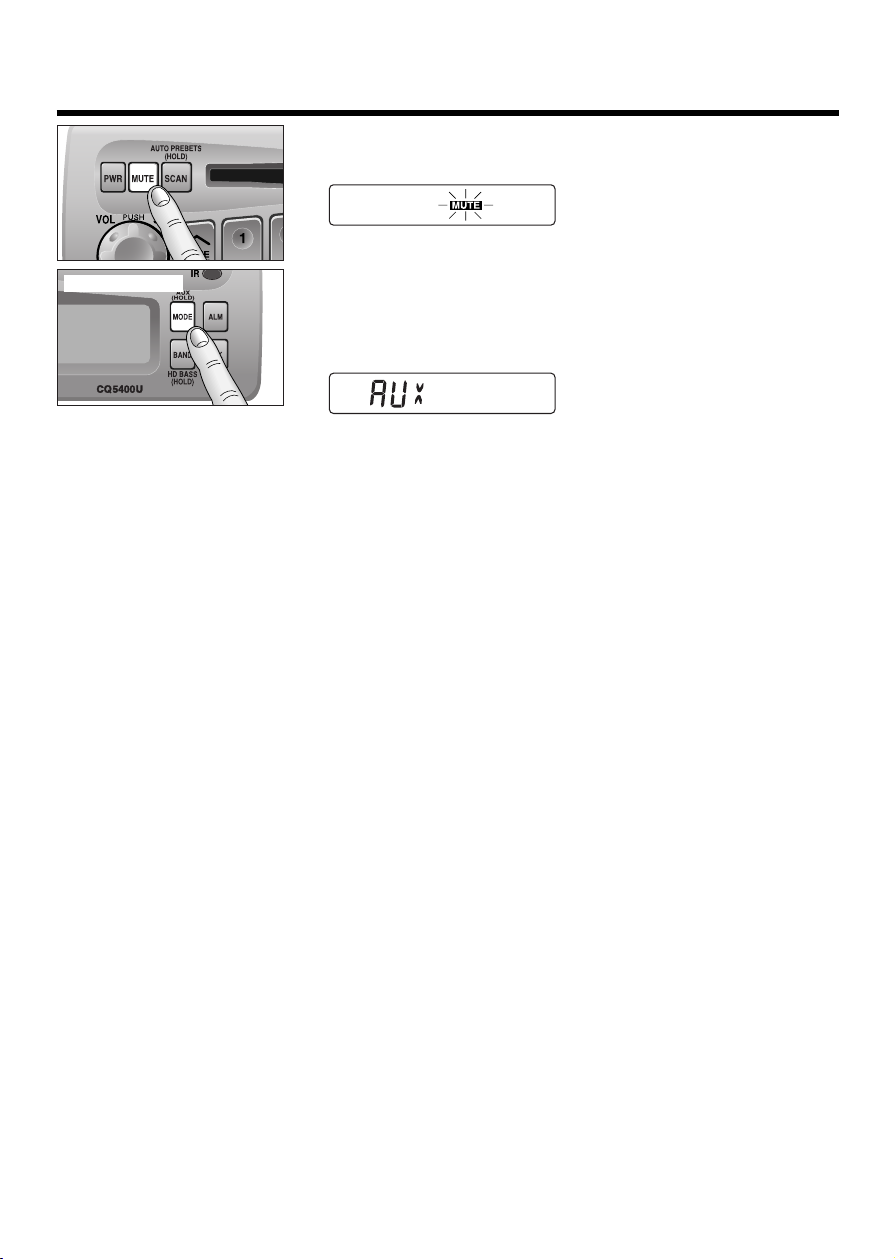
Mute
●Press [MUTE] to mute the sound completely.
●Press [MUTE] again to cancel.
Selecting Auxiliary Source
(Only for CQ-5400U)
Press and hold [MODE] (AUX) for more than 2 seconds to select
AUX Input mode.
Connect the auxiliary equipment (any other appropriate
equipment) to AUX IN Connector.
Canceling AUX Input mode
Press [MODE] (AUX) to resume the previous mode.
Press and hold

8
Radio Basics
Mode Selection
Press [MODE] to change the operation mode as follows.
Radio aCD aCD changer (when connected)
cd
(Press and hold [MODE] for more
than 2 seconds.)
(only for CQ-5400U)
To change to the tuner mode
In case of CD changer mode or CD mode, press [MODE].
Selecting a Band
Press [BAND] to change the band setting as follows.
FM1 aFM2 aW/B aAM
(Weather Band)
cd
"ST" indicator lights during reception of an FM stereo broadcast.
Manual Tuning
Press [TUNE jj]or [TUNE ii]to tune in a higher or lower
frequency.
Seek Tuning
Press and hold [SEEK jj]or [SEEK ii]for more than 0.5
seconds, then release it.
Seeking will automatically stop when a signal of the next broadcast
station is received.
Hold and release
AUX

9
Station Preset
FM1, FM2 and AM can save maximum 6 stations each in their preset station memories.
Manual Station Preset
Press [BAND] to select a desired band.
Use manual or seek tuning to find a station which is to be preset
in the memory.
Press and hold one of the preset buttons [1] to [6] until the
display blinks once.
Note: You can change the memory setting by repeating the above
procedure.
Tuning in a Preset Station
Press the corresponding preset buttons [1] to [6] to tune in a preset
station.
Auto Station Preset
Select a band and press and hold [SCAN] (AUTO PRESETS) for
more than 2 seconds.
●The 6 strongest available stations will be automatically saved in
the memory on preset buttons [1] to [6].
●Once set, the preset stations are sequentially scanned for 5
seconds each.
Notes:
●In the case of Auto Station Preset, only FM2 is available for FM
stations. (FM1 is not available.)
●Auto Station Preset is not activated in a Weather Band.
●The stations manually preset on the Selected band will be
deleted.
Preset Number
Radio Basics (continued)
d
d
Caution: To ensure safety, never attempt to preset stations while you are driving.
This manual suits for next models
1
Table of contents

















