
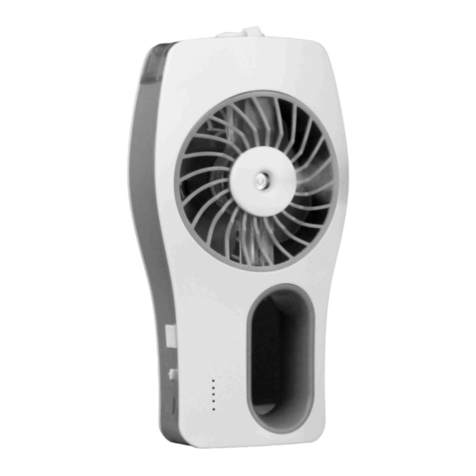
Lifemax 2208 User manual

CORDLESS PORTABLE FAN
MODEL NO.: CY101
USER MANUAL
Please read this manual thoroughly before using and save it for future reference.

2
EN....................................................................4
AL....................................................................5
BG....................................................................7
BIH…................................................................10
CZ…................................................................11
EE....................................................................13
HR....................................................................15
HU....................................................................17
KS....................................................................19
KZ....................................................................21
LT..................................................................…22
(EN) PICTURES / (AL) FOTOGRAFIN / (BG)şŢŵŨũŧŗŭşş(BIH) SLIKE / (CZ) OBRÁZKY / (EE) JOONISED / (HR) SLIKE / (HU) KÉPEK / (KS)
FOTOGRAFIN / (KZ)ŨŪŧŜũũŜŧ(LT) PAVEIKSLIUKAI / (LV)$77Ô/,(MD) IMAGINI / (ME) SLIKE / (MK)ŨŢşšş(PL) RYSUNKI / (RO) IMAGINI
/ (RS) SLIKE / (RU) RYSUNKI / (SI) SLIKE / (SK) OBRÁZKY / (UA)ţŗŢŵŤšş
Picture 1
LV.................................................................…24
MD…................................................................26
ME…...............................................................27
MK….................................................................29
PL…...............................................................31
RO…...............................................................33
RS….................................................................35
RU…................................................................36
SI….................................................................40
SK..................................................................…42
UA….................................................................44
Picture 2
Picture 3
G
D
C
B
A
E
F
1 2

3
Picture 4 Picture 5 Picture 6
100 % - 70 %
39 % - 10 %
69 % - 40 %
< 10 %
Picture 7 Picture 8

4
EN
Please read this manual thoroughly before using and save it for future reference.
WARNINGS
1. This device can be used by children aged from 8 years and above as well as by persons with
reduced physical, sensory or mental capabilities or lack of experience and knowledge if they
have been given supervision or instruction concerning use of the device in a safe way and
understand the hazards involved. Children shall not play with the appliance. Cleaning and user
maintenance should not be done by children unless they are older than 8 and supervised.
2. Children must be supervised not to play with this device.
3. This device is intended for household, indoor and dry use only.
4. %HIRUHXVHSODFHWKHSURGXFWRQKDUGΘDWVWDEOHDQGGU\VXUIDFH
5. If the device is not working as it should, has received a sharp blow, has been dropped, damaged,
left outdoors or dropped in-to water, do not use it.
6. 'RQRWDWWHPSWDQ\PRGLΗFDWLRQRUUHSDLUE\\RXUVHOIDQGHQVXUHWKDWDQ\UHSDLULVFRQGXFWHG
RQO\E\DSSURSULDWHO\TXDOLΗHGWHFKQLFLDQ
7. ,IWKHVXSSO\FRUGLVGDPDJHGLWPXVWEHUHSODFHGLPPHGLDWHO\E\DXWKRUL]HGDQGTXDOLΗHG
person only.
8. 8VHFDUHZKHQRSHUDWLQJWKHGHYLFHE\NHHSLQJDOOIRUHLJQREMHFWVΗQJHUVERG\SDUWVKDLU
loose clothing and jewelry away from openings.
9. Plug in power supply that corresponds to the rated one on product only.
10. This device should never be switched on while un/folding or during cleaning.
11. Never use the device unless it is fully assembled.
12. 5HJXODUO\UHPRYHEORFNDJHVFDXVHGE\GXVWΘXΖKDLUHWFEHFDXVHWKH\JUHDWO\UHGXFHGHYLFHǽV
suction power and/or general performance.
13. Although the product has been checked its usage and consequences are strictly user
responsibility.
1. PARTS (see PICTURES, Picture 1):
A = cover release tab
B = removable cover
C = telescopic arm
D = lock
E = fan
F = speed and battery power indicator
x
1 = power button/low speed
x
2 = medium speed
x
3 = high speed
G = USB socket
H = power cable
2. BEFORE USE
Device can be placed in two positions (see PICTURES, picture 2):
1. Table fan position (1)
2. Floor fan position (2)
TABLE POSITION (see PICTURES, picture 3):
Step 1: Hold the base of the fan down with one hand and lift the top up with the other hand (1).
Step 2: Bring the arm up (2).
Step 3: Lock the arm by sliding the lock down – “click” sound(3).
FLOOR POSITION (see PICTURES, picture 4):
Extend the telescopic arm to the desired height.
3. CHARGING
Option 1: Insert power cable with one end into USB socket and the other end in charger (not included) before plugging it into power supply.
Option 2: Insert power cable with one end into USB socket and the other end in USB port (of computer, power bank or similar).

5
Once plugged in, charging will start automatically. Indicator lights will display the charging process by blinking alternatively. Fan can operate while charging.
x
Less them 39 % battery power remaining: indicator lights will cycle through Low, Medium and High while charging.
x
40 % to 60 % charged: indicator lights will cycle through Medium and High, while the light for Low will remain solid.
x
70 % to 90 % charged: indicator lights for High will blink, while the lights for Low and Medium will remain solid.
x
Fully charged: all 3 indicator lights will remain solid.
4. USAGE
6WHS3UHVVDQGKROGWKHSRZHUEXWWRQIRUWKUHHVHFRQGV)DQZLOOVZLWFKRQWRORZVSHHGPRGH7KLVLVGHIDXOWPRGH/2:LQGLFDWRUZLOOEULHΘ\LOOXPLQDWHVHHSLFWXUHEHIRUH
battery power indicators will turn on (see PICTURES, picture 6).
6WHS3UHVVWKHEXWWRQWRVZLWFKWRPHGLXPVSHHGPRGH0('LQGLFDWRUOLJKWZLOOEULHΘ\LOOXPLQDWH
6WHS3UHVVWKHEXWWRQWRVZLWFKWRKLJKVSHHGPRGH+,*+LQGLFDWRUOLJKWZLOOEULHΘ\LOOXPLQDWH
6WHS3UHVVDQGKROGWKHSRZHUEXWWRQIRUWKUHHVHFRQGVWRWXUQWKHIDQRΖVHH3,&785(6SLFWXUH
Battery power chart (see PICTURES, picture 6)
While the fan is on, 3 LED indicator lights will display current battery power.
NOTE: The fan will automatically shut down when the battery power runs out.
5. CLEANING AND MAINTENANCE
Cleaning
Step 1: To remove cover, push the cover release tab in counterclockwise direction to unlocked position (see PICTURES, picture 7.1).
6WHS&OHDQRΖWKHGXVWFRYHU&RYHULVZDVKDEOH8VHDVRIWGDPSFORWKWRFOHDQLQVLGHRIWKHIDQVHH3,&785(6SLFWXUH'U\WKRURXJKO\EHIRUHIXUWKHUXVHRUVWRUDJH
Step 3: Align the grooves on the fan and the cover. Place cover back on. Make sure the release tab is aligned with (unlocked) (see PICTURES, picture 7.3).
Step 4: Push the cover release tab in clockwise direction to slide it into locked position (see PICTURES, picture 7.4).
Maintenance
When done using the fan, make sure to return it to its folded position.
Step 1: Unlock the arm by sliding the lock up (see PICTURES, picture 8.1).
Step 2: Fold the arm by pressing it down (see PICTURES, picture 8.2).
Step 3: Fold the top part of the fan (see PICTURES, picture 8.3).
NOTE: Always make sure to push the lock all the way up to fully unlock the arm, to avoid damage to the unit.
6. TROUBLESHOOTING
x
If the device is not working, check if the battery is fully charged. Charge it if needed.
x
,IWKHGHYLFHLVVWLOOQRWZRUNLQJFKHFNLILWLVSRVLWLRQHGFRUUHFWO\RQKDUGΘDWVWDEOHDQGGU\VXUIDFH
AL
FRESKUESE ROVUS CORDLESS
MANUALI I PËRDORIMIT
Ju lutemi lexoni këtë manual para se ta përdorni dhe ruajeni atë për referencë në të ardhmen.
PARALAJMËRIME
1. .MRSDMLVMHPXQGWSUGRUHWQJDIPïWPRVKVYMH©HODUWVLGKHQJDSHUVRQDPHDIWVL
WUHGXNWXDUDΗ]LNHVKTLVRUHRVHPHQGRUHRVHPHPXQJHVWSUYRMVGKHQMRKXULVQVHX
është dhënë mbikëqyrje ose udhëzim në lidhje me përdorimin e pajisjes në një mënyrë të sigurt
GKHNXUNXSWRMQUUH]LTHWHPXQGVKPH)PïWQXNGXKHWWOXDMQPHSDMLVMHQ3DVWULPLGKH
PLUPEDMWMDHSDMLVMHVQXNGXKHWWEKHWQJDIPïWQVHQXNMDQPWYMHWUVHYMH©GKH
nuk mbikëqyren.
2. )PïWGXKHWWPELNT\UHQTWPRVOXDMQPHNWSDMLVMH
3. Kjo pajisje është menduar vetëm për përdorim shtëpiak, të brendshëm dhe të thatë.
4. Para përdorimit, vendoseni produktin në sipërfaqe të fortë, të sheshtë, të qëndrueshme dhe të
thatë.
5. 1VHSDMLVMDQXNSRSXQRQVL©GXKHWNDPDUUQMJRGLWMHWIRUWVKWUU]XDUGPWXDUOQ
jashtë ose ka rënë në ujë, mos e përdorni.
6. 0RVSURYRQLDVQMPRGLΗNLPRVHULSDULPQJDYHWMXGKHVLJXURKXQLT©GRULSDULPWNU\KHW
YHWPQJDQMWHNQLNLNXDOLΗNXDU
7. Nëse kordoni i furnizimit është i dëmtuar, ai duhet të zëvendësohet menjëherë vetëm nga një
Technical Specification
Model No: 2208
Battery Capacity: 3600mAh
Charging Time: 4 hours
Power Input: 5V 1A
Working Time: 3-3.5 hours (high) | 5.5-6 hours (mid) | 10-12 hours (low)
Table of contents
Other Lifemax Fan manuals
Popular Fan manuals by other brands




Harbor Breeze
Harbor Breeze RLG52NWZ5L manual
Allen + Roth
Allen + Roth L1405 instruction manual
ViM
ViM KUBAIR F400 ECOWATT Technical manual
HIDRIA
HIDRIA R10R-56LPS-ES50B-04C10 user guide
BLAUBERG Ventilatoren
BLAUBERG Ventilatoren CENTRO-M 100 L user manual
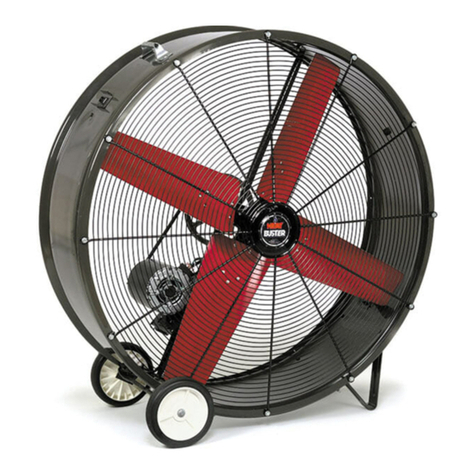
Triangle Engineering
Triangle Engineering HEAT BUSTER SPL Series owner's manual