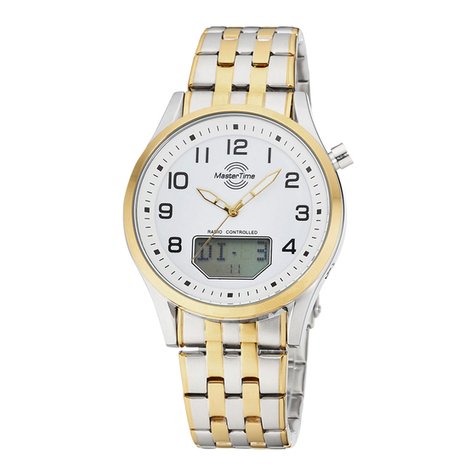
User Guide: Radio-Controlled Watch Movement W335EM Multiband Worldtimer
Product features:
- Radio-controlled watch movement with multiband receiver, which can receive the following time signals:
oDCF 77, Mainflingen near Frankfurt/Main, Germany (D)
oMSF, Anthorn, United Kingdom (UK)
oWWVB, Fort Collins, USA
oJJY (JJY40 + JJY60), Japan (JP)
- Radio-controlled automatic time setting and time changeover for summer and winter time
- Display of level of charging
- Perpetual calendar
- Battery lasts for up to 5 years
- Transmitter call is possible daily in automatic and manual modes
- Worldwide manual time zone changeover, display of world time covering 30 cities
1. Checking the signal reception and the level of charging
To check the radio signal reception and the charging level of the battery, do as follows:
- Press the MODE button to let the seconds hand rotate to the radio signal display area.
“OK”–the signal reception is good “NG”–the signal reception is not good
- After about 5 seconds the seconds hand jumps back to the battery level display area.
“HB”–high battery “NB”–normal battery “LB”–low battery
- After about 5 seconds the seconds hand jumps back to current time.
The relevant selected time zone determines the time signal (radio frequency) for the signal reception.
To change the time zone, please follow the instructions given under the Item 4 of this user guide.
2. Basic setting / Calibration
As a result of strong vibrations or magnetic fields, the position of hands may differ from the internally stored radio time. The basic time setting is
intended for re-synchronizing the hands with the internally stored radio time.
- To do this, first pull the crown into position 1 and set the date to the previous day by rotating the crown towards left. Now pull the crown into
position 2 to let the seconds hand stop.
Now set the seconds hand exactly to 12:00 o’clock by pressing the MODE button step by step. Thereafter, by rotating the crown also set the
watch’s other hands exactly to 12:00 o‘clock (night) so that all 3 hands point to 12:00 o’clock position (as you do this, the date must jump to
the current day). Now press back the crown into the 0 position. The seconds hand will now advance to the currently programmed time zone
and the search for the signal will start. Once the radio signal is received, the watch will adjust itself to the received radio time. This operation
may take 3 to 5 minutes.
3. Checking the programmed time zone
Your watch is in normal operating mode and the crown is in 0 position.
- To check the programmed time zone, press the SET button. The seconds hand rotates then to the currently programmed time zone.
- After about 5 seconds the seconds hand rotates back to the time of the day.
4. Changing the time zone and manual time mode without receiving the radio signal
Make sure that the crown is in 0 position.
- Press the SET button for about 5 seconds. The seconds hand rotates then to 12:00 o’clock position “UTC”.
- Now you can select any of the time zones shown using the seconds hand by pressing the MODE button.
- Finally, press the SET button to confirm your selection; the time of the day now changes to the relevant time zone.
- If the watch is located outside the range of a signal (see Reception table), it will operate at quartz precision (no radio signal).
- If you happen to use the watch at a later point of time within the range of a signal, we recommend adjusting the time zone followed by a
search for the transmitter (Item 5).
5. Manual transmitter search / Manual search for radio frequency
If the watch failed to receive the signal automatically, you can do this manually.
- To receive the signal manually, press the MODE button for about 5 seconds.
- The seconds hand will then jump to the selected radio signal and start to search for the transmitter.
Thereafter, the watch hands are set to the received time of the day. This operation takes nearly 5 minutes.
If the transmitter search has not been successful, the watch reverts to the last received time.
You can check the signal reception following the instructions for checking the reception (Item 1).
- You can search for the transmitter manually (Item 5), if the watch is located within the range of a radio signal (see Reception table). If the
watch is located outside the range of a signal, it will operate at quartz precision (no radio signal).
1 W335EM 08/15