
nutTAG SEEK User manual
SEEK GPS - USER GUIDE
Nameless Unified Tracking
SEEK

!
TAG
AUSTRALIA
$
$
$
$
$
$
$
$
$
$
$
$
USER$GUIDE!
!
SEEK!GPS!TRACKING!SYSTEM!
!
Product!Overview!
!
Thank!you!for!purchasing!NutTAG!Seek!GPS.!This!device!is!an!advanced!3G!personal!tracker!that!is!water!resistant!with!an!IP!rating!of!IPX5.!
It!is!an!innovative!tiny!personal!remote!positioning!device!with!built-in!U-blox!GPS!and!GSM/GPRS!technology.!It’s!for!monitoring!
and!protecting!people!and!property.!It!can!be!used!in!all!walks!of!life!from!traveling!lone!workers!and!mobile!nursing!staff!to!children!
and!the!elderly,!Dementia,!Vehicles,!bikes!and!pets!etc.!
!
!
!
!
!

!
TAG
AUSTRALIA
CONTENTS$
$
-!Getting!to!know!your!Device!
! -!Device!Charging!
! -!Turn!on!and!off!!
-!What!do!the!Lights!Mean?!
!
-!Quick!Start!Guide!!
-!Device!Charging!
!
-!Device!Operation!
!
-!Operating!Modes!
-!Live!Tracking!
! -!Movement!Tracking!!
-!Response!Mode!
-!Deep!Sleep!
!
-!Reporting!Interval!
-!Tracking!Modes!
!
-!Features!&!Alerts!
-!Alert!methods!
-!Alert!Types!
-!Advanced!Alert!Types!
-!Device!History!

!
TAG
AUSTRALIA
-!Device!Details!!
!
Tutorials!
-!APP!
-!PORTAL!
-!Advanced!Settings!(Portal!Only)!
!
-!Hardware!Specifications!!
-!FAQ’s!
-!Glossary!/!Definitions!!
!!
!
!
!
!
!
!
!
!
!
!
!
!
!

!
TAG
AUSTRALIA
GETTING$TO$KNOW$YOUR$DEVICE:$
!
!
!
!
!
!
!
$
$
$
$
$
$
$
$
$
$
$
$

!
TAG
AUSTRALIA
Device$Charging$
!
For!the!first!time!use,!please!fully!charge!the!battery!for!around!2~3!hours!
Using!the!USB!charger!or!using!docking!station!to!charge;!
!
-Place!the!device!in!the!docking!station,!device!should!click!into!place!when!correctly!seated.!
-Connect!the!Micro!USB!side!of!the!cable!to!the!docking!station!port!and!connect!the!other!end!of!the!cable!to!the!
designated!AC!power!source!(USB/AC!adaptor).!
-When!charging,!the!RED!LED!(on!docking!station)!will!be!blinking.!After!fully!charging,!the!RED!LED!will!become!solid.!
!
!
Turn$on$and$off$ $
$
To$ Turn$ On$ the! SEEK!GPS:$Press!the! side! power! button! for!1! second,! all! the!LEDs! will! flash!rapidly.! Device!can! be! also!
turned!on!automatically!by!charging!via!USB!or!put!it!into!the!docking!station.!
*$To!get!an!initial!location,!use!outdoors!or!near!a!window!so!the!device!may!fix!onto!the!satellites.!
$
To!Turn$Off$the!SEEK!GPS:$!Press!and!hold!the!side!button!and!SOS!button!together!for!1!second!until!the!LEDs!turn!off.!
$
!
$
$
$
!
TAG
AUSTRALIA
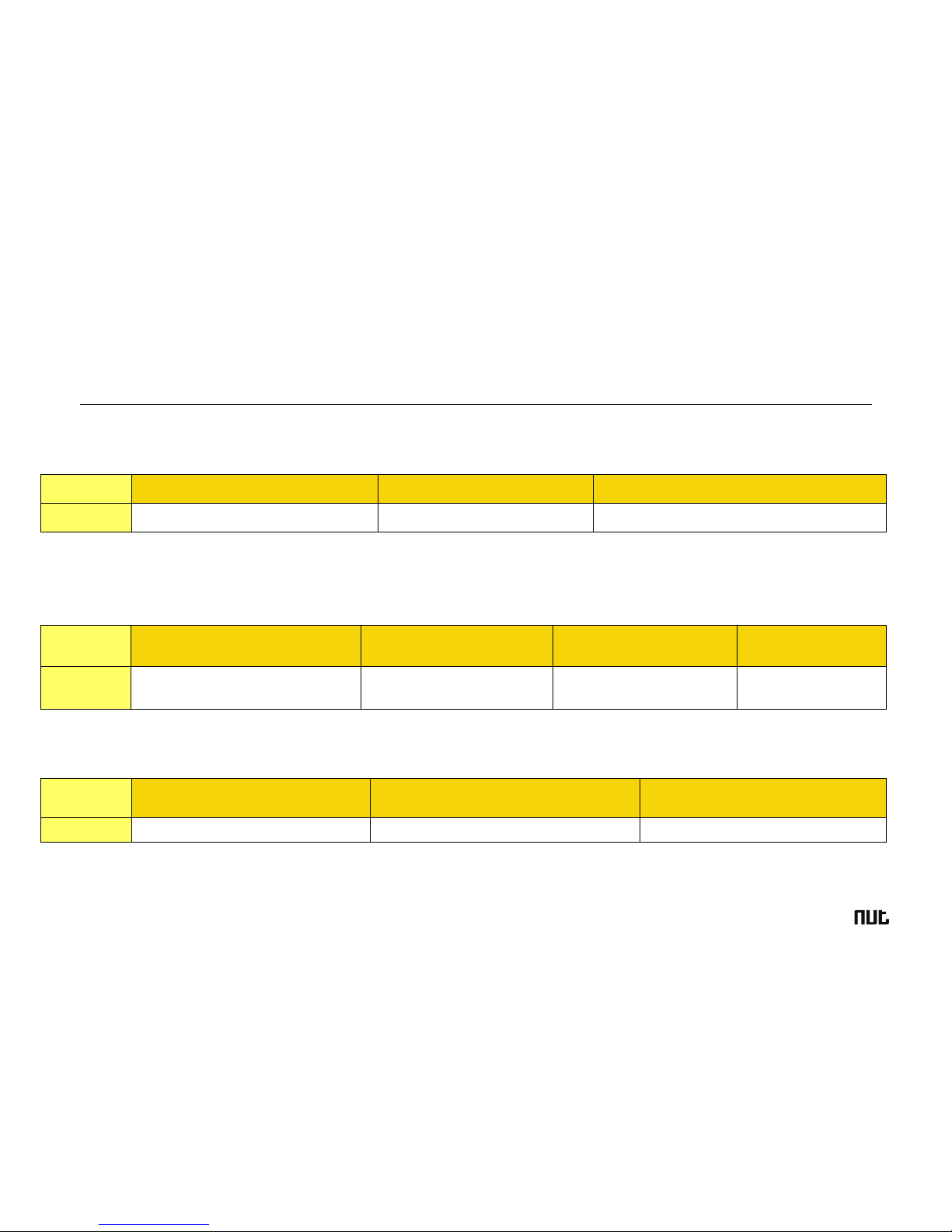
What$do$the$Lights$Mean?$$
$
Power$Status$LED$
$
$
GSM$LED--GREEN$
$
$
GPS$LED--BLUE$
LED$
Blue!ON(solid)!
Blue!Blinking!Quickly!
Blue!Off!or!blinking!slowly!
State$
The!device!is!charging!
Battery!power!is!lower!than!15%!
Device!has!been!fully!charged!or!not!charging!
LED$
Light!shows!a!single!flash!rapidly!every!
3!seconds!
Light!shows!a!double!flash!
rapidly!every!3!seconds!
Light!shows!a!slow!flash!every!
3!seconds!
Light!Solid!(not!flashing)!
State$
The!device!is!connected!to!the!GSM!
network$
The!device!is!registered!to!the!
GPRS!network$
The!device!is!connecting!to!the!
GSM!network$
No!SIM!Card!is!detected$
LED$
Light!shows!a!single!flash!rapidly!every!3!
seconds$
Light!shows!a!double!flash!rapidly!every!3!
seconds$
Blue!Off(when!device!not!charging)$
State$
The!device!has!a!GPS!positioning!fix!
The!device!has!no!GPS!fix!
The!GPS!chip!is!sleeping!

!
TAG
AUSTRALIA
QUICK$START:$ $ $
!
Step$1.!Download!the!Apps!!
Search!“NutTAG!GPS”!in!your!app!store!or!scan!below!QR!codes!
!
!
!
!
!
App!icon!!!! ! ! !! !!!!!!!!!!!!!!QR!code!link!to!iOS!App!!!!!!!!!!!!!!!!!!!!!!!!!!!!!QR!code!link!to!Android!App!
!
Step$2.!Create!an!account!!
Sign!Up!and!create!and!account!
!
Step$3.!Follow!on!boarding!to!add!your!GPS!device!!
You!will!need!to!enter!your!NutTAG!ID!Number!to!activate!your!device,!this!number!can!be!found!in!your!quick!setup!
guide.!Ensure!you!place!your!GPS!device!is!on$charge$and$turn$on.!You!can!check!to!see!if!your!SEEK!device!is!turned!on!by!
the!lights!on!the!side.!
!
Step$4.!Get!first!location!fix!
To!help!get!your!first!location!update,!make!sure!that!the!device!is!on!and!the!lights!on!the!side!are!flashing.!
Hold!SEEK/SOS!button!on!the!front!for!three!seconds!preferably!outside.!
If!you!are!still!unable!to!connect!please!contact!us!via!LiveChat!or!email![email protected]!

!
TAG
AUSTRALIA
Device$Operation:$ $
$
Operating$Modes$
!
The!operating!mode!determines!the!way!that!your!SEEK!GPS!works,!the!features!you!can!utilise!and!heavily!impacts!your!
battery!life.!Select!how!often!location!updates!are!received!and!reported!back!to!your!Apps!(Mobile!and!web).!The!
number!of!interval!sent!will!directly!affect!the!battery!life.!Please!consult!the!details!of!each!mode!to!determine!the!most!
suitable!option!for!you.!
!
Live$Tracking$
Live!Tracking!Mode!is!the!most!power!intensive!operating!mode!for!this!device.!There!are!no!power!saving!measures.!Your!
GPS!will!attempt!to!obtain!and!update!its!position!constantly!according!to!the!reporting!interval!set.!
Expected(Battery(Life:(6-20(hours!
!
Movement$Tracking$
Movement!Tracking!Mode!will!only!update!its!location!when!your!GPS!device!is!moving.!The!GPS!chip!will!hibernate!while!
the!device!is!stationary.!This!allows!for!an!extended!battery!life,!dependent!upon!the!amount!of!time!the!device!is!not!
moving.!GPS!will!attempt!to!obtain!and!update!position!after!movement!according!to!the!reporting!interval.!
Expected(Battery(Life:(1-3(days(
!
!
!
Table of contents

















