8
3. Using Your Telescope
Moving the Telescope
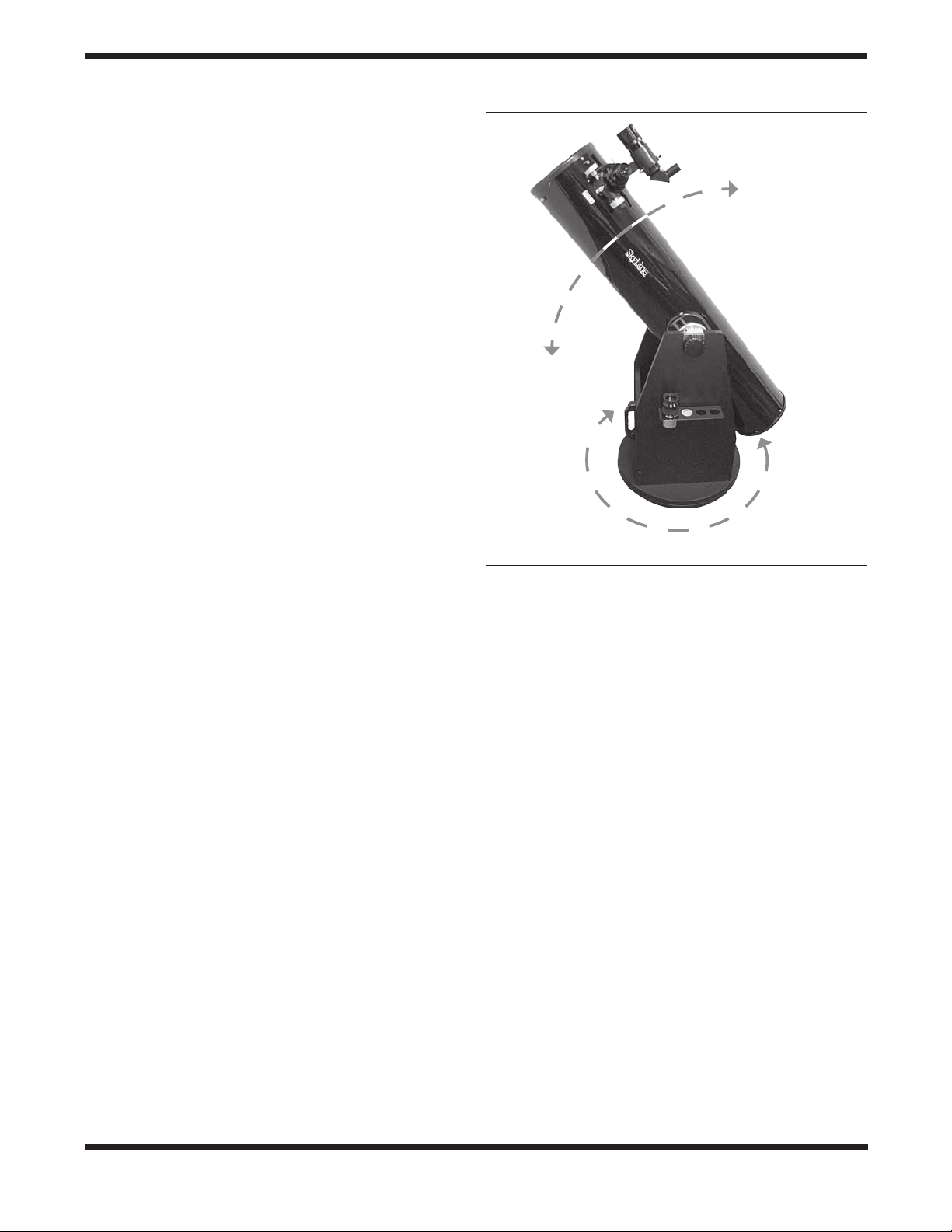
The Dobsonian design permits easy manual movement of the
telescope in the altitude (up / down) and azimuth (left / right)
directions (Figure 16). The azimuth motion should be smooth,
with just enough resistance to keep the base from rotating
when you want it to stop and stay put after you have slewed
the telescope. Azimuth tension, or friction, can be adjusted
with the azimuth tension knob in the center of the top ground-
plate – turn it clockwise for more tension, counterclockwise for
less.
The altitude axis tension is also adjustable. It can be set to the
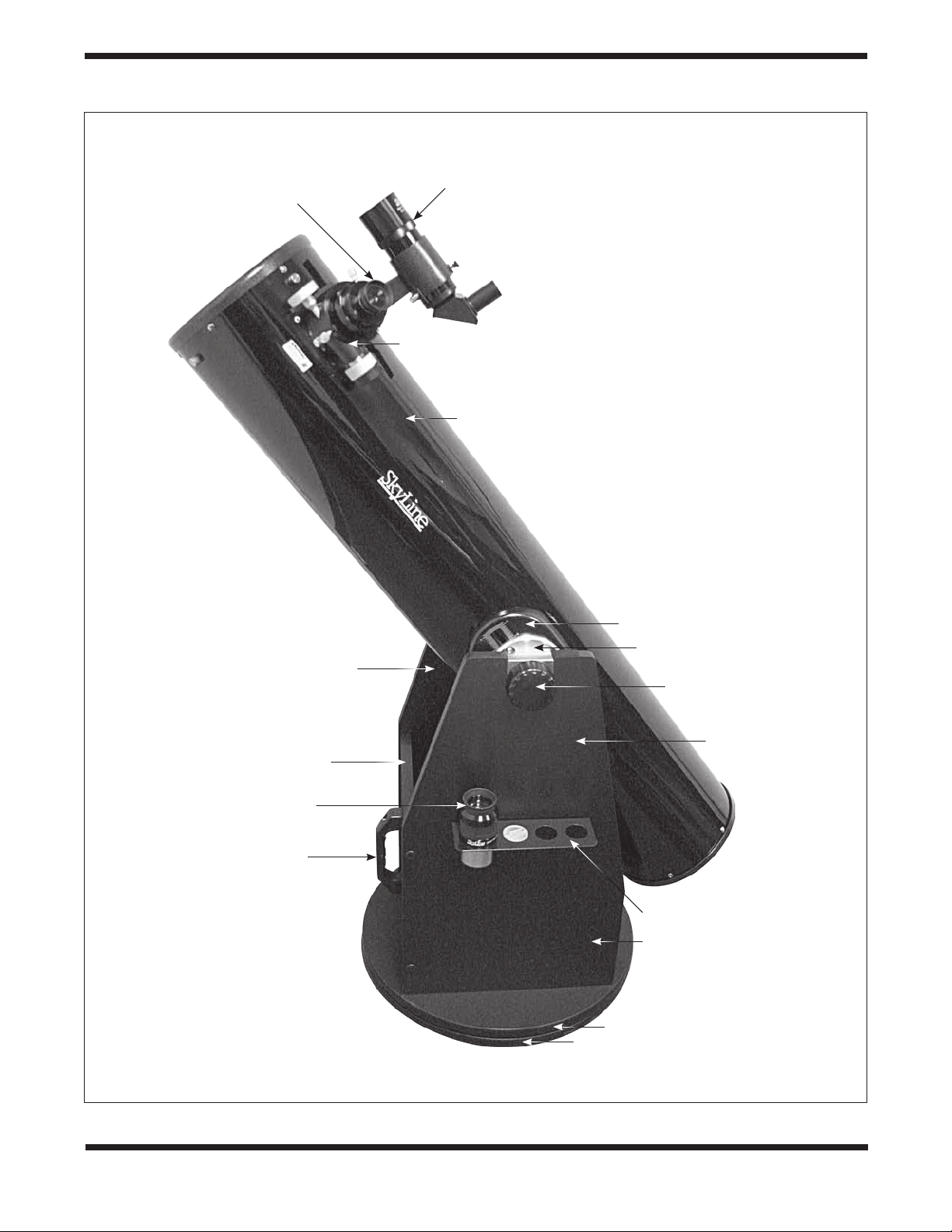
desired level with the two altitude tension knobs cradled atop
the side panels (see Figure 1). A clockwise turn increases the
tension; counterclockwise decreases it.
Ideally, you want the same amount of resistance in the altitude
motion as in the azimuth motion, so adjust the respective ten-
sion knobs accordingly.
To move the telescope, you simply grasp the front end of the
tube and move the scope where you want it to point. Simple!
Telescope Balance
The optical tube on a Dobsonian must be balanced for proper
operation. If the tube drifts up or down when you let go of it,
that means the tube is bottom-heavy or top-heavy, respec-
tively, and needs to be balanced. Such imbalance can occur
when, for instance, heavy eyepieces or accessories are used
on the front of the telescope, causing the front of the telescope
to drift downward.
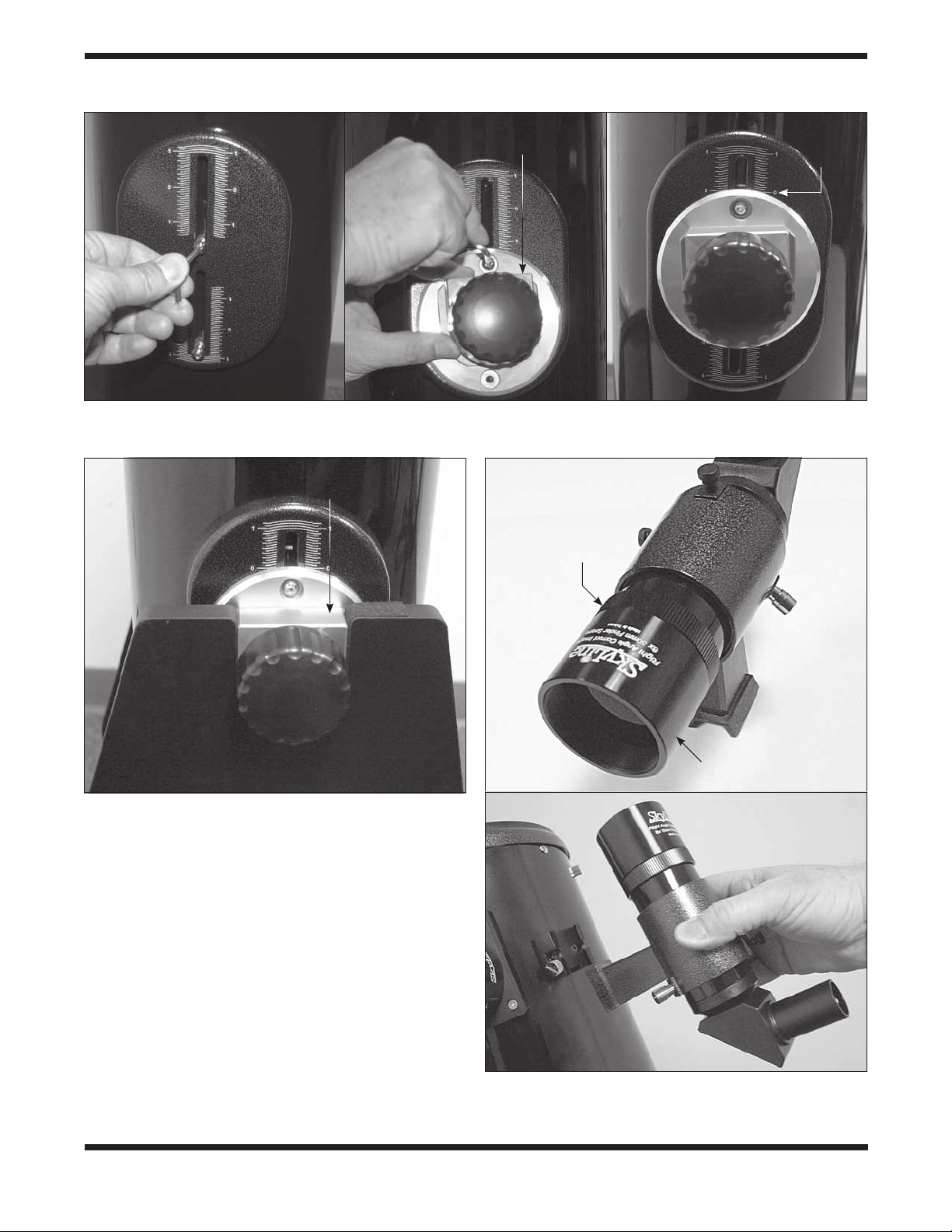
SkyLine Dobsonians have side bearings that can be adjusted
a few centimeters forward or aft along the optical tube to coun-
teract any such imbalance. So, for example, if the front of the
telescope drifts downward, the side bearings should be moved
forward. Loosen the two attachment bolts on each side bear-
ing by a half turn or so, then slide the side bearing forward and
retighten the bolts. Position the two side bearings at the same
point on the calibrated scale. If the front of the telescope drifts
upward, reposition the side bearings farther back (toward the
bottom end of the tube) until the tube is balanced.
Inserting an Eyepiece
SkyLine Dobsonians come standard with a 2" dual-speed
Crayford focuser (Figure 17) that accepts both 2" and 1.25"
eyepieces. The size refers to the outer diameter of the eye-
piece’s chrome barrel. Your telescope comes with a 9mm
Plössl (1.25") and a 30mm Erfle eyepiece (2"). For some other
2" eyepieces to reach focus, an optional 2" extension adapter
may be required.
To insert the 1.25" eyepiece, first remove the cap from the
focuser’s 1.25" adapter. Loosen the thumbscrew on the 1.25"
adapter, then insert the eyepiece into the adapter and secure it
by tightening the thumbscrew.
To inset the 2" eyepiece, first loosen the two thumbscrews on
the 2" accessory collar and remove the 1.25" adapter from the
collar. Then insert the 2" eyepiece barrel into the collar all the
way. Retighten the two thumbscrews.
Focusing
The focuser has two coarse focus knobs and a fine focus (10:1)
knob on the right side for highly precise incremental focusing.
To focus, with an eyepiece in the focuser and secured with the
thumbscrews, move the telescope so the front end is point-
ing in the general direction of an object at least 1/4-mile away.
Now, with your fingers, slowly rotate one of the coarse focus
knobs until the object comes into sharp focus. Go a little bit
beyond sharp focus until the image just starts to blur again,
then reverse the rotation of the knob, just to make sure you’re
close to the focus point.
Now, use the fine focus knob to achieve precise focus. Ten
turns of the fine focus knob is equivalent to one turn of the
coarse focus knobs, so much finer adjustment is possible
than with just the coarse focus knobs alone. You’ll find this is a
great convenience, especially when attempting to focus at high
magnifications. If you have trouble focusing, rotate the coarse
focusing knob so the drawtube is inward as far as it will go.
Now look through the eyepiece while slowly rotating the focus-
ing knob in the opposite direction. You should soon see the
point at which focus is reached.
If you find the drawtube tension when focusing is either too
tight (i.e., focus knob is difficult to turn) or too loose (i.e., draw-
tube moves by itself under the weight of the eyepiece), you
can adjust it by tightening or loosening the drawtube tension-
ing thumbscrew on the underside of the focuser (Figure 17b).
Figure 16. The Skyline Dobsonian has two axes of motion,
altitude (up and down) and azimuth (left and right).
A
l
t
i
t
u
d
e
A
z
i
m
u
t
h