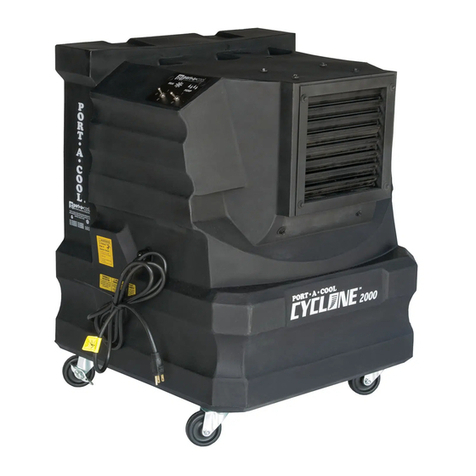
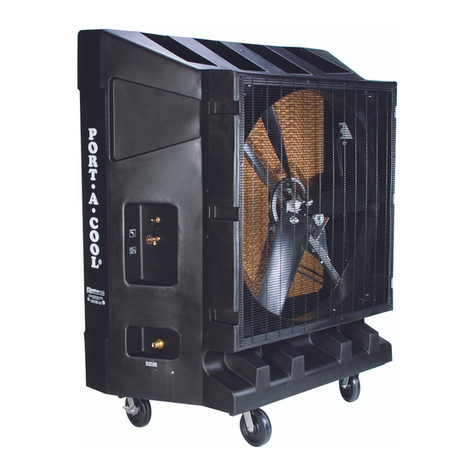
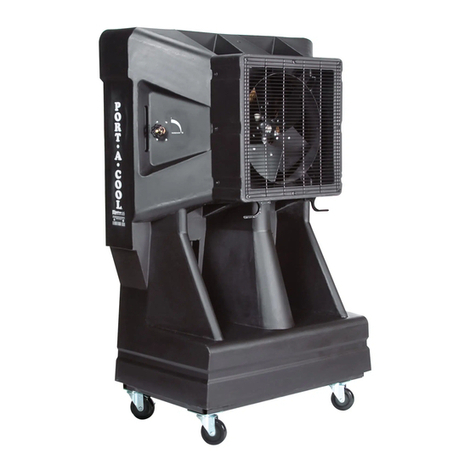
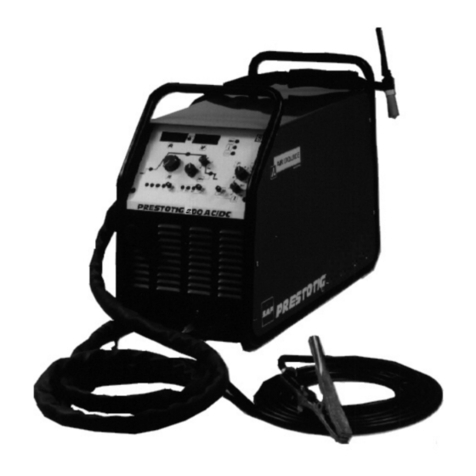
PORT-A-COOL Islander™ UNIT OVERVIEW
Control
Panel
Cooling Media
Quick Access Cover
Water Adjustment
Valve
Air Stack
Adjustable
Louvers
The user interface includes touch sensitive buttons for operation of the
Hurricane 3600. The user interface also includes status indicator LEDs and a
7-segment LED display to show the cooling unit’s status.
Power
The green Power LED is illuminated when the unit is plugged in.
Water level
The red water level LED is illuminated when the oat switch detects
a low water level and the pump is not being allowed to turn on. This
LED ashes if the pump is running during a low water occurrence to indicate
that more water needs to be added in order to continue running the pump.
Timer
The controller features ve pre-programmed modes which control
the fan / pump sequence for a pre-dened period. Each touch of
the program button cycles through the ve modes: 1HR, 2HR, 4HR, 8HR, and
TIMER OFF. During the program run, the user can adjust the maximum fan speed with
the up and down buttons. When the program is active, the Timer LED will be on and,
for ve seconds, the user will be shown which program (1H, 2H, 4H, or 8H) is active.
Slider
The touch slider controls the speed setting of the fan. If the slider is
touched on the “+” end of the slider spectrum, then the fan speed requested is the
maximum, 100% (“HI”). If the slider is touched on the “–” end of the slider spectrum,
then the fan speed requested is the minimum, 33% (“LO”). A touch anywhere between
the “+” and “–” of the slider adjusts the fan speed in 1% increments.
Pump
Press the pump button once to power on and again to power off. The
green Pump LED is illuminated when the pump is enabled. The LED ashes
slowly if continuously held and the timer is disabled.
Fan
When the fan is off, touch the Fan button once to turn the fan on in full
speed. When the fan is on, touch of the Fan button again to turn the fan
off. The green Fan LED is illuminated when the Fan is active. The LED
ashes slowly if continuously held and the timer is disabled.
7-Segment LED Display
LEDs are used to display the status of the cooling unit. The green Timer
LED is illuminated when the Timer button is activated in 1, 2, 4, or 8-hour modes. The
LED ashes slowly if continuously held and ashes quickly if the timer is enabled and
then the Pump or Fan buttons are continuously held, prompting the user to turn off the
timer in order to exit fan and pump operation.
Two digits display the unit’s temperature, fan speed, and timer program. If the unit
does not have a temperature sensor connected, the display will constantly show fan
speed. If the unit does feature a temperature sensor, then the temperature is displayed
unless: a fan speed change is being called upon either by means of a slider touch or
by the timer’s program. When a fan speed change is requested, the fan speed will be
displayed for 5 seconds before returning to the unit temperature.
PRE-PROGRAMMED TIMER FUNCTION
1) PUMP STARTS (INCLUDES FIVE SECOND DELAY TO ALLOW WATER TO START
REACHING THE PADS)
2) FAN STARTS AT 100% (HI) SPEED (A “KICK START” FOR BEST VARIABLE SPEED
MOTOR OPERATION)
3) FAN RAMPS DOWN TO 50% SPEED
4) FAN RAMPS UP TO FULL SPEED IN 10% STEPS AT 1 MINUTE INTERVALS
(BEGIN INCREASING AIRFLOW AS THE PADS WET OUT FOR BEST EFFICENCY)
5) FAN RUNS AT MAXIMUM SPEED FOR THE DURATION OF THE TIMER SETTING
(100% SPEED IS DEFAULT, OR IT CAN BE WHATEVER THE USER SELECTS)
6) PUMP SHUTS OFF WHEN TIMER SETTING EXPIRES
7) FAN RAMPS DOWN TO 50% SPEED
8) FAN RUNS 30 MINUTES (PAD DRYING PERIOD)
9) FAN SHUTS OFF
1
2
3
4
5
6
7
2
1
3
4
5
6
7
PORT-A-COOL Islander™ USER INTERFACE
Tilt and Roll
Handle
Cord
Wrap
Patent Pending