DIGITAL WEATHER STATION
(item 4450.0315)
Viro S.p.A. 2.0.4450.493.02.000.A - Rev. 1 – 05/2007
FEATURES
Calendar: year, onth, day, hour, inute
12/24 hours for at
Ther o eter: Celsius degrees (°C) or Fahrenheit degrees (°F)
Te perature range: -50°C to +70°C (-58°F to 158°F)
Hygro eter (displays hu idity % level)
Beep alar ֠ with snooze
Chi e alar (double beep at any hour change)
High/Low te perature and/or hu idity alert
Moon phases (new oon, first quarter, full oon, last quarter)
Weather forecast (only for reference)
OPERATION
In HOUR view, press “MODE” to switch to other display views following this sequence:
HOUR (hour and inutes) --> BEEP and CHIME ALARM (identified by 12:00) --> MONTH
DATE ( onth and day) --> LO TEMP MODE / LO HUMI MODE (te perature and/or
hu idity low level alert) --> HI TEMP MODE / HI HUMI MODE (te perature and/or
hu idity high level alert) --> blinking IN (internal te perature).
Note: uring setting operations, isplay will return to HOUR view if no key is
presse within 8 secon s.
In HOUR view, press “MAX/MIN” to view axi u te perature and hu idity records
(icon ‘MAX’ will appear on te perature and hu idity values left hand); press again
“MAX/MIN” to view ini u te perature and hu idity records (icon ‘MIN’ will appear on
te perature and hu idity values left hand); press then “MAX/MIN” to return to HOUR
view.
In HOUR view, press “°C/°F” to display te perature in °C or °F.
Time setting
In HOUR view, keep pressing “SET” until ‘12 Hr’ or ‘24 Hr’ flashes, press then
“MAX/MIN” to choose 12 or 24 hours for at.
Press “SET”: the inutes value will flash, press “MAX/MIN” one or ore ti es to adjust
it; press then “SET”: the hour value will flash, press “MAX/MIN” one or ore ti es to
adjust it. Press then “SET” to close the operation.
Alarm setting
Under AL view, keep pressing “SET” until the alar ti e flashes, press then
“MAX/MIN”: once to switch beep alar on (֠), twice to switch chi e alar on ( ),
three ti es to switch both on ( ֠), four ti es to switch both off.
If beep alar has been switched on (֠ icon showed on the display), press “SET” to
select the alar ti e: press “MAX/MIN” and adjust alar ti e ( inutes at first, then
hour) by following sa e instructions as per ti e setting. Press then “SET” to close the
operation and to return to HOUR view.
Once the alar sounds, press any key to stop it; by pressing “SNOOZE” alar will stop
sounding and will start again every 5 inutes.
Date setting
Under MOIS view, keep pressing “SET” until the year value flashes, press then
“MAX/MIN” to adjust it. If the chosen year is passed beyond, keep pressing “MAX/MIN”
until the year value reaches 2021 and wraps around to 2002; then press one or ore
ti es “MAX/MIN” until the desired year value is reached.
Press “SET” to select the date: press “MAX/MIN” to adjust onth and then the date by
following sa e instructions as per ti e setting. Press then “SET” to close operation and
to return to HOUR view.
Low temperature/ humi ity alert setting
Under LO TEMP MODE / LO HUMI MODE view, keep pressing “SET” until the low
te perature icon ‘LO TEMP MODE’ flashes (on center), press then ”MAX/MIN” to switch
the ini u te perature alert on (the ‘LOW’ icon flashes) or off.
If the alar has been switched on, press “SET” and then press “MAX/MIN” to adjust the
ini u te perature alert value.
Press “SET” to enter the ini u hu idity alert value: the ‘LO HUMI MODE’ icon will
flash, then press “MAX/MIN” to switch alar on (‘LOW’ icon flashing) or off.
If the alar has been switched on, press “SET” and then press “MAX/MIN” to adjust the
ini u hu idity alert value. Press then “SET” to return to HOUR view.
High temperature/ humi ity alert setting
In HI TEMP MODE / HI HUMI MODE view, ake the settings by following sa e
instructions as per low te perature / hu idity alert setting.
INSTALLATION
Re ove the double-sided adhesive protection and place the weather station where
desired, on electronic safe / gun cabinet or in other places.
BATTERY REPLACEMENT
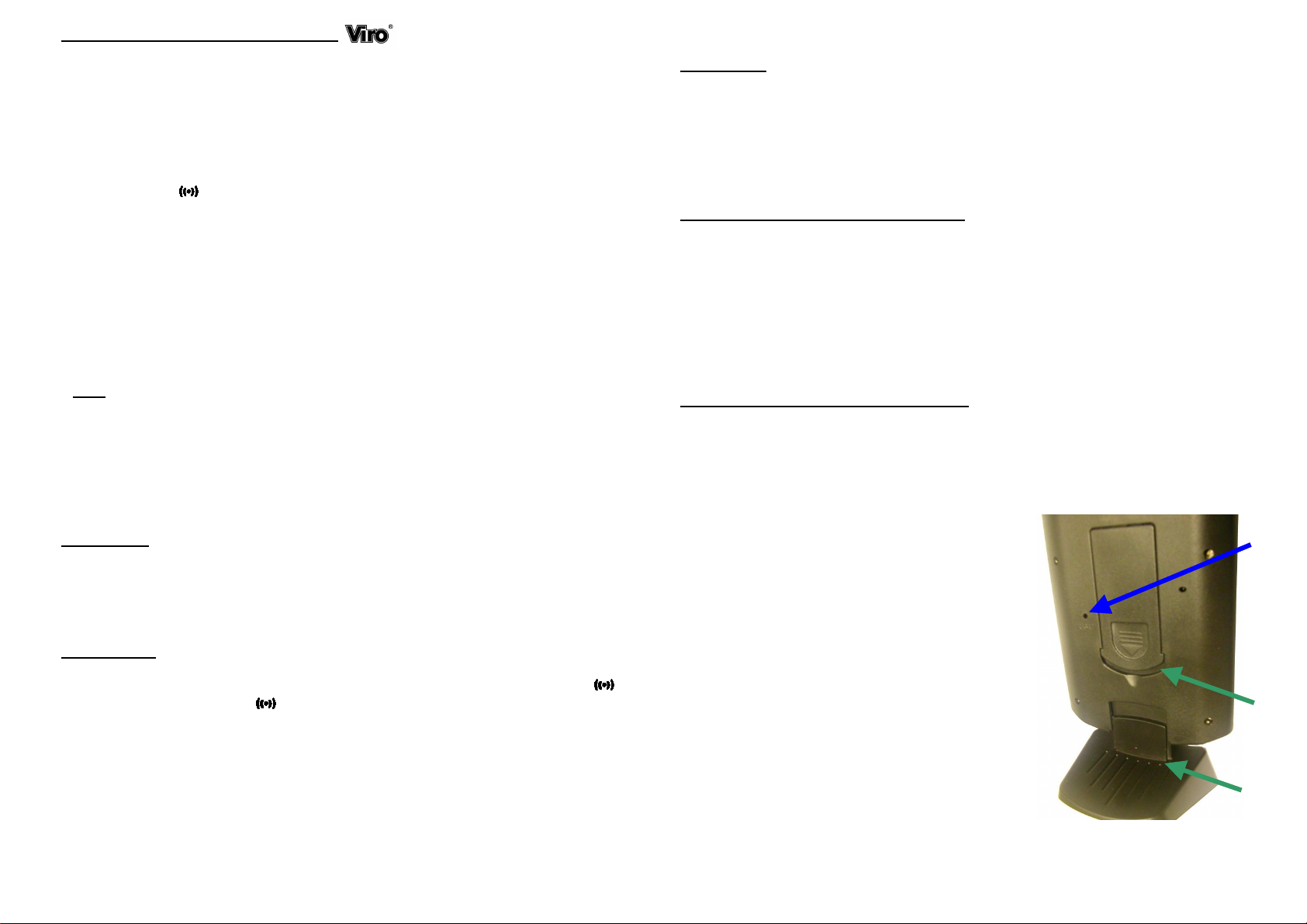
The weather station works with two alkaline 1.5 V
batteries type AAA. When words and nu bers are no
ore legible on display, replace batteries by following
these instructions: uncouple the plastic support
placed on the rear of the station (Fig. 1A) and re ove
the station. Now, push the plastic cover (Fig. 1B)
downward and re ove it; take the batteries out and
replace the .
N.B.: In case of visual problems on isplay,
remove an insert again the batteries or,
helping yourself with a sharp shape tool (i.e. a
clip), press “RESET” (Fig. 1C). At the en of the
operation, time, ate an potential alarms
shoul be set again.
A
B
C
Fig. 1