6
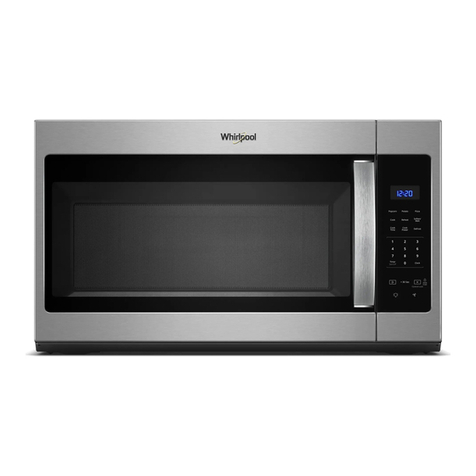
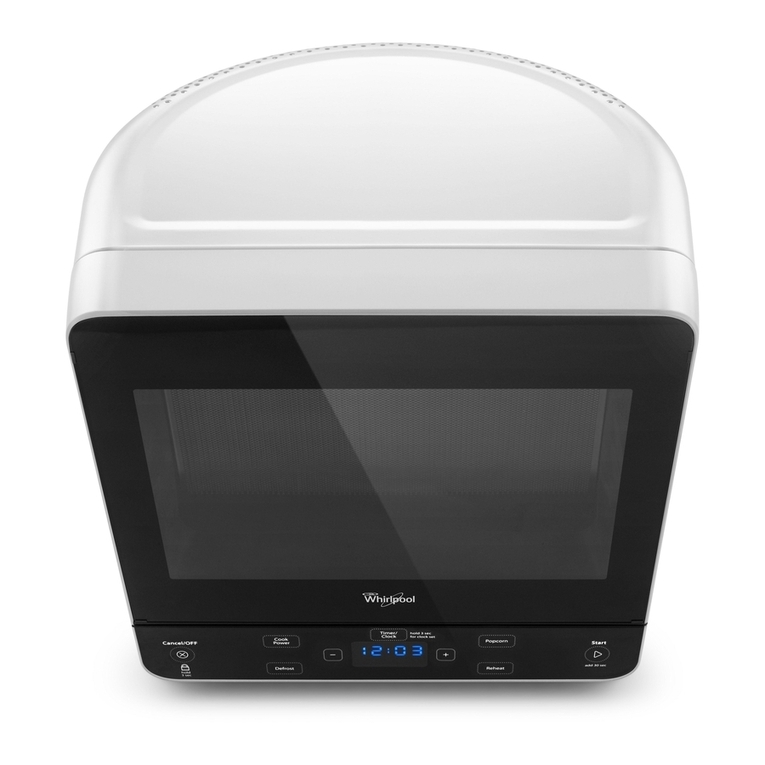
Display
When power is rst supplied to the microwave oven, “0:00”
will appear in the display. If the “0:00” appears in the display at
any other time, a power failure has occurred. Reset the clock if
needed. See the “Clock” section.
NOTE: The display language may be set to French, and the
weight entry mode may be set to metric within the rst 5 minutes
of power-up. See the “Language” and “Weight Entry Mode”
sections.
Start
Start begins any function. If non-sensor cooking is interrupted by
opening the door, touching Start will resume the cycle.
NOTE: To avoid unintentional operation of the microwave oven,
a cooking function cannot be started if the microwave oven door
has been closed for about 5 minutes. The word “door”
willappear in the display until the door is opened and closed.
Add 30 Seconds
Start Add 30 Sec automatically starts the microwave oven at
100% power for 30 seconds and it adds 30 seconds of Cook
Time with each additional touch of the keypad.
Time may be added to any manual cooking cycle in 30-second
increments, at the current power level, by touching Start Add 30
Sec during cooking.
NOTE: To avoid unintentional operation of the microwave oven,
a cooking function cannot be started if the microwave oven
door has been closed for about 5 minutes. The word “door”
willappear in the display until the door is opened and closed.
Cancel
The Stop Cancel keypad clears any incorrect command and
cancels any program during cooking. It will not erase the time of
day.
The microwave oven will also turn off when the door is opened.
Close the door and touch Start to resume the cycle.
The Stop Cancel keypad is also used to lock and unlock the
control panel. See the “Control Lock” section.
Tones
Tones are audible signals that can be turned off.
To Turn Off/On End-of-Cycle, End-of-Timer and Reminder
Tones: With the microwave oven door open, touch and hold the
number “3” keypad for about 3 seconds, until a tone sounds.
To Turn Off/On All Tones: With the microwave oven door open,
touch and hold the number “2” keypad for about 3 seconds.
These tones indicate the following:
One tone
nValid entry
nControl Lock activated or deactivated
nEnd of stage in multistage cooking
Three tones
nEnd of Kitchen Timer countdown
Five tones
nEnd of cooking cycle
nReminder, repeat each minute after the end-of-cycle tones
Clock
This is a standard 12-hour clock (1:00-12:59). The Clock cannot
be erased. If the Clock is not set, “0:00” will remain in the display
when the microwave oven is not in use.
To Set:
The microwave oven and Kitchen Timer must be off.
1. Touch Clock.
2. Touch the number keypads to enter the correct time of day.
3. Touch Clock.
Kitchen Timer
The Kitchen Timer can be set in minutes and seconds, up to 99
minutes 99 seconds, and counts down the set time.
NOTE: The Kitchen Timer does not start or stop the microwave
oven.
Cook functions may be used while the Kitchen Timer is counting
down. When the cook function is active in the display, touch
Kitchen Timer to see the Kitchen Timer countdown for about 5
seconds.
To Set:
1. Touch Kitchen Timer.
2. Touch the number keypads to enter desired time.
3. Touch Start.
When the set time ends, “End” will appear in the display and
the end-of-Timer tones will sound.
4. Touch Cancel while the Kitchen Timer is active in the display
to cancel the Kitchen Timer.
Language
The default display language is English, but it may be set to
French. Two display messages are affected: “End” (English) or
“Fin” (French) and “door” (English) or “PrtE” (“porte” - French).
To Set Language to French: Within 5 minutes of power-up,
touch and hold pad 1 for about 5 seconds, until a tone sounds.
Repeat to change back to English.
Weight Entry Mode
The default weight entry mode for Defrost is imperial (pounds)
but may be set to metric (grams). This setting does not affect
any other program besides Defrost. See the “Defrost” section.
To Set Weight Entry to Metric: Within 5 minutes of power-
up, touch and hold number pad 0 for about 5 seconds, until a
tone sounds. To set back to imperial, disconnect power, then
reconnect power to microwave oven.
Control Lock
The Control Lock disables the control panel keypads to avoid
unintended use of the microwave oven.
To Lock/Unlock Control: The microwave oven must be off.
Touch and hold Cancel for about 3 seconds, until the tone
sounds and the Control Lock icon appears in the display. Repeat
to unlock.
If any control keypad is touched while the control is locked, there
will beno response from the control.