7
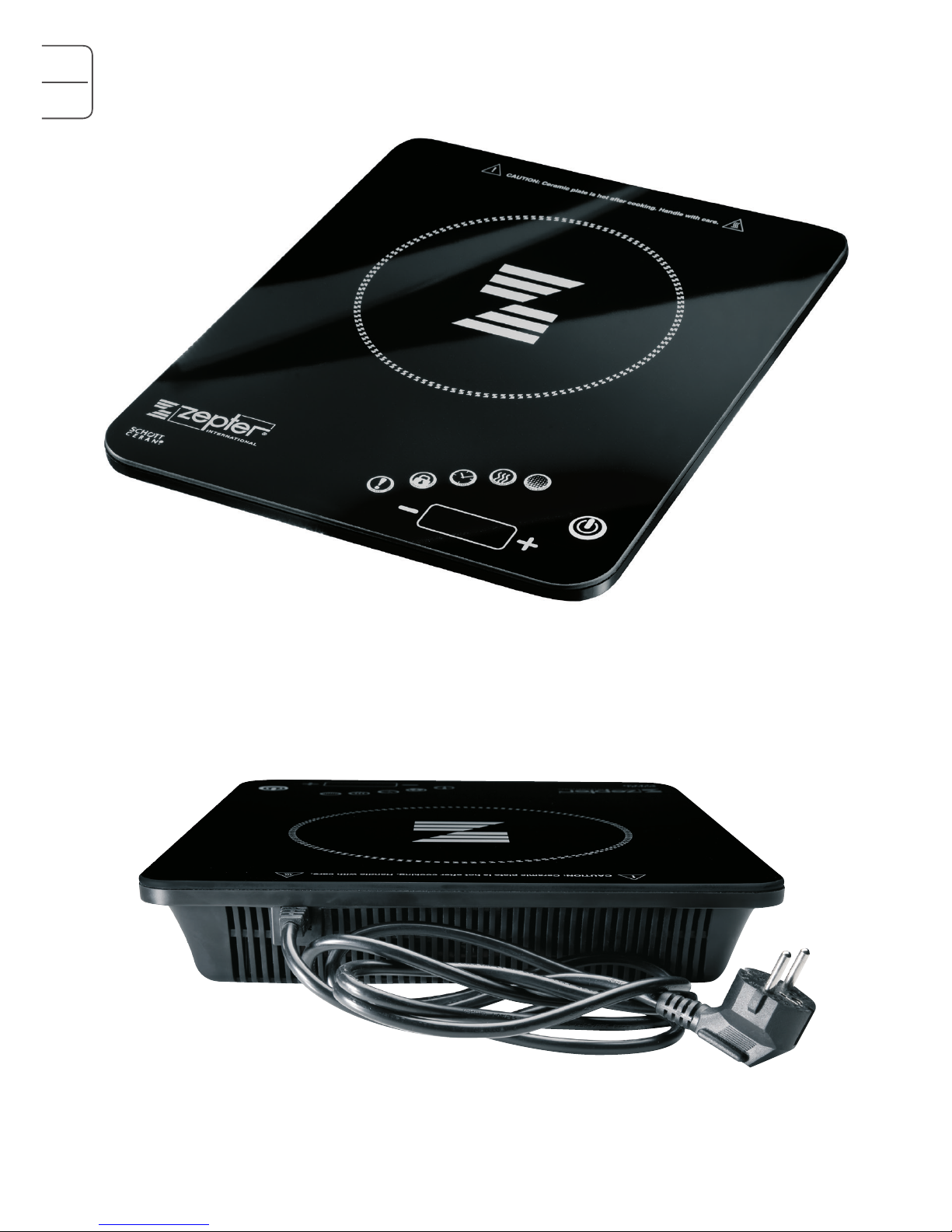
POWER BOOST
Press the POWER BOOST button while the applliance is in Ac-
tive Mode. The function and ON/OFF indicator lights are on,
and the Multifunctional Display shows the default power level of
1400W for 1 second. There are 8 power levels: 100W, 300W,
600W, 800W, 1000W, 1400W, 1700W and 2000W. Press
the “+” or “–” buttons to select the power level required.
It is generally recommended to set the power to 1000W for
medium size pots, however, for bigger pots, it is advisable to
increase the power to 1400W, in order to speed up the heating
process. The power may also be turned down to 800W for
small pots or pots with low volume of water/food.
Zepter
Product
Code
Product
Description Capacity
(l) Diameter
(mm) Cooking
Mode
Volume of
Water/Food
(l)
Type of
Content Power
(W)
Z-2470 Pot 7, 0 240 Moist 4,0 Liquid 1400
Z-2042 Pot 4,2 200 Moist 2,7 Liquid 1400
Z-2030 Casserole 3,0 200 Moist 1,7 Liquid 1000
Z-2850B Casserole 5,0 280 Moist 1,0 Vegetables 1400
Z-2430 Casserole 3,0 240 Moist 0,7 Vegetables 1000
Z-2020 Casserole 2,0 200 Moist 0,5 Vegetables 800
Z-2850B Casserole 5,0 280 Dry - Meat 1000
Z-2430 Casserole 3,0 240 Dry - Meat 800
Z-2020 Casserole 2,0 200 Dry - Meat 600
TEMPERATURE
Press the TEMPERATURE button while the appliance is in Active
Mode. The function and ON/OFF indicator lights are on, and
the Multifunctional Display shows the default temperature of
240°C. The temperature levels are: 60°C, 90°C, 120°C,
140°C, 160°C, 180°C, 200°C and 240°C, which can be
changed by pressing the “+” and “-” buttons. The Zepter Radio
Induction Cooker stops working when the temperature reaches
the heat preservation temperature. When the temperature falls
down to the heating temperature, the Zepter Radio Induction
Cooker begins working again. When the temperature reaches
the highest point, the “+” button operation becomes inactive.
The “–” button can be pressed to reduce the temperature.
When the temperature reaches the lowest point, the “–” button
operation becomes inactive.
CHILD LOCK
To activate the CHILD LOCK, press and hold the CHILD LOCK
button for 2 seconds. The CHILD LOCK light will illuminate.
The other buttons will not react when pressed (except the ON/
OFF button), unless you press and hold the CHILD LOCK button
again for 2 seconds, until the CHILD LOCK light turns off.
Recommended settings: