8
Note:
¾If the computer's CDROM doesn't run automatically after the device has been
connected with computer via USB cable and the driver has been installed into
computer, you are therefore have to double click shortcut 'Swich Tool for 3G
Hotspot' on Desktop have to be double clicked in order to let computer to be
able to access Internet by use of device via USB cable.
¾If automatic installation failed, please check whether the antivirus and security
software is working. If it is, close it and reinstall.
2.2 Basic Tasks
Power On
Press and hold the power button more than 2 seconds. And then short press the
Wi-Fi/WPS button to turn on Wi-Fi.
The power indicator will become blue and breathing automatically if you have no
actions in 30 seconds after powering on. You can use all normal functions of the
device in this mode.
Press any button or do some operation in the web UI to exit the sleeping mode.
Sleeping Mode
If you select “Auto” in “Power-Saving mode setting” (Advanced Settings – System –
Basic Settings), when there is no data transmission (Internet, Wi-Fi, LAN containing),
it will turn Sleeping Mode automatically.
When the device is in Sleeping Mode, the 3G modem radios, the Wi-Fi radio are off,
and the power button is yellow and breathing. It works only when battery is live.
Log in to the Configuration Page
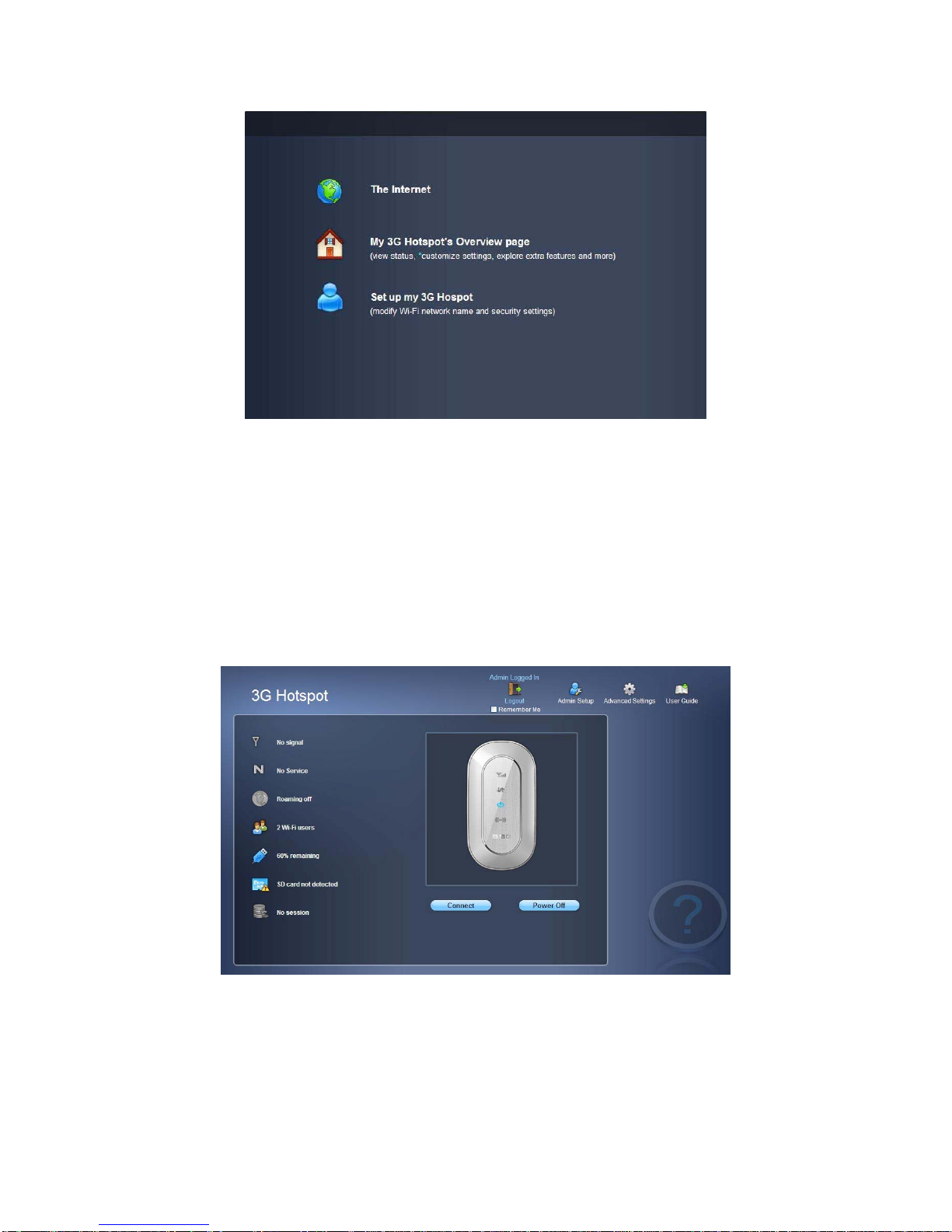
1. Open the browser, and then input the address http://192.168.1.1. The first time you
do this after driver installed, a welcome page will display from which you have 3
choices as following (Fig 2.2.1):