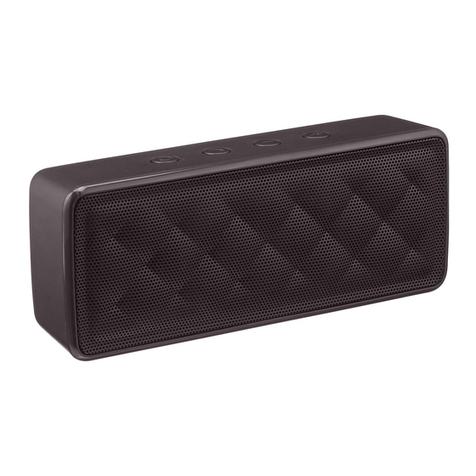
1. Plugsmall end oftheUSB chargingcableinto micro USB jack undertherubberUSB cover.
2. Plugtheotherend oftheUSBchargingcableinto an availableUSBport onyourcomputerora USB poweradaptoronwall.
3. RedLEDisoninthefront ofthespeakerduringcharging. Whenfull charged, theLEDwill go off.
Note: Whenbattery islow, thespeakerwill havea warningtone.
1. Short press thepowerbutton on thespeaker.BlueLEDisflashes slowly inthefront ofthespeaker.
2. Navigateto yourdevice’sBluetooth settings, turnonBluetooth, and thensearchforavailabledevices.
3. SelectParingNamefromalistofavailabledevices on yourBluetooth device.TheBlueLEDturnssolidwhenyourdeviceis
paired.
4. Choose themusic onyourdeviceto play throughthespeaker.
5. Adjust speakervolume throughthe+and the –buttonsontop ofthespeaker.
6. To disconnect fromthepairedBluetooth device, turnoffBluetooth on yourdevice.
Note:
1) ThemaximumBluetooth rangeis33 feet.
2) Makesurethevolume levelonyourBluetooth deviceisat least 50%.
3) Whenspeakeristurnedon, itwilltrytoconnectthelastpairedBluetooth deviceautomaticallywithin20s.Ifthelastpaired
Bluetooth deviceisout ofrange, it will automatically searchforanotherdeviceforpairing.
When paired toyourmobilephone:
1. Witha comingcall,short pressthe button to answerit.
2. Pressthe+orthe –button to increaseordecrease thespeakerphonevolume.
3. Short press the button againto end thephonecall.
4. Longpress the button to reject theincomingcall.
5. ForAndroidusers:makesurethat the “PhoneAudio”function isactiveintheBluetooth settings.
OperationInstructions
Step1:
Chargingthe speaker
Step2: