Programming
General information
The A-200 control valve is the “brain” of your water soft-
ener. It consists of the valve body and powerhead with solid
state microprocessor.
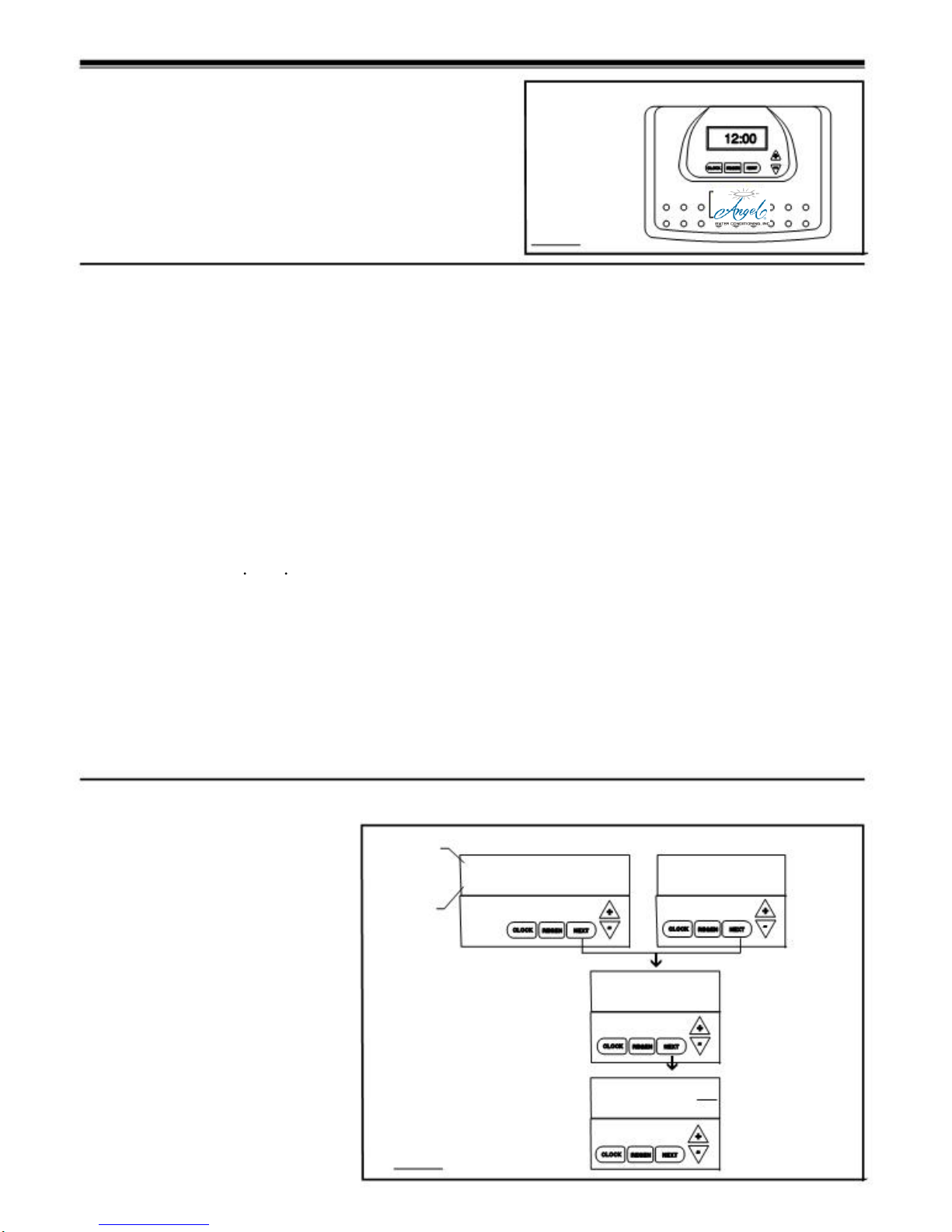
The display panel (see Figure 7) consists of the LCD display
and five push buttons which are used in displaying and program-
ming the water softener settings.
Initial Start Up
The initial start up will probably be done by the technician install-
ing the softener system. If not, the following instructions will step
you through the process.
1. Complete all plumbing connections: inlet, outlet, drain
line and brine line. Do not add salt at this time.
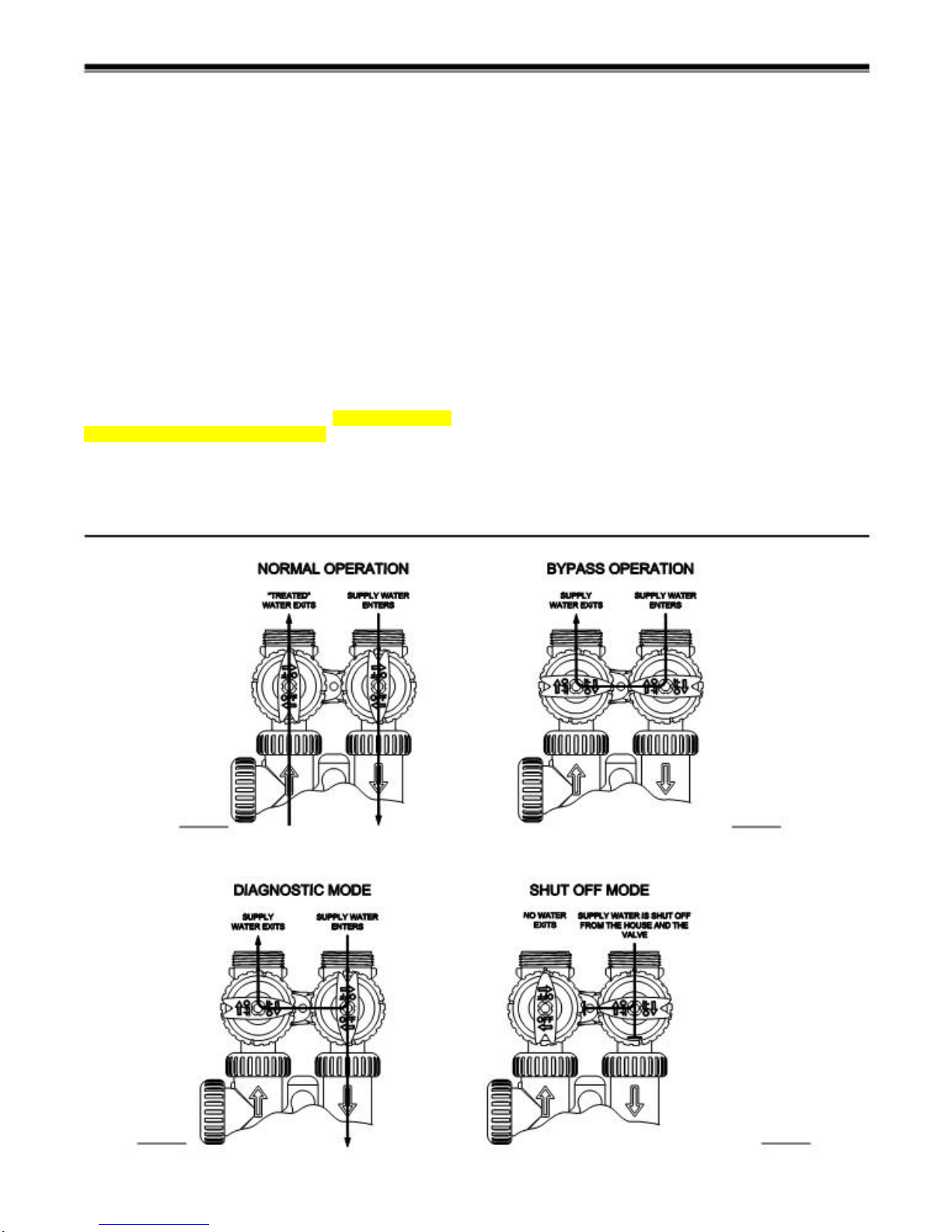
2. Place the bypass valve in the bypass position. (See
figure 3 page 5) Turn on the main water supply. Open
a cold soft water faucet to flush the piping of any air
and/or foreign material. Run until the water is clear.
3. Manually add 6 inches of water to the brine tank.
4. Now plug thetransformer into a 110-volt receptacle. (Be
certain the outlet is uninterrupted.) Within 5seconds the
control will automatically align itself into the softening
mode and display will automatically alternate between
time of day, gal/min and gallons remaining. (Figure 8,
page 7).
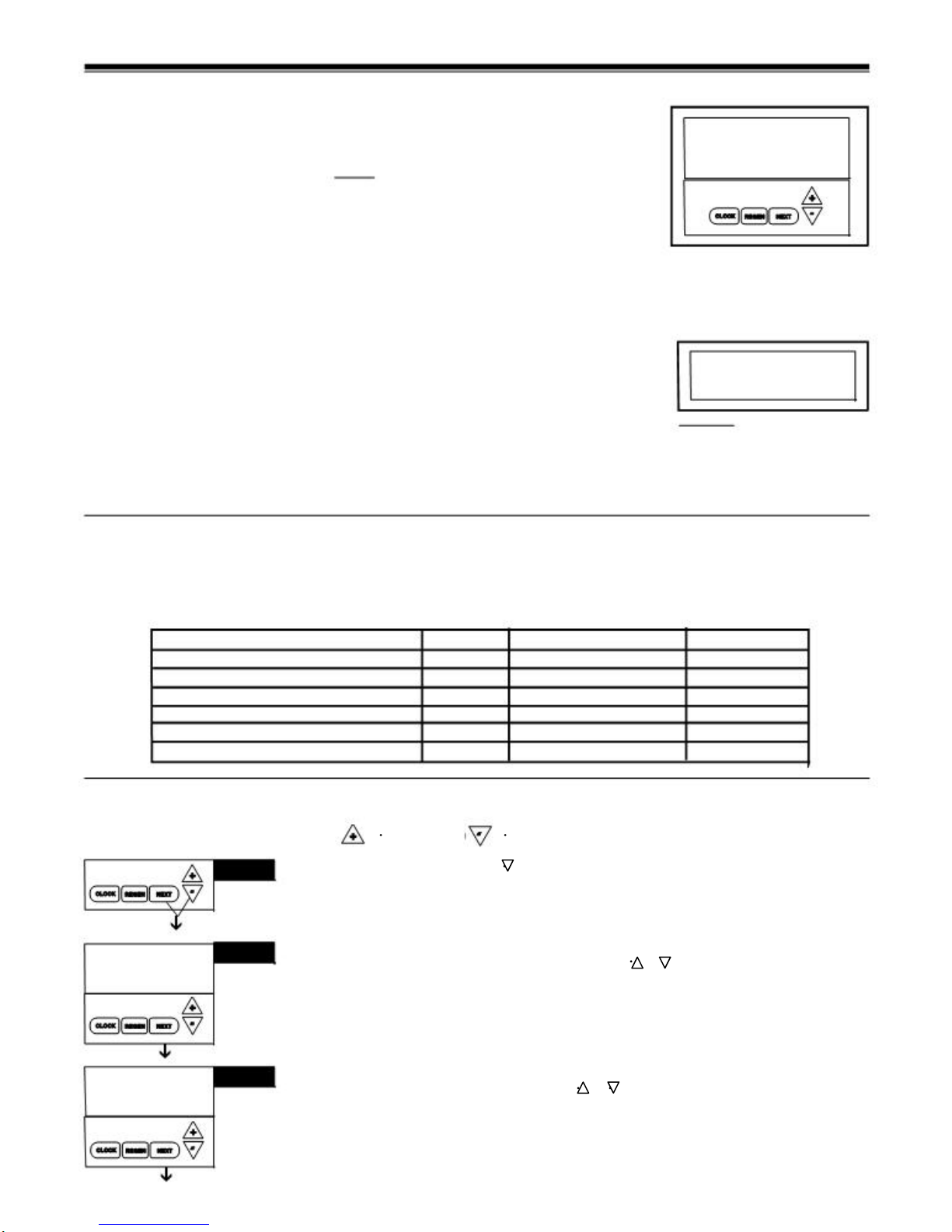
5. Set the time of day by pushing clock button (figure 9,
page 8) and using and buttons.
6. Push REGEN button and hold it down for 3 seconds.
The system will advance to the “First” position. (Note:
Depending on how the system is programmed it could
read backwash, rinse, brine or fill). Keep pushing
REGEN button until “Rinse” shows in the lower right
hand corner of display. Slowly place the by-pass into
the “diagnostic mode” (see fig 4, page 5). Run water
to the drain until it runs clear. Return the by-pass valve
to the by-pass position (fig 3, page 5). Push REGEN
button until “unit is back to softening mode.
7. Once again, push REGEN button and hold down for
3 seconds. Keep pushing REGEN button until “Back-
Figure 7
wash” appears. Slowly place the by-pass valve into the
“Diagnostic Mode” 1/2 way. Allow water to slowly fill
the mineral tank. When a solid stream of water starts
coming out of the drain line, open the by-pass inlet
valve all the way and allow to run out the drain until
water clears. Then slowly place the by-pass into the
“normal operation” mode by opening the outlet side of
by-pass valve, figure 2, page 5.
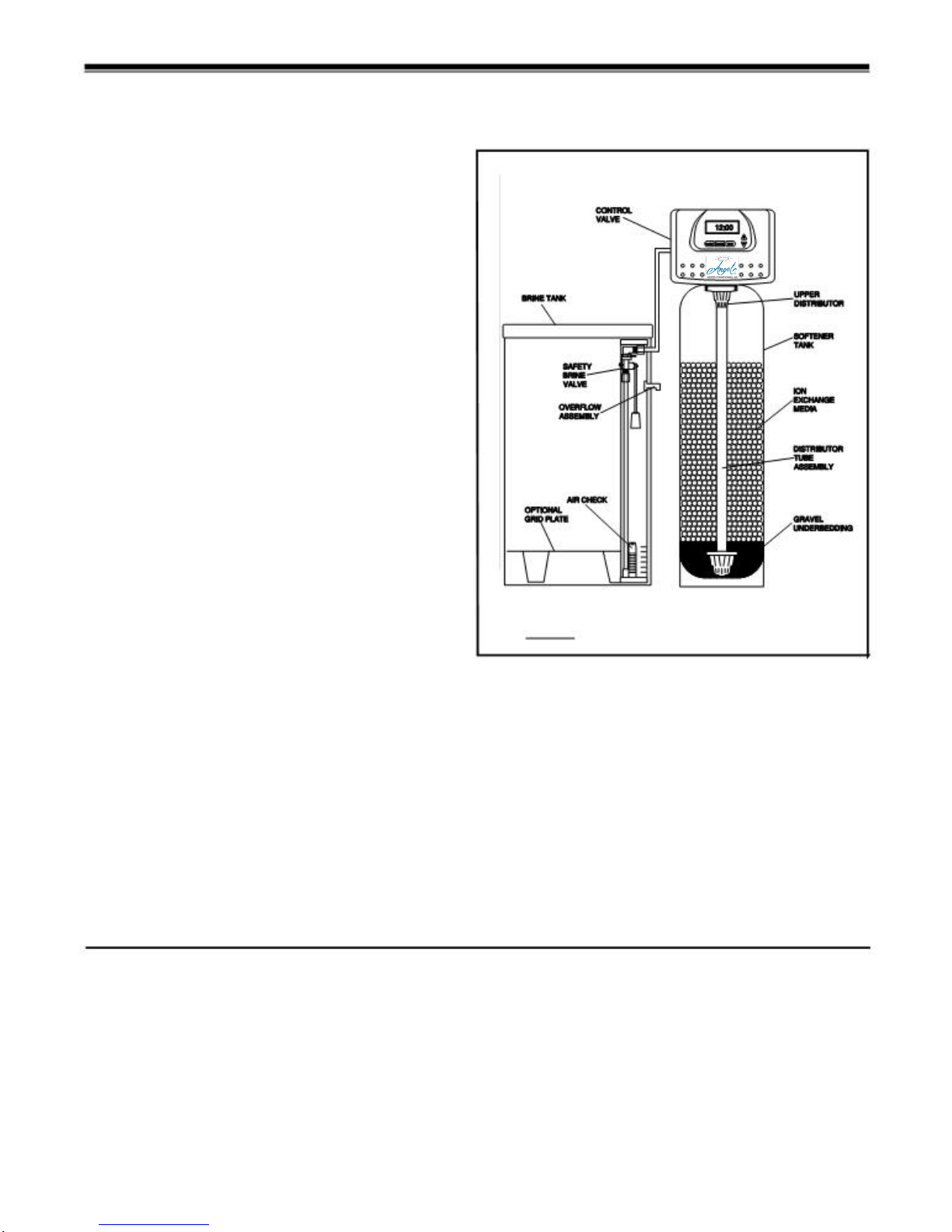
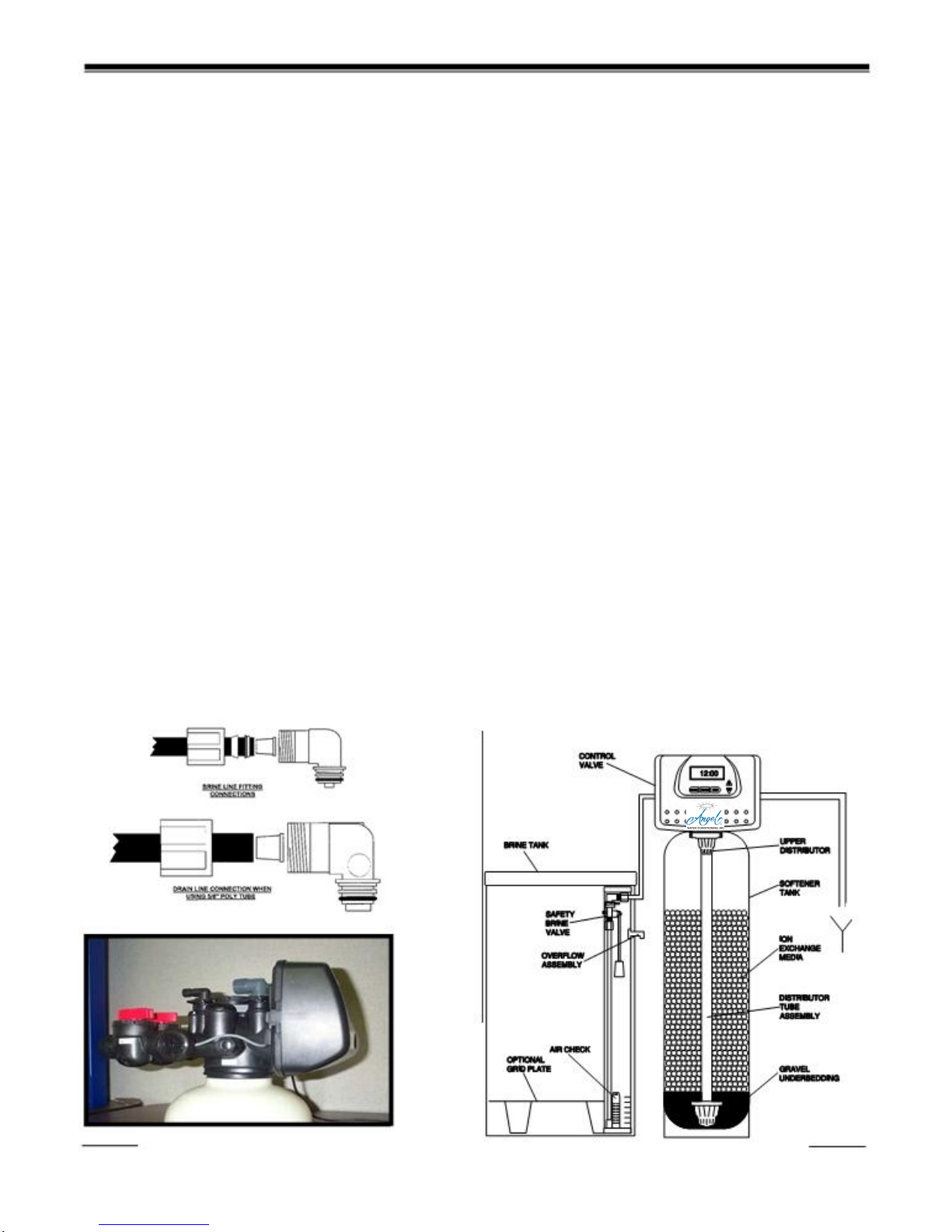
8. Press the REGEN button until LED display says “BRINE”.
Loosen the brine line from the top of the safety brine
valve in the brine tank. Place finger over the end of the
tube to check for suction. If no suction, see trouble-
shooting guide. (See #11, Page 17) If proper suction,
reattach brine tube to safety brine valve, and allow it to
draw water down to the bottom of the air check, (figure
6b, page 6).
9. Press REGEN button again until LED once again dis-
plays “BACKWASH”. Keep in backwash until water
once again runs clear at the drain.
10. Press REGEN button again until “RINSE” is displayed.
Allow rinsecycle to run its full course. While the rinse
cycle is finishing, this would be a good time to load your
brine tank with salt.
11. Once the rinse cycle has finished the softener control
will return to the softening cycle. The LED screen will
scroll between “TIME/GPM/GALLONS REMAINING”.
12. Next set your softeners water hardness, days override and
regeneration time settings (see figure 10a, page 8).
Your programming is now complete.
User displays/settings
General Operation
When the system is operating, one of three
displays may be shown. Pressing NEXT will
NORMAL OPERATION SCREENS
SOFTENING or
FILTERING SOFTENING CAPACITY REMAINING
Flashes when the REGEN GAL
USER 1
REMAINING Typical user
display.
alternate between the displays. One of the
displays is the current time of day. The second
display is one of the following: days remain-
ing or gallons remaining. Days remaining is
the number of days left before the system
goes through a regeneration cycle. Capacity
turbine is rotating. TODAY
REGEN TODAY
will show if REGEN
button pushed once.
650
DAY
6
Shows capac-
ity or days
remaining
before a re-
generation.
remaining is the number of gallons that will "Tonight" or 0 days remaining = within the next 24 TIME
PM USER 2
be treated before the system goes through a
regeneration cycle. The third display is current
flow in gal/min. The user can scroll between
the displays as desired by pushing NEXT or
display will scroll automatically.
When water is being treated (i.e. water is flow-
hours. This determination is made at the sched-
uled regen time for meter initiated regenerations
& at midnight for day initiated regenerations.
User screens will continuously scroll, switching
views every 3 seconds. If the screens are manu-
ally scrolled, this screen will remain constant for
5 minutes then continue to scroll. The conditional
screens will take precedence over the scrolling
and the conditional conditions will apply.
6:35
SOFTENING
GAL
Displays current time.
USER 3
ing through the system) the word "Softening"
or "Filtering" flashes on the display if a water
meter is installed.
7
6.8
Figure 8
MIN Displays present flow
rate.