AX Programmer User Guide
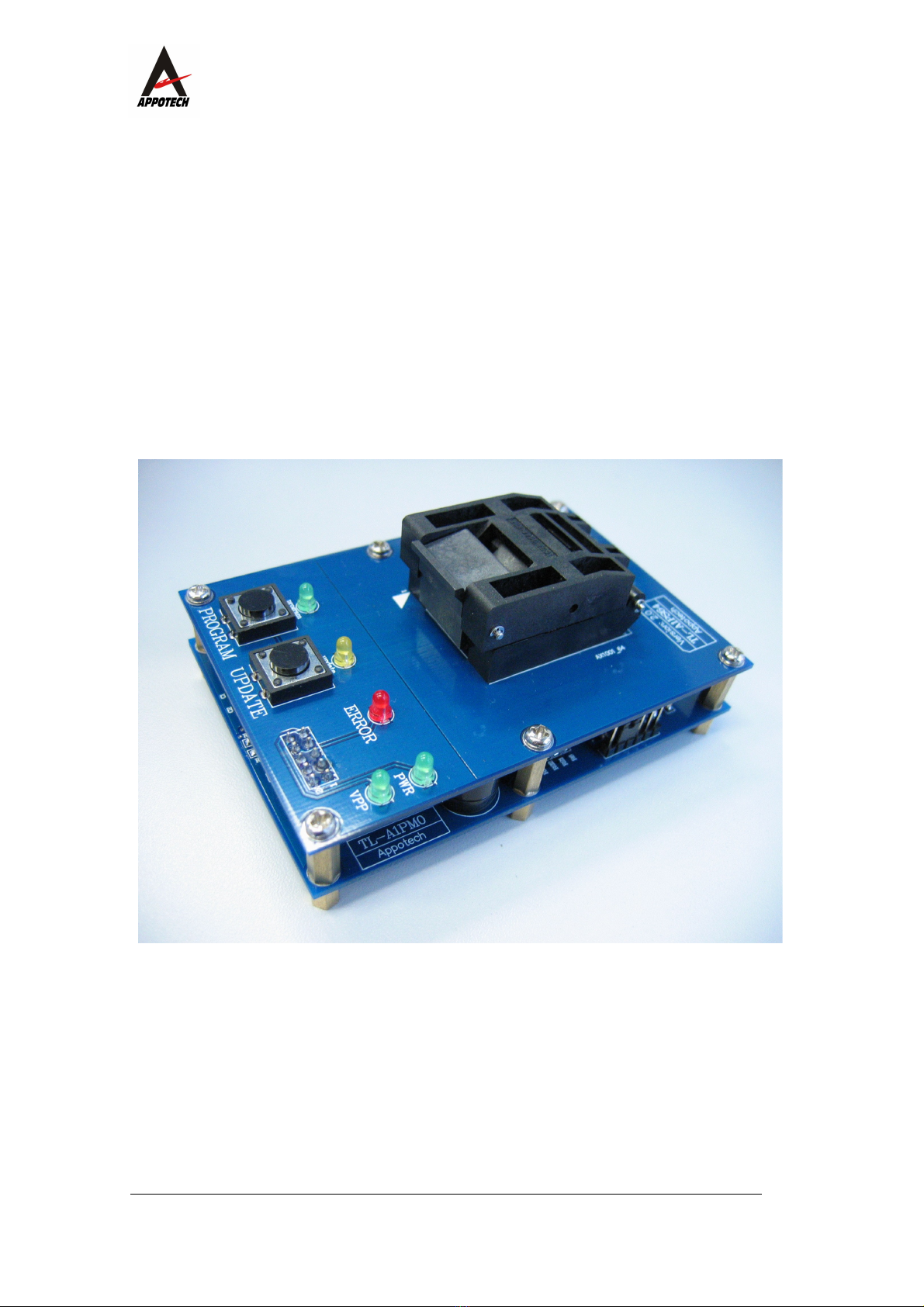
2) After PROGRAM LED is on for about 2-5 seconds, it will
be turned off and ERROR LED will flash. In this
scenario, the chip has been programmed previously. If
user still wants to program the chip, press PROGRAM
button to start.;If user wants to replace another chip
and program again, press UPDATE button first. ERROR
LED will then turn off and user may replace another
chip.
3) After PROGRAM LED is on for about 4-20 seconds, it will
be turned off and ERROR LED will be on. In this
scenario, programming the chip has failed. It is
highly recommended to reset the programmer
and replace a new chip for programming.
4) PROGRAM LED is still on after 30 seconds. In this
scenario, the chip is a bad chip and cannot be
programmed. User should reset the programmer and
then resume programming.
5) After PROGRAM LED is on for about 8-20 seconds, it
starts to flash. In this scenario, contact our
technical staff for further instructions.
6) All three LED’s are on and there is an alert tone from
the buzzer. In this scenario, please contact our
technical staff for further instructions.
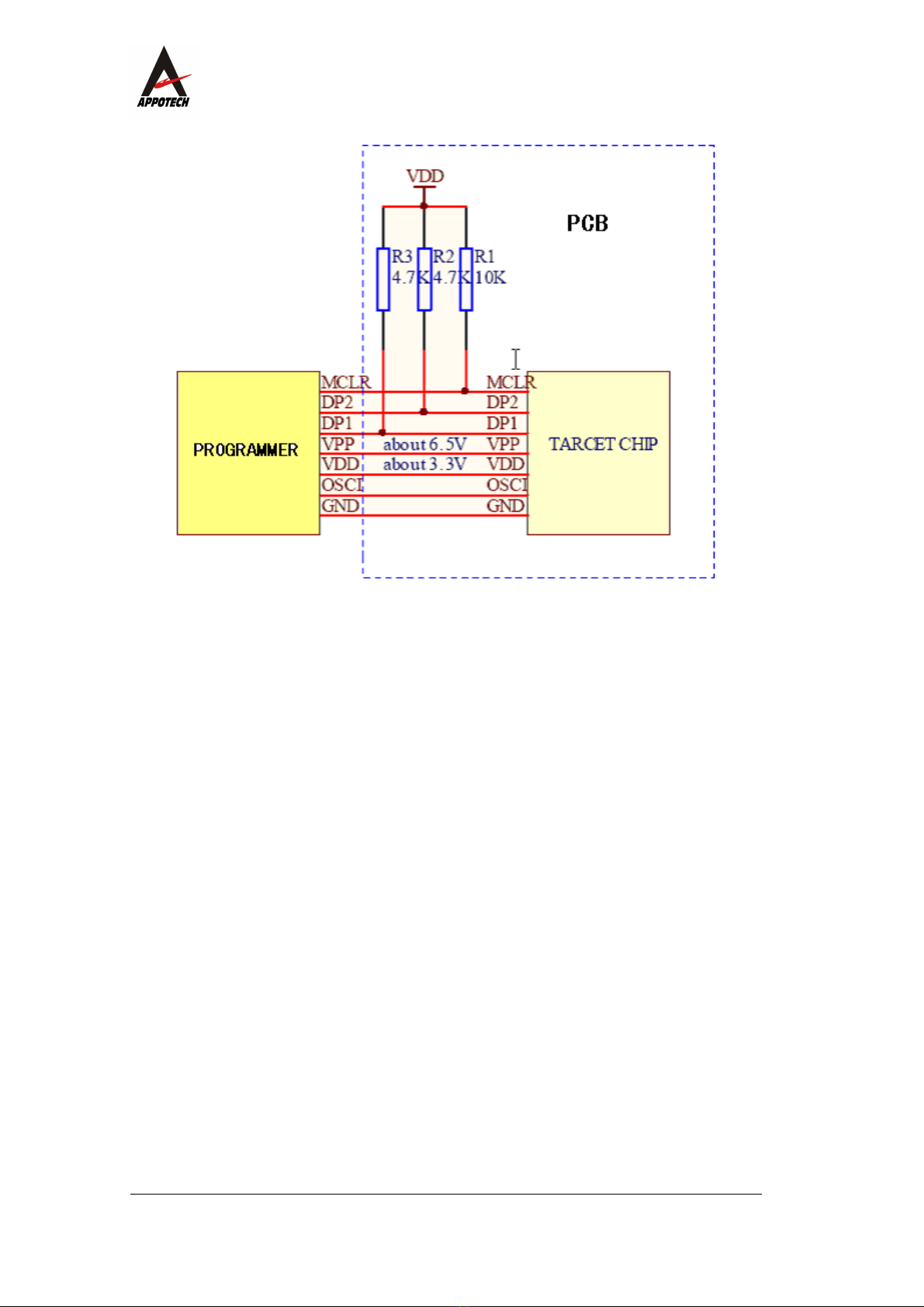
7) PROGRAM LED starts to flash. In this scenario,
check and make sure the chip is placed properly in the
socket. When using ISP port, check and make sure the
following pins are connected properly: DP1, DP2, OSCI,
MCLR, VPP, VDD, GND.
8) PROGRAM LED starts to flash and there is an alert
7/ 10