Crossover 3 (X3)
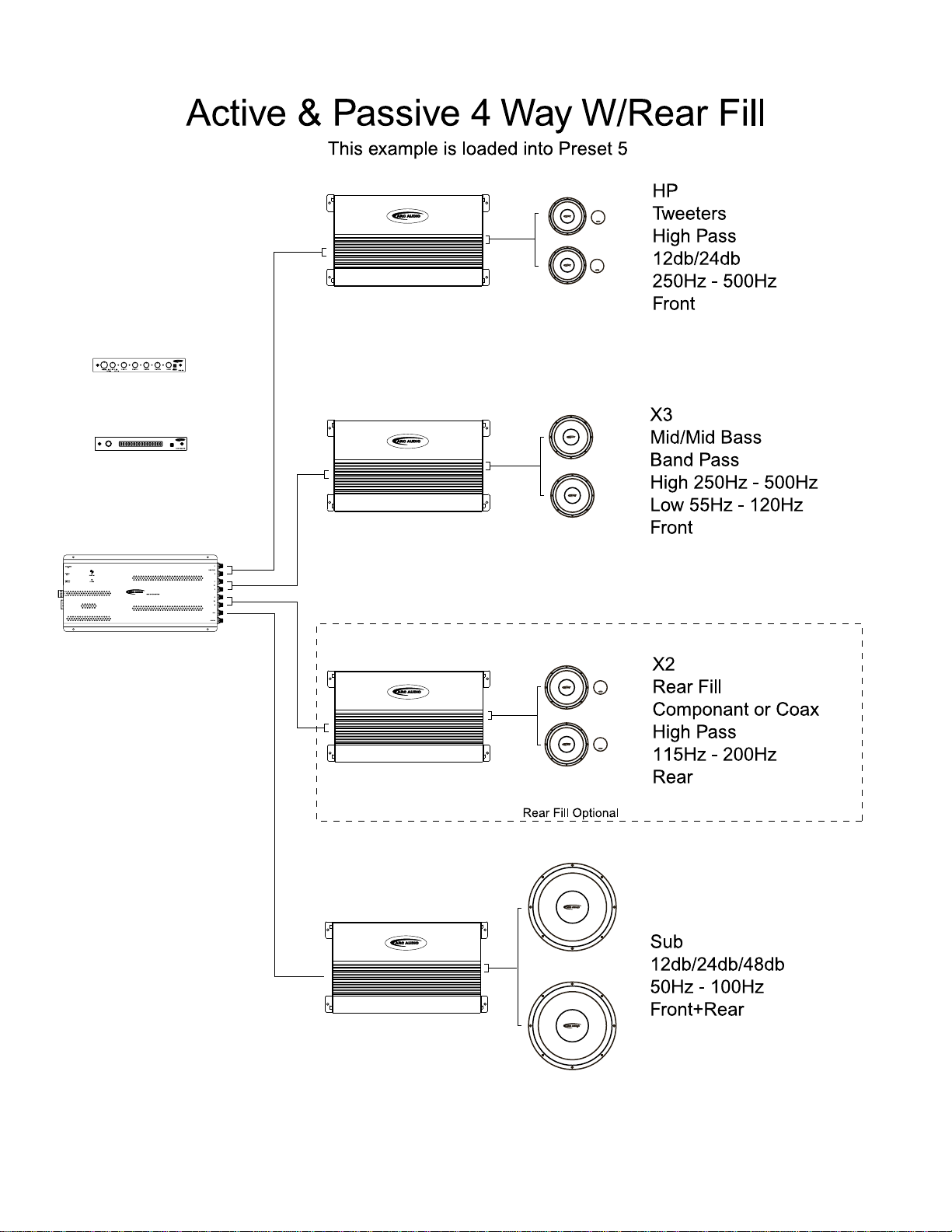
High Pass = 167Hz-7100Hz
Low Pass = 167Hz-7011Hz
Band Pass High=167Hz-7100Hz
Band Pass Low= 16Hz-710Hz
12dB per Octave
Crossover Mode
Hold the Select button for 2 seconds to advance to the next menu. Repeat this step until you get to the
Range Menu.
Tap the Select button until you reach the X3 Mode:
Turn the knob either direction to Select; HIGH,LOW,BAND or FULL
Crossover Frequency
Hold the Select button for 2 seconds to advance to the next menu. Repeat this step until you get to the
Frequency Menu.
Tap the Select button until you reach the X3 HP: (High Pass) or X3 LP:(Low
Pass)
Frequency.
Turn the knob either direction to raise or lower the Frequency.
Note: In High Pass or Low Pass the Band Pass frequency option will not be available for
adjustment.
Band Pass Mode Frequency Adjustment
Hold the Select button for 2 seconds to advance to the next menu. Repeat this step until you get to the
Frequency Menu.
Tap the Select button until you reach the X3 Hi:
Turn the knob either direction to raise or lower the Frequency.
Note: This will adjust the point this crossover begins to filter out the High Frequencies.
Tap the Select button until you reach the X3 Low:
Turn the knob either direction to raise or lower the Frequency.
Note: This will adjust the point this crossover begins to filter out the Low Frequencies.
Gain Adjustments
Hold the Select button for 2 seconds to advance to the next menu. Repeat this step until you get to the
Gain Menu.
Tap the Select button until you reach the X3 Level:
Turn the knob either direction to increase or decrease the Gain.
Source Assignment
Hold the Select button for 2 seconds to advance to the next menu. Repeat this step until you get to the
Source Menu.
Tap the Select button until you reach the X3 SRC:
Turn the knob either direction to set the High Pass as Front or Rear.
13