EnglishDeutsch
 logo
Brands
  1. Home
  2. •
  3. Brands
  4. •
  5. ASROCK
  6. •
  7. Motherboard
  8. •
  9. ASROCK 880GM-LE FX User manual

ASROCK 880GM-LE FX User manual

Other manuals for 880GM-LE FX

3

Other ASROCK Motherboard manuals

ASROCK 880GXH-USB3 - V1.0 User manual

ASROCK

ASROCK 880GXH-USB3 - V1.0 User manual

ASROCK B550 Phantom Gaming 4/ac User manual

ASROCK

ASROCK B550 Phantom Gaming 4/ac User manual

ASROCK A520M-HDVP/DASH User manual

ASROCK

ASROCK A520M-HDVP/DASH User manual

ASROCK A75M-DGS User manual

ASROCK

ASROCK A75M-DGS User manual

ASROCK AOD790GX 128M - V1.1 User manual

ASROCK

ASROCK AOD790GX 128M - V1.1 User manual

ASROCK IMB-154B User manual

ASROCK

ASROCK IMB-154B User manual

ASROCK Z690 Extreme WiFi 6E User manual

ASROCK

ASROCK Z690 Extreme WiFi 6E User manual

ASROCK Z490M-ITX/ac User manual

ASROCK

ASROCK Z490M-ITX/ac User manual

ASROCK IMB-792 User manual

ASROCK

ASROCK IMB-792 User manual

ASROCK H270M-ITX/ac User manual

ASROCK

ASROCK H270M-ITX/ac User manual

ASROCK H610M/ac User manual

ASROCK

ASROCK H610M/ac User manual

ASROCK ALIVENF5-ESATA2 -2943 - User manual

ASROCK

ASROCK ALIVENF5-ESATA2 -2943 - User manual

ASROCK B550 PG Riptide User manual

ASROCK

ASROCK B550 PG Riptide User manual

ASROCK 775Twins-HDTV User manual

ASROCK

ASROCK 775Twins-HDTV User manual

ASROCK X79 Extreme4-M User manual

ASROCK

ASROCK X79 Extreme4-M User manual

ASROCK X570S PG Riptide User manual

ASROCK

ASROCK X570S PG Riptide User manual

ASROCK Z77 Extreme11 User manual

ASROCK

ASROCK Z77 Extreme11 User manual

ASROCK B650M PRO RS User manual

ASROCK

ASROCK B650M PRO RS User manual

ASROCK 890FX Deluxe5 User manual

ASROCK

ASROCK 890FX Deluxe5 User manual

ASROCK H470M User manual

ASROCK

ASROCK H470M User manual

ASROCK P4VM800Pro-DDR2 User manual

ASROCK

ASROCK P4VM800Pro-DDR2 User manual

ASROCK A75M User manual

ASROCK

ASROCK A75M User manual

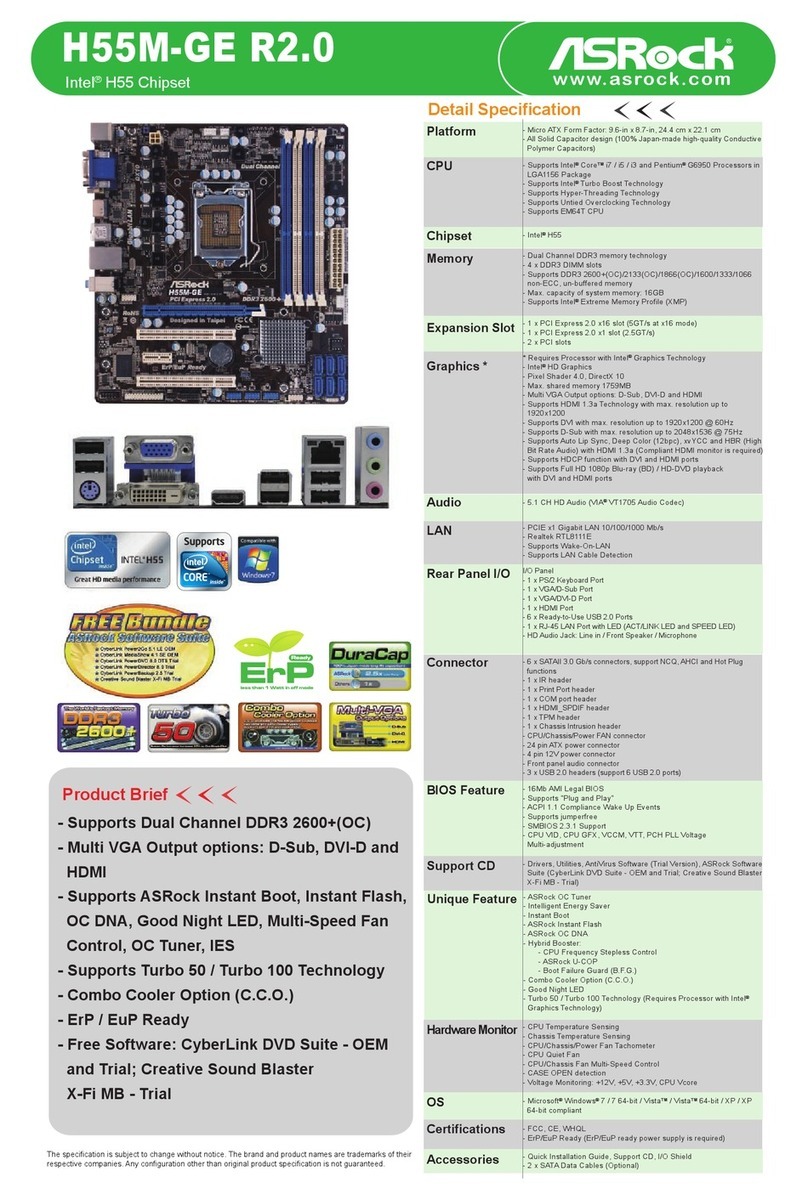
ASROCK H55M-GE R2.0 User manual

ASROCK

ASROCK H55M-GE R2.0 User manual

ASROCK X570 PHANTOM GAMING 4 User manual

ASROCK

ASROCK X570 PHANTOM GAMING 4 User manual

Popular Motherboard manuals by other brands

DFI SD170 user manual

DFI

DFI SD170 user manual

Asus P2L97A user manual

Asus

Asus P2L97A user manual

Winmate IC70 user manual

Winmate

Winmate IC70 user manual

Asus MES-B user manual

Asus

Asus MES-B user manual

Grantech SYS8F377VGGA-3OMN user manual

Grantech

Grantech SYS8F377VGGA-3OMN user manual

Telit Wireless Solutions SL869-3DR user guide

Telit Wireless Solutions

Telit Wireless Solutions SL869-3DR user guide

Texas Instruments ADS8372EVM user guide

Texas Instruments

Texas Instruments ADS8372EVM user guide

Commell MS-C73 user manual

Commell

Commell MS-C73 user manual

Gigabyte GA-9IVDT user manual

Gigabyte

Gigabyte GA-9IVDT user manual

IBT Technologies MB860 user manual

IBT Technologies

IBT Technologies MB860 user manual

Nvidia TEGRA DG-04927-001_V01 user guide

Nvidia

Nvidia TEGRA DG-04927-001_V01 user guide

Intel D33217CK specification

Intel

Intel D33217CK specification

Asus F1A55-M LX PLUS R2.0 user manual

Asus

Asus F1A55-M LX PLUS R2.0 user manual

EPC EPC9147C quick start guide

EPC

EPC EPC9147C quick start guide

Asus EX-B760M-V5 D4 quick start guide

Asus

Asus EX-B760M-V5 D4 quick start guide

EPOX MU-8KHA0010 user manual

EPOX

EPOX MU-8KHA0010 user manual

Ski-Doo Bombardier MPEM 219 700 090 user guide

Ski-Doo

Ski-Doo Bombardier MPEM 219 700 090 user guide

Epson S5U13700P00C000 user manual

Epson

Epson S5U13700P00C000 user manual

https://manuals.online logo
https://manuals.online logoBrands
  • About & Mission
  • Contact us
  • Privacy Policy
  • Terms and Conditions

Copyright 2026 Manuals.Online. All Rights Reserved.

Detail Specification
Product Brief
CPU
Memory
Expansion Slot
Graphics
Audio
LAN
Rear Panel I/O
Connector
BIOS Feature
Support CD
Accessories
Hardware Monitor
OS
Certifications
The specification is subject to change without notice. The brand and product names are trademarks of their
respective companies. Any configuration other than original product specification is not guaranteed.
Chipset
Platform
- Phenom II X6 6-Core CPU Ready
- Supports AMD OverDrive™ with ACC feature
(Advanced Clock Calibration)
- Supports Dual Channel DDR3 1800(OC)
- Integrated AMD Radeon HD 4250 graphics,
DX10.1 class iGPU, Shader Model 4.1, Max.
shared memory 512MB
- Dual VGA Output options: DVI-D and D-Sub
ports
- Supports ASRock OC Tuner, Intelligent Energy
Saver, Instant Boot, Instant Flash, OC DNA
- ErP/EuP Ready
- Free Software : CyberLink DVD Suite - OEM and
Trial; Creative Sound Blaster X-Fi MB - Trial
- Micro ATX Form Factor: 9.6-in x 7.8-in, 24.4 cm x 19.8 cm
- Support for Socket AM3 processors: AMD PhenomTM II X4 / X3 / X2
(except 920 / 940) / Athlon II X4 / X3 / X2 / Sempron processors
- Six-Core CPU Ready
- Supports AMD OverDrive™ with ACC feature (Advanced Clock Calibration)
- Supports AMD's Cool 'n' Quiet Technology
- FSB 2600 MHz (5.2 GT/s)
- Supports Untied Overclocking Technology
- Supports Hyper-Transport 3.0 (HT 3.0) Technology
- Northbridge: AMD 880G
- Southbridge: AMD SB710
- Dual Channel DDR3 memory technology
- 2 x DDR3 DIMM slots
- Supports DDR3 1800(OC)/1600(OC)/1333/1066/800 non-ECC,
un-buffered memory
- Max. capacity of system memory: 8GB
- 1 x PCI Express 2.0 x16 slots (blue @ x16 mode)
- 1 x PCI Express 2.0 x1 slot
- 2 x PCI slots
- Supports ATITM Hybrid CrossFireXTM
- Integrated AMD Radeon HD 4250 graphics
- DX10.1 class iGPU, Shader Model 4.1
- Max. shared memory 512MB
- Dual VGA Output: support DVI-D and D-Sub ports by independent display
controllers
- Supports Dual-link DVI with max. resolution up to 2560x1600 @ 75Hz
- Supports D-Sub with max. resolution up to 2048x1536 @ 85Hz
- Supports HDCP function with DVI-D port
- Supports Full HD 1080p Blu-ray (BD) / HD-DVD playback with DVI-D port
- 5.1 CH HD Audio (ALC662 Audio Codec)
- PCIE x1 Gigabit LAN 10/100/1000 Mb/s
- Realtek RTL8111DL
- Supports Wake-On-LAN
I/O Panel
- 1 x PS/2 Mouse Port
- 1 x PS/2 Keyboard Port
- 1 x VGA/D-Sub Port
- 1 x VGA/DVI-D Port
- 6 x Ready-to-Use USB 2.0 Ports
- 1 x RJ-45 LAN Port with LED (ACT/LINK LED and SPEED LED)
- HD Audio Jack: Line in / Front Speaker / Microphone
- 6 x Serial ATAII 3.0 Gb/s connectors, support RAID (RAID 0, RAID 1,
RAID 10 and JBOD), NCQ, AHCI and "Hot Plug" functions
- 1 x ATA133 IDE connector (supports 2 x IDE devices)
- 1 x Floppy connector
- 1 x IR header
- 1 x Print port header
- 1 x COM port header
- CPU/Chassis/Power FAN connector
- 24 pin ATX power connector
- 4 pin 12V power connector
- CD in header
- Front panel audio connector
- 3 x USB 2.0 headers (support 6 USB 2.0 ports)
- 8Mb AMI Legal BIOS
- Supports "Plug and Play"
- ACPI 1.1 Compliance Wake Up Events
- Supports jumperfree
- SMBIOS 2.3.1 Support
- VCCM, NB Voltage Multi-adjustment
- Drivers, Utilities, AntiVirus Software (Trial Version), AMD OverDriveTM
Utility, AMD Live! Explorer, AMD Fusion, ASRock Software Suite
(CyberLink DVD Suite - OEM and Trial; Creative Sound Blaster X-Fi MB -
Trial)
- CPU Temperature Sensing
- Chassis Temperature Sensing
- CPU/Chassis/Power Fan Tachometer
- CPU Quiet Fan
- Voltage Monitoring: +12V, +5V, +3.3V, Vcore
- Microsoft®Windows®7 / 7 64-bit / VistaTM / VistaTM 64-bit / XP / XP Media
Center / XP 64-bit compliant
- FCC, CE, WHQL
- ErP/EuP Ready (ErP/EuP ready power supply is required)
- Quick Installation Guide, Support CD, I/O Shield
- ATA 133 Cable
- 2 x SATA Data Cables (Optional)
AMD 880G + SB710 Chipsets
Unique Feature
- ASRock OC Tuner
- Intelligent Energy Saver
- Instant Boot
- ASRock Instant Flash
- ASRock OC DNA
- Hybrid Booster:
- CPU Frequency Stepless Control
- ASRock U-COP
- Boot Failure Guard (B.F.G.)
880GM-LE
www.asrock.com

AMD 880G + SB710 Chipsets
880GM-LE
www.asrock.com
World's First AMD 880G Chipset Motherboard
Supports Unlock CPU Core
ASRock UCC
Before -
UCC not enabled, Cores: 3
After -
UCC enabled, Cores: 4
Simply enables UCC
function in BIOS
Step 1 Step 2
Step 3 Step 4
Step 5 Step 6
Press “F2 or DEL” to enter the BIOS.
CPU Information Under OS Before and After UCC
“ASRock UCC” set to Enabled.
Press “F10” to save change and exit.
Choose the “OC Tweaker” page and
“ASRock UCC” option!
Press “F2 or DEL” to enter the BIOS.
Processor Type unlock to “AMD Phenom II X4 05e”
under “Main” page.
AMD Phenom II X4 705e X3 core X4 core
880GM Pro3
(Unlock CPU Core)
With ASRock unique UCC chip onboard, one simple click in BIOS can unlock CPU core to enjoy an instant performance boost.
AMD 880G + SB710 Chipsets
880GM-LE
www.asrock.com
Phenom II X6 6-Core CPU Ready
ATI Radeon®HD4250
DirectX 10.1 Onboard Graphics
Features DirectX®10 DirectX®10.1
Shader Model 4 4.1
Separate per-MRT
blend modes
Pixel Coverage
Masks
Sample Pattern
Selection
Cube Map Arrays
Gather4
VS Inputs 16 32
Blending INT8, FP16/32 INT8/16, FP16/32
Filtering FP16 FP32
No Yes
No Yes
No Yes
No Yes
No Yes
Key features of DirectX 10.1 include an updated shader model, improved anti-aliasing support,
more flexible data access, and tighter specifications for better applicationcompatibility.
DirectX 10.1 Anti-Aliasing
DirectX 10 –Standard
MSAA:Foliage edges do
not get anti-aliased
–causes shimmering and
crawling when they move
DirectX 10.1 –Alpha Test
MSAA:Foliage edges are
smoothed and anti-aliased
–offers significant image
quality improvement
AMD 880G + SB710 Chipsets
880GM-LE
www.asrock.com
OC DNA
Save your OC settings as a profile and share with
friends. Try OC DNA now!
OC DNA Instruction
Step 1 Step 2
Step 3 Step 4
Save your BIOS OC settings as User Default in BIOS OC
Tweaker menu. (For example: we name this User Default setting
as “CPU_OC3.8GHz”)
Press “Save” button to save the “CPU_OC3.8GHz” OC settings as
a profile.
Execute ASRock OC DNA under OS, you will find
“CPU_OC3.8GHz” as User Profile 1.
Send the “CPU_OC3.8GHz” profile to other friends.
Step 5 Step 6
When the friend receives your “CPU_OC3.8GHz” profile, he can
press “Load” to load the “CPU_OC3.8GHz” profile in OC DNA.
After that, the friend can enter into BIOS OC Tweaker menu to
load the “CPU_OC3.8GHz” profile as his BIOS OC settings.
Now, you have successfully share your OC setting profile with your friends.
880GM-LE
880GM-LE
880GM-LE
*The OC DNA works only when users use the same motherboard and BIOS version.
Intel®H55 Chipset
H55M-LE
www.asrock.com
ASRock Instant Flash is an exclusive and the most user-friendly BIOS flash utility
developed by ASRock. It is embedded in Flash ROM which is used to update the
system BIOS without having to enter operating systems like MS-DOS or Windows.
Once executing ASRock Instant Flash, the utility will automatically detect all devices such as USB, hard disk or even floppy drive to
find the exact BIOS for your system. Instead of giving you all BIOS in your devices, the Instant Flash just list BIOS versions that
apply to your motherboard model only. For example, if you have many different BIOS of different motherboards saved in your
devices, but you just need to flash your P45 motherboard, the Instant Flash will just list the P45 BIOS versions for you. This unique
function allows you to easily select the suitable BIOS version instead of browsing through all data.
Features
ASRock Instant Flash
Instant Flash just list
BIOS versions that
apply to your
motherboard model.
Click and start
Flashing!
Simple!Simple! Quick!Quick!
ASRock Instant Boot
10 Times Faster, Only 4 Secs to Boot Up to Windows!
ASRock YouTube
http://tw.youtube.com/watch?v=BucIjXZVxXo
ASRock Instant Boot is a new feature invented exclusively by ASRock.
It can boot up system in an amazing speed,
which is 10 times faster than traditional boot up. For home users or office
PC users, ASRock Instant Boot can also
guarantee a clean Windows OS, and consumed less power! For details:
http://www.asrock.com/feature/InstantBoot/index.asp
* This function is applicable ONLY to single user that does not secure ID and Password to their
systems.
* The boot up time depends on the hardware configuration.
AMD 880G + SB710 Chipsets
880GM-LE
www.asrock.com
ErP/EuP Ready Motherboard ErP/EuP Ready Power Supply ErP/EuP System
What is ErP/EuP?
ErP/EuP, stands for Energy Using Product, was a provision regulated by European Union to define the power consumption for
the completed system. With the great quantity and the popularly using of the electrical products nowadays and the continuously
increasing of the electrical products categories in the following 20 to 30 years, European Union decided to establish an effective
strategy to solve the energy consumption problem. That is, according to ErP/EuP, the total AC power of the completed system
shall be under 1.00W in off mode condition.
AMD 880G + SB710 Chipsets
880GM-LE
www.asrock.com
CyberLink Power2Go 6.1 LE OEM
Power2Go 6 lets you burn and backup videos, photos, music and data onto Blu-ray
Discs and DVDs.
CyberLink MediaShow 4.1 SE OEM
Photo and video management software MediaShow edits videos and photos
instantly, creates slideshow, and allows publishing directly to YouTube and Flickr.
CyberLink PowerDVD 8.0 DTS Trial
World-renowned PowerDVD 8 DTS delivers outstanding DVD movie playback quality
on your PC.
CyberLink PowerDirector 8.0 Trial
PowerDirector - Video Editing software – edits high-definition videos including
AVCHD, allows output to PSP iPod and Blu-ray Disc.
CyberLink PowerBackup 2.5 Trial
PowerBackup backups valuable data on your PC.
Creative Sound Blaster X-Fi MB Trial
The Sound Blaster X-Fi MB solution provides premium audio quality, effects and
features for PC systems equipped with onboard audio.
For gamers, the EAX®ADVANCED HD 4.0, with its state-of-the-art Multi-Environment
rendering and reverb modelling, delivers a much more realistic and immersive 3D
gaming experience than your motherboard audio ever will.