manuals.online logo
Brands
  1. Home
  2. •
  3. Brands
  4. •
  5. Behringer
  6. •
  7. Speakers
  8. •
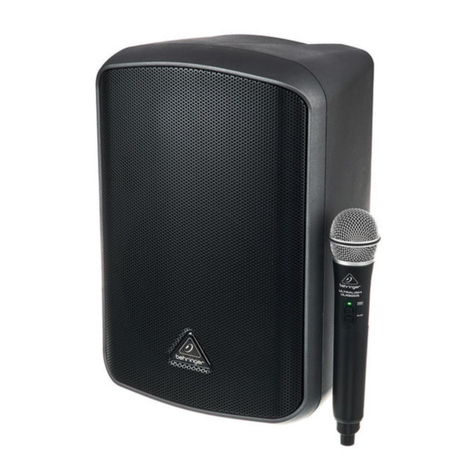
  9. Behringer B105D User manual

Behringer B105D User manual

Other Behringer Speakers manuals

Behringer TRUTH B3030A User manual

Behringer

Behringer TRUTH B3030A User manual

Behringer KX1200 User manual

Behringer

Behringer KX1200 User manual

Behringer Europort EPA150 Assembly instructions

Behringer

Behringer Europort EPA150 Assembly instructions

Behringer VS1520 User manual

Behringer

Behringer VS1520 User manual

Behringer DIGITAL MONITOR SPEAKERS MS20 User manual

Behringer

Behringer DIGITAL MONITOR SPEAKERS MS20 User manual

Behringer Eurolive VP1220F User manual

Behringer

Behringer Eurolive VP1220F User manual

Behringer Eurolive E1220A User manual

Behringer

Behringer Eurolive E1220A User manual

Behringer C210 User manual

Behringer

Behringer C210 User manual

Behringer DIGITAL MONITOR SPEAKERS MS40 User manual

Behringer

Behringer DIGITAL MONITOR SPEAKERS MS40 User manual

Behringer TRUTH B3031A User manual

Behringer

Behringer TRUTH B3031A User manual

Behringer DIGITAL MONITOR SPEAKERS MS20 User manual

Behringer

Behringer DIGITAL MONITOR SPEAKERS MS20 User manual

Behringer Eurolive B1200D-PRO User manual

Behringer

Behringer Eurolive B1200D-PRO User manual

Behringer Monitor 1C User manual

Behringer

Behringer Monitor 1C User manual

Behringer EPA900 User manual

Behringer

Behringer EPA900 User manual

Behringer eurolive b112w User manual

Behringer

Behringer eurolive b112w User manual

Behringer Eurolive VP1220D Assembly instructions

Behringer

Behringer Eurolive VP1220D Assembly instructions

Behringer DIGITAL MONITOR SPEAKERS MS20 User manual

Behringer

Behringer DIGITAL MONITOR SPEAKERS MS20 User manual

Behringer iQ18S User manual

Behringer

Behringer iQ18S User manual

Behringer EUROLIVE PROFESSIONAL B2520 PRO User manual

Behringer

Behringer EUROLIVE PROFESSIONAL B2520 PRO User manual

Behringer Eurosport EPA300 User manual

Behringer

Behringer Eurosport EPA300 User manual

Behringer TRUTH B2031 User manual

Behringer

Behringer TRUTH B2031 User manual

Behringer Eurolive P1020 User manual

Behringer

Behringer Eurolive P1020 User manual

Behringer Ultrabass BA115 User manual

Behringer

Behringer Ultrabass BA115 User manual

Behringer TRUTH B2031A User manual

Behringer

Behringer TRUTH B2031A User manual

Popular Speakers manuals by other brands

Electro-Voice LR4S engineering data

Electro-Voice

Electro-Voice LR4S engineering data

Definitive Technology Sound Cylinder user guide

Definitive Technology

Definitive Technology Sound Cylinder user guide

AudioSource LS545 user manual

AudioSource

AudioSource LS545 user manual

Paso C402-T Instructions for use

Paso

Paso C402-T Instructions for use

Altec Lansing 416-8C LF SPEAKER manual

Altec Lansing

Altec Lansing 416-8C LF SPEAKER manual

Kenwood KFC-1072 Servise manual

Kenwood

Kenwood KFC-1072 Servise manual

Peavey ProSys 112 user guide

Peavey

Peavey ProSys 112 user guide

JBL Control Contractor 60 Series installation instructions

JBL

JBL Control Contractor 60 Series installation instructions

Aura STORM-8 owner's manual

Aura

Aura STORM-8 owner's manual

Oontz ANGLE 3 PLUS quick start guide

Oontz

Oontz ANGLE 3 PLUS quick start guide

Electro-Voice LR4A engineering data

Electro-Voice

Electro-Voice LR4A engineering data

Rave RK-650-ICA-B owner's manual

Rave

Rave RK-650-ICA-B owner's manual

Flux Reference Series installation manual

Flux

Flux Reference Series installation manual

Lanzar AQAWBS64BK installation manual

Lanzar

Lanzar AQAWBS64BK installation manual

DAPAudio DCS-6230 manual

DAPAudio

DAPAudio DCS-6230 manual

Aluratek ABS03F quick start guide

Aluratek

Aluratek ABS03F quick start guide

Kenwood KES-5A instruction manual

Kenwood

Kenwood KES-5A instruction manual

Sonance ORIGINAL SERIES instruction manual

Sonance

Sonance ORIGINAL SERIES instruction manual

manuals.online logo
manuals.online logoBrands
  • About & Mission
  • Contact us
  • Privacy Policy
  • Terms and Conditions

Copyright 2025 Manuals.Online. All Rights Reserved.

Quick Start Guide
B105D
Ultra-Compact 50-Watt PA/Monitor Speaker with MP3 Player and
Bluetooth Audio Streaming
(EN) Step 1: Controls
B105D Controls
(1) HIGH EQ knob adjusts the level of
treble frequencies.
(2) MID EQ knob adjusts the level of
midrange frequencies.
(3) LOW EQ knob adjusts the level of
bass frequencies.
(4) LEVEL 2 knob adjusts the input level
for the LINE INPUT and LINE 2 jacks.
(5) LEVEL 1 knob adjusts the input level
for the MIC/LINE 1 input.
(6) MAINLEVELknob adjusts the nal,
main output volume.
(7) POWER LED lights up to indicate the
unit has been powered on.
(8) USB input accepts USB connection
from memory devices with
MP3 les.
(9) BLUETOOTH button activates
the Bluetooth circuit and makes
the unit available for Bluetooth
pairing and audio playback from
Bluetooth-equipped devices.
When the Bluetooth circuit is rst
activated, the button’s indicator
LED will blink; When the Bluetooth
successfully pairs with a Bluetooth
device, the LED will stop blinking
and remain lit.
(10) BACK () button lets you skip to
the previous track (short press) or
scroll backward throughthe current
track (long press) playing back via
USB or Bluetooth.
(11) PLAY/PAUSE () buttonbegins
or stops playback of tracks via
USB or Bluetooth.
(12) FORWARD () button lets you skip
forward to the next track (short
press) or scrollforward through the
current track (long press) playing
back via USB or Bluetooth.
(13) LINE INPUT jack connects to
external audio sources using cables
with ⁄" (3.5 mm) stereo connectors.
(14) LINE 2 combo jack accepts audio
signals over cables using XLR,
balanced ¼" TRS or unbalanced
¼" TS connectors.
(15) MIC/GUITAR latchingswitch
toggles the MIC/LINE 1 input
between settings optimized for
balanced signals from microphones
(MIC) or unbalanced signals from
instruments (GUITAR), such as
guitars or basses.
(16) MIC/LINE 1 combo jack accepts
balanced microphone signals via
cables with XLR connectors or
unbalanced instrument signals
(from guitars or basses) via cables
with ¼" TS connectors. Use the
MIC/GUITAR button to optimize
this input for microphones or
instrument signals.
(17) MAIN IN combo jack accepts audio
signals over cables using XLR,
balanced ¼" TRS, balanced ¼" TRS
or unbalanced ¼" TS connectors.
The MAIN IN input level is controlled
by the LINE 1 knob.
(18) THRU jack can be used to send your
nal mix out over a cable with XLR
connectors to a mixer, amplier or
an additional active speaker.
(19) MIC/LINE LEVEL latchingswitch
optimizes the THRU output for
balanced signals (MIC, switch
in) or unbalanced signals
(LINE, switch out).
(20) STANDBY ENABLE/DISABLE
switch turnsthe auto-standby
power-saving function on (ENABLE)
or o (DISABLE). When the
auto-standby function is enabled,
the unit will power down if no input
signal is detected for 30 minutes.
To exit the powered down state,
turn the POWER switch o and then
back on.
(21) POWER switch turns theunit
on and o.
(22) POWER SOURCE jack accepts the
included IEC cable.
(5)
(9)
(11)
(12)
(10)
(8)
(16)
(15)
(7)
(6)
(1)
(2)
(3)
(4)
(13)
(14)
(17) (18)(19)
(22)
(21)
(20)
10 11Quick Start GuideB105D
Place the speaker(s) in desired
locations, preferably on stands
as personal monitors or mains.
Set all controls as shown: HIGH,
MID and LOW knobs to their
centered position at 12 o’clock;
LEVEL 1, LEVEL 2, and MAIN LEVEL knobs
set to their minimum levels at the full
counterclockwise position.
Connect all analog microphone,
instrument, and/or RCA cables
to their respective input jacks.
DO NOT turn on the power yet.
Turn on your audio sources
(mixer,microphones,instruments).
Power up the B105D by moving
the POWER switch to the "on"
position. The POWER LED on the
front panel will light up.
To pair a Bluetooth device with
the B105D, follow these steps:
• Press the BLUETOOTH
button to activate the Bluetooth
circuit. The BLUETOOTH button’s
indicator LED will blink.
• Open Bluetooth in your smartphone,
tablet computer, MP3 player or
other Bluetooth equipment to
pair and connect.
• When the BLUETOOTH button’s LED
lights solid, you can begin playing back
music from your Blueooth device.
Slowly rotate the MAIN LEVEL
knob clockwise until you
achieve a comfortable
listening level.
Insert your USB device with MP3
audio les into the USB input.
Start or stop MP3 playback by
pressing the PLAY/PAUSE ()
button. Skip or scroll through
tracks by using the BACK () or
FORWARD () buttons begins.
Turn the MAIN LEVEL knob up to
a comfortable level.
Plug a microphone or
instrument into the MIC/LINE 1
combo jack.
If you are using a microphone,
press the MIC/GUITAR latching
switch to the inward MIC
position. If you are using an instrument,
such as guitar or bass, move the
MIC/GUITAR latching switch to the
outward GUITAR position.
While playing or speaking into
the microphone, slowly rotate
the LEVEL 1 knob clockwise
until you reach a comfortable level. If you
notice any undesirable distortion in your
instrument or mic sound, turn the LEVEL 1
knob back down until the distortion stops.
Plug additional audio devices
into the LINE 2 combo jack or
LINE INPUT jack (for audio
devices such as smartphones, tablets or
MP3 players that use ⁄"
stereo connectors).
While playing audio from these
additional audio devices, slowly
turn the LEVEL 2 knob clockwise
until you achieve a comfortable listening
level. If necessary, adjust the output levels
on your audio devices.
Balance the analog signals
against the MP3 and Bluetooth
playback by adjusting the LEVEL
knobs for each analog channel until you
nd an acceptable mix. If an analog signal
distorts, turn that channel’s LEVEL knob
back down.
Adjust the HIGH, MID or LOW EQ
controls if the overall sound
needs overall frequency
adjustment.
Set the nal, overall volume by
adjusting the MAIN LEVEL knob.
B105D Getting started

(ES) Paso 2: Puesta en
marcha
(EN) Step 2: Getting
started
Coloque el altavoz (o altavoces)
en la posición que quiera;
preferiblemente sobre unos
soportes como monitores personales o
altavoces principales.
Coloque todos los controles de
la siguiente forma: mandos
HIGH, MID y LOW en sus
posiciones centrales (posición de "las 12
en punto"); mandos LEVEL 1, LEVEL 2 y
MAIN LEVEL ajustados al mínimo
(tope izquierdo).
Conecte todos los micrófonos
analógicos, instrumentos y/o
cables RCA a sus tomas de
entrada respectivas. NO ENCIENDA
ninguna de las unidades todavía.
Ponga en marcha (encienda)
sus fuentes audio (mezclador,
micrófonos, instrumentos).
Encienda después el B105D

colocando el interruptor POWER
en la posición "on". El piloto
POWER del panel frontal se iluminará.
Para sincronizar un dispositivo
Bluetooth con el B105D, siga
estos pasos:
• Pulse el botón BLUETOOTH para activar
el circuito Bluetooth. El piloto del
botón BLUETOOTH parpadeará.
• Active el Bluetooth en su smartphone,
tablet, reproductor de MP3 u otro
dispositivo Bluetooth que quiera
sincronizar y conéctelo.
• Cuando el piloto del botón BLUETOOTH
deje de parpadear y quede iluminado
jo ya podrá comenzar la reproducción
musical desde su dispositivo Bluetooth.
Gire lentamente el mando MAIN
LEVEL hacia la derecha hasta
que obtenga un nivel de
escucha adecuado.
Conecte su dispositivo USB con
cheros audio MP3 en la
entrada USB.
Inicie o detenga la reproducción
MP3 pulsando el botón
PLAY/PAUSE (). Salte de una
pista a otra o desplácese por las pistas
usando los botones BACK () o
FORWARD ().
Suba el mando MAIN LEVEL
hasta conseguir un
nivel adecuado.
Conecte un micrófono o
instrumento en la toma combo
MIC/LINE 1.
Si está usando un micrófono,
pulse el interruptor con resorte
MIC/GUITAR hasta que quede en
la posición pulsada MIC. Si está usando un
instrumento, como una guitarra o un bajo,
púlselo hasta que quede en la posición
no-pulsada GUITAR.
Mientras toca o canta/habla en
el micrófono, gire lentamente
hacia la derecha el mando
LEVEL 1 hasta conseguir un nivel
adecuado. Si observa alguna distorsión no
deseable en el sonido de su instrumento o
micro, reduzca la posición del mando
LEVEL 1 hasta que la
distorsión desaparezca.
Conecte dispositivos audio
adicionales a la toma combo
LINE 2 o a la toma LINE INPUT
(en el caso de dispositivos audio como
smartphones, tablets o reproductores de
MP3 que usen conectores stereo de
3,5 mm).
Mientras reproduce audio desde
estos dispositivos audio
adicionales, gire lentamente
hacia la derecha el mando LEVEL 2 hasta
conseguir un nivel de escucha adecuado.
Si es necesario, ajuste los niveles de salida
de esos dispositivos audio.
Ajuste el balance de las señales
analógicas con respecto a la
reproducción MP3 y Bluetooth
ajustando los mandos LEVEL de cada canal
analógico hasta que consiga una mezcla
aceptable. Si una señal analógica
distorsiona, reduzca la posición del mando
LEVEL de dicho canal.
Ajuste los controles HIGH, MID o
LOW EQ en el caso de que el
sonido global necesite algún
tipo de ajuste de frecuencias.
Ajuste el volumen global nal
de la señal de salida por medio
del mando MAIN LEVEL.
16 17Quick Start GuideB105D