manuals.online logo
Brands
  1. Home
  2. •
  3. Brands
  4. •
  5. Behringer
  6. •
  7. Speakers
  8. •
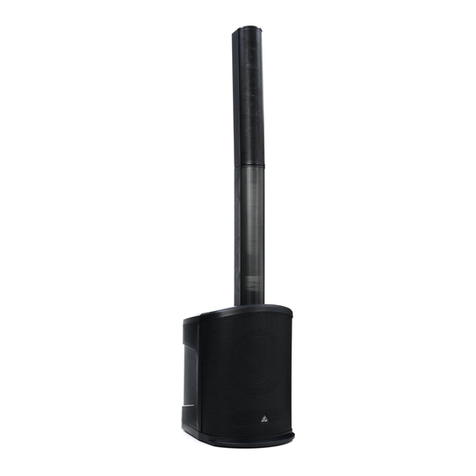
  9. Behringer KX1200 User manual

Behringer KX1200 User manual

Other manuals for KX1200

2

Other Behringer Speakers manuals

Behringer Behritone C50A User manual

Behringer

Behringer Behritone C50A User manual

Behringer eurolive b512dsp User manual

Behringer

Behringer eurolive b512dsp User manual

Behringer 445907 User manual

Behringer

Behringer 445907 User manual

Behringer europort ppa200 User manual

Behringer

Behringer europort ppa200 User manual

Behringer TRUTH B3030A Assembly instructions

Behringer

Behringer TRUTH B3030A Assembly instructions

Behringer TRUTH B2031P User manual

Behringer

Behringer TRUTH B2031P User manual

Behringer EUROLIVE B612D User manual

Behringer

Behringer EUROLIVE B612D User manual

Behringer Eurolive B1220DSP User manual

Behringer

Behringer Eurolive B1220DSP User manual

Behringer EUROPORT MPA30BT User manual

Behringer

Behringer EUROPORT MPA30BT User manual

Behringer Eurolive B415DSP User manual

Behringer

Behringer Eurolive B415DSP User manual

Behringer Eurolive B207 MP3 User manual

Behringer

Behringer Eurolive B207 MP3 User manual

Behringer Monitor Speakers MS16 User manual

Behringer

Behringer Monitor Speakers MS16 User manual

Behringer Eurolive VP2520 User manual

Behringer

Behringer Eurolive VP2520 User manual

Behringer TRUTH B2031A User manual

Behringer

Behringer TRUTH B2031A User manual

Behringer EUROPORT EPA300 User manual

Behringer

Behringer EUROPORT EPA300 User manual

Behringer Eurolive F1220A User manual

Behringer

Behringer Eurolive F1220A User manual

Behringer Eurolive B412DSP User manual

Behringer

Behringer Eurolive B412DSP User manual

Behringer Eurolive B412DSP User manual

Behringer

Behringer Eurolive B412DSP User manual

Behringer Monitor Speakers MS16 User manual

Behringer

Behringer Monitor Speakers MS16 User manual

Behringer Eurolive F1220A User manual

Behringer

Behringer Eurolive F1220A User manual

Behringer EUROLIVE S1020 User manual

Behringer

Behringer EUROLIVE S1020 User manual

Behringer TRUTH B2031 User manual

Behringer

Behringer TRUTH B2031 User manual

Behringer EUROLIVE B12X User manual

Behringer

Behringer EUROLIVE B12X User manual

Behringer Eurolive P1020 User manual

Behringer

Behringer Eurolive P1020 User manual

Popular Speakers manuals by other brands

Electro-Voice LR4S engineering data

Electro-Voice

Electro-Voice LR4S engineering data

Definitive Technology Sound Cylinder user guide

Definitive Technology

Definitive Technology Sound Cylinder user guide

AudioSource LS545 user manual

AudioSource

AudioSource LS545 user manual

Paso C402-T Instructions for use

Paso

Paso C402-T Instructions for use

Altec Lansing 416-8C LF SPEAKER manual

Altec Lansing

Altec Lansing 416-8C LF SPEAKER manual

Kenwood KFC-1072 Servise manual

Kenwood

Kenwood KFC-1072 Servise manual

Peavey ProSys 112 user guide

Peavey

Peavey ProSys 112 user guide

JBL Control Contractor 60 Series installation instructions

JBL

JBL Control Contractor 60 Series installation instructions

Aura STORM-8 owner's manual

Aura

Aura STORM-8 owner's manual

Oontz ANGLE 3 PLUS quick start guide

Oontz

Oontz ANGLE 3 PLUS quick start guide

Electro-Voice LR4A engineering data

Electro-Voice

Electro-Voice LR4A engineering data

Rave RK-650-ICA-B owner's manual

Rave

Rave RK-650-ICA-B owner's manual

Flux Reference Series installation manual

Flux

Flux Reference Series installation manual

Lanzar AQAWBS64BK installation manual

Lanzar

Lanzar AQAWBS64BK installation manual

DAPAudio DCS-6230 manual

DAPAudio

DAPAudio DCS-6230 manual

Aluratek ABS03F quick start guide

Aluratek

Aluratek ABS03F quick start guide

Kenwood KES-5A instruction manual

Kenwood

Kenwood KES-5A instruction manual

Sonance ORIGINAL SERIES instruction manual

Sonance

Sonance ORIGINAL SERIES instruction manual

manuals.online logo
manuals.online logoBrands
  • About & Mission
  • Contact us
  • Privacy Policy
  • Terms and Conditions

Copyright 2025 Manuals.Online. All Rights Reserved.

KEYBOARD AMP/PA SYSTEM KX1200
Version 1.0 May 2001
Users Manual
ENGLISH
2
KEYBOARD AMP/PA SYSTEM KX1200
This symbo , wherever it appears, a erts
you to the presence of uninsu ated
dangerous vo tage inside the enc osure
 vo tage that may be sufficient to
constitute a risk of shock.
This symbo , wherever it appears, a erts
you to important operating and
maintenance instructions in the
accompanying iterature. Read the
manua .
SAFETY INSTRUCTIONS
CAUTION: To reduce the risk of e ectrica shock, do not remove
the cover (or back). No user serviceab e parts inside;
refer servicing to qua ified personne .
WARNING: To reduce the risk of fire or e ectrica shock, do not
expose this app iance to rain or moisture.
DETAILED SAFETY INSTRUCTIONS:
A the safety and operation instructions shou d be read before the app iance is operated.
Retain Instructions:
The safety and operating instructions shou d be retained for future reference.
Heed Warnings:
A warnings on the app iance and in the operating instructions shou d be adhered to.
Follo instructions:
A operation and user instructions shou d be fo owed.
Water and Moisture:
The app iance shou d not be used near water (e.g. near a bathtub, washbow , kitchen sink, aundry tub, in a wet
basement, or near a swimming poo etc.).
Ventilation:
The app iance shou d be situated so that its ocation or position does not interfere with its proper venti aton. For
examp e, the app iance shou d not be situated on a bed, sofa rug, or simi ar surface that may b ock the
venti ation openings: or p aced in a bui t-in insta ation, such as a bookcase or cabinet that may impede the
f ow of air through the venti ation openings.
Heat:
The app iance shou d be situated away from heat sources such as radiators, heat registers, stoves, or other
app iances (inc uding amp ifiers) that produce heat.
Po er Source:
The app iance shou d be connected to a power supp y on y of the type described in the operating instructions
or as marked on the app iance.
Grounding or Polarization:
Precautions shou d be taken so that the grounding or po arization means of an app iance is not defeated.
Po er-Cord Protection:
Power supp y cords shou d be routed so that they are not ike y to be wa ked on or pinched by items p aced
upon or against them, paying particu ar attention to cords and p ugs, convenience receptac es and the point
where they exit from the app iance.
Cleaning:
The app iance shou d be c eaned on y as recommended by the manufacturer.
Non-use Periods:
The power cord of the app iance shou d be unp ugged from the out et when eft unused for a ong period of time.
Object and Liquid Entry:
Care shou d be taken so that objects do not fa and iquids are not spi ed into the enc osure through openings.
Damage Requiring Service:
The app iance shou d be serviced by qua ified service personne when:
- the power supp y cord or the p ug has been damaged; or
- objects have fa en, or iquid has been spi ed into the app iance; or
- the app iance has been exposed to rain; or
- the app iance does not appear to operate norma y or exhibits a marked change in performance; or
- the app iance has been dropped, or the enc osure damaged.
Servicing:
The user shou d not attempt to service the app iance beyond that which is described in the Operating Instructions.
A other servicing shou d be referred to qua ified service personne .

3
KEYBOARD AMP/PA SYSTEM KX1200
FOREWORD
Dear Customer,
We come to the team of KX1200 users and thank you very much for expressing your confidence in BEHRINGER
products by purchasing this keyboard amp ifier.
It is one of my most p easant tasks to write this etter to you, because it is the cu mination of many months of
hard work de ivered by our engineering team to reach a very ambitious goa : to present you with an exce ent
keyboard amp ifier that gives you a maximum of f exibi ity and performance with its unique sound character and
comprehensive set of functions. The task of designing our new KX1200 certain y meant a great dea of
responsibi ity, which we assumed by focusing on you, the discerning user and musician. It a so meant a ot of
work and night shifts to accomp ish this goa . But it was fun, too. Deve oping a product usua y brings a ot of
peop e together, and what a great fee ing it is when everybody who participated in such a project can be proud
of what weve achieved.
It is our phi osophy to share our joy with you, because you are the most important member of the BEHRINGER
fami y. With your high y competent suggestions for new products youve great y contributed to shaping our
company and making it successfu . In return, we guarantee you uncompromising qua ity as we as exce ent
technica and audio properties at an extreme y affordab e price (manufactured under ISO9000 certified
management system). A of this wi enab e you to fu y unfo d your creativity without being hampered by
budget constraints.
We are often asked how we can make it possib e to produce such high-grade devices at such unbe ievab y ow
prices. The answer is quite simp e: its you, our customers! Many satisfied customers mean arge sa es
vo umes enab ing us to get better conditions of purchase for components, etc. Isnt it on y fair to pass this
benefit back to you? Because we know that your success is our success, too!
I wou d ike to thank a peop e whose he p on Project KX1200 has made it a possib e. Everybody has made
very persona contributions, starting from the designers of the unit, via the many staff members in our company
to you, the users of BEHRINGER products.
My friends, its been worth the troub e!
Thank you very much,
U i Behringer
4
KEYBOARD AMP/PA SYSTEM KX1200
KX1200
KEYBOARD AMP/PA SYSTEM
Ultra-flexible 120-Watt, 4-channel keyboard amplifier with effects path and microphone input
sPowerfu 120-Watt (RMS) keyboard amp ifier with bui t-in 3-way bass ref ex cabinet
sSpecia custom-made 15" woofer, 5" midrange speaker p us tweeter
s4-channe operation with ine inputs and dedicated vo ume contro s
sEffects/monitor path on a 4 channe s
sAdditiona XLR input on channe 1 for microphone connection
sTape input for ine- eve signa s (e.g. CD p ayer, drum computer)
sTape output for recording and ive app ications
sBa anced direct output on XLR connector for easy connection to a mixing conso e
sMain Output for connection of additiona power amps
sActive 4-band EQ with that exce ent sound
sShort-circuit-proof and indestructib e power amp with 2-stage fan
sMaster Vo ume contro and stereo headphones output
sExtreme y rugged construction ensures ong ife even under the most demanding conditions
sGenerous y dimensioned power supp y for exce ent pu se response
sManufactured under ISO9000 certified management system
5
KEYBOARD AMP/PA SYSTEM KX1200
TABLE OF CONTENTS
1. INTRODUCTION..................................................................................................................... 5
1.1 Before you begin ............................................................................................................................. 6
1.2 Contro e ements ............................................................................................................................. 6
1.2.1 Front pane ........................................................................................................................... 6
1.2.2 Rear pane ............................................................................................................................ 7
2. WIRING EXAMPLES ...............................................................................................................8
2.1 Standard keyboard set-up with externa drum computer and effects device ...................................... 8
2.2 Expanded P.A. set-up with four instruments, microphone and connection to a
recording conso e ............................................................................................................................ 8
3. AUDIO CONNECTIONS ......................................................................................................... 9
4. SPECIFICATIONS ................................................................................................................. 11
5. WARRANTY ........................................................................................................................... 12
1. INTRODUCTION
Lets be honest: as a keyboard p ayer youre one of those musicians who carry around so much equipment
that you never know how to get things connected proper y, arent you? And probab y the other guys in your
band do keep comp aining about your a one using ha f of the channe s on the mixing conso e, dont they?
We knew that. And thats why we designed the KX1200. Not on y is this a -purpose amp ifier the idea too to
amp ify your keyboards, but it a so forms a perfect base for bui ding a sma -sca e P.A. system. But first things
first
BEHRINGER is an audio engineering company that has been successfu y deve oping professiona products
for studio and ive app ications for many years now. Our range of products inc udes microphones and a variety
of 19" devices (compressors, enhancers, gates, tube processors, headphone amps, digita effects devices, DI
boxes, etc.) as we as monitoring and P.A. speakers p us professiona ive and recording conso es. We have
bund ed our entire technica know-how and experience in your KX1200.
What are the features that a keyboard amp ifier shou d have? We , ets take a ook at your gear. You sure y
have a coup e of keyboard instruments and expanders, which youd ike to connect to one and the same amp
 at the same time. No prob em with the KX1200. After a , it features four separate channe s. Probab y, you
a so have an effects device to give that be oved organ sound the finishing touch. Here, too, your KX1200 is we
equipped in that it features a separate effects path, i.e. each of the four channe s can have its own effect
intensity.
What about your voice? Wou dnt you ike to sing at east some of the songs you composed? We knew you
wou d. Thats why we equipped the KX1200 with an input for your microphone.
We , and fina y your drum computer and CD p ayer oaded with samp ing CDs: simp y connect them to the
tape input. And your headphones? We , no need to ask
Now weve come fu circ e: ast time you rehearsed with your band, you occupied six channe s p us effect path
on the conso e; now you on y need one amp occupying just one conso e channe . Your co-musicians wi be
gratefu for that! And by the way: basica y, the guitar or bass p ayer in your band cou d a so use your KX1200,
as ong as you dont need a four channe s for your keyboards equipment.
No ater than now it becomes c ear that your KX1200 is anything but a conventiona  keyboard amp, doesnt it?
6
KEYBOARD AMP/PA SYSTEM KX1200
1.1 Before you begin
Your KX1200 was carefu y packed in the factory and the packaging is designed to protect the unit from rough
hand ing. Neverthe ess, we recommend that you carefu y examine the packaging and its contents for any
signs of physica damage, which may have occurred during transit.
+If the unit is damaged, please do not return it to BEHRINGER, but notify your dealer and the
shipping company immediately, other ise claims for damage or replacement may not be
granted. Shipping claims must be made by the consignee.
Be sure that there is enough air space around the unit for coo ing and p ease do not p ace the KX1200 on
high-temperature devices such as power amps or radiators, etc. to avoid overheating.
+Before you connect the KX1200 to the mains, please make sure that your local voltage matches
the voltage required by the unit:
The fuse ho der on the fema e mains connector has 3 triangu ar markings, with two of these triang es opposing
each other. The KX1200 is set to the operating vo tage printed next to these markers and can be set to another
vo tage by turning the fuse ho der by 180°. CAUTION: This instruction does not apply to export models
exclusively designed, e.g. for 115-V operation!
P ease use the enc osed power cord to connect the unit to the mains. The cord comp ies with a app icab e
safety standards.
+Please note that all units must be grounded properly. For your o n safety, you should never
remove any ground connectors from electrical devices or po er cords or render them
inoperative.
+Please note that extreme output volumes can lead to permanent hearing damage. Turn do n
the VOLUME control before you s itch on the unit. Be sure to use appropriate volume levels.
1.2 Control elements
1.2.1 Front panel
Your BEHRINGER KX1200 has four identica channe s, and each of these channe s has two contro s. Since a
channe s are identica , the fo owing descriptions refer to one of them on y.
Fig. 1.1: KX1200 front panel
1Use the VOLUME contro to adjust the channe vo ume.
2The FX/MON contro determines the channe s effect intensity or monitor vo ume.
+Basically, the VOLUME controls of channels 1 through 4 ork like a gain control, i.e. you can
use these channels to connect any type of conventional keyboard or string instrument, and
adapt the input sensitivity ith the VOLUME controls.
3The BASS contro a ows you to boost/cut the bass frequencies.
4The LO MID contro governs the ow midrange frequencies.
5Use the HIGH MID contro to adjust the upper midrange frequencies.
1. INTRODUCTION
7
KEYBOARD AMP/PA SYSTEM KX1200
6The HIGH contro a ows you to boost/cut the treb e frequency range.
7Use the MASTER contro to determine the KX1200s overa vo ume eve .

8The stereo 1/4" HEADPHONES jack a ows you to monitor the amps audio signa with a pair of
commercia y avai ab e headphones. Connecting the headphones wi mute the bui t-in speakers.
9Use the PO ER switch to switch your KX1200 on or off. The POWER LED ocated between the HIGH
and MASTER contro s ights up when the unit is switched on.
1.2.2 Rear panel
Fig. 1.2: Rear panel connectors
10 FUSE HOLDER / VOLTAGE SELECTOR. P ease make sure that your oca vo tage matches the vo tage
indicated on the unit, before you attempt to connect and operate the KX1200. B own fuses may on y be
rep aced by fuses of the same type and rating. Some mode s a ow for inserting the fuse ho der in two
different positions, in order to switch over from 230-V to 115-V operation, and vice versa. P ease note
that for 115-V operation outside Europe, you need to use a fuse of a higher rating.
11 Use the enc osed power cord to connect the unit to the mains.
12 SERIAL NUMBER. P ease take the time to fi out and return the warranty card within 14 days after the
date of purchase, so as to be entit ed to benefit from our extended warranty. Or use our on ine registration
option avai ab e on the Wor d Wide Web at www.behringer.com.
13 The MAIN OUT a ows you to connect the KX1200 to an externa amp ifier.
+Use the MAIN OUT to connect the KX1200 to a mixing console, unless the console has balanced
inputs. In this case, you should al ays use the D.I. output of your KX1200.
14 LINE 1 - 4: These 1/4" TRS inputs are used to connect ine- eve instruments.
15 The ba anced D.I. OUT (XLR) a ows you to connect the KX1200 to the input of a mixing conso e.
16 The TAPE OUT connector (RCA) supp ies the audio signa of your KX1200, for examp e to send it to a
recording machine.
17 The TAPE IN connector (RCA) a ows you to connect an externa signa source such as a drum computer
or other machine providing audio p aybacks.
18 Connect the FX RETURN to the output of an externa effects device.
+The FX RETURN can also be used to feed in the output signal from an external amplifier.
19 Connect the FX/MON OUT to the input of an externa effects device.
+The FX/MON OUT can also be used as a monitor output. Use the FX/MON controls 1 through 4
to adjust the volume levels of the connected instruments as part of the monitor mix.
20 The MIC 1 input (XLR) a ows you to connect a microphone.
+Use channel 1 to connect either a microphone or a line-level signal, but never both at the
same time!
1. INTRODUCTION
8
KEYBOARD AMP/PA SYSTEM KX1200
2. WIRING EXAMPLES
2.1 Standard keyboard set-up with external drum computer and effects device
The standard set-up a ows you to connect your entire keyboard equipment. Instead of the drum computer you
cou d a so use some sort of p ayback provided, for examp e, by a tape deck or CD p ayer.
Fig. 2.1: Standard set-up
2.2 xpanded P.A. set-up with four instruments, microphone and connection to a
recording console
For sma gigs or rehearsa s with a band we recommend using the wiring scheme be ow, which expands the
standard set-up described above.
+Please remember to connect either a microphone or a line-level signal to channel 1, but never
both at the same time!
+When you ish to connect an electric guitar, e recommend that you process the signal
before ith a guitar preamp that features a speaker simulation circuit. Other ise, the guitar
sound ill suffer from excess presence in the treble range. The outputs of guitar preamps are
usually equipped ith a speaker simulation circuit.
2. WIRING EXAMPLES
9
KEYBOARD AMP/PA SYSTEM KX1200
Fig. 2.2: Expanded set-up
3. AUDIO CONNECTIONS
The 1/4" jack inputs/outputs of your BEHRINGER KX1200 are on ba anced mono jacks  except for the
LINE IN-connectors (TRS) and the stereo headphones connector. The DIRECT OUT and microphone input are
on ba anced XLR connectors. The tape inputs/outputs are on cinch connectors.
+Please ensure that only qualified personnel install and operate the KX1200. During installation
and operation the user must have sufficient electrical contact to earth, other ise electrostatic
charges might affect the operation of the unit.
3. AUDIO CONNECTIONS
10
KEYBOARD AMP/PA SYSTEM KX1200
Fig. 3.1: iring of a stereo headphones 1/4" plug
Fig. 3.2: Different plug types
3. AUDIO CONNECTIONS