or by single docking station
To charge the battery connect the camera to your PC using the provided
USB cable. The battery charging status is displayed on the LCD icon when
the camera is on and on the Charging Status Indicator Lights when the
camera is off. While charging the LED is Light Red. When fully charged the
LED will turn off.
II Basic Operation
1.Turn'On'
# # # #%&#'()#*(+',-.&#*'/')0#*(-1'#21)**#3-#-53#6+7-&0#8/9)1/#.:;;#:&'-#
'()# 21)<:).# *'/'+*0# =>?# ;:@('# ,:*2;/A# @1))&"# =/*)1# :&,:8/'-1# .:;;# '+1&# -&#
/+'-9/B8/;;A"#C;)/*)#*(-1'#21)**#D-&4-5E#6+7-&#'-#'+1&#-5#;/*)1#;:@('"#
F:'(-+'#-2)1/B-&#:&#G9:&*0#*81))&#.:;;#6)#*/<)H*81))	-,)"#
'2.Shutdown'
####%&#'()#6--'#*'/')0#;-&@#21)**#'()#3-#-53#6+7-&#I-1#G#*)8-&,*0#=J?#-50#
/;;#'()#;:@('*#-5"#
3.Standby'
####%&#'()#6--'#*'/')0#&-#-2)1/B-&#:&#G9:&*0#8/9)1/#.:;;#)&')1#*/<)H*81))&#
*'/')*#*'/&,6A"#=J?#*81))&#.:;;#-50#'()#=>?#:&,:8/'-1#;:@('#*(-.*#6;+)"#
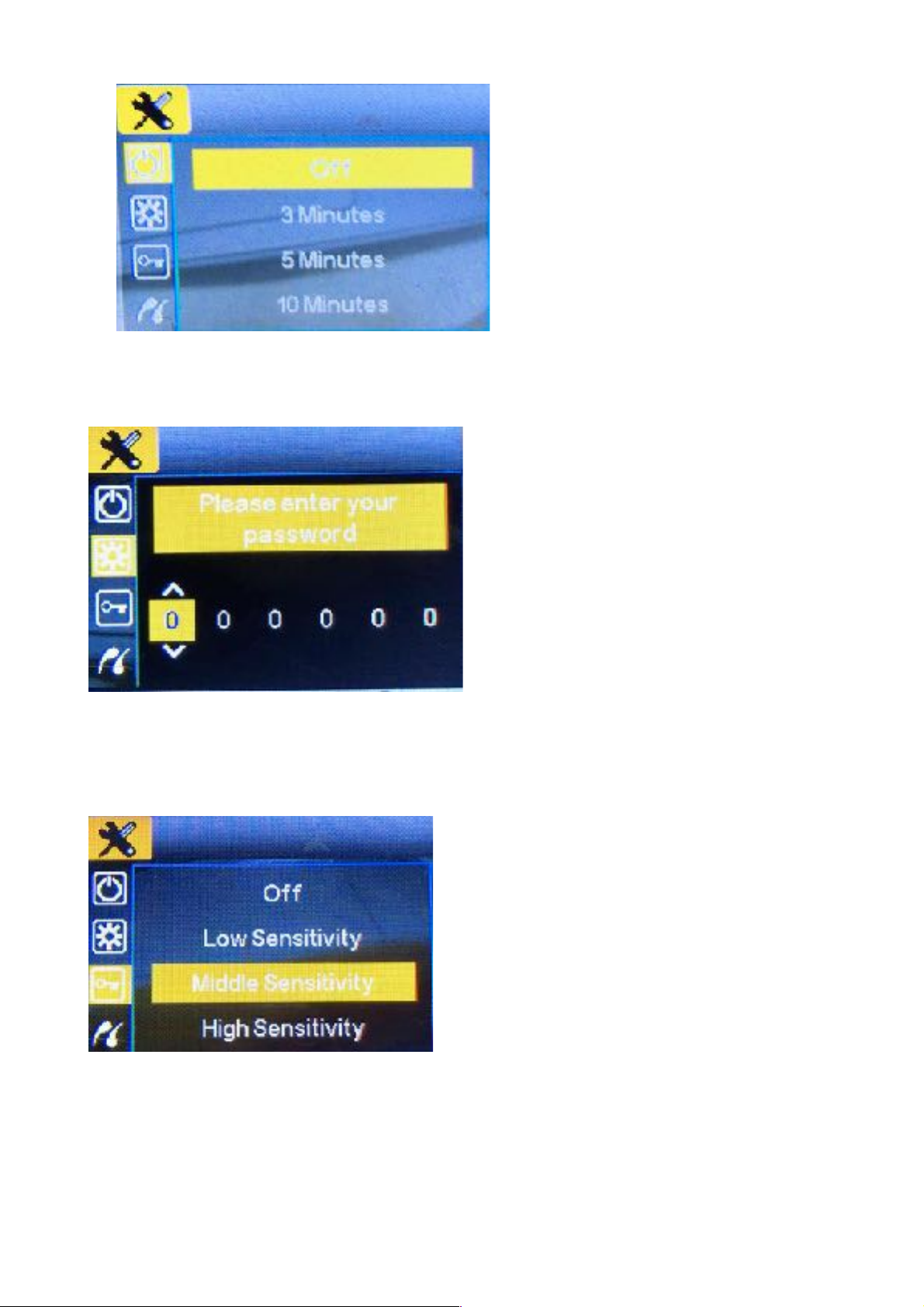
4.System'Setup'
K(-1'#21)**#3LM#3#6+7-&#N9)&+#6+7-&O#'-#)&')1#'()#1)8-1,:&@#9-,)"#
=-&@#21)**#DLPE#P)A#/@/:&#'-#)Q:*'"#C1)**#D?-.&E#M)A#'-#8(--*)#/&A#:')9*"#
K81))&#*(-.*#;:P)#6);-.R#