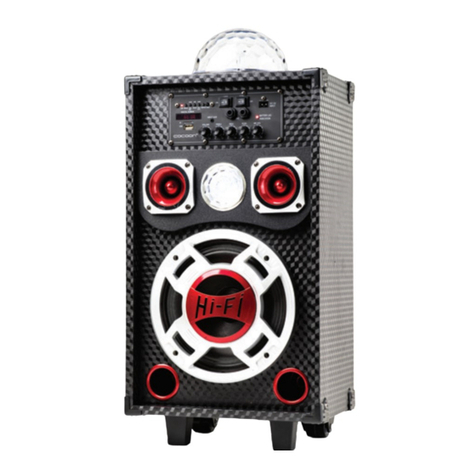
Product Overview
Control Panel
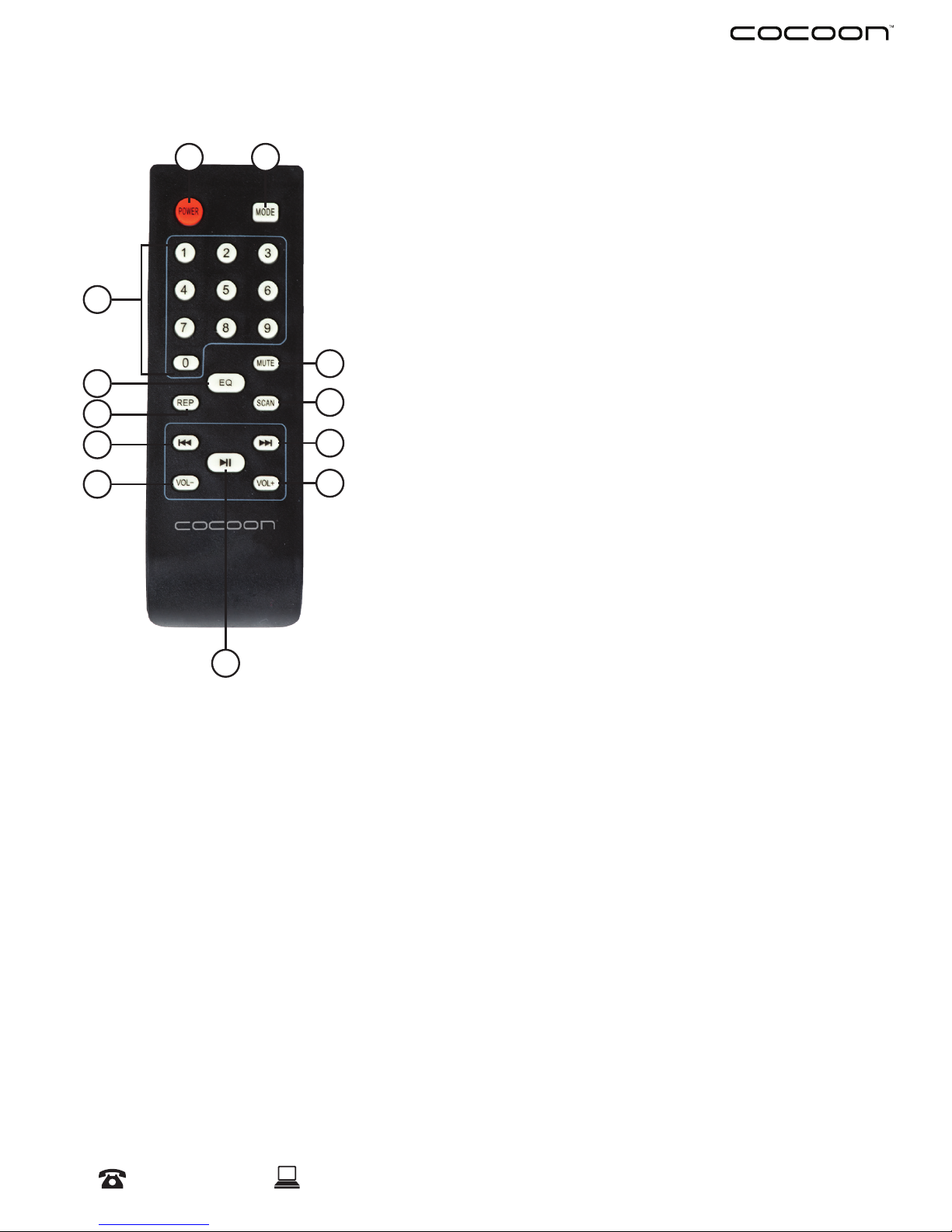
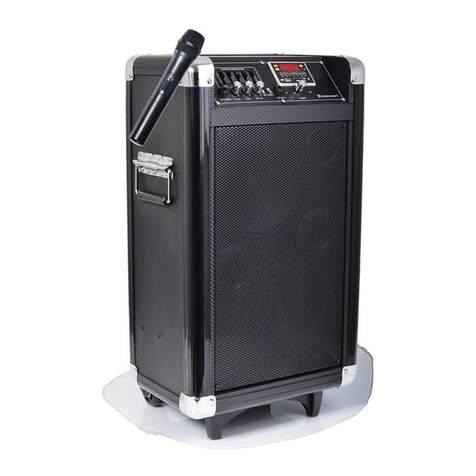
1. Power LED: Illuminates when DJ Speakers are powered on
2. MODE Button: Change between AUX, FM and Bluetooth modes
3. PREV Button: Navigate to the previous track or FM station
4. PLAY Button: Play/Pause the current track, or use to scan for available FM stations
5. NEXT Button: Navigate to the next track or FM station.
6. REPEAT Button: Repeat a single MP3 le (ONE) or play through all MP3 les (ALL)
7. REM: Infrared sensor for the remote
8. LED Switch: Turn on the Party Lights for the ultimate entertainment experience!
9. POWER Switch: Turn on the DJ Speaker system
10. Mic Input Port (x2): Connect a wired microphone using this 6.5mm audio port
11. DC 12V Input Port: 12V DC input terminal for connecting to an external battery
12. Battery LED Indicator: Indicates if battery is charging (RED) or fully charged (GREEN)
13. MIC VOL Dial: Control the microphone volume level
14. ECHO Dial: Control the sound of the microphone echo
15. BASS Dial: Control the sound of the bass
16. TREBLE Dial: Control the sound of the treble
17. Input Aux Port: Connect your audio device using the included Aux Cable
18. VOLUME Dial: Control the audio output volume of the current playback mode
19. USB Port: Input a USB (FAT32 Format) for MP3 Playback
20. TF Port: Input a Micro SD Card (FAT32 Format) for MP3 playback
21. Digital Screen: Displays the currently set mode, FM station or playback time
1
2
3
4
5
6
7
1314151618 1719
20
21
8 9 10
12
11