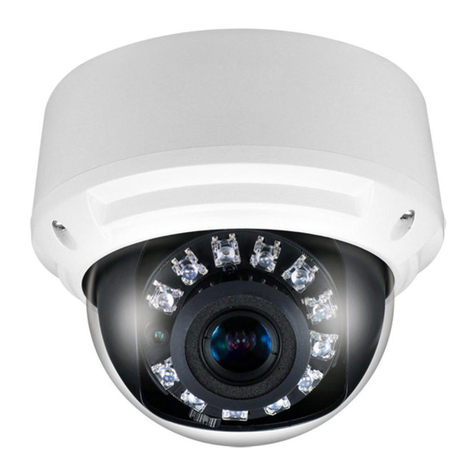
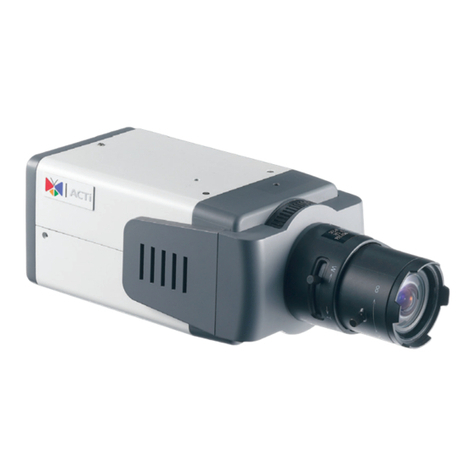
DAY & NIGHT CAMERA WITH
BUILT IN
INFRARED LEDs
ART.40678
操作手冊
操作手冊操作手冊
操作手冊
Please read before using
1. Please read the service manual in details before using.
2.
Don't try to disassemble the chassis or the part easily , in case
that touch the power by mistake , is shocked by electricity the
danger or caused inside parts to be damaged ,
3.
Do not attempt to service this unit yourself unless you are
authorized to do so. Opening cover may exposure you to
dangerous voltage or other hazards. Refer all servicing to
qualified personnel only.
4. When being regular, please lock the parts firmly first to
Please connect correctly in accordance with the regulation ,
prevent the machine from using , or striking improperly.
6.
Please don't use any organic solution or the corrosively sanitizer
insert and wipe away the chassis outside . While inserting and
wiping away, please turn off the power , and use t
is stained with letting a small amount of branch water, insert and
wipe away appearance.
7. Please don't use the camera under the f
environments: Temperature is lower than -
Centigrade, or is higher than +50 degrees Centigrade.
4
SAFETY PRECAUTIONS
CONTENT TABLE
CONTENT TABLE…………………………………………..………………. 2
FCC STATEMENT…………………………………………………………… 3
SAFETY PRECAUTIONS………………………………………................. 4
FUNCTION…………………………………………………………………… 5
SENSOR ……………………………………………..……………. 5
LENS ………………………………………..……………………… 5
IR LED…..……………………………..…………………………... 5
Scaffold….………………………………………………………….. 6
Sunshade………………………….……………………………….. 6
Power and Video Output Jack…………………………………… 6
INSTALL STEP……….. …………………………………………………….. 7
SPECIFICATIONS …….…………………………………………………….. 8
DIMENSION…………………………………………………………………... 9
The lightning flash with arrowhead symbol, within an
teral triangle, is intended to alert the user to the
presence of insulated dangerous Voltage within the
s enclosure that may be sufficient magnitude
to constitute risk of electrical shock to persons.
The exclamation point within an equilateral tri
intended to alert the user to the presence of important
operation and maintenance (servicing) instructions in
the literature accompanying the appliance.
This device complies with Part 15 FCC Rules. Operation is subject to the
following two conditions:
(1) This device may not cause harmful interference.
(2) This device must accept any interference received including
interference that may cause undesired operation."
* Federal Communications Commission (FCC) Statement
WARNING
This Equipment has been tested and found to comply with the limits for a
s B digital device, pursuant to Part 15 of the FCC rules. These limits
are designed to provide reasonable protection against harmful interference
in a residential installation. This equipment generates uses and can radiate
radio frequency energy and, if no
t installed and used in accordance with
the instructions, may cause harmful interference to radio communications.
However, there is no guarantee that interference will not occur in a
particular installation. If this equipment does cause harmful interferenc
radio or television reception, which can be determined by turning the
equipment off and on, the
ser is encouraged to try to correct the
interference by one or more of the following measures:
- Reorient or relocate the receiving antenna.
- Increase the separation between the equipment and receiver.
- Connect the equipment into an outlet on a circuit different from that to
which the receiver is connected.
- Consult the dealer or an experienced radio/TV technician for help.
* You are cautioned that changes or modifications not expressly approved
by the party responsible for compliance could void your authority to operate
FCC STATEMENT
Via Don Arrigoni, 5 24020 Rovetta S. Lorenzo (Bergamo)
http://www.comelit.eu e-mail:export.department@comelit.it