manuals.online logo
Brands
  1. Home
  2. •
  3. Brands
  4. •
  5. Contour
  6. •
  7. Digital Camera
  8. •
  9. Contour + 1500 User manual

Contour + 1500 User manual

Other manuals for + 1500

1

Other Contour Digital Camera manuals

Contour Camera User manual

Contour

Contour Camera User manual

Contour Camera User manual

Contour

Contour Camera User manual

Popular Digital Camera manuals by other brands

Canon WP-DC35 user guide

Canon

Canon WP-DC35 user guide

Xiaomi 70mai Dash Cam Lite user manual

Xiaomi

Xiaomi 70mai Dash Cam Lite user manual

Samsung PL70 Quick start manual

Samsung

Samsung PL70 Quick start manual

GE E1680W user manual

GE

GE E1680W user manual

Canon EOS 1200D instruction manual

Canon

Canon EOS 1200D instruction manual

Tevion MD 86497 user guide

Tevion

Tevion MD 86497 user guide

Exakta VX Features

Exakta

Exakta VX Features

Kodak Digital Science DC120 user guide

Kodak

Kodak Digital Science DC120 user guide

Nikon FM3A Specifications

Nikon

Nikon FM3A Specifications

Vectra Fitness H1 Quick reference guide

Vectra Fitness

Vectra Fitness H1 Quick reference guide

Nikon COOLPIX 775 quick start guide

Nikon

Nikon COOLPIX 775 quick start guide

Olympus IR 500 - 4MP Digital Solutions Camera Manuel de Référence

Olympus

Olympus IR 500 - 4MP Digital Solutions Camera Manuel de Référence

Samsung EC-L100ZBBA brochure

Samsung

Samsung EC-L100ZBBA brochure

FujiFilm FINEPIX BL01124-201 owner's manual

FujiFilm

FujiFilm FINEPIX BL01124-201 owner's manual

Panasonic DMC-L10KPP Service manual

Panasonic

Panasonic DMC-L10KPP Service manual

Hyundai Electric HYU-CC-CHBF12001 Quick installation guide

Hyundai Electric

Hyundai Electric HYU-CC-CHBF12001 Quick installation guide

Sony DSC-WX80 specification

Sony

Sony DSC-WX80 specification

Nikon Nuvis S - Point & Shoot instruction manual

Nikon

Nikon Nuvis S - Point & Shoot instruction manual

manuals.online logo
manuals.online logoBrands
  • About & Mission
  • Contact us
  • Privacy Policy
  • Terms and Conditions

Copyright 2025 Manuals.Online. All Rights Reserved.

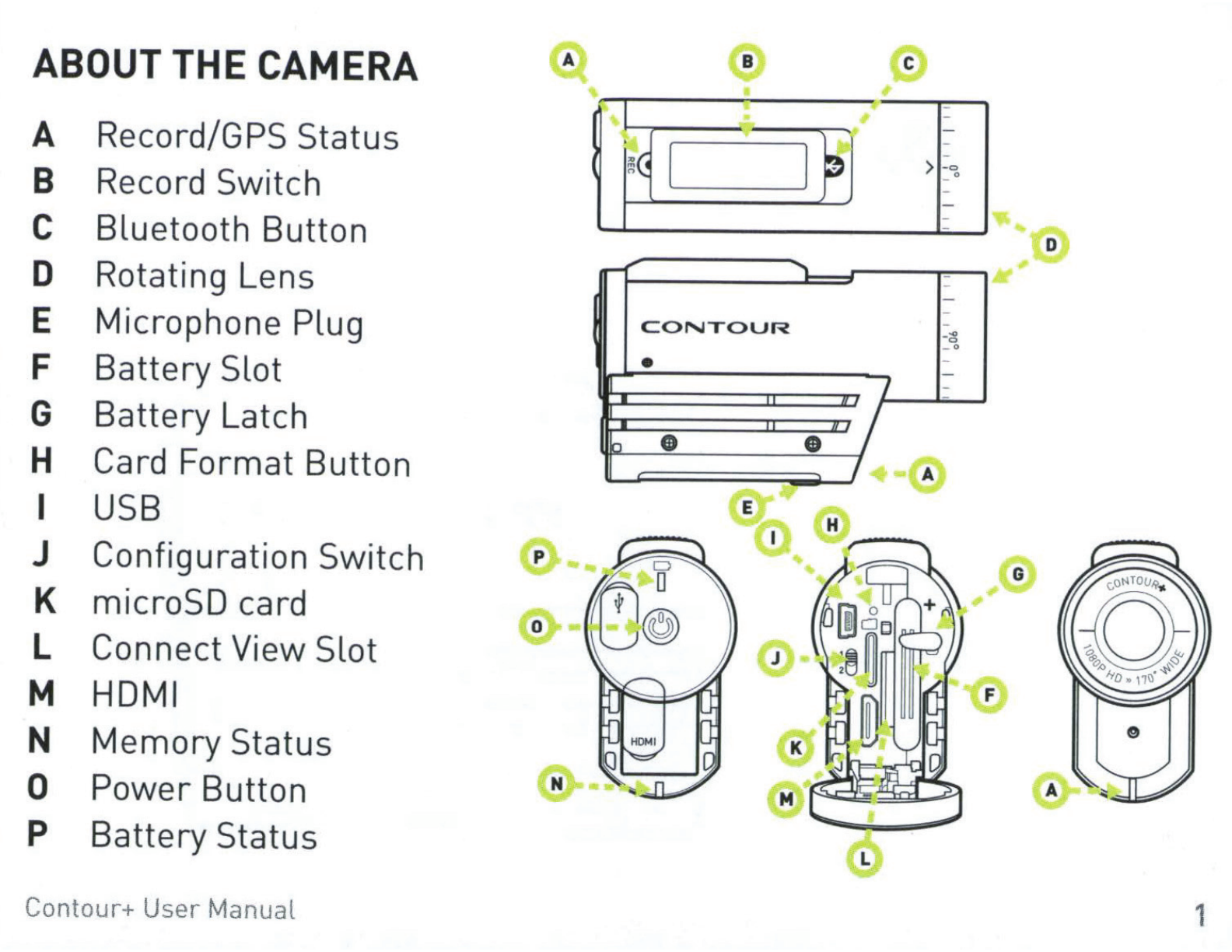
ABOUT
THE
CAMERA
A Record/GPS Status
8 Record Switch
c Bluetooth Button
D Rotating Lens
E Microphone Plug
F Battery Slot
G Battery Latch
H Card Format Button
I
USB
J Configuration Switch
K microSD card
L Connect View Slot
M
HOM
I
N
Memory
Status
0 Power Button
p Battery Status
Contour+
User
Manual
0
0
N
c
I ,
-
-
-
• I I -
~
~
~
>
-o
_ o
-
-I•
0
....
~
""'"
-
-
-
CONTOUR
-~
_ o
• -
I -
T
lTI
D
• • I A
[,
:
G
1
2
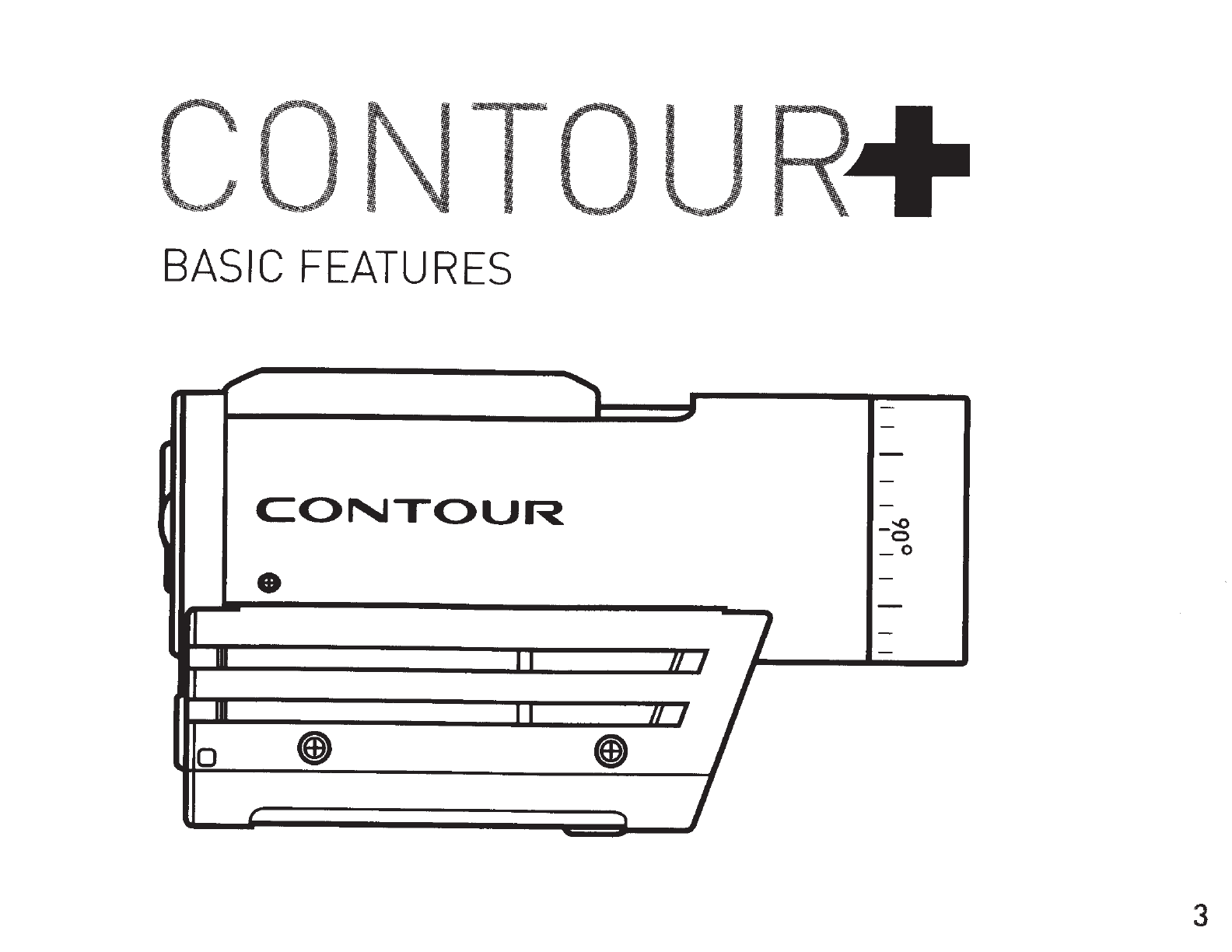
BASIC
FEATURES
,
-
-
CONTOUR
-
_-..o
0
_o
• -
-
~
I -
-
Ill I I
Ill
~
II
I I
Ill
0 • •
r
..,
I
3
+
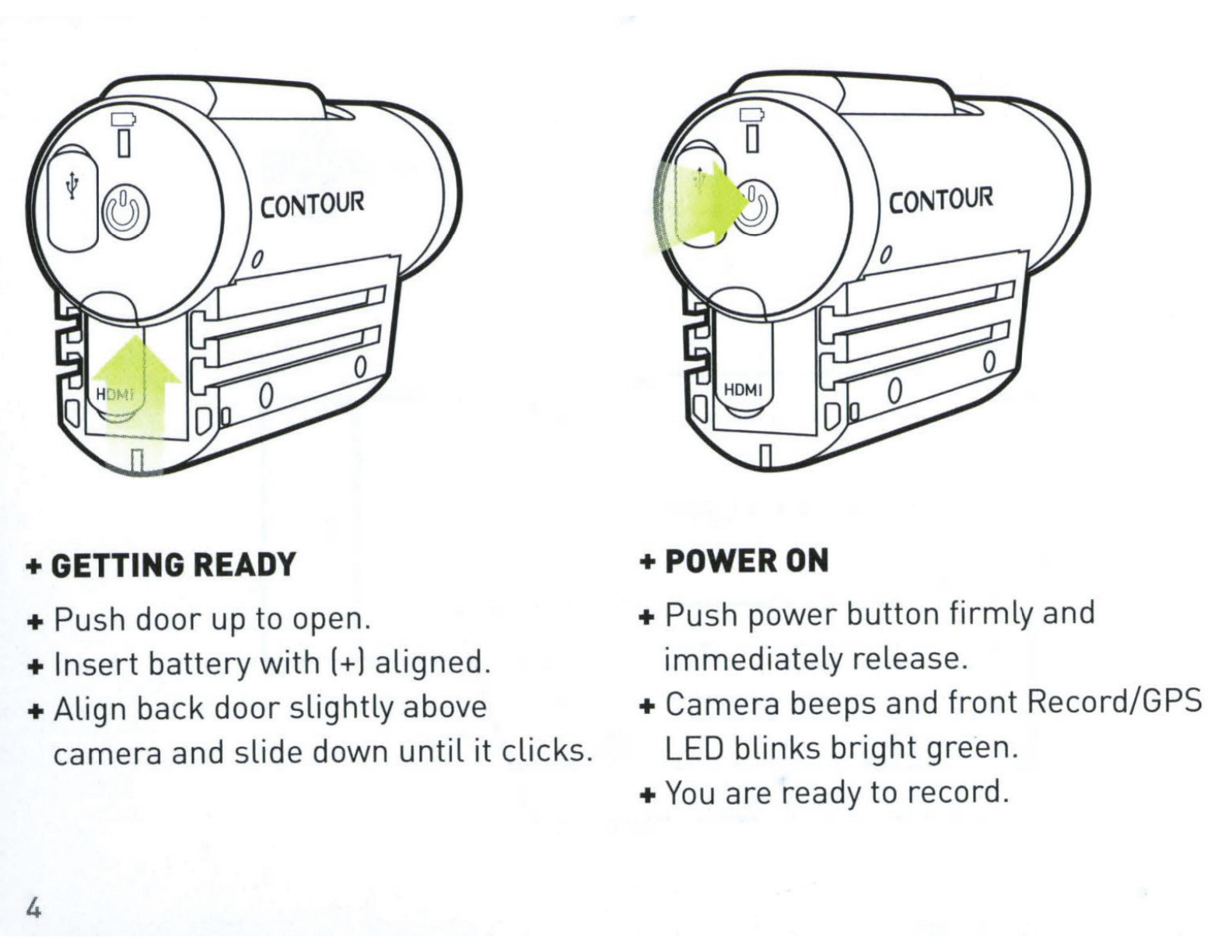
GETTING
READY
+Push
door
up to open.
+
Insert
battery
with
(+)
aligned.
+A
lign back
door
slightly
above
camera and slide down
until
it
clicks.
4
+POWER
ON
+ Push
power
button
firmly
and
immediately
release.
+ Camera beeps and
front
Record/GPS
LED blinks
bright
green.
+
You
are ready to record.
-
-
-
~(!)
[ l
-
I
STOP
START
>
-o
0
-
-
-
-
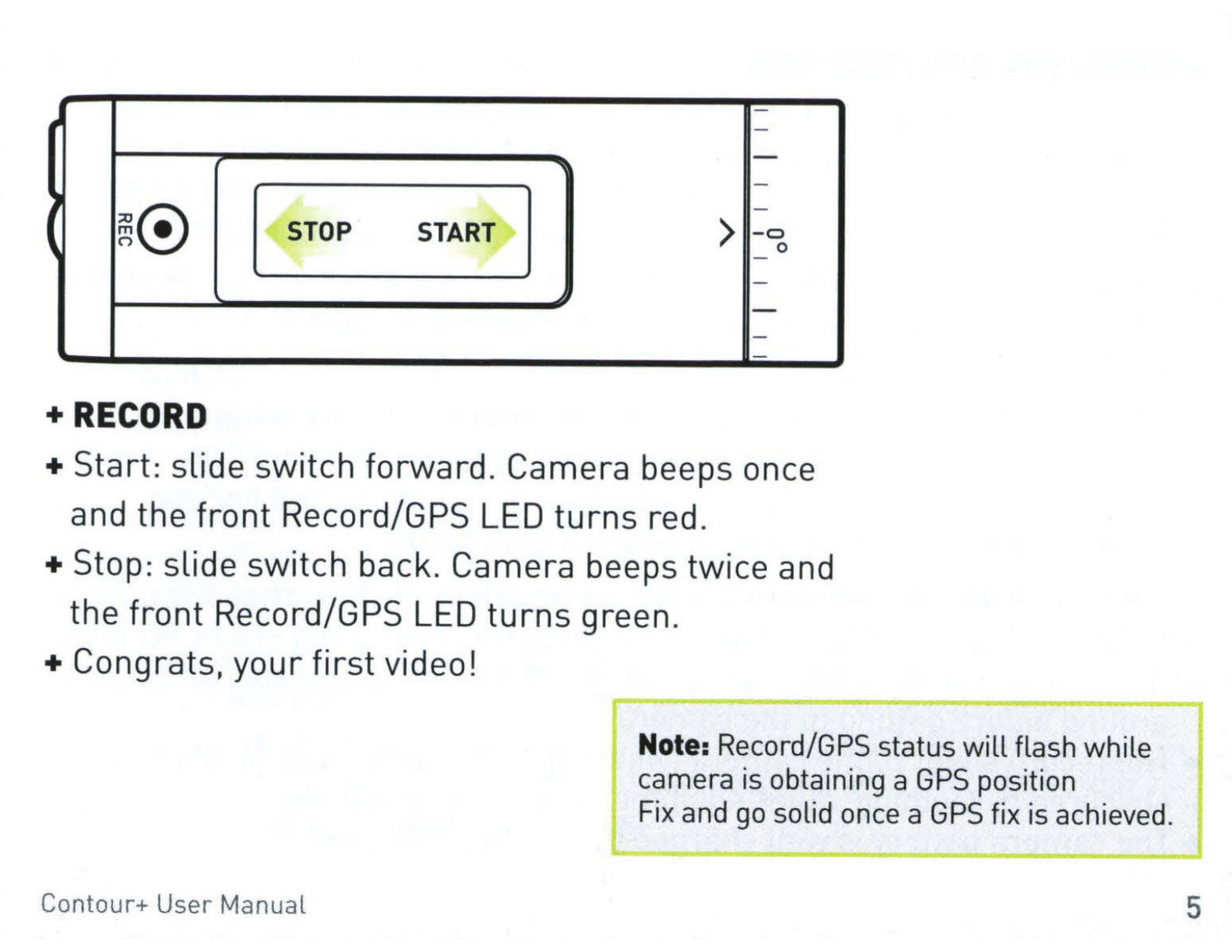
+RECORD
+Start:
slide
switch
forward.
Camera
beeps once
and
the
front
Record/GPS LED
turns
red.
+Stop:
slide
switch
back.
Camera
beeps
twice
and
the
front
Record/GPS LED
turns
green.
+ Congrats,
your
first
video!
Contour+ User Manual
Note:
Record/GPS
status
will
flash while
camera
is
obtaining a
GPS
position
Fix
and
go
solid
once
a
GPS
fix
is
achieved.
5
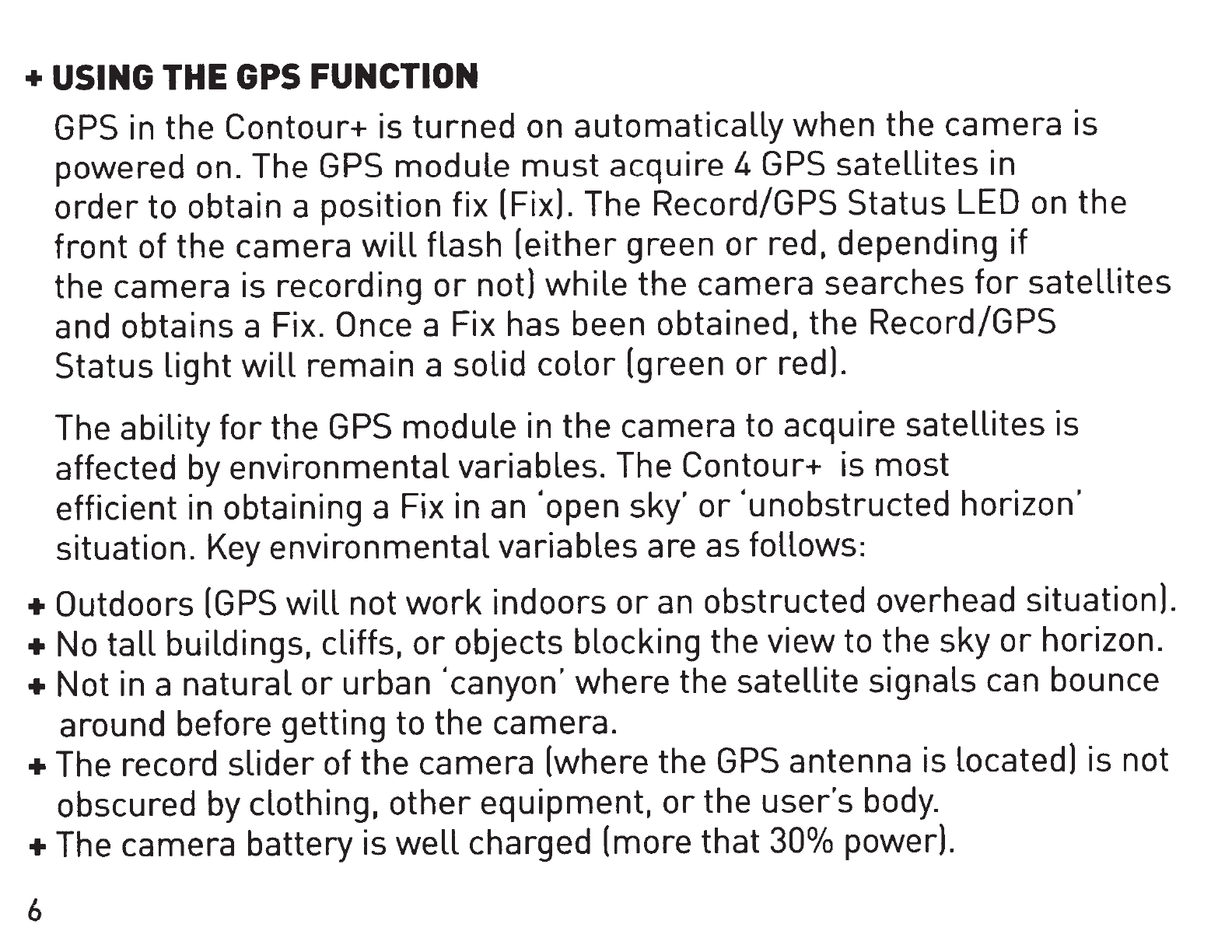
+USING
THE
GPS
FUNCTION
GPS
in the Contour+ is
turned
on automatically when the camera is
powered on. The
GPS
module
must
acquire 4
GPS
satellites
in
order
to obtain a position fix (Fix). The Record/GPS Status
LED
on
the
front
of the camera
will
flash (either green
or
red, depending
if
the camera is recording
or
not)
while
the camera searches
for
satellites
and obtains a Fix. Once a Fix has been obtained, the Record/GPS
Status
light
will
remain a solid
color
(green
or
red).
The ability
for
the
GPS
module in the camera to acquire satellites is
affected
by
environmental variables. The Contour+ is most
efficient in obtaining a Fix in
an
'open sky'
or
'unobstructed horizon'
situation.
Key
environmental variables are as follows:
+ Outdoors
(GPS
will
not
work
indoors
or
an
obstructed overhead situation).
+
No
tall
buildings, cliffs,
or
objects blocking the view to the sky
or
horizon.
+Not
in a natural
or
urban 'canyon' where the satellite signals can bounce
around before getting to the camera.
+The
record
slider
of the camera (where the
GPS
antenna is Located) is not
obscured
by
clothing,
other
equipment,
or
the user's
body.
+The
camera battery is
well
charged (more that
30°/o
power).
6
+ No
other
electronic devices nearbythat are
emitting electronic noise that
could interfere
with
the camera's antenna.
+ No trees overhead.
+The
camera is stationary
until
a Fix is acquired.
Note: The Contour+
will
still
record video
even if the
GPS
system
has
not
obtained a Fix.
' ·
·'
· ;·: ,.
,\•
.'
~,
· ·, •·
;.'
' ·,
•.
•
•.
,
,-
, I 1 , "" .
,,I
•,; .
;,
I I
'.'
,
Under ideal condition (as described above), the Contour+ camera
will
typically obtain a Fix
within
30 to
60
seconds. If your camera has
not obtained a Fix within 4 minutes, power down the camera. remove
the battery
for
at
Least
10
seconds.
re-install
the battery, and
power up the camera. This process
will
reset the
GPS
module.
If the Contour+ had obtained a Fix within two to four hours from being
powered off and the battery has remained in the camera, then the camera
will
typically obtain a Fix in less than
30
seconds when powered back up.
Connect the Contour+ to
Storyteller
or
use the mobile app
tool
to
automatically load the AssistNowfile onto the microSD card and into
the camera's memory. This file contains
current
data pertaining to
deviations in
GPS
satellite
orbits
and can help the
GPS
module obtain
a Fix faster (often
30
seconds
or
less).
Contour+ User Manual 7

8
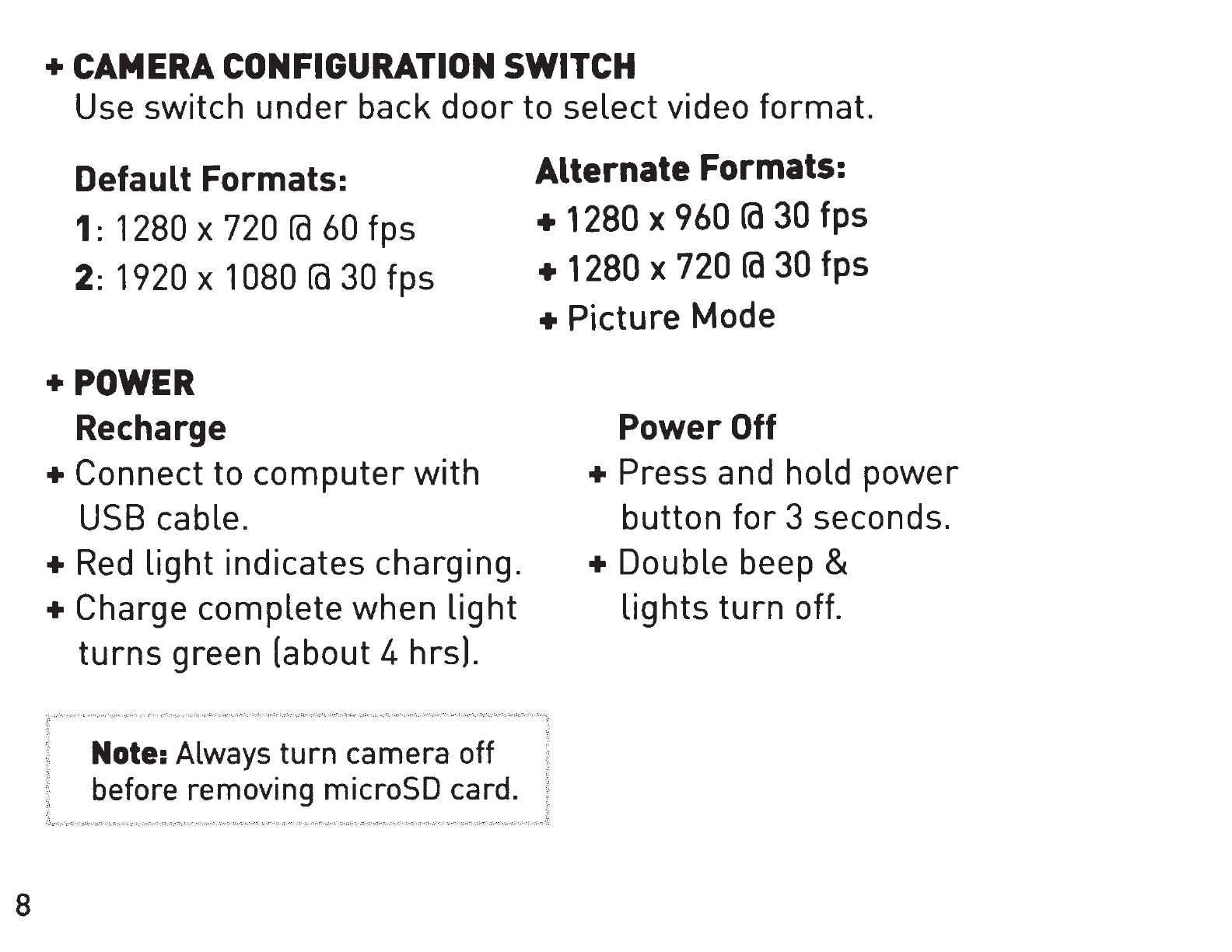
+CAMERA
CONFIGURATION
SWITCH
Use
switch
under
back
door
to
select
video
format.
Default Formats:
1:
1280 X 720
ra
60 fps
2:
1920 X 1080
fa
30
fps
+POWER
Recharge
+ Connect
to
computer
with
USB cable.
+Red
light
indicates
charging.
+ Charge
complete
when
light
turns
green (about 4 hrs).
Note: Always turn camera
off
before removing microSD card.
Alternate Formats:
+
1280
X
960
fa
30
fps
+
1280
X
720
fa
30
fps
+
Picture
Mode
Power
Off
+
Press
and hold
power
button
for
3 seconds.
+ Double beep &
lights
turn
off.
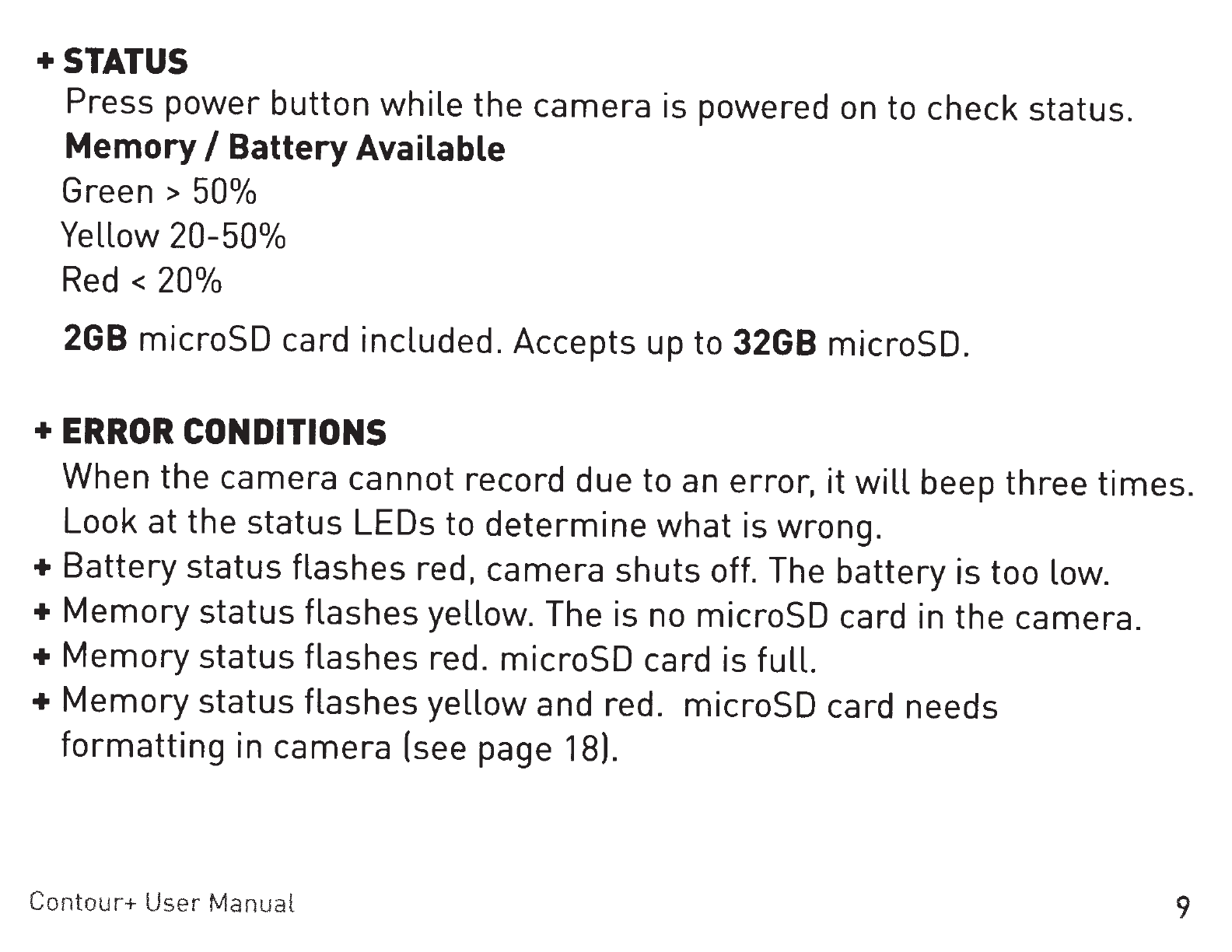
+STATUS
Press
power
button
while
the
camera
is
powered
on
to
check
status.
MemoryI Battery Available
Green >
50°/o
Yellow
20-50°/o
Red <
20°/o
2GB
microSD
card
included.
Accepts
up to
32GB
microSD.
+ERROR
CONDITIONS
When
the
camera
cannot
record
due
to an
error,
it
will
beep
three
times.
Look
at
the
status
LEOs
to
determine
what
is
wrong.
+Battery
status
flashes
red,
camera
shuts
off. The
battery
is
too
low.
+
Memory
status
flashes
yellow.
The is no
microSD
card in
the
camera.
+Memory
status
flashes
red.
microSD
card
is
full.
+
Memory
status
flashes
yellow
and
red.
microSD
card
needs
formatting
in
camera
(see page 18).
Contour+ User Manual
9