Crown International
1718 W. Mishawaka Rd.
Elkhart, IN 46517-9439
TEL: 574-294-8200
FAX: 574-294-8FAX
Customer Service: 800-342-6939
or 574-294-8200.
www.crownaudio.com
8/07 140318-1A
Specifications
Performance
Frequency Response (at 1 watt, 20 Hz - 20 kHz):
±0.25dB.
Signal to Noise Ratio below rated full-bandwidth power,
A-weighted: > 105 dB.
Total Harmonic Distortion (THD) at full rated power:
< 0.35%.
Intermodulation Distortion (IMD) 60 Hz and 7 kHz at
4:1, from full rated output to –35 dB: < 0.35%.
Damping Factor (20 Hz to 100 Hz at 8 ohms): > 5000.
Crosstalk (below rated power, 20 Hz to 1 kHz):
> 80 dB.
Common Mode Rejection (CMR) (20 Hz to 1 kHz):
> 50 dB.
DC Output Offset (shorted input): < ± 3 mV.
Input Impedance (nominal): 20 kilohms balanced,
10 kilohms unbalanced.
Maximum Input Level: +15 dBu or +21 dBu, depending
on input sensitivity.
Latency (analog, digital inputs): 1.13 mS analog, 1.81
mS digital (96 kHz).
A/D, D/A Converters: 24-bit 96 kHz Cirrus Logic.
Digital Input: AES/EBU, 24-bit, 32-96 kHz. Onboard
sample-rate converter.
Network: Onboard TCP/IQ and HiQnet, compatible with
standard 100 Mb Ethernet hardware.
DSP: 24-bit conversion with 32-bit, floating-point DSP
processing. Has 64 assignable filters with 9 different filter
types. Includes all-pass filters, over 2 seconds of delay
available per channel, and dual uncorrelated-noise and
sine-wave generators.
Load Supervision: Monitors the average impedance on
the output of the amplifier. If the impedance falls outside
the specified high/low limits, this function alerts the user
via the front panel display, and via System Architect or
IQwic™ software.
Error Reporting: Reports clip errors, thermal errors, fault
conditions and load monitoring errors for each channel
via the front panel display and via System Architect or
IQwic software when amp is on a network.
Attenuators: Speed sensitive, continuously variable rotary
encoder, 0.5 dB steps, range 0 to –100 dB.
Load Impedance: (Note: Safe with all types of loads)
Stereo: 1/2/4/8/16 ohms.
Bridge Mono: 2/4/8 ohms.
Input Sensitivity (referenced to 8 ohm rated output):
Adjustable in 0.1V steps from 1.4V to 7.75V.
Voltage Gain (referenced to 8 ohm rated output):
I-T4000: 37.1 dB to 22.2 dB
I-T6000: 37.9 dB to 23.0 dB
I-T8000: 39.3 dB to 24.5 dB
Required AC Mains: Universal AC input, 100-240VAC,
50/60 Hz (±15%). Maximum AC mains voltage 277VAC.
AC Line Connector: Five cordsets supplied with amplifier
(USA, UK, European, Australia, India).
Front Panel Controls and Indicators
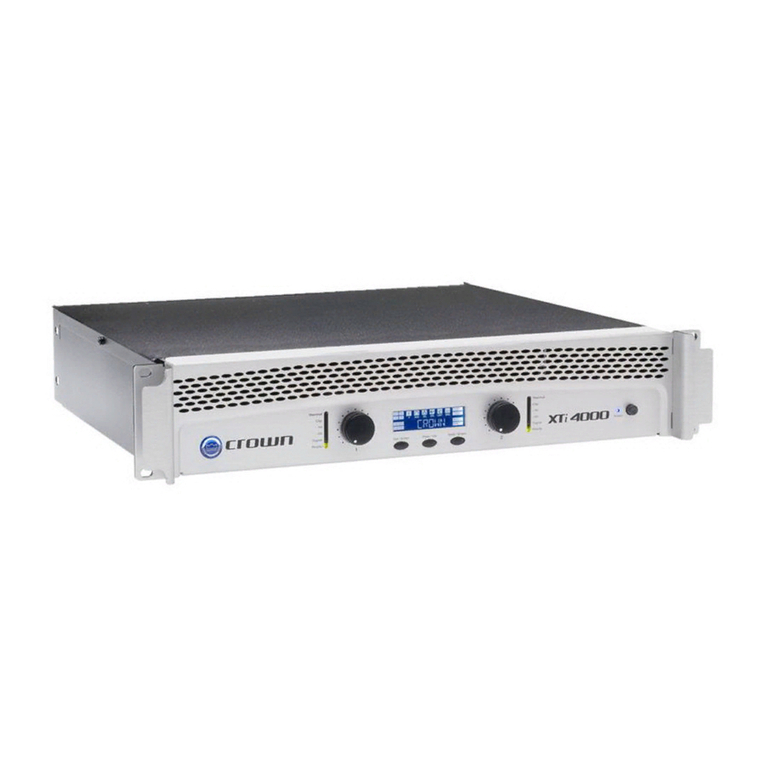
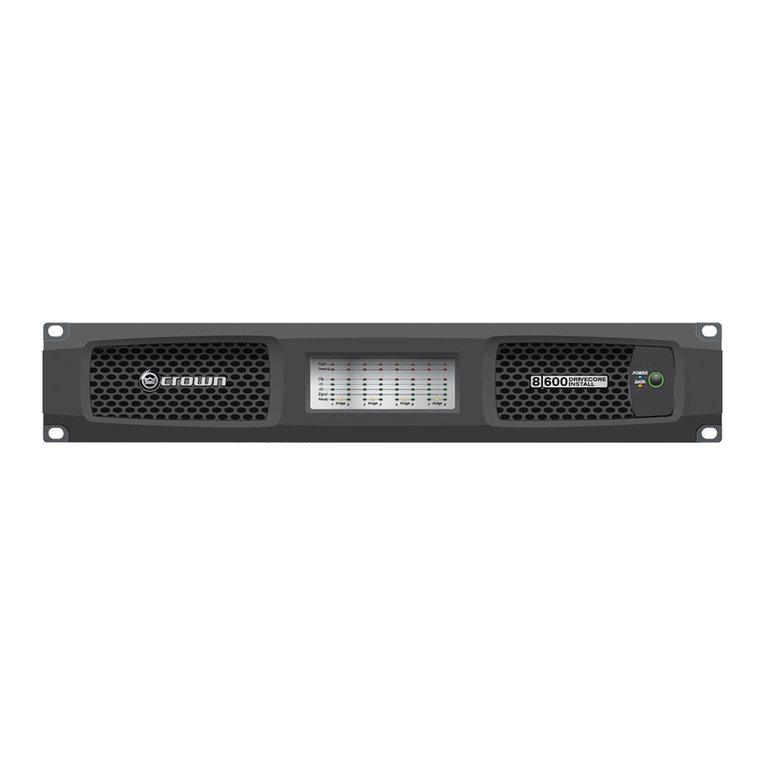
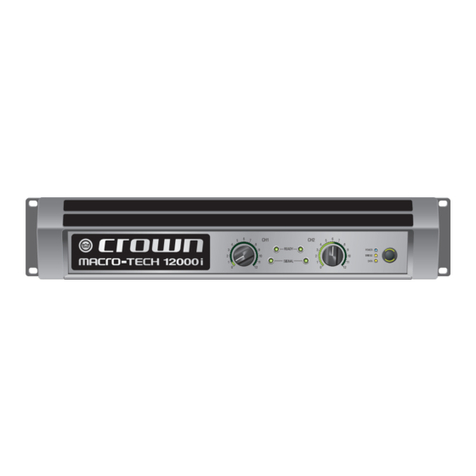
Bridge Mode Indicator: Yellow LED illuminates when the
amplifier is set to Bridge-Mono mode.
Ready Indicator: Green LED, one per channel, illuminates
when the channel is initialized and ready to produce audio
output. Indicator is off when the amplifier is in standby
mode via the control software.
Signal Indicators: Three green LEDs per channel indicate
the amplifier’s input and output signal levels.
Signal: input signal is above –40 dBu.
–20 dB: amplifier output is 20 dB below clipping.
–10 dB: amplifier output is 10 dB below clipping.
Clip Indicator: Red LED, one per channel, illuminates
when the channel’s output signal reaches the onset of
audible clipping. The Clip Indicator also will illuminate
during Thermal Level Control (TLC) limiting.
Thermal Indicator: Red LED, one per channel, illuminates
when the channel has shut down due to thermal stress
or overload.
Fault Indicator: Red LED, one per channel, flashes when
the amplifier output channel has stopped operating.
Data Indicator: Yellow LED indicates network data activ-
ity. Data indicator flashes only when the amplifier is polled
for data, or is polled to see whether it is online
Power Indicator: Blue LED indicates amplifier has been
turned on and AC power is available. The LED will flash
when the AC line voltage is 15% above or below the
nominal rated value.
AC Mains Present Indicator: Green indicator built into
power switch indicates AC power is present at the power
cord and the amplifier circuit breaker is in the “on”
position.
LCD Control Screen and Controls: These let the user
adjust the amplifier’s attenuation and muting, configure
the amp, set up and view error monitoring (such as tem-
perature and load supervision), and recall DSP presets.
The presets allow the user to quickly reconfigure the amp
for various applications.
LCD Control Screen: Integrated LCD with white LED
backlight, controls amplifier setup and operation.
Normal mode: Attenuation in 0.5 dB steps, Mute/
Unmute, Front Panel Lockout.
Basic Menu: LCD Contrast, CH1 Sensitivity, CH2 Sen-
sitivity, Speaker Preset, Dual/Bridge mode, Input Y.
Advanced Menu: Attenuator Limits, Attenuator Link,
Clip Limiter, Peak Voltage Limiter, Average Power Lim-
iter, Pink Noise Generator, AES/EBU Input Trim, Input
Source, Maximum Analog Input, Meter Display Type.
Monitor Menu: Speaker Load, Thermal %, AC Voltage,
Operating Time, Firmware, Manufacturing Info, Net-
working, Thermal Errors, Clip Errors, Low Limit Load
Errors, High Limit Load Errors, Line Voltage Errors.
Menu/Exit Button: “Menu” enters the main menu.
“Exit” gets out of the Menu.
Next Button: Selects the next item in the Menu.
Prev Button: Selects the previous item in the Menu.
Level Controls (Encoders): Speed-sensitive rotary
encoders, 0.5 dB steps, range 0 to –100 dB. These
two knobs affect the Channel-1 and Channel-2 output
levels. They also select Menu items and adjust param-
eter values that are displayed on the LCD Control
Screen.
Power Switch: Push-on/push-off switch with built-in
green AC mains present indicator.
Back Panel Controls, Indicators and Connectors
Power Cord Connector: Standard 20 amp IEC inlet. Volt-
age range is indicated above IEC inlet.
Reset Switch/Circuit Breaker: If the current draw of the
amplifier exceeds safe limits, this breaker automatically
disconnects the power supply from the AC mains. The
switch resets the circuit breaker.
Output Connectors: Two high-current, 50A Neutrik®
Speakon®NL4MLP (mates with NL4FC or NL4), one per
channel. Two pairs of high-current, 60A color-coded 5-
way binding posts (for banana plugs, spade lugs or bare
wire). Two male XLR passive analog loop through. XLR
active/re-clocked AES/EBU digital loop through.
Analog Input Connectors: A 3-pin female XLR connector
for each channel.
Digital Input Connector: A 3-pin female XLR connector
that accepts a digital signal in the AES/EBU format.
Network Connector: This Ethernet connector accepts an
RJ-45 connector for TCP/IQ or HiQnet networking. Built
into the connector is a yellow LINK ACT indicator that
shows network activity, and a green 100Mb indicator that
shows a 100Mb network connection.
Data Indicator: Yellow LED indicates network data activ-
ity. Data indicator flashes only when the amplifier is polled
for data, or is polled to see whether it is online.
Preset Indicator: Yellow LED flashes to signal the number
of the current preset if active.
Construction
Cooling: Dual-zone, microprocessor controlled, continu-
ously variable speed fans, front-to-back airflow.
Front Panel: Cast aluminum with integrated handles.
Dimensions: 19 in. (48.3 cm) W x 3.5 in. (8.9 cm) H x
16.2 in. (41.1 cm) D.
Weight: 28 lbs (12.7 kg) net, 36 lbs (16.3 kg) shipping.
Included Accessories: Rear rack ears, rack screws,
operation manual, power cords, foam air filter.
Specifications subject to change without prior notice. Latest
information available at www.crownaudio.com.
Crown Audio is a registered trademark of Crown International.
HiQnet is a trademark of Harman International Industries, Inc.
Other trademarks are the property of their respective owners.
Printed in U.S.A.
© 2007 Crown Audio®Inc
I-Tech Series