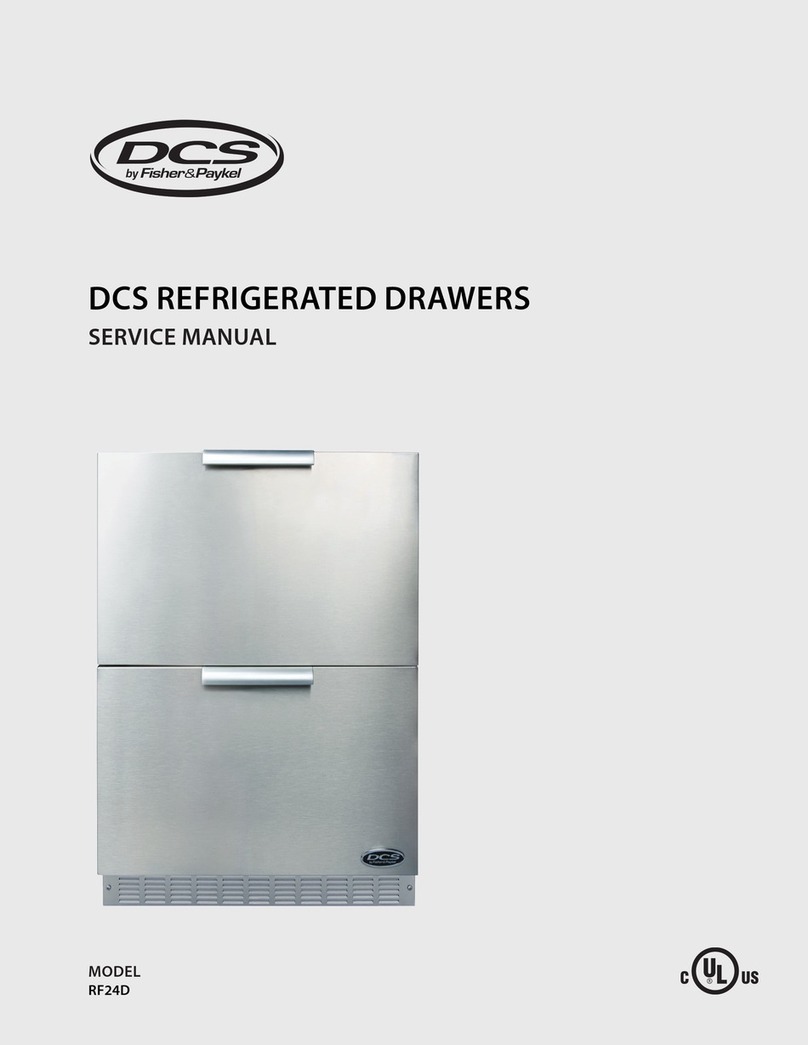
DCS ADR148 Installation guide

THE PROFESSIONAL ACCESS DRAWERS
Use and Care and Installation Guide
MODELS:
ADR148 ADR130
ADR136 ADR124


1
Thank you for selecting these DCS by Fisher & Paykel Professional Access Drawers. Because of this product’s unique features
we have developed this Installation Guide. It contains valuable information on how to properly install and maintain your
new Professional Access Drawers for years of safe and enjoyable use.
To help serve you better, please fill out and submit your Product Registration by visiting our website at www.dcsappliances.
com and selecting “Customer Care”on the home page and then select “Product Registration”. In addition, keep this guide
handy, as it will help answer questions that may arise as you use your new Access Drawers.
For your convenience, product questions can be answered by a DCS by Fisher & Paykel Customer Care Representative at
1-888-936-7872, or email: customer.care@fisherpaykel.com.
NOTE: Inspect the product to verify that there is no shipping damage. If any damage is detected, call the shipper and initiate
a damage claim. DCS by Fisher & Paykel is not responsible for shipping damage.
DO NOT discard any packing material (box, pallet, straps) until the unit has been inspected.
FOR YOUR SAFETY
Do not allow children or pets to play in or around the Access Drawers.1.
Clean the Access Drawers regularly using a mild dish washing liquid and water.2.
To maintain the exterior appearance, apply a stainless steel polish to the outside surfaces on a regular basis.3.
Sanitize the Access Drawers surfaces each season as necessary.4.
To prevent the formation of mold or mildew, do not store cloth napkins or tablecloths in the Access Drawers for long5.
periods.
Cooking utensils that are stored in the Access Drawers should be stored in6.
sealable plastic bags and/or washed each time before re-use.
To prevent personal injury or damage to the drawers, do not overload them.7.
The maximum rating per drawer is 75 pounds.
A MESSAgE TO OUR CUSTOMERS
WARNINg
Do Not store or use gasoline or other flammable vapors and liquids inside or in the vicinity of this or any other1. appliance.
An LP cylinder not connected for use shall not be stored inside or in the vicinity of this unit.2.
• Closing drawers may cause injury to
your hands or fingers.
• Always close or open drawers using
their handles.
• Be sure to keep hands away from
drawer edges when opening or
closing drawers.
WARNING
Note: Please write the model, code, and serial numbers on this page for reference (located on the sticker on the rear brace in
the tank side - see Fig. 04).
Model number Code Serial number

2
TAblE OF CONTENTS
SAFETY PRACTICES AND PRECAUTIONS
Begin by insuring proper installation and servicing.1.
Follow the installation instructions in this manual.2.
To extend the service life of your product, be sure to follow the use and care guidelines in this manual.3.
WARNINg:
Do not store items of interest to children above or on the inside of any appliance. Children could be seriously
injured if they should climb onto or into the appliance to reach these items.
PlEASE RETAIN ThIS MANUAl FOR FUTURE REFERENCE
SAFETY PRACTICES & PRECAUTIONS 2
MODEL IDENTIFICATION & DIMENSIONS 3
SHIPPING INSPECTION 3
CABINET PREPARATION 4
INSTALLATION
Make Cutout and Installing Support Structure 5
Removing Drawers 6
Slide in Access Drawers and Mount to Support Structure 6
Re-installing Drawers 7-8
CARE & MAINTENANCE 9
SERVICE 10
WARRANTY 1112

3
MODEl IDENTIFICATION & DIMENSIONS
ShIPPINg INSPECTION
Fig. 1
Inspect the Access Drawers to verify that there is no1.
shipping damage.
If any damage is detected, call the shipper and2.
initiate a damage claim. DCS by Fisher & Paykel is not
responsible for shipping damage.
NOTE: Do not discard any packing material (box, pallet,
straps) until the unit has been inspected.
Operate the drawers to be sure they glide smoothly.■
Examine the drawer fronts to be sure there are no dents or■
scratches or discoloring.
Fig. 1a
Fig. 2
ADR148
ADR136
ADR130 ADR124
DIMENSIONS
Model DW H F
ADR148 231/2” 48” 217/8” 2”
ADR136 231/2” 36” 217/8” 2”
ADR130 231/2” 30” 217/8” 2”
ADR124 231/2” 24” 217/8” 2”
F
W
H
D

4
CAbINET PREPARATION
Cabinet face should be clean and flat.■
All angles must be at 90■ºand plumb.
Support structure must be resistant to moisture damage.■
All gas lines and plumbing must be done before installing access drawers.■
Do not use any harsh products (acid, solvent, sealers) around this unit.■
Any cabinet and/or ground preparations must be completed prior to installation.■

5
INSTAllATION
MAkE CUTOUT AND INSTAll SUPPORT STRUCTURE
Make a cut-out in your cabinet or island with the following dimensions (Fig. 3):1.
Place 2 X 4s to provide support for the Access Drawers structure in the locations indicated in the figure below (Fig. 4).2.
Board lengths are provided in the table below (Fig. 5).3.
When installing your support boards, be4.
sure they are level.
Ensure that the bottom of the center
5.
divider rests on top of the support
boards as shown (Fig. 4).
Fig. 5
Fig. 4
island cutout
1/2" Bottom of center divider to
C
B
A
A
B
ED
Sticker location of
Model, Serial, Code Number
*
CUTOUT DIMENSIONS
Model A
0,+1/8” B
0,+1/8” C D
ADR148 46” 20” 1.0”min. 1.0”min.
ADR136 34” 20” 1.0”min. 1.0”min.
ADR130 28” 20” 1.0”min. 1.0”min.
ADR124 22” 20” 1.0”min. 1.0”min.
NOTE: Each corner of the cutout should be 90º for the Access Drawers to fit properly.
SUPPORT BOARD DIMENSIONS
Model A B C D E
48” 2 X 20” 11/2”* 31/2” min. 14 12
36” 20” 11/2”* 31/2” min. 14
30” 2 X 20” 11/2”* 31/2” min. 14 12
24” 20” 11/2”* 31/2” min. 14
To ensure proper drawer operation, be sure
your support boards are flat & level.
*Dependent on application. Top of 2x4’s
must be 1/2” above the bottom edge of
the cutout.
Fig. 6
For proper
support & drawer
operation, insure
that support
boards are level
front to back &
side to side.
Support Board (typical) Support Boards
(typical)
FRONT VIEW TYPICAL END VIEW TYPICAL
Fig. 3
A
90º
B
Vent*
Vent*
Vent*
C
D
* Island installation to use minimum of 3 vents
providing 10 sq. in. per vent (typical).

6
INSTAllATION
Fig. 7
REMOvINg DRAWERS
Once the unit has been inspected, remove the drawers by pulling them out until their slider latch is visible. Carefully push the1.
latch down on the left side while pulling up on the right side and pull the drawers completely out of the frame (Fig. 7).
To prevent damage to surfaces, place the drawers on a stable surface on a protective towel or table cloth.2.
TO REMOVE THE ADR124 DRAWER, pull the drawer out and lift the end by the handle to disengage the rollers (Fig. 8).
SlIDE IN FRAME AND MOUNT TO SUPPORT STRUCTURE
With the help of an assistant, lift the unit and slide it into the cabinet cutout. Adjust for level and fit.1.
Locate mounting holes on the frame (Fig. 9 and views). Secure the unit using screws suited for the type of cabinet material.2.
NOTE: Depending on the wall thickness and location of mounting holes, an additional board may be required to properly
receive the screws.
Fig. 9
Slider latch
11-3/4"
4-1/8"
1-3/8"
(Ø1/4" )
Anchor hole
15/16"
Fig. 8
LIFT

7
INSTAllATION
Fig. 10
Fig. 11
Fig. 12
D r a we r Ca v i t y
Glide
RE-INSTAllINg DRAWERS
Re-install the drawers by extending their guides as shown in Fig. 10.1.
While holding the drawer parallel to the cabinet, carefully align & engage the ends of the glides.2.
Slide the drawer in about an inch so that the glides are supporting the back of the drawer (Fig. 11).
While holding the drawer up by the handle, pull the glides from the drawer cavity out over the3.
drawer glide until they click (Fig. 12).
As you push the drawers in, you will encounter moderate resistance. Continue to push the drawer all the way in to complete4.
the engagement process. The drawer will now glide smoothly in & out with light effort (Fig. 13).
Fig. 13
Slider latch
Drawer Glide properly
Engaged.

8
INSTAllATION
Fig. 14
Tank Receptacle
Fig. 15
Drain drawer
Rack & Rack Cover
Your LP tank will be installed in the recess provided in the bottom of the right compartment (Fig. 14).5.
When connecting the LP tank to your grill be certain that all connections are tight. Once gas connections are made, test for6.
gas leaks.
On models so equipped, install the two (2) racks provided into the opening by sliding them onto the rollers on the sidewalls7.
of the center cavity (Fig. 15).
This manual suits for next models
3
Table of contents
Languages:
Other DCS LCD Drawer manuals
Popular LCD Drawer manuals by other brands

Acnodes
Acnodes KD 8228 user manual

Ameriwood
Ameriwood 9524328PCOM manual

Kesseböhmer
Kesseböhmer TANDEM solo Mounting instructions

Crystal Image Technologies
Crystal Image Technologies RMD-151-A Series user manual

APW Wyott
APW Wyott Ease Extreme HDX-1-120 Installation and operating instructions

NTI
NTI RACKMUX-V17-N Installation and operation manual

GRASS
GRASS DWD XP manual

StarTech.com
StarTech.com DuraView RACKCONS1701 instruction manual

Fisher & Paykel
Fisher & Paykel IZONA CoolDrawer RB36S installation instructions

Synergy Global Technology
Synergy Global Technology LCD1U17-44 user manual

Fujitsu
Fujitsu RC25 user manual

Acnodes
Acnodes RK 1000B installation guide