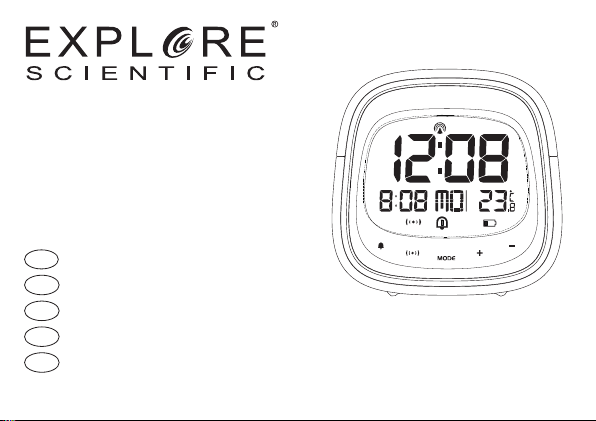
Explore Scientific RDC3006 User manual
EN INSTRUCTION MANUAL...............2
IT ISTRUZIONI PER L’USO.............. 14
DE BEDIENUNGSANLEITUNG .......... 27
FR MODE D‘EMPLOI....................... 40
ES MANUAL DE INSTRUCCIONES.... 53
*Radio-controlled clock function not available in all territories. / Funzione di orologio radiocontrollati non disponibile in ogni territorio. / Funkuhrfunktion nicht in jederm Gebiet verfügbar. / La fonction
d‘horloge radio-piloté n‘est pas disponible dans tous les territoires. / La función de reloj radiocontrolado no está disponible en todos los territorios.
RADIO-CONTROLLED* ALARM CLOCK
SVEGLIA RADIOCONTROLLATA*
FUNKWECKER*
RÉVEIL RADIO-COMMANDÉ*
DESPERTADOR RADIO-CONTROLADO*
Art.No.: RDC3006

2
ABOUT THIS INSTRUCTION
MANUAL
These operating instructions are to be
considered a component of the device.
Please read the safety instructions and the
operating instructions carefully before use.
Keep these instructions for renewed use at a
later date. When the device is sold or given to
someone else, the instruction manual must be
provided to the new owner/user of the product.
The device is intended only for indoor use.
GENERAL WARNINGS
•Risk of electric shock — This device
contains electronic components that
operate via a power source (power supply
and/or batteries). Children should only use
the device under adult supervision. Only
use the device as described in the manual;
otherwise, you run the risk of an electric
shock.
• Choking hazard —Children should only
use the device under adult supervision.
Keep packaging material, like plastic
bags and rubber bands, out of the reach
of children, as these materials pose a
choking hazard.
• Risk of chemical burn —Keep batteries
out of the reach of children! Make sure
you insert the batteries correctly. Leaking
battery acid can lead to chemical burns.
Avoid contact of battery acid with skin,
eyes and mucous membranes. In the
event of contact, rinse the affected region
immediately with a plenty of water and
seek medical attention.
• Risk of re/explosion —Do not expose
the device to high temperatures. Use only
the recommended batteries. Do not short-
circuit the device or batteries, or throw

3
EN
IT
DE
FR
ES
them into a re. Excessive heat or improper
handling could trigger a short-circuit, a
re, or an explosion.
• Do not disassemble the device. In the event
of a defect, please contact your dealer. The
dealer will contact the Service Centre and
can send the device in to be repaired, if
necessary.
• Use only the recommended batteries.
Always replace weak or empty batteries
with a new, complete set of batteries
at full capacity. Do not use batteries
from different brands or with different
capacities. The batteries should be
removed from the unit if it has not been
used for a long time.
SCOPE OF DELIVERY
Alarm clock, Operating instructions, 2x AAA
batteries.
BEFORE YOU BEGIN
• We recommend using alkaline batteries.
If temperatures regularly fall below 0°C
(32°F), we recommend using lithium
batteries.
• Avoid using rechargeable batteries.
(Rechargeable batteries cannot maintain
correct power requirements.)
• Insert batteries before rst use, matching
the polarity in the battery compartment. 2x
AAA Batteries are required.

4
PRODUCT OVERVIEW
1. Press [ ] to activate the
snooze function and backlight for 8
seconds. The Snooze function will
stop the alarm for 8 minutes.
2. Press [ ] to turn on/off alarm.
3. Press [ ] to toggle between the
calendar and alarm display. Press and
hold to enter the alarm setting mode.
4. Press and hold [ ] to enter time
and date setting mode.
5. Press and hold [ ] to turn RCC on/off.
In setting mode, press to increase one
unit, press and hold to increase rapidly.
6. In setting mode, press [ ] to decrease
one unit, press and hold to decrease
rapidly.

5
EN
IT
DE
FR
ES
7. Press the RESET button to restore
settings to factory default.
8. Battery compartment. Slide down to
open.
6
PRODUCT OVERVIEW
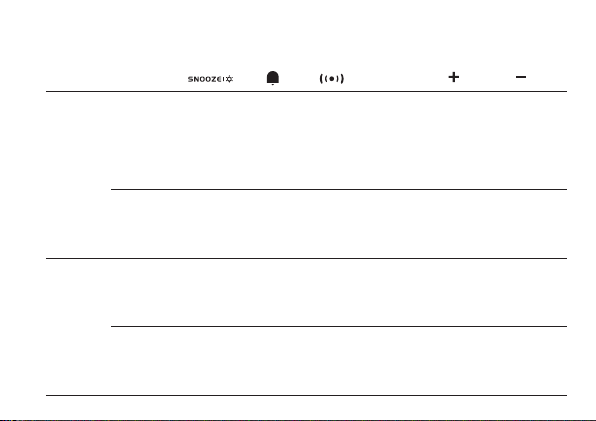
MODE BUTTON MODE
Standard
mode
PRESS
Turn on
backlight for
8 seconds
(SNOOZE
when alarm is
ringing)
Turn Alarm
on/off
Stop alarm
(ringing)
Toggle
between
Calendar
and Alarm
display
_______ _______ _______
HOLD _______ _______ Enter into
alarm setting
Enter into
time and
date setting
Turn RCC
on/off _______
Time /
Alarm
setting
mode
PRESS _______ _______ Conrm
setting
Conrm
setting Increase Decrease
HOLD _______ _______ _______ _______ Quick
Increase
Quick
Increase
7
EN
IT
DE
FR
ES
LCD DISPLAY
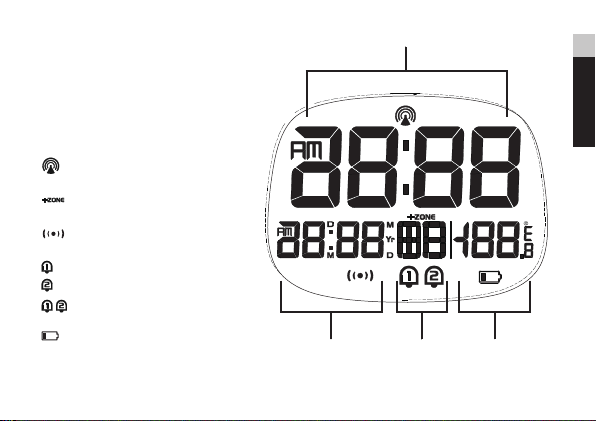
1. Time display
2. Calendar display
3. Weekday display
4. Temperature display
[ ] RCC signal received
[ ] Time Zone indicator
[ ] Snooze activated
[ ] Alarm 1 ON
[ ] Alarm 2 ON
[ ] Alarm 1 + Alarm 2 ON
[ ] Low battery indicator

8
GETTING STARTED
INSERT BATTERIES
1. Remove the battery door from the back.
2. Insert 2x AAA (LR03)/1.5V batteries. Please
ensure the polarities (+/-) of the batteries
match upon installation.
3. Reattach the battery door.
NOTE: Replace batteries when [ ] displays,
or when the display is dim.
CLOCK
CLOCK RECEPTION
1. Replace batteries or press and hold [ ]
button will initiate RCC receiving.
2. The receiving process duration is 7 minutes.
3. During receiving process, the RCC signal
symbol [ ] flashes.
4. If the RCC receiving process is successful, a
completed RCC symbol [ ] will be shown
in the display and the date and time will be
set automatically. If it fails within 7 minutes,
RCC setting will quit automatically. If that
happens, press and hold the [ ] button to
re-initiate RCC receiving.
5. RCC receiving will automatically start at 2:03,
3:03, 4:03, 5:03 every night. Auto receiving
function will cease if it is successful.
6. To stop RCC reception, press and hold the
[ ] button.
7. If the device is still not receiving the signal,
please proceed to set the time manually.
SET THE CLOCK MANUALLY
1. Press and hold [ ] button to enter into
time and date setting.
2. The setting parameter will flash.
3. Press [ ] button once, the figure will

9
EN
IT
DE
FR
ES
increase 1 unit (when setting minute, second
will reset to 0). Press and hold the [ ] button,
the figures will increase rapidly.
4. Press [ ] button once, the figure will
decrease 1 unit (when setting minute,
second will reset to 0). Press and hold the [
] button, the figures will decrease rapidly.
5. Press [ ] button to confirm setting and
enter to next parameter.
6. Sequence of setting: Time Zone 12/24
Hr format Hour Minute Year
Calendar Mode (day-month/month-day)
Month Day Weekday Language
°C/°F Exit
7. If there is no action in 20 seconds, the setting
will be saved and will exit the setting mode.
LANGUAGE
The Language options are: English (E), German
(D) French (F) Italian (I) Spanish (S)
TIME ZONE SETTING
To set a different time zone, proceed as follows:
1. Press and hold [ ] button, enter time
and date setting.
2. The Time zone offset setting will flash.
3. Press the [ ] button to increase or
[] button to decrease the Time zone offset.
°C/°F SETTING
1. Press and hold [ ] button, enter time
and date setting.
2. Press [ ] button several times until the
display shows °C/°F.
3. Press the [ ] or [ ] button to switch
Celsius (°C) / Fahrenheit (°F).
ALARM
SETTING/ADJUSTING DUAL ALARM TIME
You can set two alarm times (AL1 and AL2).
1. Press the [ ] button to display Alarm 1.

10
2. Press and hold [ ] to enter the alarm
setting mode for the currently selected
alarm (Alarm 1).
3. The setting parameter will flash.
4. Press [ ] or [ ] button to set the desired
data.
5. Press [ ] button to confirm setting and
enter to next parameter.
6. Sequence of setting: Hour Minute Vol
H/L (Alarm volume) Exit
7. Alarm will sound when alarm setting is
finished and turned on.
8. If there is no action in 20 seconds, the setting
will be saved and will exit the setting mode.
TURN ON/OFF ALARM
1. In alarm display mode, press the [ ]
button to turn on/off the current alarm.
when in calendar display mode, the
sequence is: AL1 on AL2 on AL1+AL2
on AL1+AL2 off.
2. The alarm lasts 2 minutes and becomes
faster and faster over time.
OPERATION
1. At the set time, alarm signal rings.
2. During the alarm, press the [ ]
button to delay the alarm by 8 minutes.
3. If you do not press any button to stop the
alarm, it will automatically turn off after 2
minutes.
4. To stop the alarm, press [ ] or any other
button except SNOOZE.
5. The alarm will start again at the next alarm
time, unless you switch off the alarm
function by pressing the [ ] button.
RESET
Press RESET to return to the default settings.
Other manuals for RDC3006
1
Table of contents
Languages: