, it enters the “Fry” mode. “ ” will be displayed.
-8-
-7-
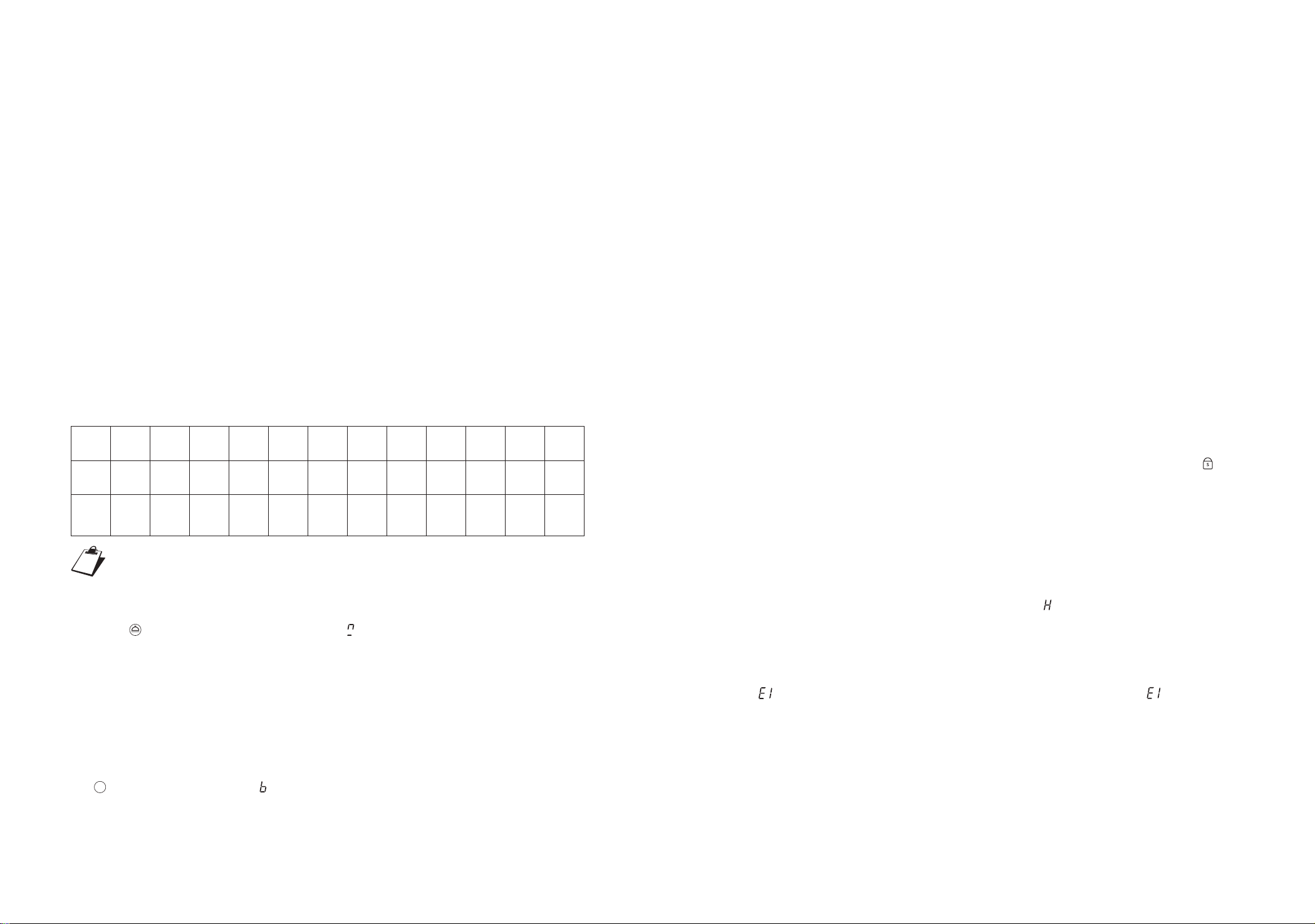
Level 0 1 2 3 4 5 6 7 8 9
Power 100 500 600 800 1000 1200 1400 1600 1800 2100 2100
Heating
modeIntermi
ttent
heating
No
heating
Simmer
Contin
uous
heating
Contin
uous
heating
Contin
uous
heating
Contin
uous
heating
Contin
uous
heating
Contin
uous
heating
Contin
uous
heating
Contin
uous
heating
Contin
uous
heating
Contin
uous
heating
Contin
uous
heating
Fry
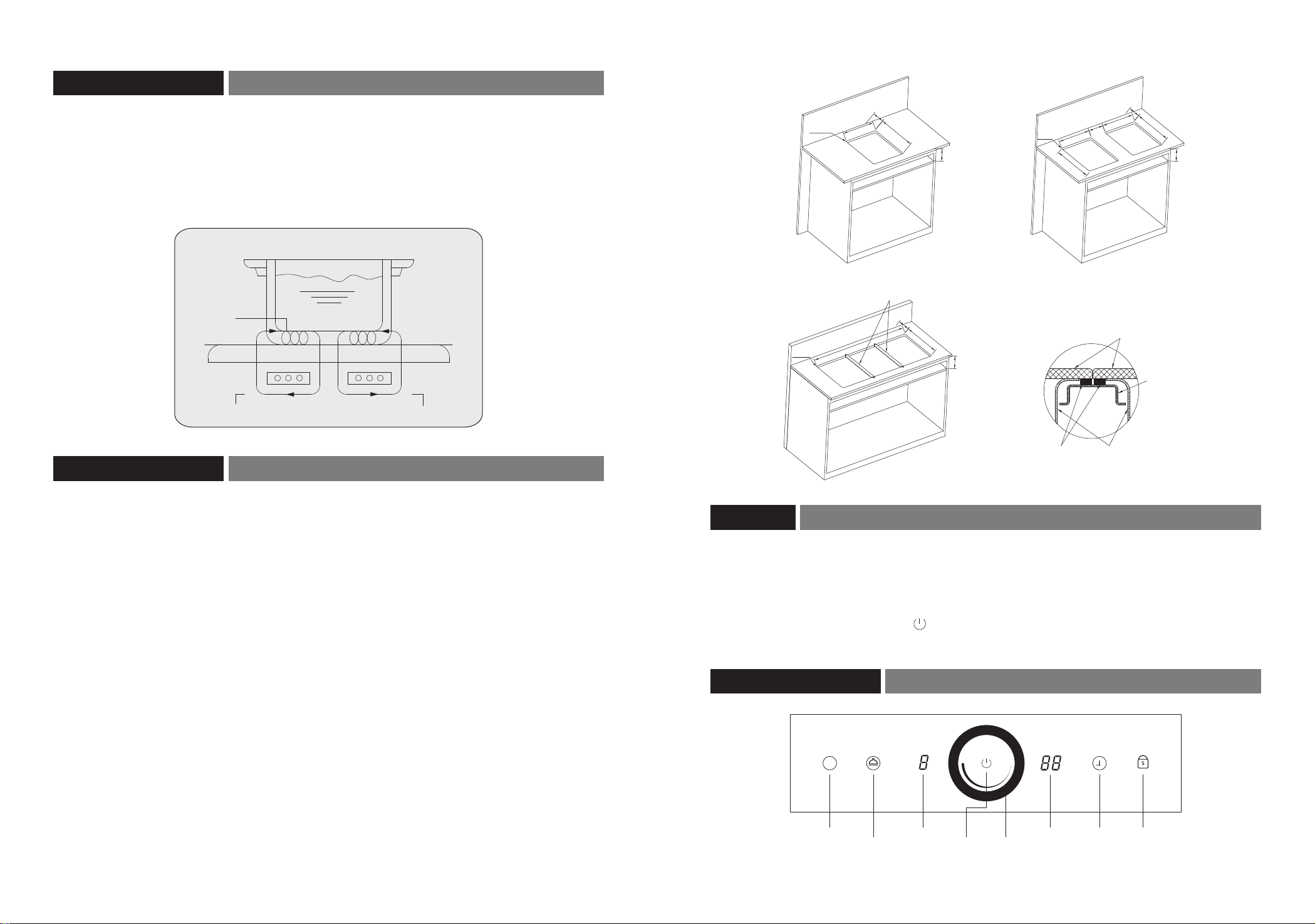
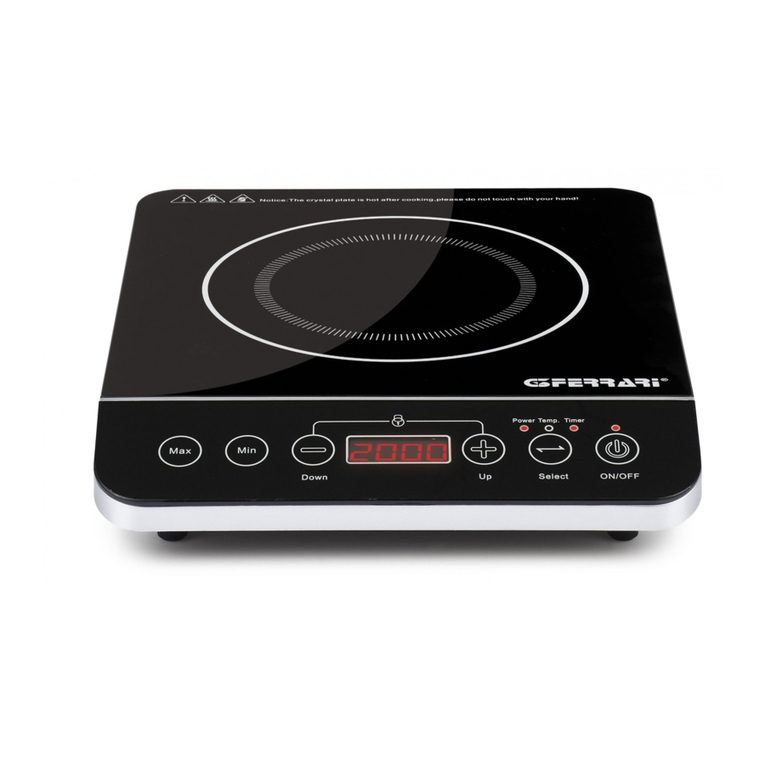
1.Operation panel: the complete appliance has an induction hob and buttons of power level,
timing and multiple function.
2.Power on: plug into the power and the appliance produces a beep. All digital tubes light up for
about 1 second, and the induction hob enters the standby state.
3.Standby: the induction hob enters the standby state after it powers on for 1 second. The
appliance enters the standby state after used and turned off, and the residual heat protection
stops.
4.Turn on:
4.1 Press the "Power" button under standby state to turn on the appliance.
4.2 After turned on, adjust the power level by sliding on the circular sliding control zone in a
clockwise direction, and it displays the corresponding power level and starts to heat up.
4.3 After turned on, press the "Simmer or Fry" button to enable the corresponding
function, and start heating, and corresponding power level is displayed.
4.4 The induction hob will be automatically turned off if it is not heated for 1 minute when
turned on.
5.Power level adjustment:
5.1 Raise (or lower) the power level by sliding on the circular sliding control zone in a
clockwise (or counter-clockwise) direction, and it has 1~9 levels.
5.2 The maximum power is 2100W.
5.3 Power of each level:
1.The above information may vary depending on pots used, only for reference.
2.Fry lasts for 10 minutes.
6.Simmer:
6.1 After the induction hob is turned on or when under work status, press the “Simmer”
6.2 The “Simmer” function is used after cooking.
6.3 It maintains warmth for 2 hours by default and then it stops maintaining warmth
automatically.
6.4 Under the “Simmer” mode, press the “Simmer” button again to exit the mode, and
the induction hob stops heating. In the “Simmer” mode, adjust the power level or
enable other functions, it will exit the “Simmer” mode and enter other states.
7.Fry:
7.1 After the induction hob is turned on or when under work status, press the “Fry” button
7.2 The “Fry” mode lasts for 10 minutes each time, and then it automatically exits this
mode and goes back to the power level of origin. If the origin power level is 0, it goes to
9th level by default.
7.3 Under the “Fry” mode, press the “Fry” button again to exit the mode. The induction
hob exits the “Fry” mode and goes back to the power level of origin. If the origin power
level is 0, it goes to 9th level by default.
8.Timer:
8.1 Under the “Simmer” mode, press the “Timer” button, the induction hob enters the
setting state, and the timer indicator lights up. Then, you can adjust the time duration by
sliding on the circular sliding control zone. The maximum time is 99 minutes.
8.2 Under the “Timer” mode, adjust the time by sliding on the circular sliding control zone in a
clockwise (or counter-clockwise) direction. After sliding a certain angle in a clockwise (or
counter-clockwise) direction, stop sliding and hold it for a long time to enter the quick
adjustment mode.
8.3 If there is no operation within 6 seconds under the timer setting state or the “Timer” button
is pressed after setting is finished, it automatically exits the setting state.
8.4 After time out, the induction hob is turned off and continues to beep for 30 seconds. Press
any button and stop beeping.
8.5 Press and hold the “Timer” button to quickly exit the manual timing state.
8.6 Adjusting the power level not affect the timing.
9.Timing by default: the heating time by default is 2 hours for all power levels (1~9) and then the
induction hob is turned off automatically. The timeout will be reset to 2 hours and restarted
after the power level is adjusted.
10.Turn off: press the “Power” button to directly turn off the induction hob when it is working.
11.Lock:
11.1 When the complete appliance is powered on, press and hold the “Lock” button to lock
buttons at the operation zone. All buttons except the “Power” button and the “Lock” button
cannot be operated. At the same time, the lights of buttons except the “Power” button and
the “Lock” button will go out.
11.2 Under the Lock state, press the "Power" button to turn off the induction hob. The Lock will
not be released after the induction hob is turned off. Under the power-on state, press and
hold the Lock button for 3 seconds to release the lock.
12.Residual heat indication: after cooking and the induction hob is turned off, if the temperature
of the panel in the heating zone is higher than 55℃, “ ”will be displayed, and if it is lower
than 45℃, the residual heat indication disappears.
13.After cooking and the induction hob is turned off, the fan will continue to run for 1 minute and
then stop.
14.Tips for no pot: if there is no pot after the induction hob is turned on, the power level will
be “ ” and 1 minute later, the induction hob will turn off automatically. “ ”will disappear
after a suitable pot is placed, and the corresponding power level will be displayed.
button , it enters the “Simmer” mode, and “ ” will be displayed.
F