Using the TV/VCR Features
On-Screen Displays
When you change channels, adjust volume, oruse
a VCR feature, on-_ree_ displays appe.ar to let
you know the status of the TV/VCR.
To Call Up On-Screen Displays
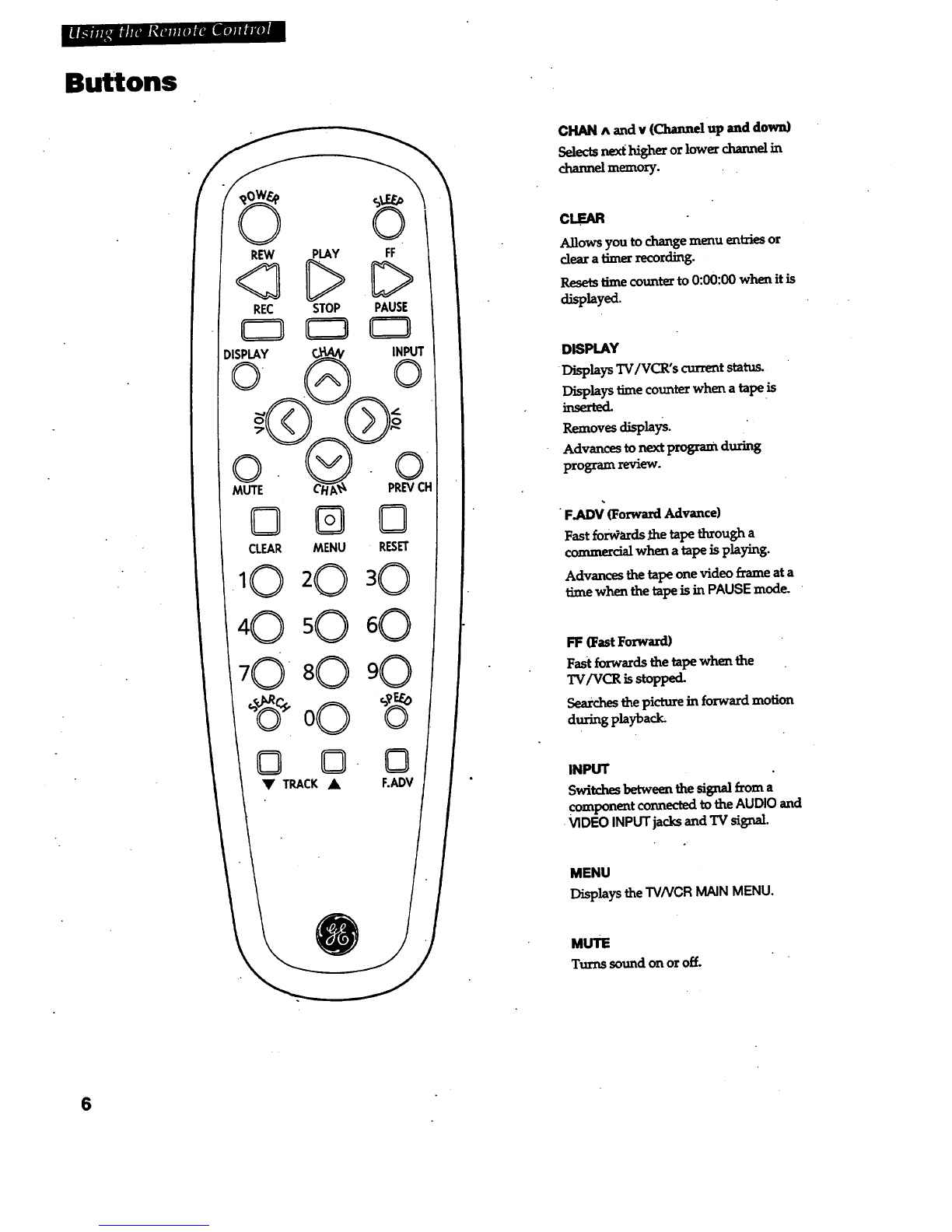
1. Press DISPLAY _display the _nction, time
counter, date, time, and tape speed.
you do not press DISPLAY _these
displays will time out.
2. Press DISPLAY a&zLLm
*No tape in TV/VCIh Displays removed.
• Tape in TV/VCR: Time.counter remains on
screen. Will not time out. Press DISPLAY
again to remove the time counter.
Adjust the Video
Usethe PICTUREQUALITYmenu toadjustthe
•picture for your personal preference. The TV/VCR
will remember the settings you select.
To Adjust Video
1.
,
PressPICTUREonthef_ontoftheI"4/VC_ to
ctisplaythe PICTUREQUALITYMENU
-OR-
PressMENUon the remotetodisplay the TV/VCR
MAIN MENU.Press2 to dLsplaythe PICTURE
QUALITYmem_
TV/VCR RAIN RENU
1 Ttuer Recordings
2 Picture GuaLity
.
o
PICTURE QUALITY
CoLor -. ........ {.. .... +
Ttntcontr ":::::::::[:'"::
Brtte ......... L......
Sharp ......... L......
Use CH and VOL to adjust
Press RENU to extt
Press CH/_NNELup or down to choose the function you
want to adjust.
• Select Colortoadjust color intensity.
* Select Tintto adjust for natural fleshtones.
* Select Contr (contrast) tOadjust picture contrast.
• SelectBrite(bfi_tness) to adF_t pictm'ebrightness.
. SelectSharptoadjust pictumsharpness.
Press VOLUMEup or down to a(i_Jstthe function
selected.
To Return Video to the Factory Settings
PressRESETtoresetthe Videoto thelevelsset
at the factory.
.