Contents
EN-1 LED Backlit Flat TV instruction Manual
Contents
Safety Warnings 2
Welcome............................................................... 2
Important Information........................................ 2
About Your LED LCD TV 5
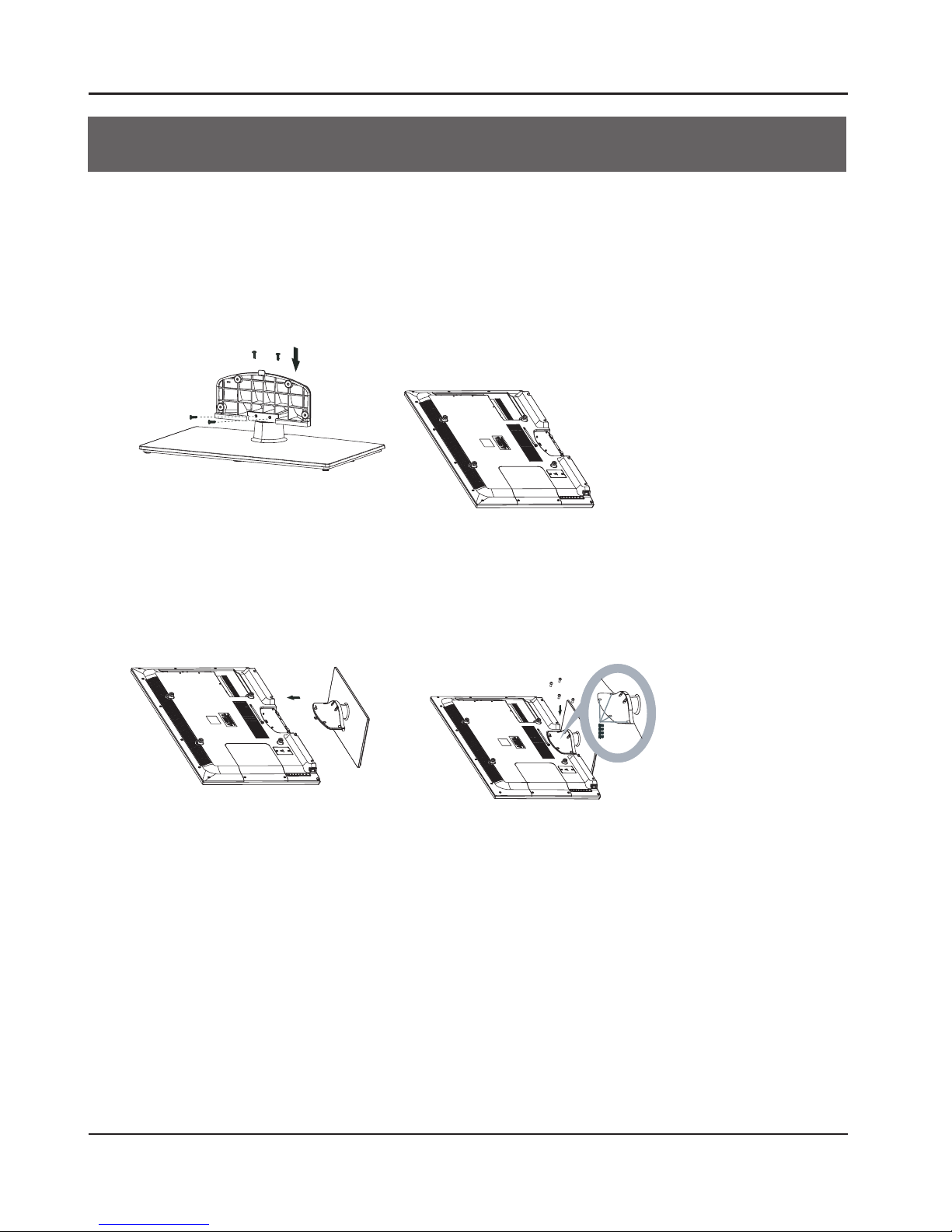
Installing the Stand ............................................ 5
Wall Mounting Installation..................................6
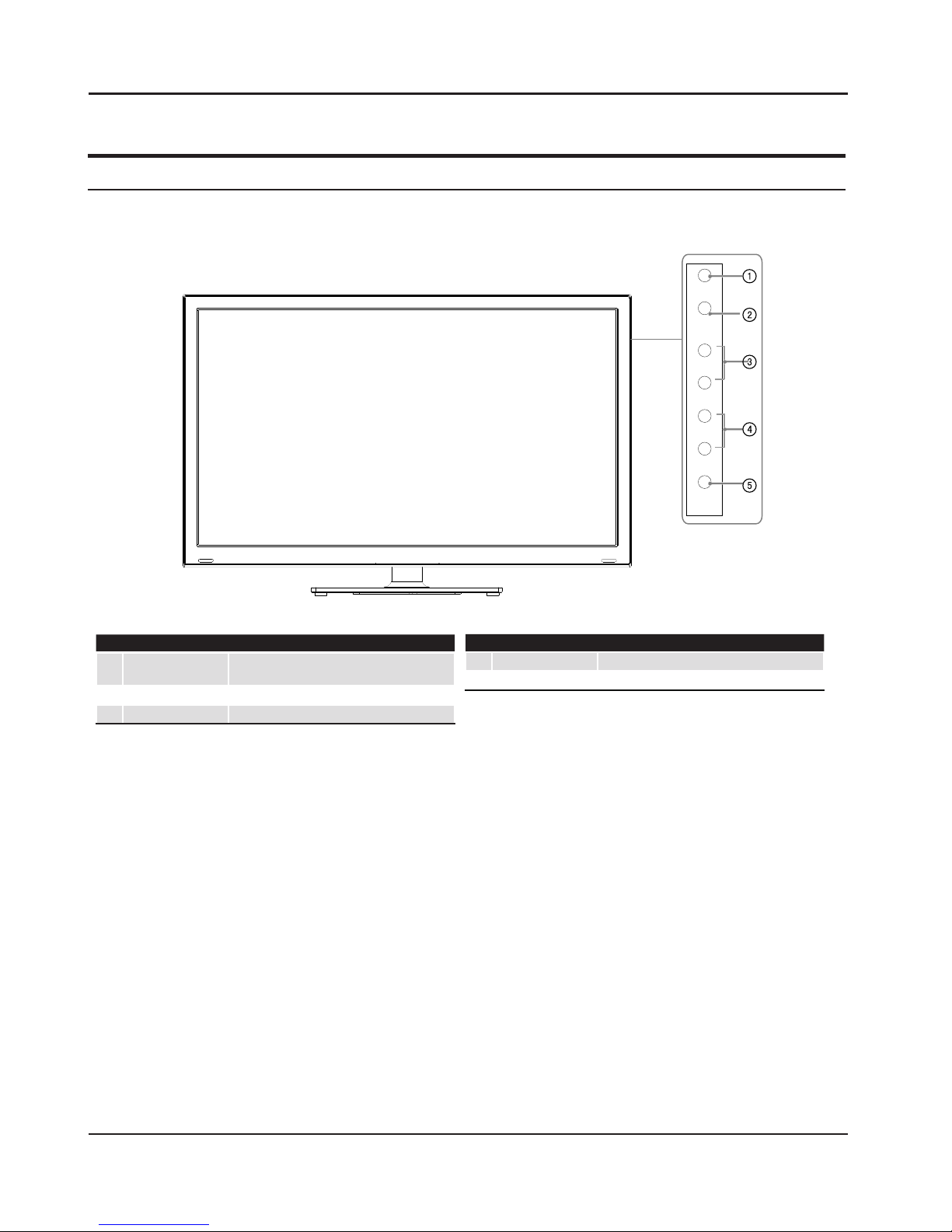
Front Control Panel..............................................7
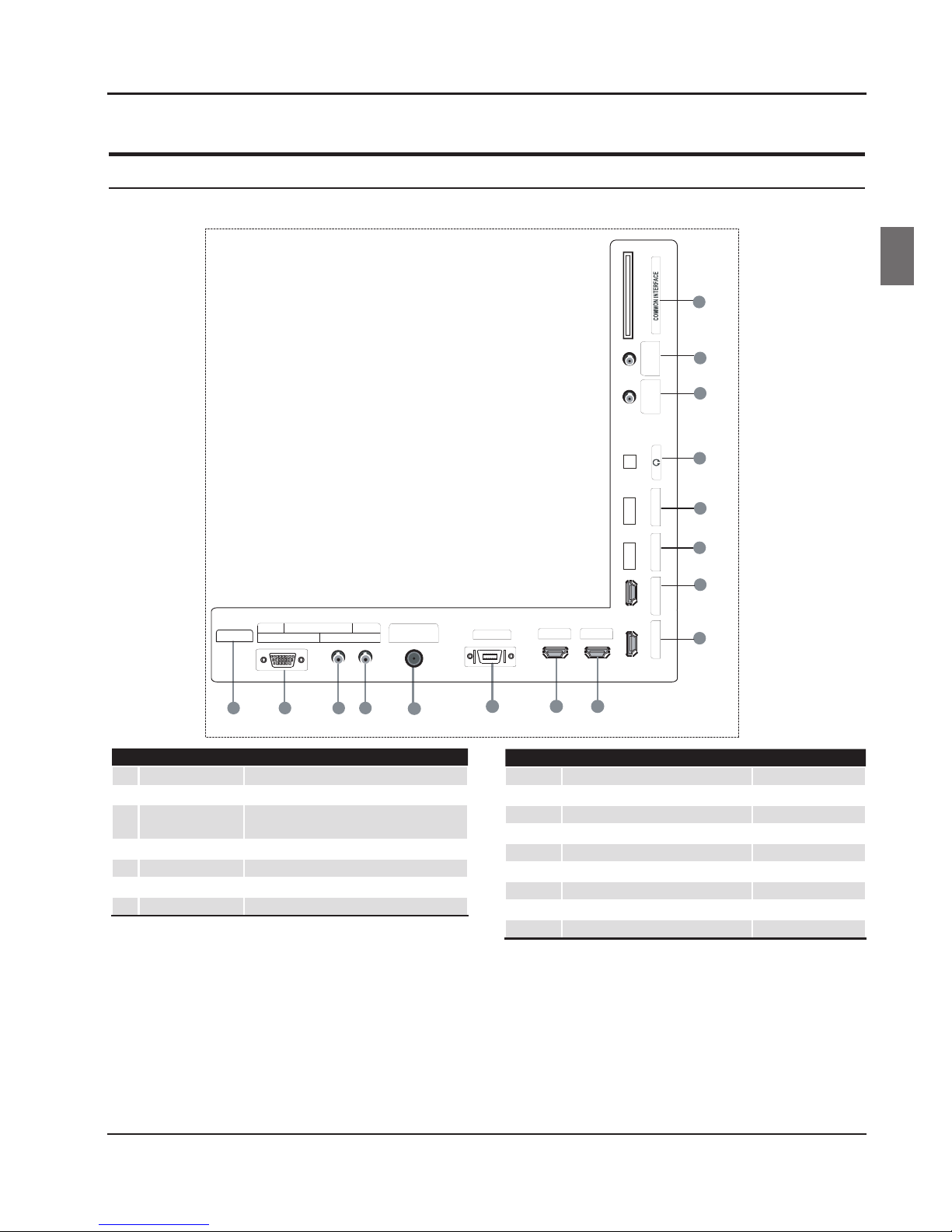
Rear Terminal Control..........................................8
Get to Know Your Remote Control...................... 9
Connecting Your TV ........................................... 10
Antenna Connection..........................................................10
Improve Your Signal ...........................................................10
Connect Your PC to the TV...............................................10
Connect a DVD Player to Your TV ..................................10
Connect a DVD Player or VCR to Your TV ....................10
SCART Input ..........................................................................10
HDMI Input ............................................................................10
Preparation of Your Remote Control................ 11
Battery Installation..............................................................11
Battery Caution ....................................................................11
Setting up........................................................... 11
Location..................................................................................11
Connection............................................................................11
Switching Your TV On ........................................................11
Tuning Your TV................................................... 12
Switching to an External Source Other Than TV ......12
Channel Scan ( Cable)........................................................12
Channel Scan ( Air)..............................................................12
Channel Scan (Satellite) ...................................................13
Digital Manual Search(Cable) .........................................13
Digital Manual Search(Air) ...............................................14
Analog Manual Search ......................................................14
Channel Edit..........................................................................14
Common Interface............................................. 15
Software Update Function................................15
Operation...............................................................................15
Using Your TV ..................................................... 16
How to Select the TV Program .......................................16
How to Adjust Volume.......................................................16
Adjusting Picture Settings................................ 16
Changing the Picture Setting .........................................16
Adjusting Sound Setting................................... 17
Changing the Sound Setting ............................ 17
Function Settings .............................................. 17
Lock Menu Setting............................................. 21
Shortcut Menu Display...................................... 22
Teletext Functions ............................................. 23
Teletext....................................................................................23
To watch a 3D TV................................................ 24
If the TV is currently in the 2D mode............................25
If the TV is currently in the 3D mode............................25
USB Mode........................................................... 25
To Use the USB Device.......................................................25
Connecting a USB Device.................................................25
USB Media Menu operation ............................................26
To play pictures....................................................................26
To play music ........................................................................26
To play movie........................................................................27
DLNA (Digital Living Network Alliance)........... 27
Using External USB Disk For Recording........... 27
Using the APP@TV service................................ 28
Reference Sections 29
Troubleshooting ............................................ ....29
Specification.......................................................30
Appendix.............................................................31