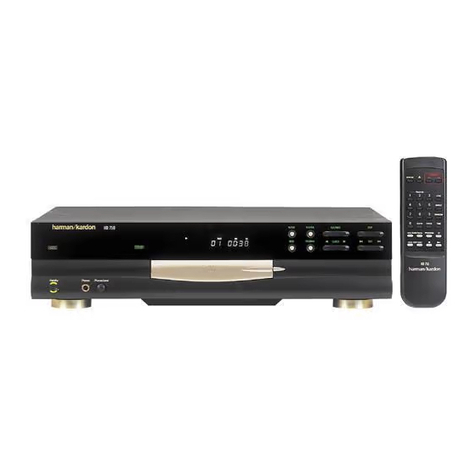
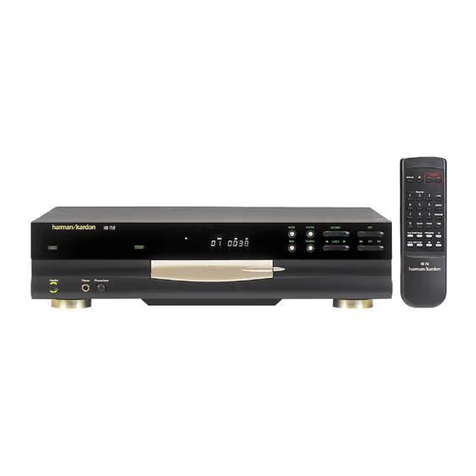
Remote Control
7
1. POWER ON: Turns on the player when it is in standby mode
(Harman Kardon logo appears on screen).
2. POWER OFF: Turns off the player to standby mode.
3. AUDIO: Press to access various audio languages on a disc (If the
disc contains multiple audio streams).
4. SUBTITLE: When a disc is playing,press to access subtitles menu (If
the disc contains subtitles).
5. ANGLE: Press to access various camera angles on a disc (If the disc
contains multiple camera angles).
6. STATUS: Press while playing a disc to see Banner Display on the
screen.The Banner Display contains various playback features and
information about the disc.
7. TITLE: When a disc is playing, press to seeTitle Menu on the screen
(if the disc was created withTitle).
8. RETURN: When using the DVD Player’s menu system, press to return
to preceding menu screen (depends on DVD title format)
9. SUBTITLE ON/OFF: Turns the subtitles on and off when playing a
DVD (If the disc contains subtitles).
10. ARROW buttons (LEFT/RIGHT/UP/DOWN): Use to select and
execute items or settings.
11. ENTER: Press to select a highlighted menu item.
12. MENU: Displays the DVD Disc Menu on theTV screen in play mode
and Setup Menu in stop mode.
13. PLAY: Begins to play disc (closes disc tray first, if it is open.)
14. SEARCH(REV): Allows you to search in reverse through a disc while
it is in play mode. Each time you press this button,search speed
changes as below:
DVD:
R.SEARCH1 → R.SEARCH2 → R.SEARCH3 → R.SEARCH4 →
R.SEARCH1 →
CD:
R.SEARCH1 → R.SEARCH2 → R.SEARCH3 → R.SEARCH1 →
15. FWD(SEARCH): Allows you to search forward through a disc while
it is in play mode. Each time you press this button,search speed
changes as below:
DVD:
F.SEARCH1 → F.SEARCH2 → F.SEARCH3 → F.SEARCH4 →
F.SEARCH1 →
CD:
F.SEARCH1 → F.SEARCH2 → F.SEARCH3 → F.SEARCH1 →
16. OPEN/CLOSE: Press to open or close the disc tray.
17. PAUSE: Freezes a picture when a disc is playing.Press again for
normal playback.
18. STOP: Stops playing a disc.When disc is playing,if you press STOP
and PLAY, the disc will resume play.If you press STOP twice and
PLAY button, disc will start play from the beginning.
19. PREV./NEXT: Allows you to move to the previous chapter or track /
the next chapter or track on a disc.
20. SLOW: Allows you to play movie in slow mode.Each time you press
this button,slow speed will be changed as below;
F.SLOW 1/16 → F.SLOW 1/8 → F.SLOW 1/4 → F.SLOW 1/2 →
F.SLOW 1/16
R.SLOW 1/16 → R.SLOW 1/8 → R.SLOW 1/4 → R.SLOW 1/2 →
R.SLOW 1/16
21. RANDOM: Press for RANDOM playback in,random order.
22. STEP(REV/FWD): Freeze a picture when a disc is playing.Also the
picture advances frame by frame each time this button is pressed.
23. NUMBER (0~9): Select numbers by pressing these buttons.
24. PROG: Press to see Program Edit Display on the screen when in
STOP mode.
25. CHECK: Press during playback to check the program status onVFD
(front display).Press during stop mode for program edit onVFD.
26. CLEAR: Press to remove Banner menu from the screen or pro-
grammed tracks/chapters from the Program Edit Display.
27. LIGHT: Press to lilluminate remote controller.
28. REPEAT: Press to go to the Repeat menu.You can repeat a chapter,
track or the entire disc.
29. A-B: Press to select sectionA-B and to play repeatedly.